스튜디오API요금제
크레딧

이 페이지 내용

홈
블로그
What 3D File Formats Work Best for Game Engines? A Practical Comparison

What 3D File Formats Work Best for Game Engines? A Practical Comparison

FBX, GLB, OBJ, GLTF, which format should you actually use for your game engine? Here's a practical comparison for Unity, Unreal, and Godot developers.

2026년 7월 16일

Picking a 3D file format shouldn't be a research project, but somehow it always ends up being one. You export a mesh, drop it into your engine, and half the materials have turned pink. Or the skeleton doesn't map. Or the textures didn't come along. An hour later you're reading forum posts from 2019 trying to figure out if GLTF works with Unreal yet.

This is the article I wish I'd found when I was rebuilding the same asset in three different formats just to get one to land cleanly. It covers the six formats that actually matter for game development, what they carry, what they lose, and which one to pick for your specific pipeline.


What Makes a 3D File Format Game-Engine Ready

A file format either carries the data your engine needs, or it doesn't. The difference comes down to three layers:

  1. Mesh structure: vertices, faces, normals, UV coordinates, and vertex color data. Every format covering game development at least handles this.
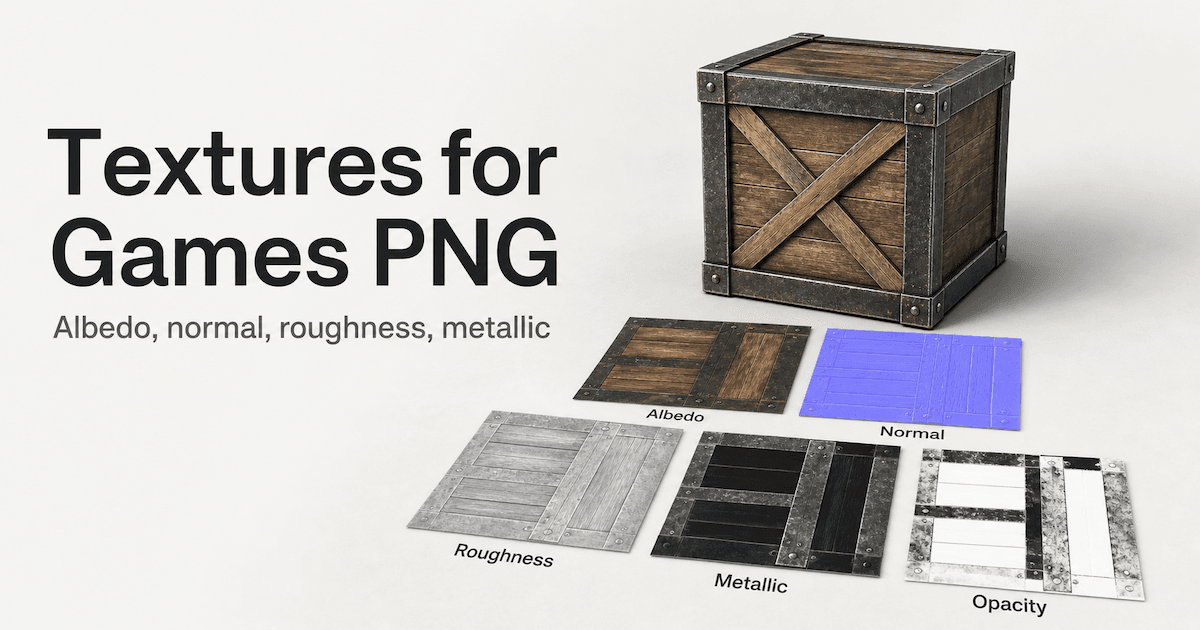
  2. Materials and textures: PBR maps like roughness, metallic, normal, metallic, normal, and opacity channels. Some formats embed textures directly. Others reference external files that break the moment you move the folder.
  3. Animation and rigging: bone hierarchies, skeletal animation, vertex weights, blend shapes. Only two formats handle this reliably: FBX and GLTF.

The common mistake is assuming any format works because your engine will accept the file. An engine accepting an OBJ and an engine rendering it with proper PBR materials are two completely different scenarios. The trade-offs matter for every asset type.

There's a complementary guide that covers topology, texture resolution, and engine-specific asset requirements in detail, but for now, here's what matters about file formats on what makes a 3D model game-ready that covers topology, texture resolution, and engine-specific asset requirements.


The Six Formats That Actually Matter for Game Development

After shipping assets to multiple engines across different projects, these are the six formats worth knowing. Each has a lane where it thrives and use cases where it creates more problems than it solves.

FBX: The Game Industry Standard

FBX is the closest thing to a universal game format. It carries geometry, materials, textures, skeletal animation, bone weights, cameras, lights, and even scene hierarchy. That depth is why Unity and Unreal Engine both import FBX natively. If your asset has a skeleton, FBX is the format.

The cost of that breadth is file size and proprietary licensing. FBX files are typically the largest of any game format, and Autodesk controls the SDK. Open-source implementations work but lag behind the official library.

For animated characters, there's no better format. An FBX export from Blender with the correct armature settings lands in Unity's Mecanim system or Unreal's skeleton hierarchy with bone mapping intact. For static props, FBX is overkill. The format carries capability you don't need.

GLB and GLTF: The Web-Optimized Format

GLTF is the JSON-based format from the Khronos Group (the same people behind OpenGL and Vulkan). GLB is the binary version, a single file that contains the mesh, PBR materials, and textures all bundled together.

This is the format that changed how I handle static props. A GLB export from any modern tool drops into Unity with materials intact, no external texture files to lose track of, no pink placeholder materials. The PBR material definition is part of the format standard, so roughness, metallic, and normal maps map correctly across tools.

Godot 4 uses GLTF as its native format. In Unity, GLB works well for static assets. Unreal requires a plugin for full GLTF support, though it's gotten better with each release.

The trade-off is animation depth. GLTF supports skeletal animation and morph targets, but complex rigs with constraints, IK, or non-standard bone hierarchies are more reliable in FBX.

OBJ: The Universal Geometry File

OBJ has been around since the 1980s, and you'll find it supported in every 3D application ever written. It carries vertices, normals, UVs, and face definitions in plain text. The MTL file can define basic Phong materials.

Game engines accept OBJ, but they import it as plain geometry. No PBR materials, no animation, no skeleton. The MTL file defines basic color and specular properties, but your PBR workflow stops at the file format boundary, and your PBR workflow stops there.

OBJ's real strength is universality. If you need to move a mesh between an ancient tool and a modern engine, OBJ will work. For archiving, it's the safest choice for pure geometry. For active game development, it's rarely the best choice.

USDZ: Apple's AR Delivery Format

USDZ is a single-file format based on Pixar's USD framework, optimized for Apple's AR ecosystem. It carries geometry, PBR materials, and compressed textures in a lightweight package.

For iOS AR apps and AR Quick Look experiences, USDZ is the delivery standard. For core game development, its scope is too narrow. You can extract geometry from USDZ files, but it's not designed for editing, versioning, or iterative asset work.

STL: 3D Printing Geometry Only

STL represents surfaces as raw triangles. No color, no materials, no UV coordinates, no texture maps. For a deeper look at how STL stacks up against OBJ and 3MF for manufacturing and digital fabrication, see this STL vs OBJ vs 3MF comparison.

In game development, STL has two narrow use cases: collision meshes derived from STL geometry (import into Blender, rebuild as convex hulls), and prototyping placeholders when you only need a shape reference. For anything else, it's the wrong format.

3MF: The Modern Manufacturing Format

3MF was designed by Microsoft as a replacement for STL. It carries geometry, materials, colors, textures, and internal structure in a compressed XML package. It's XML-based, which means it's extensible, and since it's compressed, files stay small.

3MF isn't a game engine format. Unity, Unreal, and Godot don't import it natively. But it's increasingly relevant because some AI 3D generation tools export in 3MF. If you're working with AI-generated meshes, understanding what 3MF carries and how to convert it to FBX or GLB is useful pipeline knowledge.


Format Comparison Table: Game Development Use Cases

Format

Animated Characters

Static Props

Web/AR

3D Printing

File Size

Engine Support

FBX

Yes (best)

Yes

Limited

No

Large

Unity, Unreal, Godot

GLB/GLTF

Yes (basic)

Yes (best)

Yes (best)

No

Small

Unity, Unreal (plugin), Godot (native)

OBJ

No

Yes

No

Yes

Medium

Unity, Unreal (limited)

USDZ

No

Yes

Yes (iOS)

No

Medium

AR only

STL

No

Prototype only

No

Yes (best)

Small

Requires conversion

3MF

No

Limited

No

Yes

Small

Requires conversion


Which Format to Use for Each Game Engine

The same format does not behave the same way across all engines. Here's the per-engine breakdown that most comparison articles skip.

Unity: FBX for Characters, GLB for Props

Unity's Mecanim animation system reads bone hierarchies, blend shapes, and animation clips directly from FBX imports. The import inspector gives you per-settings control over rig mapping, animation compression, and material generation. If your asset has a skeleton, export it as FBX.

For static props, GLB is the cleaner path. A GLB import lands with PBR materials pre-assigned. No pink material errors, no manual texture reassignment. Triverse exports in GLB, which means you can skip conversion entirely and drop the file straight into your Unity project.

The rule is straightforward: skeleton → FBX. No skeleton → GLB.

For a complete walkthrough of Unity's import settings, there's a guide on Unity's official mesh import and material setup that covers scale, compression, and lightmap UV generation.

Unreal Engine 5: FBX Default, GLTF Growing

Unreal Engine's import dialog is built around FBX. Lightmap UV generation, skeletal mesh recognition, and Control Rig integration all work out of the box with FBX. If you're importing a character with a skeleton, FBX is the format.

GLTF and GLB support in Unreal is available through plugins and has improved with recent engine versions. For static props generated by AI tools, GLB is often the cleanest path: export from Triverse, drag into Unreal, assign materials.

Nanite works with FBX and OBJ imports directly. You don't need a special format for Nanite compatibility. Just ensure your mesh is triangulated and has proper normals.

For character-focused projects, the Unreal Engine FBX import settings and requirements guide covers skeleton mapping, animation import, and material assignment in detail.

Godot 4: GLTF Is the Native Format

Godot 4 treats GLTF and GLB as native. Import a GLB file into Godot 4 and the mesh, materials, and textures appear in your scene graph ready to assign to a node. This is a major change from Godot 3, which used its own .tscn format for import.

If you're building a game in Godot 4, GLTF should be your default export format from any tool. FBX is supported through Godot's built-in FBX2GLTF converter, but the extra conversion step adds potential for data loss.


What Gets Lost in Format Conversion

This is the question nobody answers directly: "I converted my file — what's missing?" Here's the conversion loss matrix sorted by the conversions you'll actually do.

  • FBX to GLB: Geometry and materials transfer well. PBR maps may need manual reassignment depending on the exporter. Complex skeletal animations with constraints need verification in the target engine.
  • GLB to OBJ: Geometry is preserved. All PBR materials, roughness maps, metallic channels, and texture references are stripped. The OBJ renders as a flat-shaded mesh. This is the most destructive common conversion.
  • FBX to STL: Everything except surface geometry is removed. No materials, no textures, no animation, no UVs. Usable for collision meshes and nothing else.
  • OBJ to FBX: Geometry comes through cleanly. Materials defined in the MTL file may need reassignment because FBX handles channels differently than OBJ's basic Phong model.
  • GLB to USDZ: Works for static props. Apple's Reality Converter handles this conversion. Animations and complex material graphs may not transfer.
  • 3MF to FBX: Blender handles this conversion. Geometry transfers well. The XML material definitions may not map to FBX's material system without manual work.

The repeating pattern: every conversion strips or distorts something. The safest approach is to re-export from your source tool in the target format rather than converting from one export format to another. Blender reliably opens and re-saves all of these formats.


How AI-Generated 3D Models Fit Into This Framework

When you generate a mesh with an AI tool, the format choice matters as much as the mesh quality. Picking the wrong format adds a conversion step that costs data fidelity.

Triverse AI handles image-to-3D generation in two modes. Triverse's HD Mesh produces watertight meshes with detailed geometry, best exported in STL or OBJ for further editing, or in GLB if you're working with a tool that reads PBR materials directly. Triverse's Artist Mesh generates clean triangle topology at three density presets (Low at around 1,024 triangles, Medium at around 2,048 triangles, and High at around 4096 triangles, all at 25 credits), making it the better choice for game engine import without needing retopology. Artist Mesh files export directly in GLB, so you can drop them into Unity or Godot without a conversion step.

For static props and environment pieces, download in GLB. Triverse exports in six formats: GLB, OBJ, STL, 3MF, FBX, and USDZ, and GLB is the most portable for engine work because it embeds PBR materials directly. No external texture files to manage, no material reassignment.

For animated characters from AI tools, FBX is the right format. Most AI tools don't generate production-quality skeletal rigs, but starting with FBX means the bone hierarchy is available for retargeting if it exists, or for manual rigging if it doesn't. A common next step is cleaning up AI-generated meshes before engine import, where topology adjustments and rig verification happen before the asset hits the engine.

The full workflow for static props: upload a reference image to Triverse → choose Artist Mesh → download in GLB → import into your engine. That's it. No retopology, no conversion step, no broken materials.


Frequently Asked Questions about 3D File Format for Game

What is the best 3D file format for game development?

There isn't a single best format. For animated characters and complex rigs, FBX is the standard across Unity and Unreal. For static props, GLB is cleaner because it embeds PBR materials. Godot 4 developers should default to GLTF. OBJ works for geometry-only transfers and archiving. The best format depends on your engine, asset type, and pipeline stage.

Can I use GLTF instead of FBX in Unity?

Yes, for static props and assets with basic animations. GLTF exports with embedded PBR materials, so you'll avoid the pink material issue that sometimes appears with OBJ imports. For complex skeletal rigs with multiple animation clips and bone constraints, FBX is still the safer choice.

What 3D format does Unreal Engine 5 prefer?

FBX. Unreal's import pipeline is designed around FBX, and every feature works natively with FBX imports: lightmap UV generation, skeletal mesh recognition, and Control Rig. GLTF is supported through plugins but remains secondary for complex rigs.

How do I convert between 3D file formats?

The most reliable method is to import the source file into Blender and re-export in the target format. Blender handles all six formats discussed in this guide. Avoid online converters for production assets. They strip metadata and often alter geometry. Always verify the converted file in your engine before using it in a build. If you just need a quick conversion without opening a 3D tool, Triverse offers a free 3D file converter that handles format swaps between GLB, OBJ, STL, 3MF, FBX, and USDZ directly in the browser.

What 3D format should I use for Godot 4?

GLTF or GLB. Godot 4 treats these as native formats. Import a GLB file into Godot 4 and the mesh, materials, and textures appear immediately. FBX is supported through a converter but adds an unnecessary conversion step.

Does OBJ support animations in game engines?

No. OBJ is a static geometry format. It has no concept of bones, animation curves, blend shapes, or skeletal rigs. If you import an animated character as OBJ, only the mesh at its default pose will appear. For animation, use FBX or GLTF.

What gets lost when converting FBX to GLB?

Geometry and PBR materials transfer well. Complex skeletal animations with constraints and IK targets may need manual verification. Material channels that don't have direct GLTF equivalents may not carry over. Subsurface scattering or clearcoat are common examples. Test a sample asset before converting a batch.

Which format should I download from an AI 3D generator?

For static props, download GLB. PBR materials are embedded and the mesh is ready for engine import. For animated characters, download FBX even if the rig needs manual adjustment. Most AI 3D generators support FBX and GLB export. Triverse exports in both, plus OBJ, STL, 3MF, and USDZ, so you can choose based on your specific pipeline.


Bottom Line

Most game development format decisions come down to three rules:

  • FBX for anything with a skeleton. Unity and Unreal both read it natively, and it carries everything: geometry, PBR materials, animations, and rig data.
  • GLB for static props. Single file, PBR materials embedded, works across Unity, Unreal, and Godot 4 without pink material errors.
  • OBJ for archiving and cross-tool compatibility. No PBR, no animation, but it works everywhere.

The conversion loss matrix makes one thing clear: picking the right format first beats fixing a bad conversion later. If you do need to swap formats, Triverse's free 3D file converter handles GLB, OBJ, STL, 3MF, FBX, and USDZ directly in the browser. And if you're generating assets with AI, Triverse exports all six formats from a single generation, so you can download exactly what your pipeline needs.

Triverse를 무료로 체험하세요

지금 가입하시면 무료 크레딧을 드립니다! 원클릭으로 놀라운 3D 모델을 생성하고 오늘 바로 모델 파일을 무료로 다운로드하세요.

이 글 공유하기