How to Make a Game on Roblox in 2026: The Complete Beginner's Guide
2026年3月28日
Ever wanted to build your own Roblox game? You're not alone. Millions of kids and teens around the world log in every day looking for fresh experiences, making Roblox one of the best platforms to start your game development journey.

Instead of spending hundreds of hours watching confusing Blender tutorials just to make a simple sword, or relying on the laggy, overused public Toolbox. In 2026, smart developers are skipping the grueling manual labor. By combining Roblox Studio with modern AI tools, you can generate stunning custom 3D assets in minutes and build a viral game without any prior modeling experience.
Whether you want to build a challenging Obby, a complex Simulator, or just figure out how to monetize your ideas, this guide covers everything. Let's dive into the ultimate step-by-step workflow to get your first game published today!
What You Need Before You Start
Downloading Roblox Studio
First things first: you need Roblox Studio. It's free, and it runs on Windows and Mac.
- Go to create.roblox.com
- Click "Start Creating"
- Download and install Roblox Studio
- Log in with your Roblox account (create one if you don't have it, it just takes seconds)
What kind of computer do you need? Any decent laptop from the last 5-6 years will work. You don't need a fancy gaming PC. If you can play Roblox games, you can build them.
Understanding the Roblox Development Ecosystem
Here's why Roblox is perfect for new game developers:
- It's all built in: Multiplayer, game hosting, and publishing are already set up. You don't need to figure out servers or hosting.
- Instant publishing: Your game goes live with one click. No app store approval process.
- Built-in monetization: You can sell game passes and items for Robux right from the start.
- Ready-made audience: 70 million daily users are already on Roblox. Your game can be discovered without any marketing.
Compare that to building a game in Unity or Unreal, where you'd need to set up servers, handle networking, publish to Steam or app stores, and figure out payments. Roblox handles all of that for you.
What Are the Best Types of Games to Make on Roblox for Beginners?
Not all Roblox games are equally easy to build. If you're just starting out, picking the right type of game can make the difference between finishing your first project and giving up in frustration.
Obby (Obstacle Course)
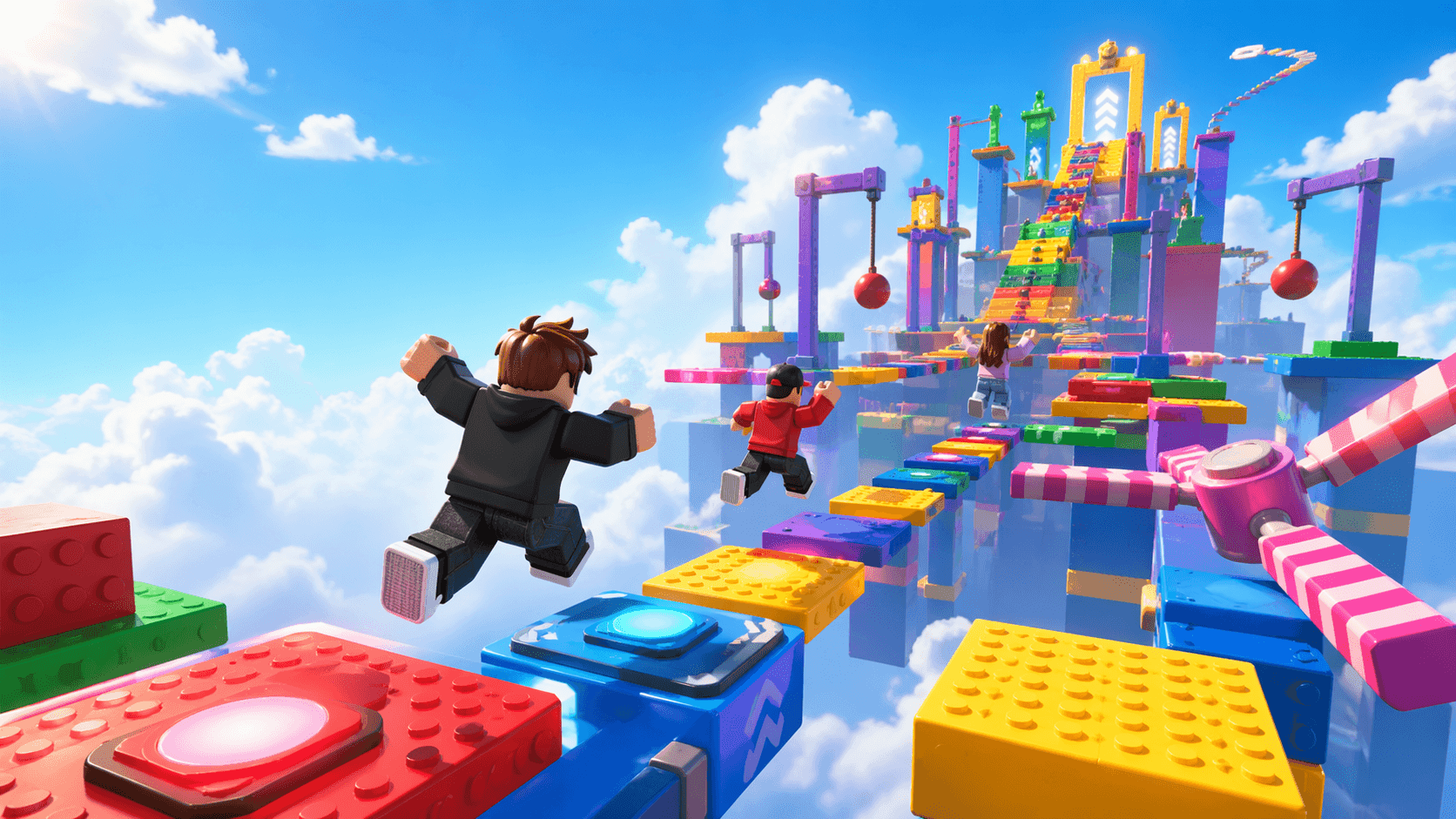
The obby is the most popular starting point for new Roblox developers. You build a series of platforms and obstacles for players to jump across.
Why it's great for beginners:
- No scripting required to get started
- Teaches you the basics of building
- Easy to expand with checkpoints, moving platforms, and hazards
Time to build a basic version: 1-2 hours
Tycoon Games
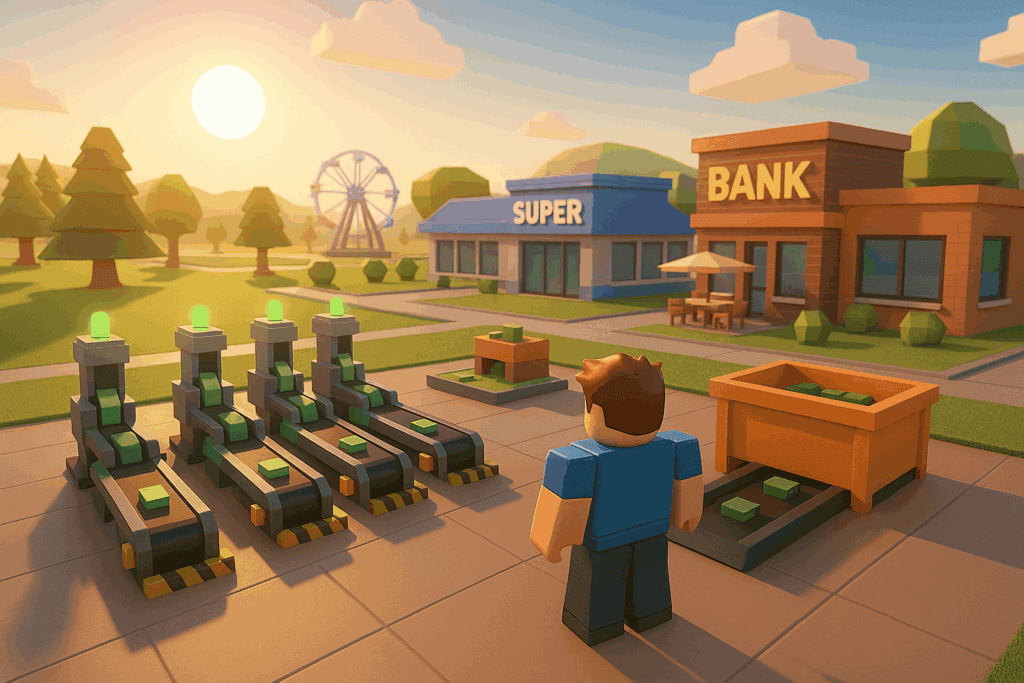
In tycoon games, players earn in-game money to build and expand their own base or business. There are free templates available in Roblox Studio that you can customize.
Why it's great for beginners:
- Free tycoon kits in the Toolbox give you a head start
- You can focus on creativity rather than complex code
- Teaches you about game economy and progression
Time to build a basic version: 2-4 hours (with a template)
Simulator Games
Pet simulators and mining simulators are hugely popular on Roblox. They're relatively simple to build with basic Lua scripting.
Why it's great for beginners:
- Simple core loop (click → earn → upgrade)
- Great way to practice scripting
- Easy to add new content over time
Time to build a basic version: 4-8 hours
The Golden Rule
Start small. Pick one game type, build a simple version that works, and then add features as you learn. A finished obby is better than an unfinished RPG.
How to Make a Game on Roblox Studio: Step-by-Step Guide
Step 1. Learn the Roblox Studio Interface
When you first open Roblox Studio, it looks intimidating. Let's break it down.
Navigating the Main Windows
Explorer (right side): Shows everything in your game — parts, scripts, lighting, sounds. This is your file structure.
Properties (right side, below Explorer): When you select something in the Explorer, its properties appear here. Position, size, color, transparency — all adjustable.
Toolbox (left side): Free models, plugins, and assets made by other developers. Use sparingly. Most are low-quality.
Viewport (center): Your 3D workspace. This is where you build.
Key controls:
- W/A/S/D — Move camera
- Right-click + drag — Rotate camera
- Scroll wheel — Zoom
- F — Focus on selected object
Creating Your First Place
- Open Roblox Studio
- Click "New" → "Baseplate" (a flat gray floor)
- You now have a blank canvas
Save your work: File → Save to Roblox (or Ctrl+S). Give your place a name.
Step 2. Build Your First Game (Obby Tutorial)
An "obby" is Roblox slang for obstacle course. It's the perfect first project because it teaches core concepts without complex scripting.
What Is an Obby?
An obby is a game where players jump from platform to platform, avoiding obstacles. Simple concept, but it covers:
- Building with parts
- Anchoring objects
- Adding hazards (kill bricks)
- Creating checkpoints
Adding Platforms and Obstacles
To create a platform:
- In the Explorer, right-click "Workspace" → Insert Object → Part
- A gray block appears. Resize it using the Scale tool (top toolbar)
- Critical: Check "Anchored" in Properties. If you don't, your platform will fall into the void when the game starts.
To create a kill brick:
- Insert a Part
- In Properties, change its color to bright red (visual cue for players)
- Insert a Script into the part (right-click part → Insert Object → Script)
- Paste this code:
script.Parent.Touched:Connect(function(hit) local character = hit.Parent local humanoid = character:FindFirstChild("Humanoid") if humanoid then humanoid.Health = 0 endend)Now anything that touches this brick dies. That's your first scripted gameplay element.
Adding Checkpoints
Checkpoints require a bit more setup, but they're essential for obbies. Without them, players restart from the beginning every time they die.
- Create a part (make it look like a flag or spawn point)
- Insert a SpawnLocation object into your part
- In Properties, set "AllowTeamChangeOnTouch" to false
- Name each checkpoint uniquely: "Stage1", "Stage2", etc.
The scripting for checkpoints is more advanced. For your first obby, you can skip this and just have players restart from the beginning.
Testing Your Game
Click "Play" in the top toolbar. Your character spawns in. Test every jump. If something's wrong, stop the test, fix it, and test again.
Use "Team Test" (dropdown next to Play button) to simulate multiple players. This reveals multiplayer issues you won't catch in solo testing.
Step 3. Level Up with Custom 3D Assets
You've built a basic obby. Now let's make it look professional.
The Problem with Free Models
Search "obby kit" in the Toolbox. You'll find hundreds of results. Here's the issue:
- Everyone uses them. Your game will look identical to thousands of others.
- Quality varies wildly. Some are optimized. Many are not.
- Scripts break. Free models often come with scripts you don't understand, which cause bugs.
Free models are fine for learning. But if you want your game to stand out, you need custom assets.
How to Create Custom 3D Models for Roblox
Traditional path: Learn Blender → model from scratch → export → import to Roblox. This takes months to get good at.
Faster path: Use AI tools like Triverse to generate models from text or images, then import them. We'll cover this in detail later — for now, just know that you don't need to learn Blender to have custom assets.
Asset Marketplace Alternative
Not everything needs to be custom. The Toolbox is fine for:
- Sound effects
- Particle effects
- Scripts you actually understand
The rule: If it's visible and central to your game's identity, make it custom. If it's background or functional, free models are okay.
Step 4. Learn Basic Lua Scripting
You can make a game without scripting. But you can't make a good game without scripting.
Why Scripting Matters
Without scripts:
- Platforms don't move
- Scores don't track
- Game passes don't work
- Nothing interactive happens
With scripts:
- Moving obstacles
- Leaderboards
- Shop systems
- Custom game logic
Lua Fundamentals for Roblox
Roblox uses Lua, a lightweight scripting language. It's easier than Python or JavaScript.
Key concepts:
-- Variableslocal playerName = "Player1"local score = 0
-- Functionslocal function addScore(points) score = score + points print("New score: " .. score)end
-- Eventspart.Touched:Connect(function(hit) -- This runs when something touches the part addScore(10)end)That's the basic pattern: define variables, write functions, connect them to events.
Copy-Paste Scripts to Get Started
Simple leaderboard:
local Players = game:GetService("Players")
Players.PlayerAdded:Connect(function(player) local leaderstats = Instance.new("Folder") leaderstats.Name = "leaderstats" leaderstats.Parent = player local score = Instance.new("IntValue") score.Name = "Score" score.Value = 0 score.Parent = leaderstatsend)Put this in ServerScriptService. Now every player has a Score that shows on the leaderboard.
Step 5. Polish and Publish Your Game
Your game works. Now make it look professional.
Adding UI and Thumbnails
Game icon: This is the first thing players see. Make it eye-catching.
- Play your game and position the camera for a good shot
- Press F9 to open the developer console → type
game:GetService("ThumbnailGenerator"):Click()(or just use the built-in screenshot tool) - Crop to 512x512 and upload in Game Settings → Basic Settings → Icon
UI elements: Use ScreenGui for menus, health bars, and score displays. It's all drag-and-drop in Studio.
Publishing to Roblox
- File → Publish to Roblox
- Fill in the game name and description
- Set to "Public" (or "Private" for testing)
- Click Publish
Your game is now live. Anyone can play it.
Optimizing for Discovery
Title: Include your game type. "Speed Run Obby" is better than "My First Game."
Description: Explain what players do. Keep it under 200 characters for the preview.
Tags: Add relevant tags in Game Settings. This helps Roblox's algorithm recommend your game.
Step 6. Monetize Your Roblox Game
You made a game. Now let's make it earn Robux.
How to Make a Game Pass on Roblox
A game pass is a one-time purchase that gives players a permanent benefit.
Step-by-step:
- Open your game in Roblox Studio
- Go to Game Settings → Monetization → Passes
- Click "Create a Pass"
- Upload an icon (make it look appealing)
- Set the price in Robux
- Write a description of what players get
Now script the benefit:
local MarketplaceService = game:GetService("MarketplaceService")local Players = game:GetService("Players")
local PASS_ID = 12345678 -- Replace with your pass ID
Players.PlayerAdded:Connect(function(player) local hasPass = MarketplaceService:UserOwnsGamePassAsync(player.UserId, PASS_ID) if hasPass then -- Give the benefit: speed boost, special item, etc. player.Character.WalkSpeed = 20 -- Faster walking endend)Other Ways to Earn Robux
- Developer products: Consumable purchases (coins, respawns). Players can buy multiple times.
- Premium payouts: Roblox pays you based on how many Premium subscribers play your game.
- Private servers: Players pay monthly for their own server.
Designing for Monetization
What sells in Roblox games?
- Speed boosts
- Special weapons or tools
- Cosmetic items (hats, trails)
- Skip-stage buttons in obbies
Balance is key. If your game is pay-to-win, players will leave. If everything is free, you won't earn anything.
Benefits of Learning Roblox Game Development
Why should you bother learning to make Roblox games? Here's what you'll get out of it.
You'll Learn Real Skills
Roblox uses Lua for scripting — a programming language used in game development, web development, and even robotics. Once you understand variables, functions, and events, you can apply those skills to other languages like Python or JavaScript later.
You'll Understand How Games Work
After building your own game, you'll never look at games the same way. You'll understand why some games feel satisfying, why others are frustrating, and what makes players come back for more.
You Can Actually Make Money
Some Roblox developers earn serious Robux from their games. It's not easy, but it's possible. The top games on Roblox have earned their creators millions.
You're Part of a Huge Community
Roblox has millions of young developers. There are tutorials, Discord servers, and YouTube channels dedicated to helping you learn. You're not alone in this.
It's Free to Start
Unlike Unity or Unreal, Roblox Studio costs nothing. No subscription fees, no expensive software. Just download and start building.
Can You Make a Roblox Game on Mobile or iPad?
Short answer: Yes, but it's limited.
How to Make a Roblox Game on Mobile (iOS/Android)
Roblox Studio exists on mobile, but it's not the full experience you get on PC or Mac.
What you CAN do on mobile:
- Test your games on your phone
- Make small edits — move parts around, change colors, adjust settings
- Update your game icon and description
What you CAN'T do on mobile:
- Build a full game from scratch
- Write complex scripts
- Import custom 3D models
Think of mobile as a supplement. Build your game on a computer, then use your phone to test it and make quick fixes when you're away from your desk.
How to Make a Roblox Game on iPad
iPad has the same limitations as iPhone and Android. The bigger screen makes it easier to navigate, but you still can't do full game development.
Best approach:
- Build your game on PC or Mac
- Test on your iPad while you're building
- Use the iPad app for quick changes when you're on the go
Tips for Mobile-Friendly Games
Most Roblox players are on phones and tablets. Here's how to make sure your game works for them:
- Make buttons big enough for fingers: Small click targets are frustrating on touchscreens.
- Test on actual devices: The Studio emulator isn't the same as a real phone.
- Keep it smooth: Your game should run at 30 FPS or higher on mobile. If it lags, optimize your scripts and reduce the number of parts.
Roblox Studio vs Unity: Which Should You Choose?
If you're thinking about game development long-term, you might be wondering: should I learn Roblox or Unity?
When Roblox Makes Sense
- You want to publish fast — No waiting for app store approval. Your game is live instantly.
- You're just starting out — Roblox is way easier to learn than Unity.
- You want multiplayer — It's built in. No server setup required.
- You're young — Roblox is designed for kids and teens. The learning curve is gentle.
When Unity Is Better
- You want to work in game dev professionally — Unity skills are valuable in the job market.
- You need more power — Complex 3D graphics, realistic physics, custom shaders.
- You want to publish outside Roblox — Unity games can go on Steam, consoles, mobile app stores, VR.
- You're hitting Roblox's limits — Some game ideas just can't be done on Roblox.
Our advice: Start with Roblox. Learn the basics of game design, scripting, and player feedback. If you love it and want to go deeper, transition to Unity later. The skills transfer.
5 Tips to Create a Better Roblox Game from Day One
Before you dive in, here are five things that separate good Roblox games from forgettable ones. Learn these early, and you'll save yourself months of frustration.
1. Keep It Simple
The best first games have one clear goal. Don't try to build an open-world RPG on your first attempt. Pick one thing — an obby, a tycoon, a simulator — and do it really well.
Complexity comes later. Right now, your job is to finish a game. A simple game that works is infinitely better than an ambitious project that never launches.
2. Play Other Games First
Before you start building, spend time playing other Roblox games. Really pay attention: What makes them fun? What's frustrating? What could you do differently?
The best developers are also avid players. You can't make something people love if you don't understand what people already love.
3. Use Free Assets Wisely
The Toolbox has thousands of free models. Use them to speed up building — there's no shame in starting with templates. But always customize them: change colors, resize parts, remix elements so your game doesn't look like everyone else's.
Think of free assets as building blocks. What you make with them is up to your creativity.
4. Learn Lua Early
Even basic scripting unlocks a huge range of gameplay possibilities. Start with the basics: touch events, timers, and variables. Once you understand those, you can build almost anything.
Roblox's scripting documentation at create.roblox.com/docs is free and beginner-friendly. Use it.
5. Save Constantly
Hit Ctrl+S (or Cmd+S on Mac) often. Roblox Studio has autosave, but manual saving is a great habit. The last thing you want is to lose hours of work because of a crash.
Pro tip: Save a new version every time you make a major change. If something breaks, you can always go back.
Common Beginner Mistakes (And How to Avoid Them)
Beyond the tips above, here are the most common traps new developers fall into:
Starting too ambitious — Your first game should not be an MMORPG. Start with an obby. Graduate to tycoons, then simulators, then more complex genres.
Copying popular games exactly — Yes, Blox Fruits makes money. No, your clone won't. Players can tell when something is derivative. Add your own twist.
Ignoring optimization — If your game lags, players leave. Test on low-end devices. Reduce part counts. Optimize scripts.
Skipping the tutorial phase — You need to understand why things work, not just copy code. When something breaks (it will), you'll need to debug.
Not testing multiplayer — Solo testing misses 80% of bugs. Use Team Test regularly.
[Level Up Your Game] How to Create Custom 3D Models with Triverse AI
Once you've built your first game, you'll notice something: a lot of Roblox games look the same. That's because most developers use the same free models from the Toolbox.
Here's the secret that separates memorable games from forgettable ones: custom assets.
Why Custom 3D Models Matter
Most Roblox games look alike because developers grab the same free models from the Toolbox. When you downloaded "Sword v3," so did 10,000 other people.
Games like Adopt Me and Blox Fruits stand out visually. They have original character designs, unique props, and custom environments that you won't find in any free marketplace.
But here's the problem: 3D modeling takes years to learn. Hiring an artist costs money you probably don't have.
That's where an AI tool can help.
How Triverse AI Works
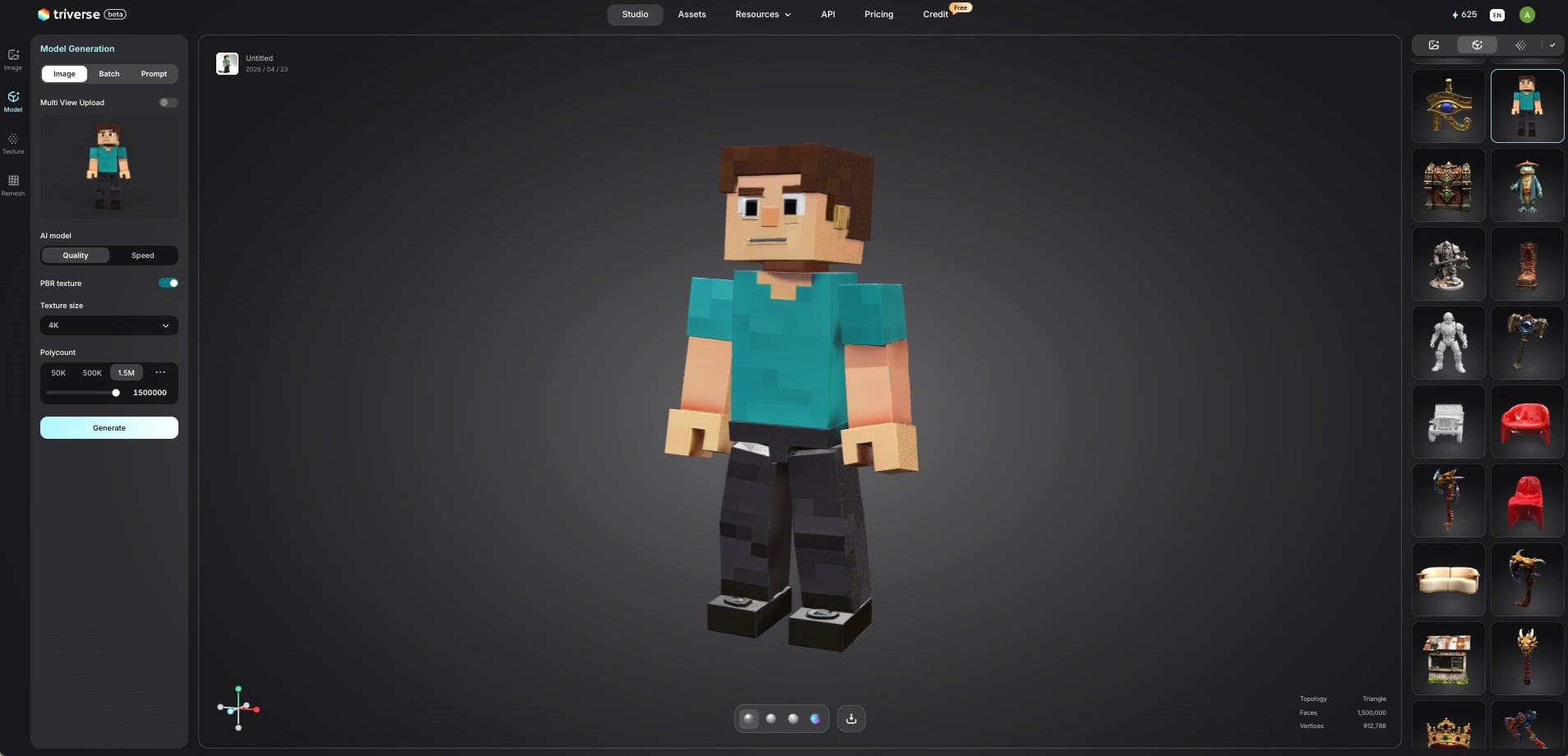
Triverse AI can generate 3D models from images or prompts. You don't need to know Blender. You just need to know what you want.
Two ways to generate:
- Image to 3D: Upload a sketch, screenshot, or concept art. Triverse AI turns it into a 3D model.
- Text to 3D: Describe it: "A low-poly medieval sword with a blue gem on the hilt." Triverse AI brings your idea to life.
Both export in .fbx and .obj formats, which Roblox Studio can import.
Creating Your First Custom Asset
Let's make a sword for your game:
- Open Triverse Studio → Model Generation → Prompt
- Enter your prompt: "Low-poly fantasy sword, blue crystal blade, gold hilt, Roblox style."
- Adjust settings: For a better Roblox performance, adjust Polycount to 50K, and keep other settings as default.
- Generate: Wait about 1-2 minutes
- Export as
.fbx - Import to Roblox Studio — Insert Object → MeshPart → upload your file
That's it. A custom weapon, no Blender required.
Making AI Models Work in Roblox
Sometimes AI-generated models need a few tweaks:
- Polygon count: Roblox runs best with under 5,000 triangles per model. Ask Triverse for a lower-poly version if needed.
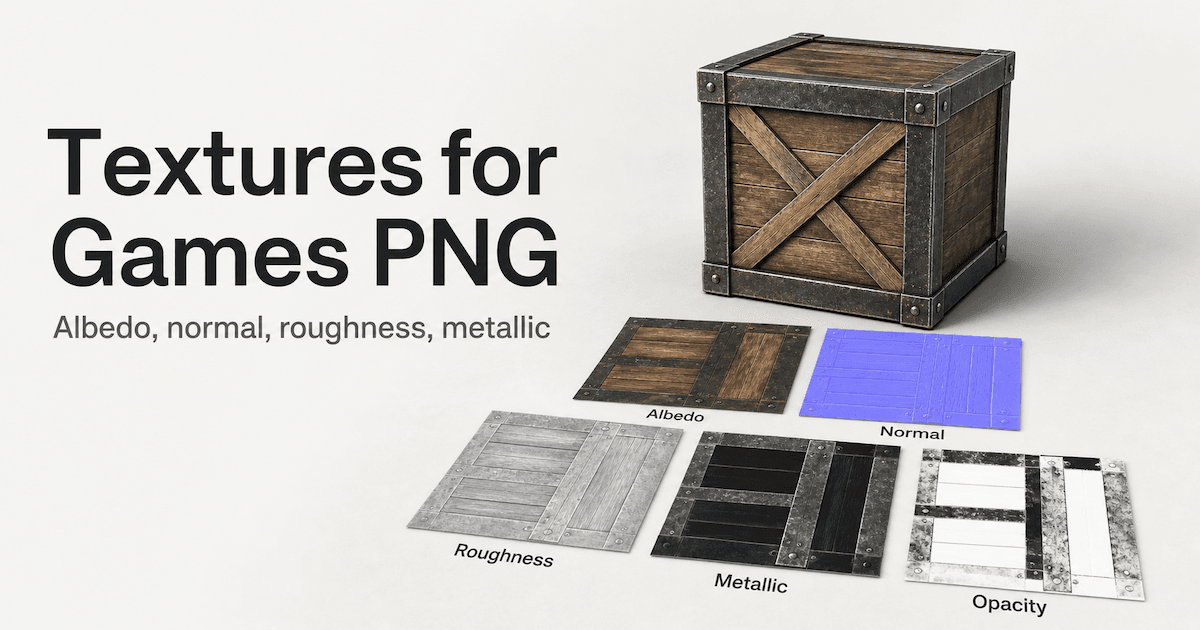
- Texture size: 512x512 or 1024x1024 is fine. 4K textures are overkill and slow down mobile players.
- Test it: Put your model in your game and see how it looks with Roblox's lighting. Adjust materials if needed.
FAQs about Making Games on Roblox
Do I need to know how to code to make a Roblox game?
Not for basic games. You can build an obby without writing a single script. But for anything interactive — scoring, shops, moving platforms — you'll need Lua. Start simple and learn scripting as you go.
Is Roblox Studio free?
Yes, completely free. You don't pay anything to develop or publish games. Roblox takes a cut of your Robux earnings (about 30%), but there's no upfront cost.
How long does it take to make a Roblox game?
A simple obby: a few hours. A polished obby with checkpoints and monetization: a week. A full tycoon or simulator: months. It depends entirely on the scope.
How do I make a game pass on Roblox?
Go to Game Settings → Monetization → Passes → Create a Pass. Upload an icon, set a price, and script the benefit in your game. See Step 6 above for the full walkthrough.
Can I make a Roblox game on mobile (iOS/Android/iPad)?
Yes, but with limitations. You can test games and make minor edits, but full development requires a PC or a Mac. Use mobile for quick tweaks, not for building from scratch.
How do I get more players on my Roblox game?
Three things matter: thumbnail, title, and updates. Make your thumbnail eye-catching. Put your game type in the title. Update regularly — Roblox's algorithm favors active games.
What's the best way to learn Roblox scripting?
Start with the official tutorials at create.roblox.com/docs. Then watch YouTube tutorials for specific features you want to build. Finally, practice — make small projects and actually write the code yourself.
Can I use Blender models in Roblox?
Yes. Export from Blender as .fbx or .obj, then import to Roblox Studio using MeshPart. If you don't know Blender, use Triverse AI to generate models instead.
Conclusion
Creating a Roblox game isn't rocket science. The tools are free, the platform handles the hard stuff (multiplayer, publishing, monetization), and the audience is already there.
The difference between a forgettable game and a memorable one often comes down to assets. Custom 3D models make your game look professional. They're the reason players screenshot your game, share it with friends, and come back.
If you don't have the time to learn Blender or the budget to hire an artist, Triverse AI fills that gap. Generate weapons, characters, vehicles, and props from text or images. Export to Roblox-ready formats. Build games that actually look like yours.
What are you waiting for? Start creating your Roblox game today, and use Triverse AI to make it stand out.