Free STL Files for 3D Printing: 12 Best Sites by Project Type (2026 Guide)
Find the best free STL files for 3D printing? This guide is organized by project type. Plus a 5-point quality checklist, license guide, and AI alternatives.
June 10, 2026
You just spent three hours slicing a model, started the print, and watched it fail thirty minutes in. The nozzle clogged. The first layer did not stick. Or maybe the model looked fine in the preview, and your slicer screamed about non-manifold geometry.
That frustration usually starts one of two ways: a bad STL file, or the wrong site for the job.
This guide covers where to find free STL files that actually print cleanly, how to spot quality before you waste filament, and what the license on a file actually means for how you can use it.
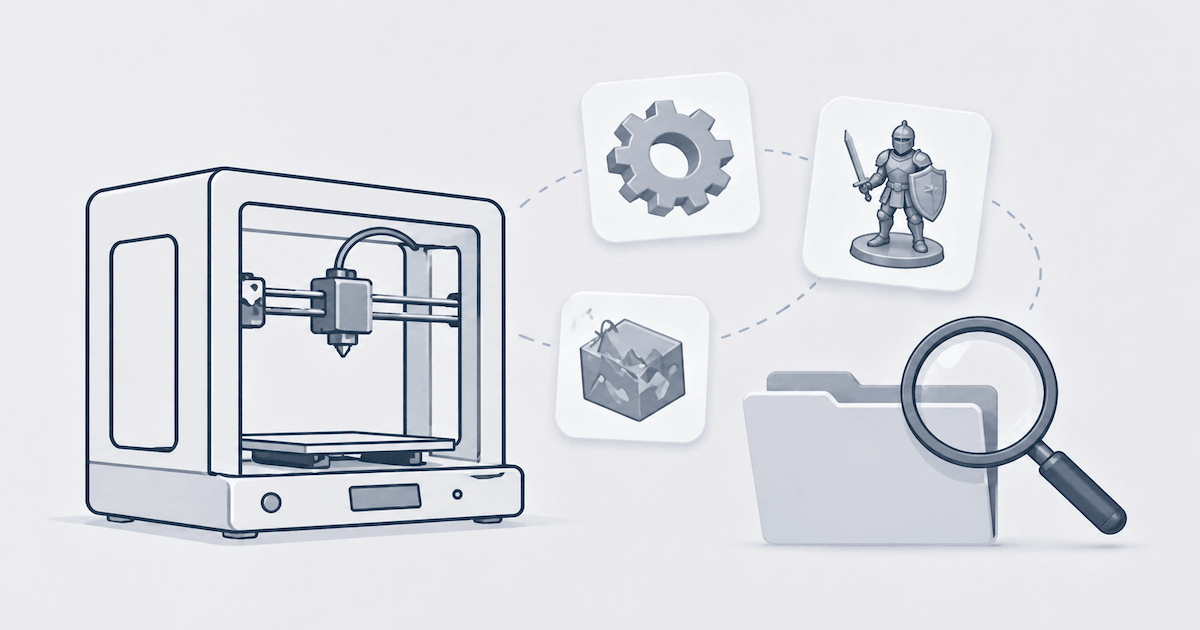
Best Free STL Sites at a Glance
Site | Best For | Strengths | Watch Out For |
Thingiverse | Functional parts, gadgets, and household fixes | Huge library, broad community, many practical models | Quality varies a lot |
Printables | Practical prints, tools, and printer accessories | Strong community, cleaner uploads, useful categories | Smaller library than Thingiverse |
MyMiniFactory | Miniatures, tabletop models | Strong printability reputation, curated feel | Less useful for functional parts |
Cults3D | Variety, characters, artistic models | Large mix of free and paid designs, niche creators | License and quality vary by creator |
Yeggi | Searching all STL sources | Great for discovery | It is a search engine, not the source |
STLFinder | Cross-platform STL search | Useful for alternative versions | Results still need manual quality checks |
Sketchfab | Sculptures, character models, artistic assets | Strong visual browsing | Not every model is optimized for printing |
CGTrader | Art, decor, detailed display models | Large marketplace, some strong free assets | Many files are not print-first |
MakerWorld | Practical parts and modern hobbyist prints | Growing quality library | The ecosystem is still maturing |
Pinshape | Mixed hobby models | Simple browsing | Smaller relevance than larger platforms |
Thangs | Search and model discovery | Good search UX | Coverage varies by niche |
Educational repositories | Science, anatomy, and classroom use | High educational value | Narrower scope |
How to Download and Print a Free STL File (Step-by-Step)
Finding a good STL file is only half the job. Here's the actual workflow from search to print:
Step 1: Search with specific terms. Don't type "free STL files" — you'll get overwhelmed. Instead, search for exactly what you need: 28mm goblin fighter STL, Prusa MK4 fan duct, modular drawer organizer. Specificity saves time.
Step 2: Check the license before you download. If you plan to sell prints, skip anything labeled CC BY-NC (non-commercial). Look for CC BY or CC BY-SA instead. License info is usually shown near the download button on Thingiverse, Printables, and MyMiniFactory.
Step 3: Download and organize. Save files to a dedicated folder, not your desktop. A simple structure like ~/3D-Prints/Miniatures/ or ~/3D-Prints/Functional/ makes future searches faster.
Step 4: Import into your slicer. Open the STL in PrusaSlicer, Ultimaker Cura, or your preferred slicer. Check for geometry warnings immediately.
Step 5: Run a quick printability check. Look for thin walls, unsupported overhangs, and scale issues. Most slicers flag obvious problems automatically. If you see errors, see our guide on how to fix STL file errors for 3D printing.
Step 6: Slice a test print. Start small — low infill, draft quality. A 30-minute test saves hours of failed prints later.
Best Free STL Sites by Project Type
#1 Best Free STL Sites for Miniatures and Tabletop Gaming
If you print miniatures for D&D, Warhammer-style armies, board games, or painting projects, you need files with:
- strong sculpt detail
- reliable supports or support-friendly design
- accurate scale
- community proof that the model actually prints
MyMiniFactory
For tabletop miniatures, MyMiniFactory is often the safest starting point.
Why it stands out:
- strong miniature creator community
- clear focus on printability
- better quality expectations than open-upload platforms
- useful categories for fantasy, sci-fi, and tabletop genres
This is one of the best places to start if you care more about successful printing than raw library size.
Cults3D
Cults3D is excellent when you want more variety.
It has a strong miniature scene, with lots of free and paid uploads covering:
- fantasy heroes
- monsters
- busts
- statues
- proxies
- niche fandom designs
The tradeoff is that quality varies more by creator. Before downloading, check:
- preview images
- comments
- print photos
- creator reputation
- license terms
For miniatures, MyMiniFactory is the stronger choice for printability. Cults3D offers a wider variety.
#2 Best Free STL Sites for Functional Parts and Replacement Components
Functional prints are a completely different category.
If you are printing a bracket, clip, mount, organizer, adapter, enclosure, or repair part, you care less about artistic detail and more about:
- correct dimensions
- wall strength
- practical geometry
- proven successful prints
Thingiverse
For functional parts, Thingiverse remains one of the biggest sources online.
It is especially good for:
- phone stands
- tool holders
- replacement knobs
- mounts
- cable organizers
- hobby hardware
- printer accessories
Its biggest advantage is volume. If someone has already solved your exact problem, there is a good chance it exists there.
Its biggest weakness is inconsistency. Always look for:
- user makes
- clear dimensions
- remix history
- multiple photos
- comments confirming fit
Printables
Printables is often better than Thingiverse when you want a more reliable, practical print.
It is strong for:
- workshop tools
- storage systems
- printer upgrades
- household utility items
- educational functional models
Uploads often feel cleaner, and practical models are easier to find without digging through unrelated content.
MakerWorld
If your audience overlaps with the modern hobbyist desktop printing crowd, MakerWorld is worth checking too. It is growing quickly and often contains practical, easy-to-print designs.
Best choice for functional parts:
The largest library goes to Thingiverse, cleaner, practical results come from Printables, and MakerWorld is the one to watch as it matures.
If you are designing a replacement part from scratch instead of downloading one, our guide on how to create 3D models for 3D printing walks through the design rules.
#3 Best Free STL Sites for Art, Decor, and Display Pieces
Artistic models often look great in previews, but not all of them are optimized for 3D printing. Some were originally made for rendering, games, or general 3D use.
CGTrader
CGTrader is useful for:
- sculptures
- decor objects
- statues
- artistic display pieces
- design-forward models
You may find beautiful models here, but always verify that the file is actually printable.
Sketchfab
Sketchfab is strong for visual exploration and character-based content.
It is particularly useful when you want:
- creatures
- stylized characters
- busts
- concept-style models
- visually rich 3D assets
Just be careful: some files are better suited for rendering than printing. Check format availability and inspect geometry before committing to a print.
Cults3D
For printable art that still feels creator-driven, Cults3D often gives a better balance between aesthetics and print intent.
Best choice for artistic models
Cults3D first, then CGTrader and Sketchfab, when you want more visual variety and a broader range of artistic styles.
#4 Best Free STL Sites for Kids, Toys, and Educational Models
This category works best when models are:
- simple to print
- durable
- safe in geometry
- easy to scale
- useful in a classroom or at home
For kids and toys, functional-model sites work best. Printables tend to have cleaner practical uploads.
Educational repositories
You can also use specialized educational sources for anatomy, science, or classroom demonstration models when needed.
Best choice for education and toys
Use Thingiverse for breadth and Printables for cleaner, practical uploads.
#5 Best Free STL Sites for Commercial Use and Etsy Sellers
This is where many "free STL file" guides fall short.
If you plan to sell printed products, the file being free to download does not automatically mean you can sell prints made from it.
Before you print for commercial use, check the license on every model.
Common license types
License | Can You Sell Prints? | Can You Modify the File? |
CC BY | Usually yes, with attribution | Yes |
CC BY-SA | Usually yes, with attribution and same license terms | Yes |
CC BY-NC | No, non-commercial only | You can modify, but commercial use is still restricted |
CC BY-ND | Commercial use may be limited by no-derivatives rules depending on the usage context | No derivatives |
Proprietary / Custom | Depends entirely on the creator | Depends on the creator |
Important note on commercial use
Always verify the exact terms shown on the original model page. Do not rely on summaries from third-party search engines or blog posts.
Best platforms to check carefully
- Cults3D: creator-specific licenses vary
- MyMiniFactory: license info is usually clearer per item
- Thingiverse: license visibility exists, but many users forget to read it carefully
Practical tip for Etsy sellers
Keep a simple spreadsheet with:
- model name
- source URL
- creator name
- license type
- date downloaded
- required attribution text
That one habit can save a lot of problems later.
#6 STL Search Engines: Best When You Do Not Know Where the File Lives
Sometimes you know what you want to print, but not which site hosts the best version.
That is when search engines for STL files help.
Yeggi
Yeggi is one of the best-known STL search engines. It indexes multiple model repositories and is useful for comparing versions of a design, seeing whether a model exists across platforms, and discovering creators you would not find otherwise.
STLFinder
STLFinder does a similar job. It is useful when you want broader discovery without checking every repository manually.
Thangs
Thangs can also help with model discovery and geometry-related search, depending on your niche.
Best way to use STL search engines
Use them to discover, not as your final source of trust.
Once you find a promising result:
- Click through to the original source
- Review license terms
- Inspect previews and comments
- Check printability before downloading
5 Things to Check Before Downloading Any STL File
No matter where you find a file, do not assume it is print-ready.
Use this checklist before you spend filament, resin, or time.
1) Check if the Model Is Manifold
A manifold mesh is watertight. That means:
- No holes
- No open edges
- No overlapping problem areas
- No impossible geometry for the slicer to interpret
A non-manifold STL may:
- Fail to slice
- Create missing surfaces
- Print with broken shells
- Cause strange internal gaps
How to check
Use tools like:
- Meshmixer (free from Autodesk)
- 3D Builder (built into Windows)
- Netfabb (professional-grade repair)
- Blender — see the official mesh editing documentation
- Your slicer's repair tools
If the model throws geometry warnings, repair it before printing or look for a better version.
2) Check Wall Thickness
Thin walls are one of the most common reasons a model fails or prints weakly.
As a general rule:
Printer Type | Practical Minimum Wall Thickness |
FDM with 0.4 mm nozzle | about 0.8 mm or more |
FDM with 0.25 mm nozzle | about 0.5 mm or more |
Resin / SLA | often around 0.4-0.5 mm minimum, depending on resin and geometry |
Miniatures, decorative hair strands, weapon tips, and antenna-like details often break this rule.
If the model looks delicate in the preview, inspect it before printing.
3) Check the Scale
Scale mistakes are incredibly common, especially with miniatures and imported artistic assets.
Examples:
- a "28 mm" miniature that is actually much larger
- a replacement part uploaded in inches but expected in millimeters
- a decorative asset designed at display scale rather than print scale
Always open the model in your slicer and measure it before printing.
Common miniature scales
Scale | Typical Use |
28 mm | many RPG and tabletop minis |
32 mm | modern tabletop and display-friendly gaming figures |
75 mm | display and painting models |
For miniatures, measure from the eye level to the base, not just the total height.
4) Check Support Requirements
Some models are easy to print. Others are technically printable but require smart support placement.
For resin printing
Most miniatures need supports. Pay close attention to:
- raised arms
- capes
- weapon tips
- overhangs
- floating details
For FDM printing
Look for:
- support-free design
- reduced overhang angles
- flat contact surfaces
- sensible orientation options
For detailed settings, see our guide on tree supports in 3D printing for FDM-specific support strategies.
A model can be beautiful and still be frustrating to print if it was not designed with manufacturing in mind.
5) Check the License Before You Print or Sell
Do this even if the model is free.
Check:
- whether attribution is required
- whether commercial use is allowed
- whether remixing is allowed
- whether selling printed physical objects is allowed
If the terms are missing or unclear, assume you need clarification from the creator. For a full breakdown of Creative Commons license types, visit the Creative Commons license page.
Common STL File Problems and How to Fix Them
Even good repositories contain imperfect files. Here are the most common issues.
Non-manifold geometry
Symptoms: slicer errors, missing surfaces, hollow or broken areas. Fix: use Meshmixer Inspect, 3D Builder repair, or Netfabb repair tools.
Inverted normals
Symptoms: inside-out surfaces, strange slicing behavior. Fix: recalculate normals in Blender or use automatic mesh repair tools.
Holes and missing faces
Symptoms: leaks, weak sections, incomplete shells. Fix: fill holes using repair software or manually patch in Blender.
Wrong scale
Symptoms: the print is much too small or too large. Fix: verify dimensions in your slicer and scale carefully before printing.
Overly thin details
Symptoms: broken tips, missing features, fragile parts. Fix: thicken geometry if allowed, reduce scale loss, or choose a better-designed file.
When It Is Better to Generate Your Own STL Instead of Downloading One
Free STL repositories are great when the model you want already exists.
But they become inefficient when you need:
- exact dimensions
- a custom bracket or enclosure
- a personalized character
- a unique product concept
- a model based on your own image or idea
In that situation, you have two realistic options.
Option 1: Modify an existing STL
This works best when a model is close to what you need.
You can use tools like:
- Blender
- Tinkercad
- Meshmixer
This is often the fastest path for small changes, such as:
- resizing
- adding holes
- combining parts
- removing unnecessary details
Option 2: Generate a custom model
If the model does not exist, generating one can be faster than searching dozens of repositories.
This is especially useful when you need:
- a custom concept
- a personalized object
- a specific visual style
- a one-off part that no repository has
Downloading vs. Generating: Which One Makes More Sense?
Use Downloaded STL Files When... | Use Custom Generation When... |
You need a common design | You need a unique design |
The model already exists | You cannot find the right version |
Speed matters more than originality | Specific dimensions or features matter |
You want to learn from existing files | You want a model built around your idea |
Licensing is already acceptable | You want to avoid third-party model hunting |
A Practical Workflow for Finding the Right Free STL File
If you want a reliable process, use this order:
- Define the exact project type
- Choose the most relevant repository first
- Search with specific terms, not broad generic ones
- Review comments, makes, and previews
- Inspect printability before downloading
- Verify license terms
- Only then send it to your slicer
This saves far more time than downloading the first file that looks close enough.
Three things that waste time: picking the wrong site, skipping printability checks, and ignoring license terms.
Generate Custom STL Files with AI
Public repositories are great for common needs. But they are limited by one basic fact: you can only download what somebody else already made.
If your project needs something more specific, such as:
- a custom figurine
- a unique accessory
- a product concept
- a model based on a reference image
Then an AI generation workflow may be a better fit.
Triverse AI lets you generate a custom 3D model from an image or text prompt, export it as STL for free now, and print your creation. No more settling for the closest match in a repository. No license to track.
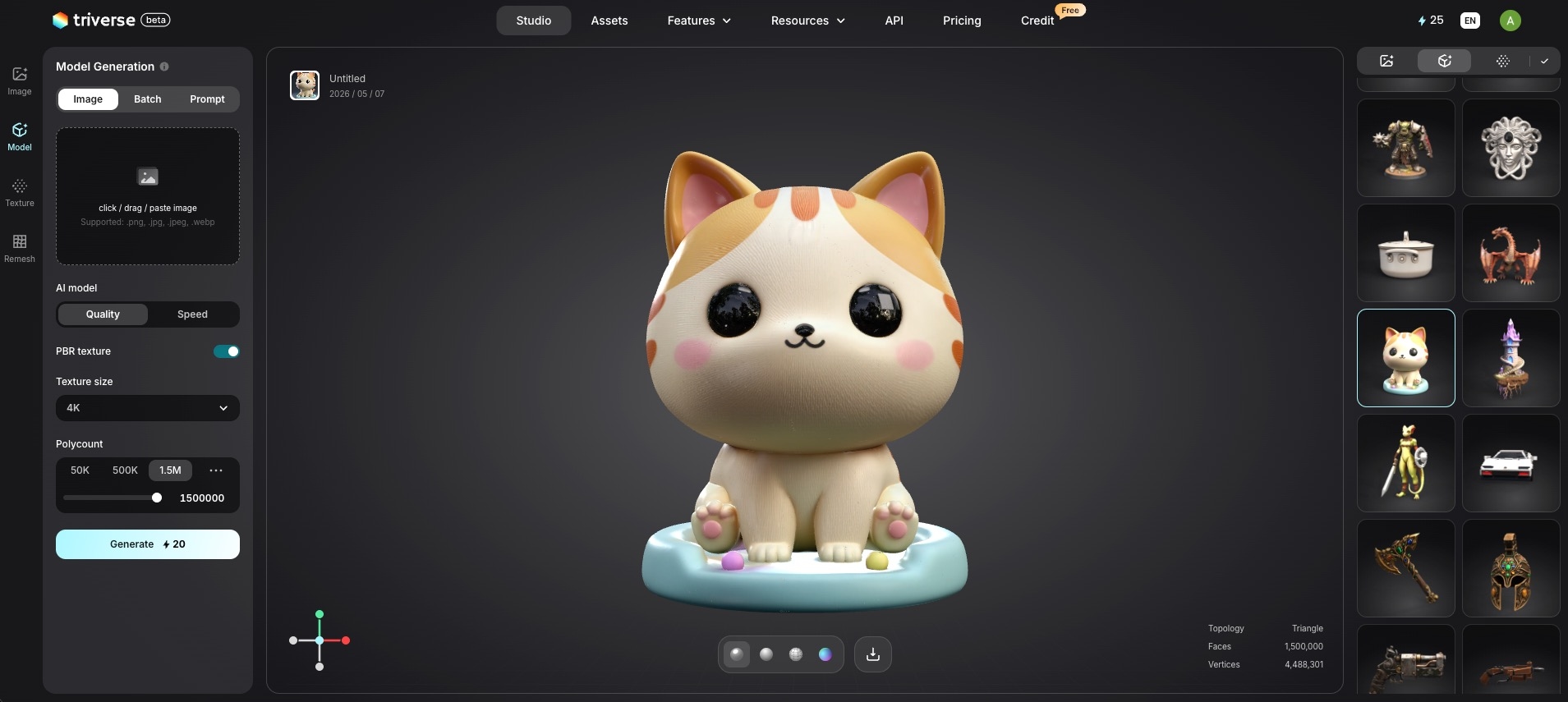
For general-purpose models, free model repositories still win. For anything specific, personalized, or outside the boxTo explore that path, you can try our image to 3D tool or learn more about turning a 2D logo into a 3D model.
Summary: Choose the Right Source for Your Print
Start by matching the right repository to the project type. MyMiniFactory for gaming miniatures, Thingiverse for functional parts, Cults3D for variety. Then run the 5-point checklist before committing filament.
If you're selling prints, verify the license. CC BY means you're good to go. CC BY-NC means stop there.
Still cannot find what you need? That is when AI generation makes more sense than another hour of browsing. Triverse AI can produce exactly what you need in STL format, without the dead ends.
The free STL ecosystem is massive. The key is knowing which tool for which job.
Frequently Asked Questions About Free STL Files for 3D Printing
Where can I find free STL files for 3D printing miniatures?
The strongest starting points are MyMiniFactory, Cults3D, and Thingiverse. MyMiniFactory is often the best choice when printability matters most, while Cults3D offers more variety.
What is the best site for functional STL files?
For functional parts, Thingiverse and Printables are usually the best places to start. Thingiverse offers more volume, while Printables often has cleaner, practical uploads.
Can I sell prints made from free STL files?
Sometimes, but not always. It depends on the license attached to the original model. Always verify whether commercial use is allowed before selling printed products.
How do I know whether an STL file is printable?
Check for manifold geometry, wall thickness, scale, support requirements, and license clarity. Good previews are helpful, but they are not enough on their own.
What does non-manifold mean in 3D printing?
A non-manifold model has geometry problems such as holes, overlapping surfaces, or invalid edges. These issues can confuse slicers and lead to failed or broken prints.
Should I use a search engine like Yeggi or go directly to STL websites?
Use STL search engines for discovery, but always download from the original model source after reviewing the file details and license terms there.
When should I generate a custom STL instead of downloading one?
Generate a custom model when you need exact dimensions, a personalized design, or something that does not exist in public repositories.