How to Convert 3MF to STL (Without Losing Mesh Quality)
Learn the fastest ways to convert 3MF to STL for 3D printing and CAD. Discover the differences, fix common mesh errors, and see how Triverse exports perfect models.
So you downloaded a 3D model, fired up your slicer, and came up with "format not supported". Yeah, been there. Learning how to convert 3MF to STL is one of those things every 3D printing person runs into eventually.
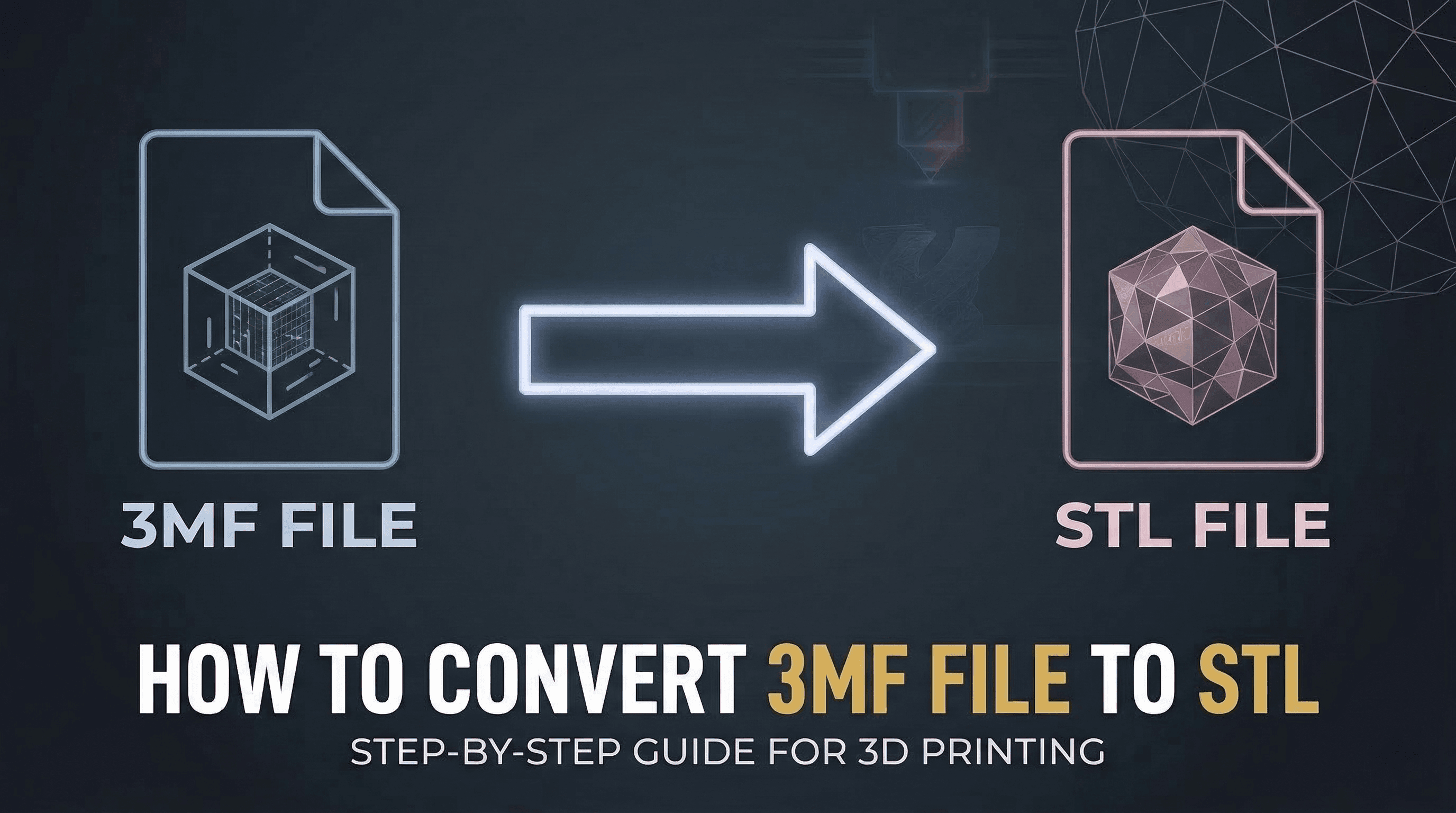
3MF is the shiny new kid on the block, but STL isn't going anywhere. Most older printers, a lot of CAD software, and plenty of legacy workflows still expect an STL file. If you're stuck with a 3MF file and your tools won't touch it, here's 4 ways to convert 3MF to STL fast—without losing mesh quality.
Plus, if you are working on game development or digital art, we'll show you a next-gen workflow that skips this messy conversion entirely.
3MF vs. STL: What's the Difference?
Before you hit "convert", it helps to know what you are actually changing.
STL has been around since 1987. It's ancient by tech standards. The file format just describes the surface of your 3D model as a bunch of triangles—that's it. No colors, no materials, no metadata. It's like saving a photo as a bitmap: it works, but you lose a lot.
3MF is the modern successor, backed by Microsoft, HP, and others in the 3MF Consortium. It's essentially a ZIP archive containing your mesh plus colors, materials, textures, print settings, and more. Smaller file sizes, fewer errors, and more information preserved.
Quick Comparison
To make the distinction clear, here is a detailed comparison:
Feature | STL | 3MF |
|---|---|---|
Content | Just the mesh geometry | Mesh + colors + materials + settings |
Color & Texture | ❌ | ✅ |
File Size | Larger (raw data) | Smaller (ZIP compression, often 50% smaller than STL) |
Metadata | ✅ | ❌ |
Extensibility | A static format with no room for future enhancements. | Designed to be extended with new features as the industry evolves. |
Error Rate | Prone to non-manifold errors | Very rare errors |
Use Case | Best for broad compatibility with older software and simple 3D printing tasks. | Best for modern 3D printing workflows and projects requiring rich data preservation. |
The bottom line: 3MF is the better file format overall, but STL is still the lingua franca of 3D printing. You'll need to convert eventually.
Use Slicing Software to Convert 3MF to STL (Fastest)
If you just need to print, your slicer is probably already the easiest 3MF to STL converter you own.
Convert 3MF to STL in Cura / PrusaSlicer:
- Open the slicer and drop your 3MF file onto the virtual build plate.
- Go to
File>Export. - Choose
.stlfrom the dropdown menu and hit save. You're done!
No extra software, no fuss. This is what I do 90% of the time when I need a quick STL export.
Converting 3MF to STL in Blender (If You Need to Edit)
Sometimes you need to fix the mesh, scale it, or make edits before exporting. Blender is the go-to tool for this.
How to Convert 3MF to STL in Blender 3.x+ (native 3MF support):
- Open Blender: Launch Blender on your computer. If you don't have it installed, you can download it for free from blender.org.
- File → Import → 3MF (.3mf) — no add-on needed in recent versions.
- Check your model in the viewport — look for missing faces, weird normals.
- Fix what needs fixing.
- File → Export → STL (.stl).
💡Tip: Export as binary STL unless you specifically need ASCII — binary is smaller and loads faster.
Windows users: 3D Builder (built into Windows 10/11) is another solid 3MF to STL converter. Open your 3MF file, click Save As, and choose STL. It's surprisingly capable for simple 3D file conversion.
Convert 3MF to STL Online for Free (No Install Needed)
Don't want to install anything? Use a free cloud tool like ZAMZAR or ImageToStl.com. Just upload your 3MF file, pick STL as your output, and download your converted mesh in seconds.
Batch Convert 3MF to STL with a Simple Script
For developers and technical artists, if you have dozens or even hundreds of files to convert, doing it one by one is incredibly time-consuming. A simple Python script can automate the entire process. Below is a basic example of how you can use Blender's Python API to batch convert all 3MF files in a folder to STL.
import bpyimport os
input_dir = "/path/to/your/3mf/files"output_dir = "/path/to/your/stl/output"
for f in os.listdir(input_dir):    if not f.lower().endswith('.3mf'):        continue        # Clear scene    bpy.ops.object.select_all(action='SELECT')    bpy.ops.object.delete()        # Import 3MF    input_path = os.path.join(input_dir, f)    bpy.ops.import_mesh.threemf(filepath=input_path)        # Export as STL    output_path = os.path.join(output_dir, f.replace('.3mf', '.stl'))    bpy.ops.export_mesh.stl(filepath=output_path)        print(f"Converted {f} to STL")
Save this as batch_3mf_to_stl.py and run it with:
blender --background --python batch_3mf_to_stl.py
You'll need Blender 3.x or newer for native 3MF import. Older versions require a third-party plugin.
How to Fix Common Conversion Errors
Because STL is such an older, simpler format, converting a complex 3MF down to an STL can sometimes break the mesh.
- Non-Manifold Edges: This means your model isn't "watertight". To fix this, use the free
3D Print Toolboxadd-on in Blender and click theMake Manifoldbutton. - Flipped Normals: Are parts of your model showing up completely black? Jump into Edit Mode in Blender, select all faces, and press
Shift + Nto recalculate the outside surface.
Bonus Reading: Why Modern Creators Prefer GLB
Now, let's talk about the elephant in the room.
If you are converting 3MF to STL just so you can drop a 3D model into Unity, Unreal Engine, or a Web3D project, you are making your life much harder than it needs to be.
Downgrading to STL means you instantly lose all your textures, PBR materials, and colors. And honestly? 3MF isn't great for game engines either. For modern digital creators, the absolute gold standard is GLB.
Known as the "JPEG of 3D", a GLB file perfectly packs your mesh, textures, and animations into one tiny, engine-ready file.
Skip the Hassle with Triverse AI
Instead of hunting for incompatible models and fighting with messy format conversions, why not generate exactly what you need?
With Triverse AI, a breakthrough AI 3D generation tool, you don't need to convert anything. You just type in a text prompt or upload an image. Within seconds, Triverse AI builds a flawless, highly detailed 3D asset complete with beautiful textures and clean topology.
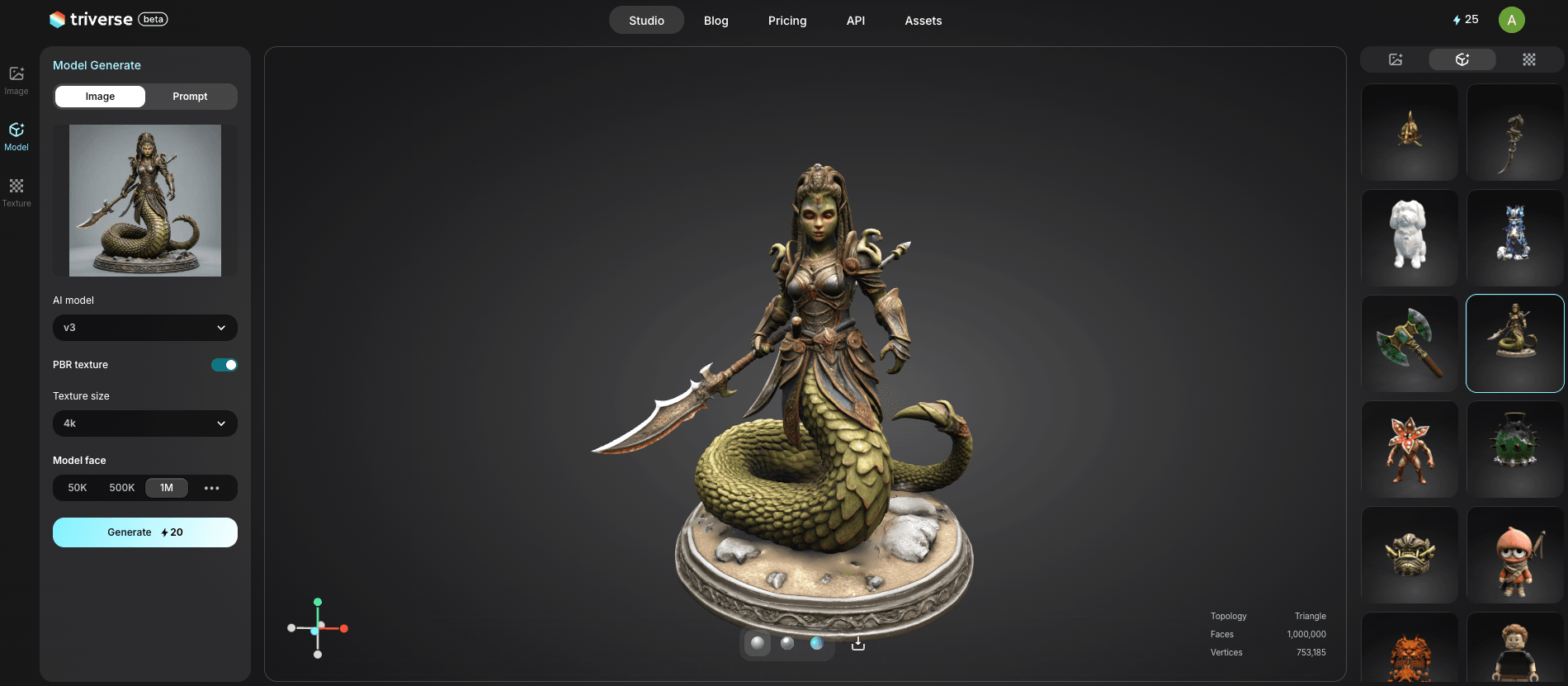
The best part? Triverse exports natively to .GLB/.OBJ/.STL/.3MF/.FBX/.USDZ files. You can literally drag and drop the AI-generated GLB file directly into Unity or your web browser, and it will look perfect instantly.
Frequently Asked Questions about 3MF to STL
Conclusion & Next Steps
Converting 3MF to STL is easy enough. Whether you use your trusty slicer software or a quick web converter, you can get your old 3D printer running in no time.
But if you are an indie game dev, a technical artist, or a digital designer, it is time to stop suffering through legacy format conversions. Stop losing your textures, and stop wasting hours fixing broken meshes.
Ready to level up your 3D workflow? Try Triverse AI today and let AI generate flawless, engine-ready 3D models for you!