Le Guide Complet 2026 de l'Impression 3D à la Résine pour Débutants et Experts
Guide du débutant pour l'impression 3D en résine qui aborde les imprimantes SLA, DLP et MSLA, la sécurité liée aux résines, les supports, le durcissement, le découpage et les processus pour créer des miniatures, des prototypes, des objets de collection et des modèles STL prêts à imprimer de haute qualité.
L'impression 3D par résine s'est imposée comme l'une des techniques les plus populaires pour créer des modèles très détaillés à domicile. Comparée à l'impression traditionnelle par filament, les imprimantes à résine peuvent produire des surfaces plus lisses, des détails plus nets et des miniatures aux finitions plus nettes, difficiles à réaliser avec les machines FDM (dépôt de filament fondu) standard.
En 2026, l'impression résine n'est plus réservée aux professionnels. Les imprimantes de bureau abordables, les modèles 3D générés par IA et les méthodes de travail adaptées aux débutants ont grandement facilité la création d'impressions de haute qualité pour les miniatures, les prototypes, les bijoux, les objets de collection et les pièces techniques.
Ce guide couvre tout ce que les débutants doivent savoir, du fonctionnement de l'impression 3D résine à la sécurité, au découpage, aux supports et aux techniques avancées pour une meilleure qualité d'impression.
Qu'est-ce que l'impression 3D en résine ?
L'impression 3D à résine est un procédé de fabrication qui utilise de la résine photopolymère liquide et de la lumière UV pour créer des objets très détaillés couche par couche. Comparée à l'impression FDM traditionnelle à base de filament, l'impression à résine est réputée pour ses surfaces plus lisses, ses détails plus nets et sa meilleure précision pour les petits modèles, tels que les miniatures, les figurines, les bijoux et les prototypes.
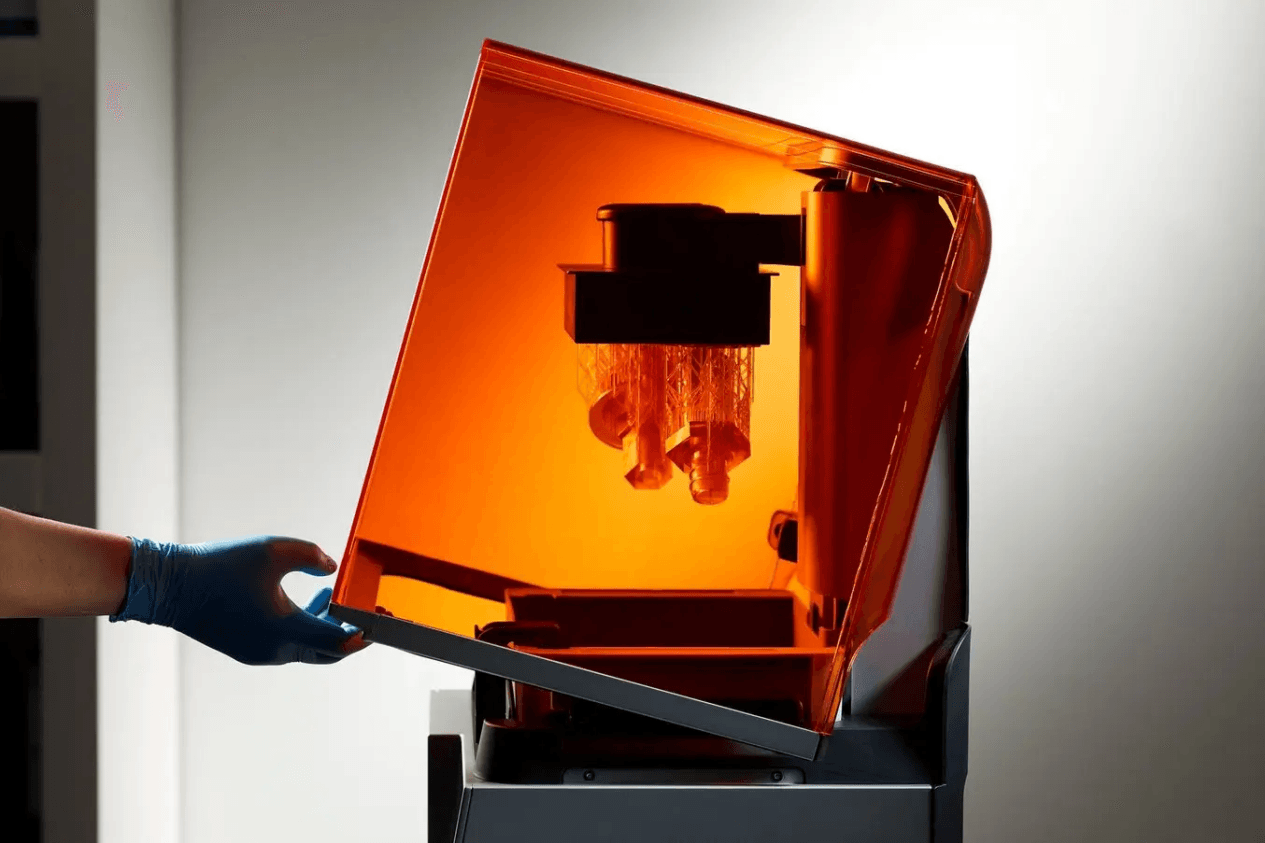
La plupart des imprimantes à résine actuelles sont soit SLA, soit DLP, soit MSLA/LCD.
Les imprimantes SLA utilisent des lasers pour durcir la résine point par point, et sont généralement très précises pour les processus professionnels tels que la fabrication de prothèses dentaires ou de bijoux. Les imprimantes DLP utilisent un projecteur numérique pour projeter chaque couche en une seule fois, ce qui accélère le durcissement pour certaines applications industrielles.
Pour la plupart des débutants, aujourd'hui, les imprimantes MSLA (stéréolithographie masquée) ou LCD sont la meilleure option. Ces types de machines utilisent un écran LCD rétroéclairé par UV pour polymériser des couches entières en une seule fois et offrent une excellente combinaison de qualité de détail, de vitesse et de prix. C'est la technologie qui se cache derrière la grande majorité des imprimantes à résine grand public en 2026.
Résine vs. impression 3D FDM : lequel vous convient ?
Fonction | Impression 3D à la résine | Impression 3D par dépôt de fil fondu (FDM) |
Qualité de surface | Surfaces très lisses | Stries de couches visibles |
Exactitude des données | Excellent pour les petits détails | Mieux adapté à une géométrie plus simple |
Volume d'impression | Généralement plus petits | Généralement plus grand |
Chaîne d'impression | Nécessite un lavage et un durcissement | Flux de travail quotidien simplifié |
Manutention | Nécessite des précautions de sécurité | Plus facile à utiliser |
Idéal pour | Miniatures, articles de collection, maquettes détaillées | Pièces fonctionnelles, grands formats d'impression, prototypes |
Les imprimantes à résine sont excellentes pour produire des modèles très détaillés, y compris ceux destinés à l'impression 3D de figurines, avec des finitions propres. Mais la technologie FDM est généralement meilleure pour les objets de grande taille à usage pratique, les pièces mécaniques, et le prototypage courant. Elle a tendance à être plus facile à entretenir, plus sûre à utiliser et nécessite moins de post-traitement puisqu'il n'y a pas de résine liquide à gérer.
Pour la plupart des débutants, le bon choix dépendra de ce que vous souhaitez créer. L'impression en résine est généralement le meilleur choix si vous recherchez des détails fins et des modèles destinés à l'exposition. Si vous privilégiez des pièces pratiques et durables, ainsi qu'un flux de travail d'impression plus simple, l'impression FDM constitue une option plus accessible et économique pour débuter.
Que peut-on fabriquer avec une imprimante à résine ?
Les imprimantes à résine sont populaires pour les miniatures, les objets de collection, les prototypes de bijoux, les modèles dentaires et les pièces techniques. Elles sont particulièrement prisées pour leur capacité à produire des surfaces lisses et des détails fins qui ne sont pas facilement réalisables avec la technologie FDM.
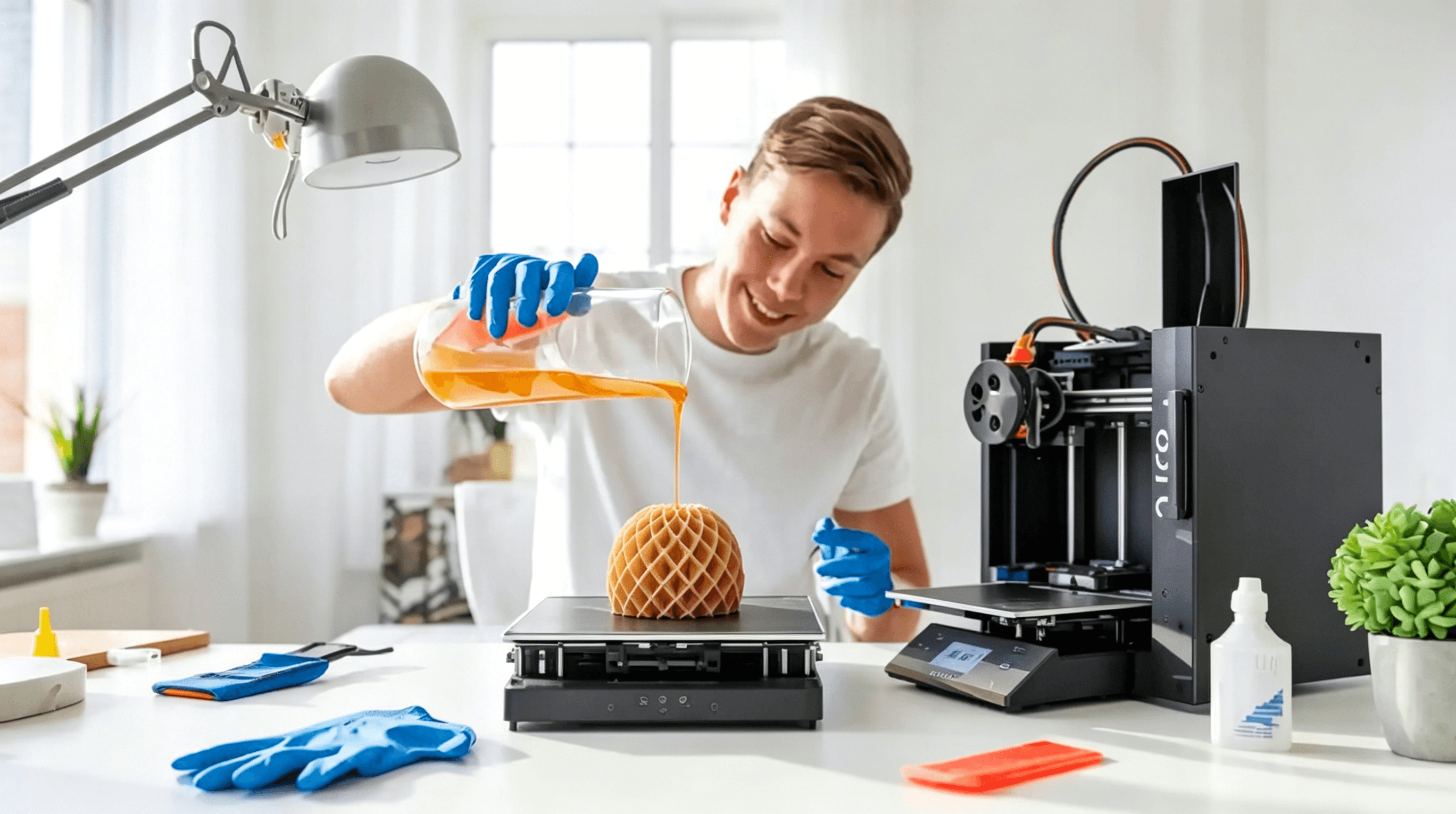
Grâce à cette précision, l'impression en résine est également la solution privilégiée pour les modèles visuels très détaillés et les prototypes de qualité professionnelle. Toutefois, un éventail d'acheteurs comparent les imprimantes à résine et FDM afin de déterminer quelle technologie correspond le mieux à leurs projets, à leur budget et à leur flux de travail.
Le matériel nécessaire pour commencer l'impression 3D en résine
Se lancer dans l'impression 3D résine nécessite plus qu'une simple imprimante. Une installation sécurisée et efficace est extrêmement importante.
Imprimante 3D à résine
Les imprimantes MSLA (stéréolithographie masquée) adaptées aux débutants sont généralement la meilleure option pour débuter car elles offrent une excellente qualité de détail sans complexité excessive. Les facteurs importants incluent la résolution de l'écran, le volume de construction, la vitesse d'impression moyenne et la facilité de nivelage. Les écrans à plus haute résolution produisent généralement des détails pour figurines plus nets et des surfaces plus lisses.
Résine
Les différents types de résine sont conçus pour différents flux de production, notamment l'impression à usage général, les pièces techniques, les composants flexibles et la coulée de bijouterie. Le choix du matériau influence la résistance de la pièce imprimée, la qualité des détails, la flexibilité et les exigences de post-traitement.
Nettoyage et Polymerisation UV
Les nouvelles impressions en résine doivent être nettoyées avant le post-durcissement, car de la résine non polymérisée subsiste à la surface du modèle après l'impression. La plupart des utilisateurs lavent leurs impressions à l'alcool isopropylique ou avec des solutions de nettoyage spécifiques, souvent en utilisant des stations de lavage et de post-durcissement pour simplifier le flux de travail.
Une fois lavées, les impressions doivent subir un durcissement à la lumière UV pour solidifier complètement la résine et améliorer la durabilité. Un bon durcissement contribue également à stabiliser la qualité de surface et la précision dimensionnelle.
Équipements de protection individuelle et sécurité lors de l'impression
La résine liquide ne doit jamais entrer en contact avec la peau à nu, et les zones d'impression doivent rester bien ventilées. Il est recommandé de porter des gants en nitrile et une protection oculaire pendant l'impression et le post-traitement, en particulier lors de la manipulation de résine non durcie ou d'alcool isopropylique.
Votre première impression résine : parcours étape par étape
Maintenant que vous pouvez générer un modèle prêt à imprimer à partir d'une image ou d'un prompt textuel avec Triverse AI, il est temps de lui donner vie grâce à l'impression 3D en résine. Les imprimantes 3D résine excellent dans la reproduction des détails fins, ce qui les rend idéales pour les miniatures, les objets de collection et les prototypes complexes.
Triverse AI produit des maillages nets et étanches optimisés pour l'impression, ce qui réduit considérablement les problèmes fréquents tels que les erreurs de maillage.
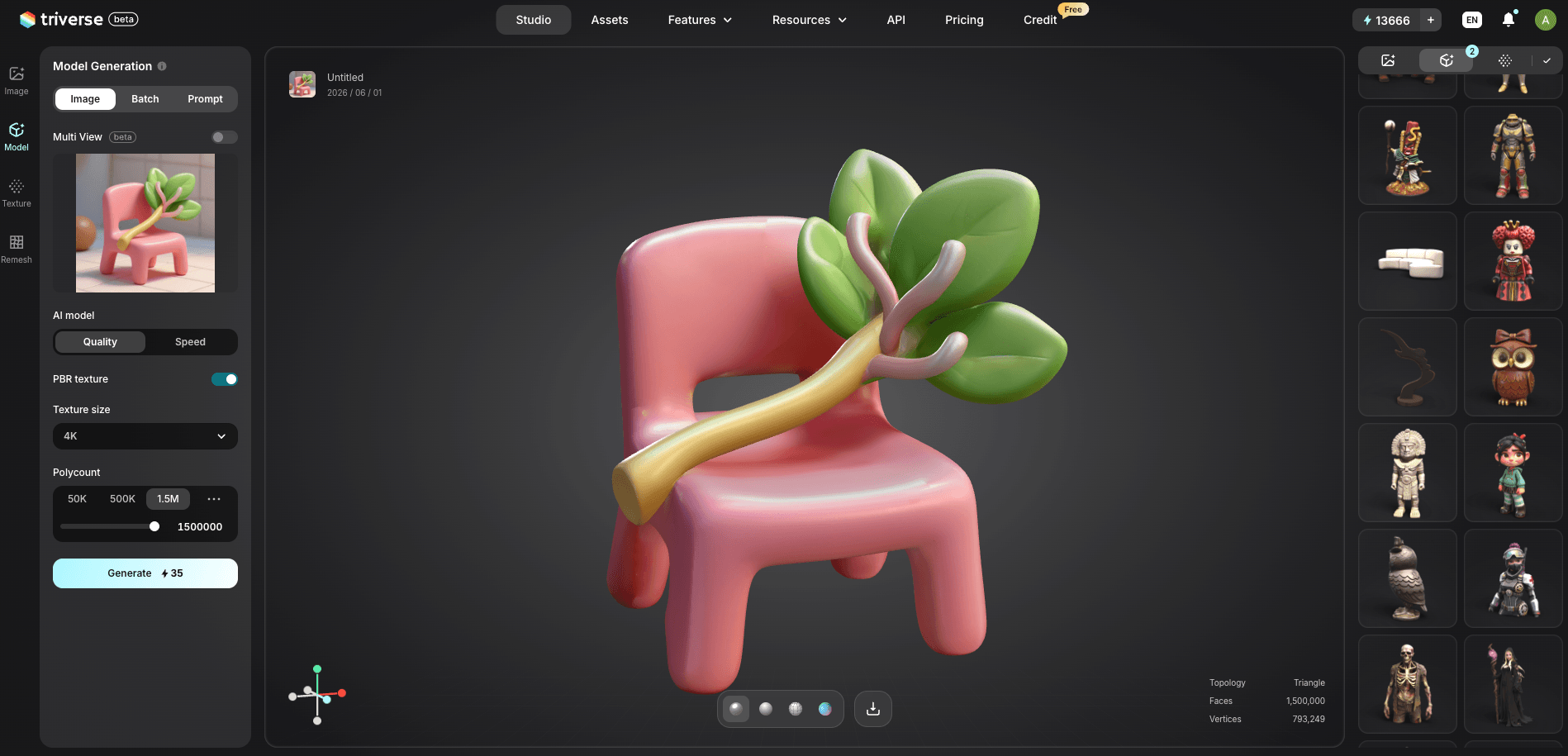
1. Génèrez le modèle avec Triverse AI
Saisissez un prompt textuel détaillé ou téléchargez une image. Si vous utilisez un prompt, veuillez inclure des mots-clés tels que « maillage hermétique, adapté à l'impression en résine, haut niveau de détail » pour obtenir les meilleurs résultats. Pour plus d'informations et d'aide, consultez le guide de l'utilisateur disponible ici.
2. Exporter au format STL ou 3MF
Téléchargez le fichier directement depuis Triverse. Ces formats sont entièrement compatibles avec tous les principaux logiciels de tranchage.
3. Importation et inspection dans Slicer
Ouvrez le modèle dans Lychee Slicer, Chitubox, ou Voxeldance Tango. Vérifiez attentivement s'il y a des parois fines, des îlots ou des problèmes de géométrie.
4. Orienter le modèle
Inclinez le modèle à 30°–45° pour minimiser les forces d'aspiration et les grandes surfaces planes sur le plateau d'impression. Cela améliore nettement les taux de réussite des impressions.
5. Ajouter des supports
Ajoutez un mélange de supports épais, standards et fins. Portez une attention particulière aux surplombs, aux parties délicates et à la base du modèle. Un positionnement approprié des supports est essentiel pour l'impression en résine.
6. Trancher le modèle
Définissez les paramètres appropriés : hauteur de couche (0,03–0,05 mm pour un excellent niveau de détail), temps d'exposition, vitesse de levage et rétraction. Prévisualisez la découpe pour vous assurer que tout est correct.
7. Imprimer
Envoyez le fichier à votre imprimante à résine et démarrez l'impression.
8. Post-traitement
Supprimez le support d'impression, nettoyez l'excès de résine (IPA ou alternatives), puis polymérisez sous lumière UV. Un ponçage léger ou une peinture optionnels peuvent encore améliorer le résultat final.
Avec Triverse AI, ce processus simplifié permet aux débutants de passer facilement de l'idée au modèle physique en moins d'une heure de travail effectif.
Conseils d'expert pour des impressions en résine réussies avec la génération de modèles Triverse
- Utilisez des prompts haute-définition dans Triverse pour obtenir des résultats plus nets dès le début.
- Évidez le modèle (avec des trous d'évacuation) dans votre slicer (logiciel de découpe) pour économiser de la résine et réduire le poids du modèle.
- Pour les figurines, une hauteur de couche de 0,04 mm + de bons supports donnent généralement une excellente qualité.
- Portez toujours l'EPI approprié et veillez à une bonne ventilation lorsque vous manipulez la résine.
Conseils avancés d'impression en résine pour optimiser les résultats
Contrôle précis de la température
La résine se comporte très différemment selon la température de la pièce. Dans des environnements plus froids, la résine devient plus visqueuse, ce qui peut entraîner une mauvaise adhérence intercouche, un effondrement des supports ou une polymérisation incomplète.
La plupart des résines standard donnent les meilleurs résultats entre 20°C et 30°C. Si votre espace de travail est trop froid, réchauffer légèrement la bouteille de résine ou utiliser un chauffage d'enceinte peut considérablement améliorer la qualité d'impression.
Réduction des forces d'aspiration
Les modèles creux de grande taille peuvent générer de fortes forces de succion lors du soulèvement, en particulier lorsque les zones planes sont positionnées parallèlement au plateau d'impression. Évider les modèles, ajouter des trous de drainage, ajuster la vitesse de levage et incliner légèrement la pièce peuvent tous contribuer à réduire les efforts pendant l'impression.
Traitement de durcissement multi-étapes
Certains utilisateurs avancés effectuent d'abord un durcissement partiel des impressions, retirent les supports, puis procèdent au durcissement final. Cela peut réduire les marques superficielles et aider à préserver les fins détails.
Optimisation de l'Impression en Lot
L'impression simultanée de plusieurs modèles peut améliorer l'efficacité, mais un espacement insuffisant ou une répartition inégale des supports peuvent augmenter les taux de défaillance. Une disposition équilibrée sur la plaque de construction produit généralement des résultats plus cohérents lors de longues sessions d'impression.
FAQ sur l'impression 3D en résine
Conclusion
L'impression 3D à résine offre une qualité de détail élevée et des miniatures, des objets de collection, des prototypes et des modèles techniques de qualité professionnelle directement depuis une installation de bureau. Le processus nécessite davantage de post-traitement et de mesures de sécurité que l'impression FDM, mais les résultats visuels peuvent être beaucoup meilleurs.
Les flux de travail actuels optimisés par l'IA rendent l'impression en résine beaucoup plus accessible que jamais. Des logiciels comme Triverse AI permettent aux débutants de créer des modèles prêts à être imprimés en quelques minutes, éliminant ainsi le besoin de compétences poussées en sculpture et simplifiant l'ensemble du processus créatif.
En suivant les bonnes pratiques et en disposant d'un matériel de qualité ainsi que d'un solide réseau de soutien, vous pouvez faire de l'impression en résine l'une des formes de fabrication numérique les plus gratifiantes, tant pour les amateurs que pour les professionnels.