Where to Find / Generate Old Man 3D Model Assets (Free & Paid)
Find or generate old man 3D model assets. Free sources (Sketchfab, CGTrader), paid packs (Unreal Marketplace, Unity Asset Store), and Triverse AI for custom elderly characters.
You need an old man 3D model. A village elder who gives quests. A grandfather NPC who sits on a porch. A retired mentor character with a hunched spine and weathered skin. You open Sketchfab and search. The results are a mix: hyper-realistic busts without bodies, cartoon grandfathers with exaggerated proportions, and low-poly villagers with no textures.
The problem is not a lack of old man 3D models. The problem is finding one that matches your art direction, fits your polygon budget, and actually works in your engine. Most marketplace assets look good in thumbnails but hide broken geometry, missing rigs, or texture seams that explode under PBR lighting.
After reading this you will know where to find old man 3D models that are game-ready, what to check before you download, and when to generate your own elderly character instead of hunting through stock assets.
Where to Find Free Old Man 3D Models
Free assets exist. Quality varies. Most need cleanup before they are usable in a shipped game.
Sketchfab: Free Elderly Character Downloads
Sketchfab hosts a library of user-uploaded 3D models, including old man characters. Search terms like "old man," "elderly character," or "grandfather 3D model" surface a mix of realistic busts, stylized villagers, and rigged game characters. Filter by "Downloadable" and "Animated" to find rigged models with motion data.
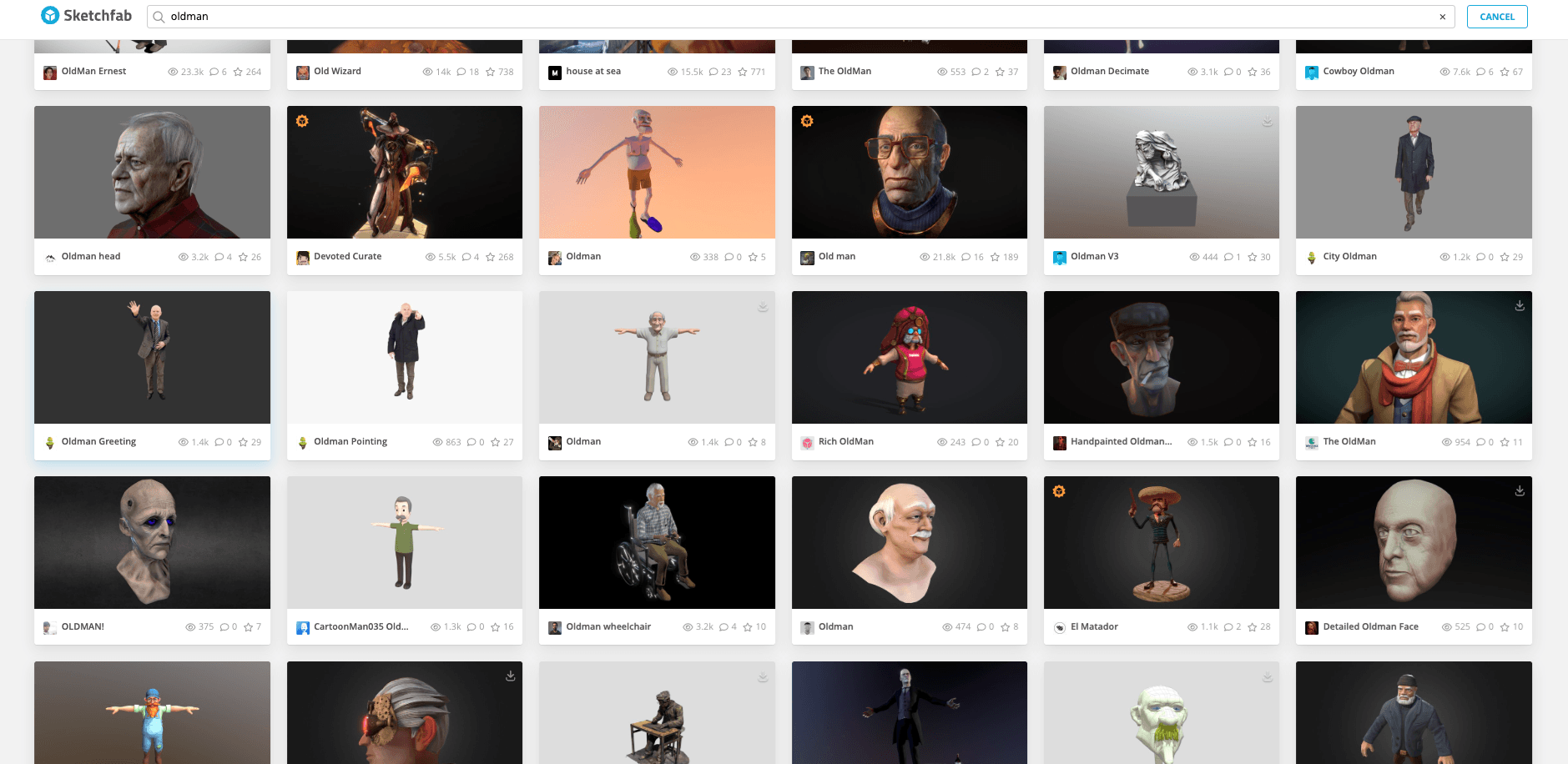
One example is the "OldModelZAZ" elderly male model on Sketchfab (model ID d466881), uploaded in 2021 under a Creative Commons license. It has 64,434 triangles and 35,910 vertices, which places it in the mid-poly range suitable for desktop games. The mesh includes a full body and a moderately detailed face, but you will need to check if the skeleton matches Unity or Unreal's humanoid rig.
The trade-off with free Sketchfab models is inconsistency. Some uploads include full PBR texture sets. Others ship with only a color map. Some use standard bone naming conventions. Others require manual bone mapping. Always check the model page for file formats, polygon count, license type, and whether the creator included a rig.
CGTrader Free Old Man Models
CGTrader offers a selection of free male character models, including elderly characters. Filter by "Free" and "Rigged" to narrow results. CGTrader shows verification data for geometry, UVs, and textures, which helps you avoid assets with broken topology or missing UV maps.
Free CGTrader models sometimes carry restrictive licenses. A model marked "Personal Use Only" cannot appear in a commercial game. A model labeled "Editorial" is for visualization, not interactive use. Read the license field on each product page before you download. If you plan to ship a game on Steam or the App Store, confirm that the license allows commercial distribution.
Free Model Aggregators: 3dmodelfree and 3dchf
Sites like 3dchf.com aggregate free 3D models from across the web, including old man characters. These platforms do not host files directly. They link to external downloads on Sketchfab, TurboSquid, or creator websites. The advantage is discoverability. The disadvantage is that quality control is minimal. You may encounter dead links, missing textures, or models that require credit but do not specify how.
For prototyping and early development, these aggregators can save time. For production, expect to spend hours verifying geometry, fixing UV seams, and re-texturing.
What to Avoid in Free Old Man 3D Models
Watch for four red flags. First, a model with no rigging cannot animate unless you rig it yourself, which is a multi-hour task. Second, a model with only an albedo map and no normal or roughness will look flat under PBR lighting. Third, a model with a stylized art style that does not match your game will break visual consistency. Fourth, a model with a non-humanoid skeleton may require manual bone mapping in Unity or Unreal, which adds setup time and can break animation retargeting.
Best Paid Old Man 3D Model Packs
Paid assets often include higher quality, more animations, and engine-specific formats.
Unreal Engine Marketplace: Elderly Character Packs
The Unreal Engine Marketplace sells character packs built for UE4 and UE5. Search for "old man," "elderly," or "villager NPC" to find rigged models with animations. Many packs include blueprints, materials, and LOD setups that work out of the box. The skeleton often matches the UE4 mannequin, which makes animation retargeting easier.
Some Unreal Marketplace packs include modular character systems. A "Modular Villager" pack might include multiple heads, body types, and clothing pieces that you can mix and match. This allows you to create multiple elderly NPCs from a single asset pack, which saves budget.
Unity Asset Store: Old Man Character Assets
The Unity Asset Store offers similar packs for Unity developers. Look for "old man," "elderly character," or "grandfather NPC" in the character category. Unity packages often include prefabs, scripts, and example scenes. Check the description for "Humanoid Rig" to confirm that the model uses Unity's animation system. For a full guide on importing characters into Unity, see our free 3D objects for Unity article.
CGTrader Premium: High-Detail Old Man Models
CGTrader's paid section includes high-detail old man 3D models with facial rigs, cloth simulation setups, and multiple LOD levels. These models target cinematic use or high-end games. The price range is $20 to $200 depending on complexity. If you need a close-up hero character with detailed facial wrinkles and realistic skin shaders, a premium model may save time compared to sculpting from scratch.
How to Choose an Old Man 3D Model
Not every elderly character fits every project. Match the model to your art style, platform, and animation needs.
Match Art Style: Realistic vs Stylized Elderly Characters
A realistic old man 3D model uses photorealistic skin, detailed clothing, and anatomically correct proportions. This fits AAA games, cinematic trailers, and high-end PC titles. A stylized elderly character uses exaggerated proportions, flat colors, and bold shapes. This fits mobile games, indie projects, and stylized art directions like low-poly or toon shading.
Mixing styles breaks immersion. A realistic grandfather in a low-poly world looks out of place. A stylized cartoon elder in a photorealistic scene breaks visual consistency. Check the model's wireframe, texture style, and silhouette before you buy.
Check Polygon Count for Target Platform
Mobile games often cap character polygon counts at 10,000 to 30,000 triangles. Desktop indie games can handle 30,000 to 80,000 triangles. AAA games on high-end hardware may use 100,000 triangles or more for hero characters. An old man NPC who stands in the background does not need the same polygon budget as a close-up protagonist.
The model page usually lists triangle count and vertex count. If a model has 150,000 triangles and your game targets mobile, you will need to decimate the mesh or use LOD. Decimation reduces polygon count but can distort silhouettes and break UVs. It is often better to find a model built for your target platform. For a full polygon budget framework, see our low poly vs high poly guide.
Verify Rigging and Animation Compatibility
A rigged model has a skeleton. An animated model has motion data. Both are required for a game character. Check the file format list on the model page. FBX is the most common interchange format for rigged characters. Blender files may need conversion. OBJ files do not support rigging.
If a model includes animations, check the animation list. A basic set might include idle, walk, run, and sit. A detailed set might include talking, gesturing, and specific actions like holding a cane or leaning on a staff. If the model has no animations, you need to source motion data separately. For a guide on animation retargeting in Unreal, see our Unreal Engine 5 free assets article.
When Marketplace Assets Don't Match Your Game
Stock assets save time, but they come with trade-offs. You may find an old man 3D model with the right proportions but the wrong art style. Or a model with perfect geometry but a skeleton that does not match your engine. Or a character that looks good in screenshots but has no facial rig for dialogue scenes.
Common Problems with Stock Old Man Models
Art direction mismatch. The model's style does not fit your game's visual language. A photorealistic grandfather in a stylized mobile game breaks consistency.
Polygon budget overrun. The model has 200,000 triangles, which is too heavy for your target platform. Decimation destroys the silhouette.
Skeleton incompatibility. The rig uses non-standard bone names. Unity or Unreal cannot auto-map it to a humanoid avatar. You spend hours manually assigning bones.
Missing facial rig. Your game has dialogue. The model has no blend shapes or facial bones. Characters cannot lip-sync.
Texture resolution too low. The model ships with 512px textures. In close-up shots, the skin looks blurry. You need to repaint at higher resolution.
When any of these problems occur, you face a choice: spend hours fixing the asset, or generate a custom old man 3D model that matches your requirements from the start.
Generate a Custom Old Man 3D Model with Triverse AI
When stock assets do not match your art direction, generating a custom elderly character is faster than sculpting from scratch. Triverse AI allows you to create an old man 3D model from a text prompt or reference image, with geometry and textures that match your game's style.
Step 1: Upload a Reference or Write a Prompt. Open Triverse AI Studio and select the HD Mesh workspace. Simply upload a sketch or photo reference to guide the generation. Alternatively, describe the character you need: "Old man character for a village RPG, hunched posture, long white beard, simple clothing, low-poly style, clean topology." The more specific the prompt, the closer the first pass will be to your vision.
Step 2: Choose Vertex Count and Generate. For a background NPC, select 2K vertices. For a hero character, select 4K vertices. Hit Generate. A 25-credit generation typically completes in under a minute, and the output is a mesh with PBR textures ready for export.
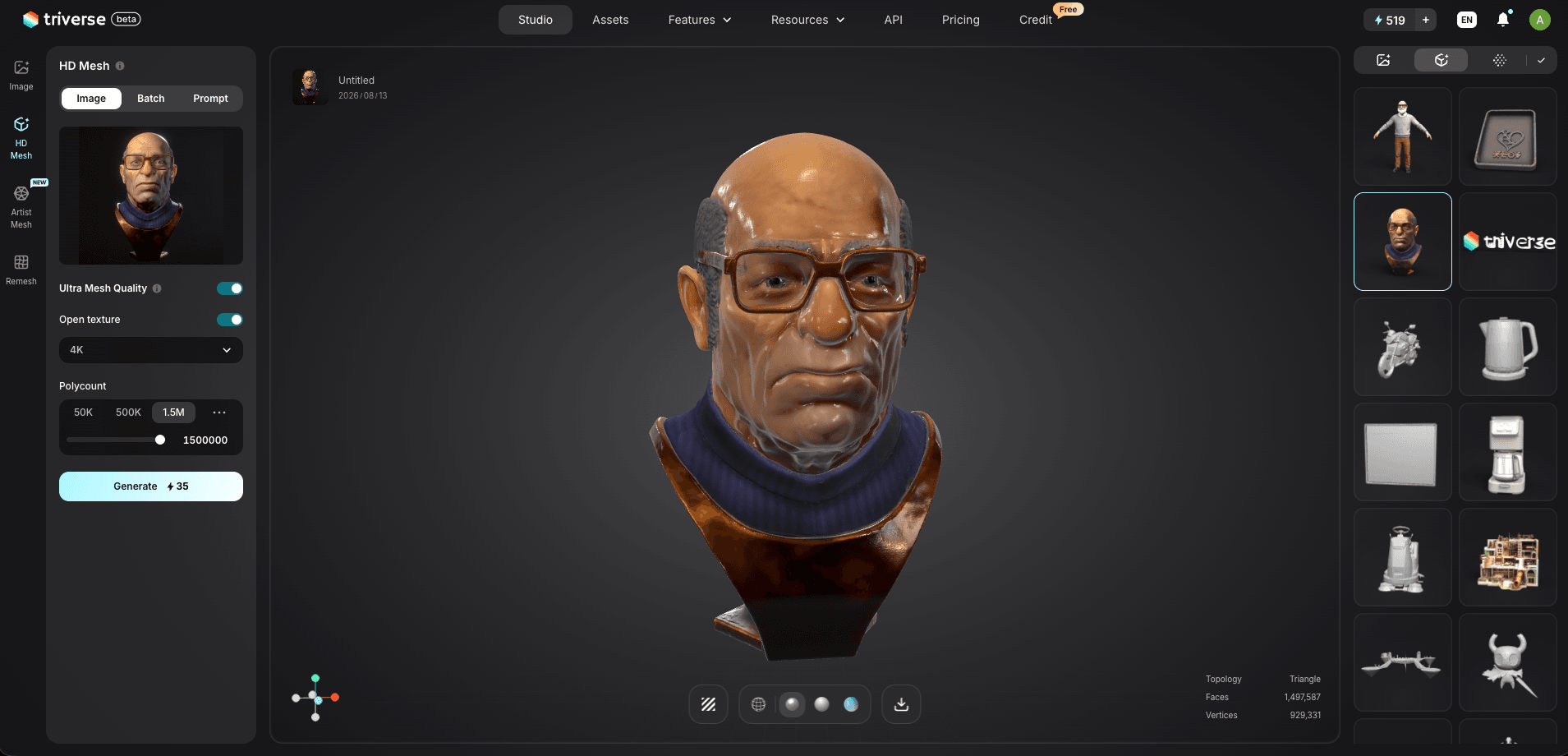
Step 3: Export and Refine in Your Engine. Download as FBX or OBJ. Import into Unity or Unreal. Check the silhouette, the texture maps, and the scale. If the character needs rigging, use Mixamo or your DCC tool of choice to add a skeleton. The generated model is a starting point, not a finished production asset. You may need to adjust proportions, add clothing details, or retarget animations to match your game's motion style.
What Triverse AI Cannot Do
Triverse AI generates a mesh and PBR textures. It does not auto-rig the character or provide animations. You still need to add a skeleton and motion data in your engine or DCC tool. For a game-ready 3D model pipeline, see our game-ready 3D models article.
Bottom Line
Start by searching stock libraries. Sketchfab and CGTrader cover most art styles for free or cheap, and they solve 80 percent of your old man 3D model needs. When the available assets do not match your art direction, polygon budget, or engine skeleton, generate a custom elderly character with Triverse AI instead of spending hours fixing a mismatched download. Download first, generate only when the stock options fall short.