OC Creator: Best Tools, OC Design, and How to Turn Your OC into a 3D Model
Compare the best OC creator tools, learn how to design an original character, and follow the workflow to turn your OC into a 3D model for games and VTuber avatars.
You sketch an original character on a napkin during lunch. By Friday, it has a name, a color scheme, and a tragic backstory. Now you want it as a VTuber avatar, or a playable hero in your game. The gap between a 2D OC and a usable 3D model is where most creators get stuck. An OC creator gets you the 2D version fast.
This guide covers the best OC creator tools, how to design an OC that reads at a glance, and the workflow to turn that character into a 3D model for streaming and games.
What Is an OC Creator?
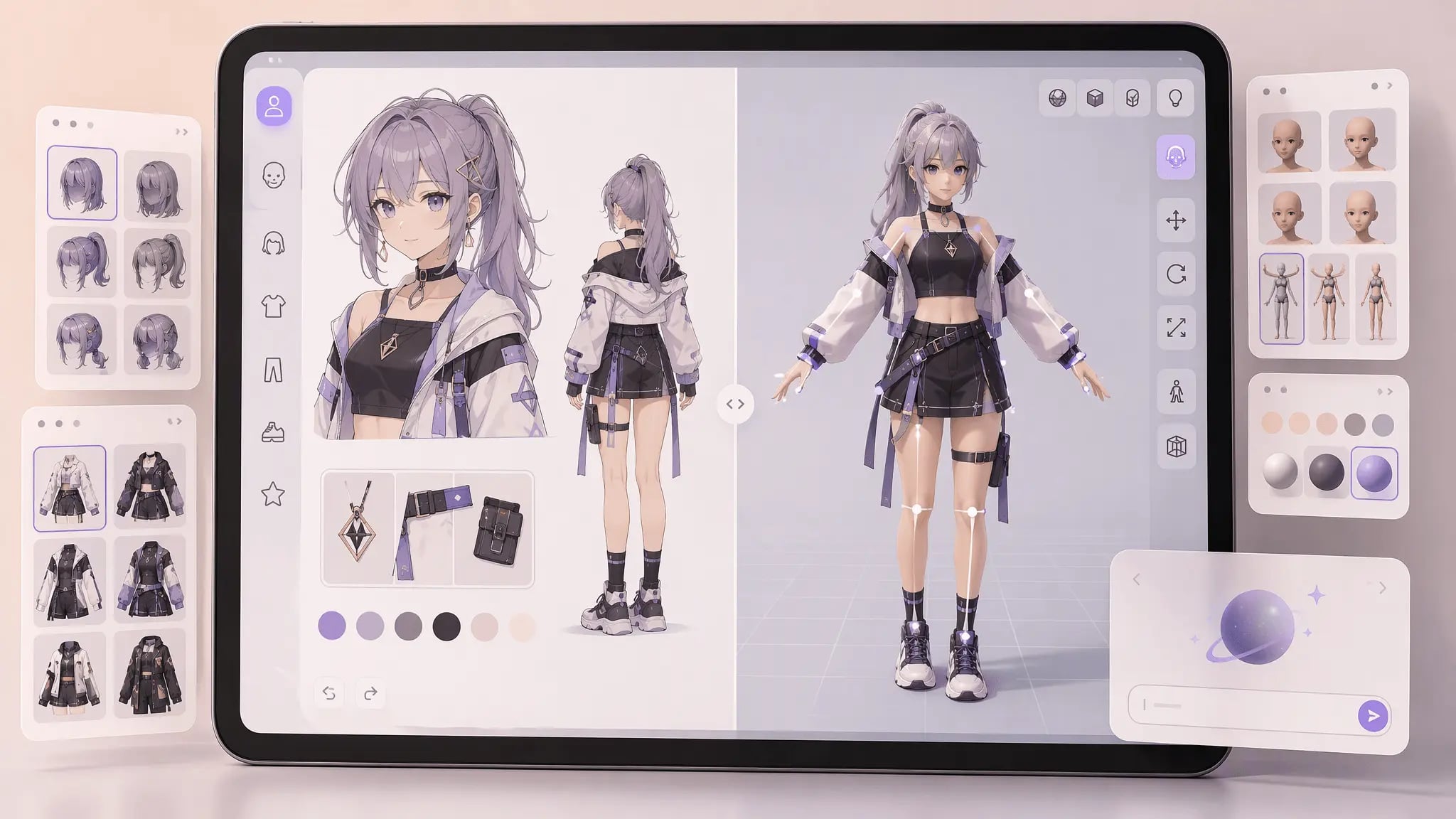
An OC creator is any app or website that helps you build an original character, usually through preset parts, AI generation, or a mix of both. The output is typically a 2D portrait or full-body reference, though some OC creators now produce 3D character models directly.
What Does OC Creator Mean
OC stands for original character. The term comes from fan art communities where artists build personal characters that are not tied to any existing franchise. An OC creator is a tool that makes building one accessible without drawing skills. Some OC creators are drag-and-drop dress-up apps. Others use AI to generate a character from a text prompt. The common thread is speed: you get a recognizable character in minutes instead of weeks of learning to draw.
OC vs Fan Character
A fan character is based on an existing universe, like a new student at Hogwarts or a custom Pokémon trainer. An original character stands on its own, with no borrowed world. Most OC creators assume you are building an original character, which gives you freedom but also demands more design decisions. With a fan character, the world tells you what looks right. With an OC, you set every rule. That freedom is why OC design fundamentals matter more than tool choice.
2D vs 3D OC Creator
Most OC creators are 2D. Picrew, Komiko, and ocmaker.ai all produce flat images you use as avatars, profile pictures, or reference sheets. A smaller group of OC creators work in 3D. VRoid Studio and charactercreator.org build poseable, rigged models you can animate. The 2D versus 3D split decides what you can do next. A 2D OC is a picture. A 3D OC is an asset you can move, light, and drop into a game engine. If your goal is a VTuber or a game character, you need the 3D path eventually, and that is the part most OC creator guides skip.
Best OC Creator Tools Compared
The OC creator market splits into free 2D makers, AI generators, and 3D character builders. Each serves a different need.
Picrew OC Maker
Picrew is the most popular free OC maker. It is a Japanese platform where artists upload layered character templates that you customize with dropdown parts. You pick hair, eyes, clothing, and expression from the artist's set. The result is a clean 2D portrait with a consistent art style.
The limitation is the artist's constraints. You cannot add parts the template lacks, and commercial use depends on each creator's license. For personal avatars and reference sheets, Picrew is unmatched for speed. For original character design with full control, it boxes you into someone else's style. The Picrew official site lists thousands of OC maker templates across art styles.
Komiko AI OC Creator
Komiko is an AI OC creator that generates original characters from text prompts or reference images. You describe the character, and Komiko produces a styled portrait, with options for expression and pose variations. It sits between a pure generator and a maker, because you steer the output with language rather than presets.
For creators who know what they want but cannot draw it, Komiko shortens the gap between concept and image. The catch is that AI output varies between runs, so building a consistent OC across multiple angles takes iteration. The Komiko OC maker supports both prompt-based and image-based character generation.
ocmaker.ai Original Character Generator
ocmaker.ai is a web-based original character generator built around AI image generation with character-consistent output. You set traits and the tool maintains the same face across poses, which solves the biggest problem with AI OC creators: keeping one character looking like one character.
For serial content like webcomics or VTuber lore, consistency matters more than artistic surprise. ocmaker.ai targets exactly that. The ocmaker.ai creator generates original characters with trait controls for hair, outfit, and expression.
VRoid Studio 3D Character Creator
VRoid Studio is the standout 3D OC creator. It builds a rigged, anime-style 3D character you can pose, animate, and export. VRoid models load directly into VTuber software like VTube Studio and VRChat, making it the default path for streamers who want a 3D OC rather than a flat PFP.
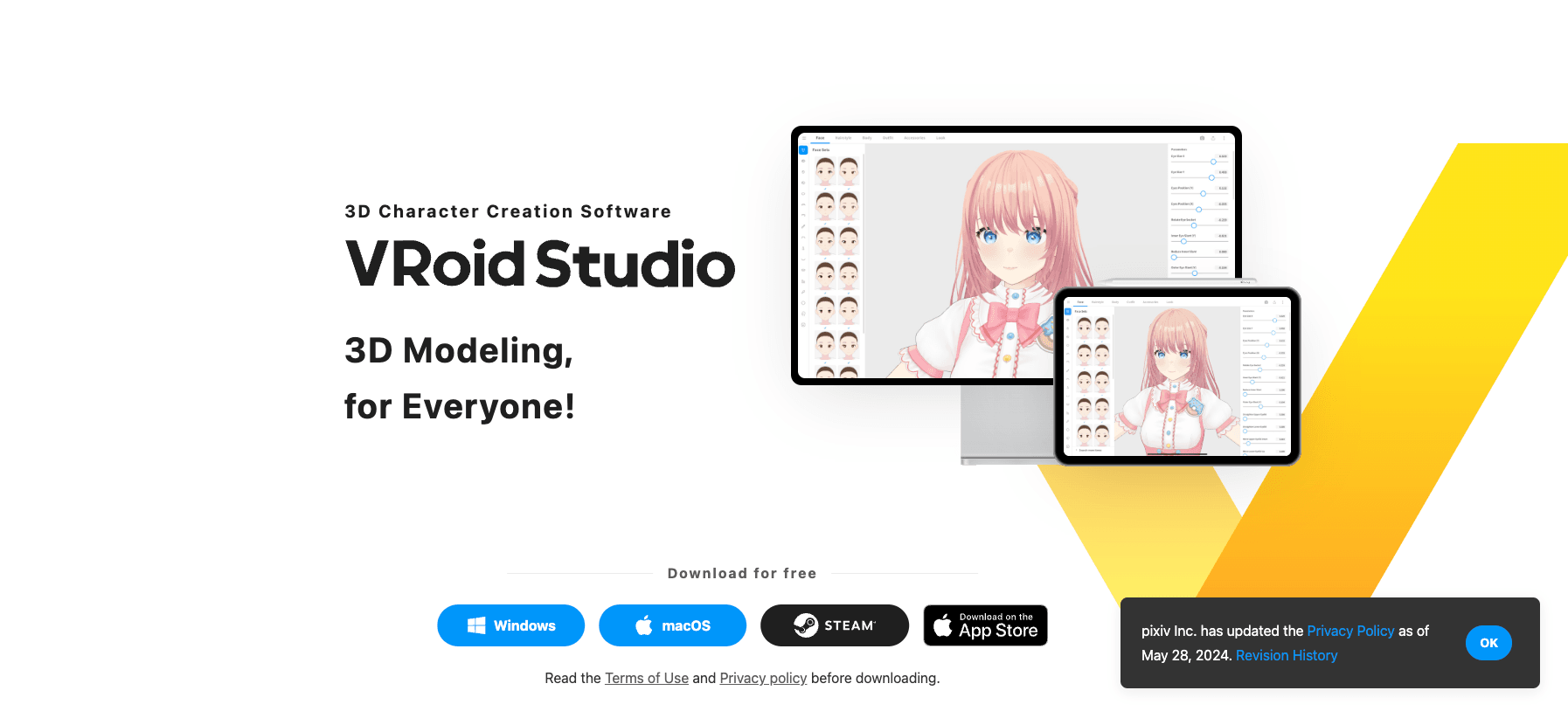
The trade-off is style. VRoid characters are anime by default, and pushing them toward realism is a fight. For stylized VTuber avatars, nothing else is as fast. The VRoid Studio official site provides the editor and an export pipeline to major VTuber platforms.
charactercreator.org OC Maker
charactercreator.org is a browser OC maker focused on quick 2D character portraits with a wide part library. It is less polished than Picrew but covers more customization categories, including body type and props.
For creators who outgrow Picrew's template limits, charactercreator.org offers broader part selection without leaving the browser. The charactercreator.org tool runs entirely in the browser with no install.
OC Creator Comparison Table
OC Creator | Type | Output | Best For | Cost |
|---|---|---|---|---|
Picrew | 2D maker | Flat portrait | Fast avatars, reference sheets | Free |
Komiko | AI generator | Styled portrait | Prompt-driven OC art | Freemium |
ocmaker.ai | AI generator | Consistent portraits | Serial OC content | Freemium |
VRoid Studio | 3D builder | Rigged 3D model | VTuber avatars | Free |
charactercreator.org | 2D maker | Flat portrait | Broad part library | Free |
How to Design Your Own Original Character
Tools get you a character fast, but a forgettable OC looks like everyone else's. Design decisions separate a character people remember from a template fill. The Clip Studio character design guide breaks down silhouette and color theory for original characters in more depth.
OC Silhouette and Pose Design
The first test of any original character is the silhouette. If you cannot tell two characters apart as solid black shapes, the design fails before color enters the picture.
Why OC Silhouette Matters
A strong silhouette carries the character at thumbnail size, in a crowd, or on a busy stream overlay. Exaggerated proportions, distinct hair mass, and a recognizable prop do more for memorability than a detailed face. Most weak OCs share a straight standing pose with nothing to break the outline.
How to Test OC Silhouette
Fill your OC design with black and check it against other characters in the same genre. If it blends in, push one element: taller hair, an asymmetric outfit, a weapon held at an angle. The goal is instant recognition, not realism. A readable silhouette also helps later when you turn the OC into a 3D model, because the 3D mesh needs the same clear read from any angle.
OC Color Palette Selection
Limit the palette to three or four core colors. A character with eight competing colors reads as noise, especially as a small avatar. Pick one dominant color, one accent, and a neutral for skin and hair.
Color also communicates personality before the viewer reads any lore. Cool blues suggest calm or detachment. Warm reds signal energy or danger. Use the accent color on the most important detail, like a single glowing eye or a signature accessory. When you move the OC to 3D, this palette becomes the material plan for texturing.
Writing Your OC Backstory
A backstory is not a novel. It is the set of constraints that make design choices feel intentional. A character who grew up near the coast explains the shell necklace. A mechanic explains the oil-stained gloves.
Keep the backstory to three facts: where they are from, what they want, and what they lost. Those three drive every visual decision and give the OC a reason to exist beyond looking cool. For game-ready characters, a tight backstory also speeds up 3D modeling, because you know which props and details actually matter.
How to Turn Your OC into a 3D Model
This is the step most OC creator guides ignore. You have a 2D OC. Now you need a 3D model for a VTuber avatar or a game. The path has three stages: reference, generation, and engine setup.
Build an OC Reference Sheet for 3D
A single front-facing portrait is not enough to model from. Build a reference sheet with front, side, and three-quarter views, plus close-ups of hair, hands, and any signature prop. Note the color palette and material intentions, like matte cloth versus glossy armor.
The reference sheet is the bridge between your 2D OC creator output and a 3D model. Artists and AI generators both perform better with consistent multi-angle references. Spend real time here. A weak reference sheet produces a 3D OC that misses the character's identity, and fixing it costs more than the sheet took to make.
2D OC to 3D Model Workflow
The workflow from a 2D OC to a 3D model depends on your skill and budget. Hand modeling in Blender or ZBrush gives full control but takes days. AI image-to-3D tools compress that to minutes at the cost of editability.
Why 2D OC Makers Cannot Export 3D
Every 2D OC creator produces a flat image. There is no depth, no mesh, no UV layout to export. The 2D OC is a picture of a character, not a character you can rotate. To get a 3D model, you either reconstruct the geometry by hand or feed the image to an image-to-3D system that infers depth and surface from the reference.
How to Prepare OC Art for 3D
Clean backgrounds, clear outlines, and consistent proportions across views make the 3D result closer to your intent. Avoid heavy filters and messy line art. If you used an AI OC creator, generate a plain front view with neutral lighting before sending it to a 3D pipeline. For the topology and cleanup work after generation, see our clean topology mesh best practices guide.
3D OC for VTuber Avatars
VTuber avatars need a rigged 3D OC with face tracking. VRoid Studio covers this natively. If you generated the OC elsewhere, you rig it in Blender or a dedicated rigging service, then connect it to VTube Studio or similar tracking software.
The deciding factor for VTuber OCs is performance under live tracking. Heavy models with millions of polygons lag the stream. Keep the 3D OC under 50K triangles for smooth tracking, and bake detail into textures instead of geometry. Services like Threedium's VTuber avatar creator also build browser-based 3D avatars if you want a no-software path.
3D OC Models for Games
Game OCs need a different standard than VTuber avatars. You need LODs, proper UVs, and materials that match your engine's shader model. The character might need a skeleton for animation and a collision setup for physics.
After you have the 3D OC mesh, import it into your engine with correct scale and material assignments. Unreal Engine and Unity both ship free character tools and templates that speed this up. For sourcing engine-ready character assets and free animation rigs, see our Unreal Engine 5 free assets guide. For the texture set that makes the OC read correctly in engine, see our textures for games PNG guide.
Generate Your OC as a 3D Model with Triverse AI
Building a 3D OC by hand is slow, and most OC creators stop at 2D. For creators who have a character design but no modeling skills, AI generation closes the gap.
Triverse AI turns an OC reference image into a 3D model, and you can also just type what you want. You feed it the character you already designed in your OC creator, and it outputs a textured mesh you can refine and use.
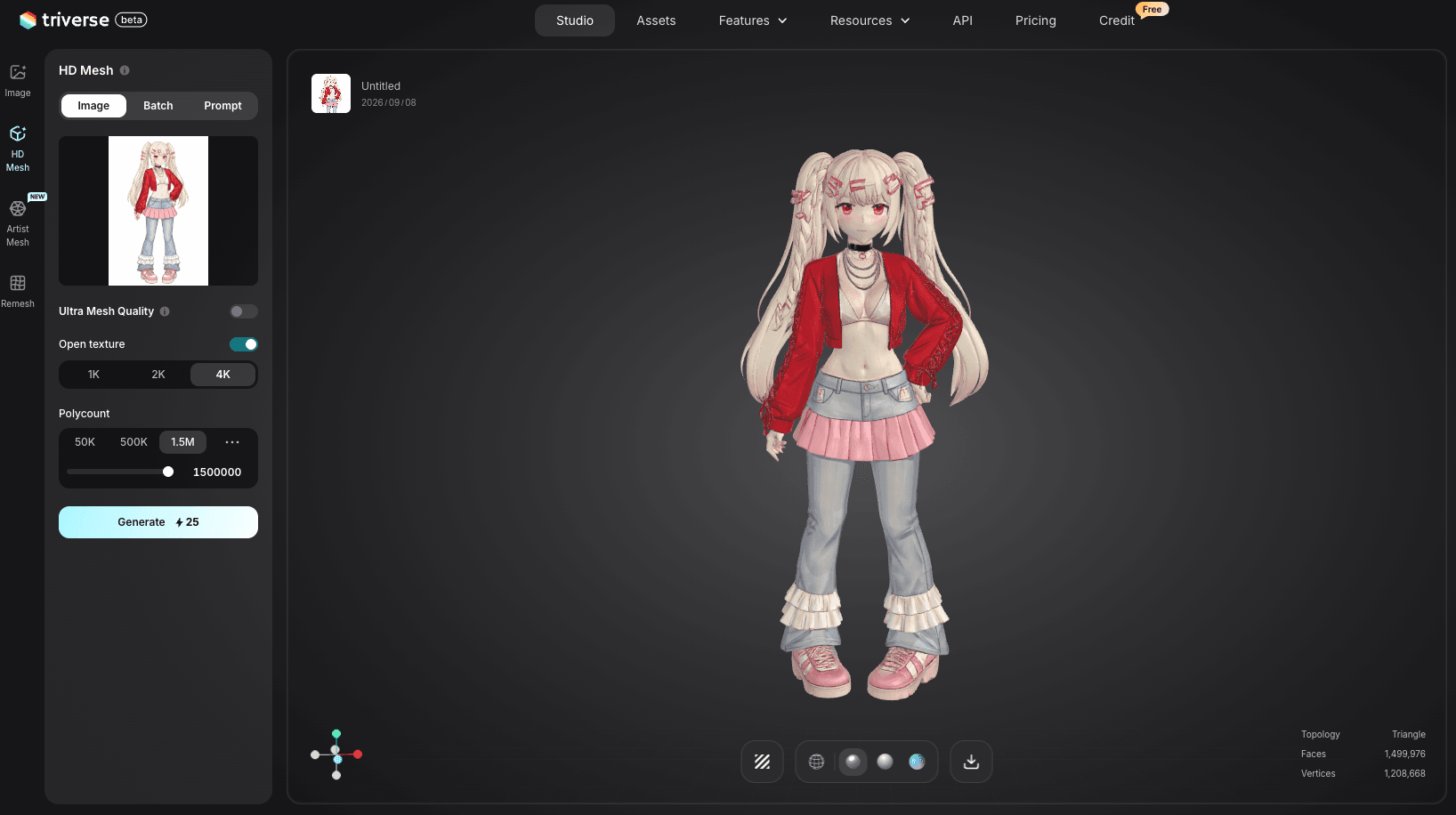
Step 1: Generate the OC from an image. Open Triverse AI Studio and upload your OC reference sheet or a clean front-facing portrait from your OC creator. Triverse's image-to-3D workspace produces a 3D model that matches the character's proportions and surface detail.
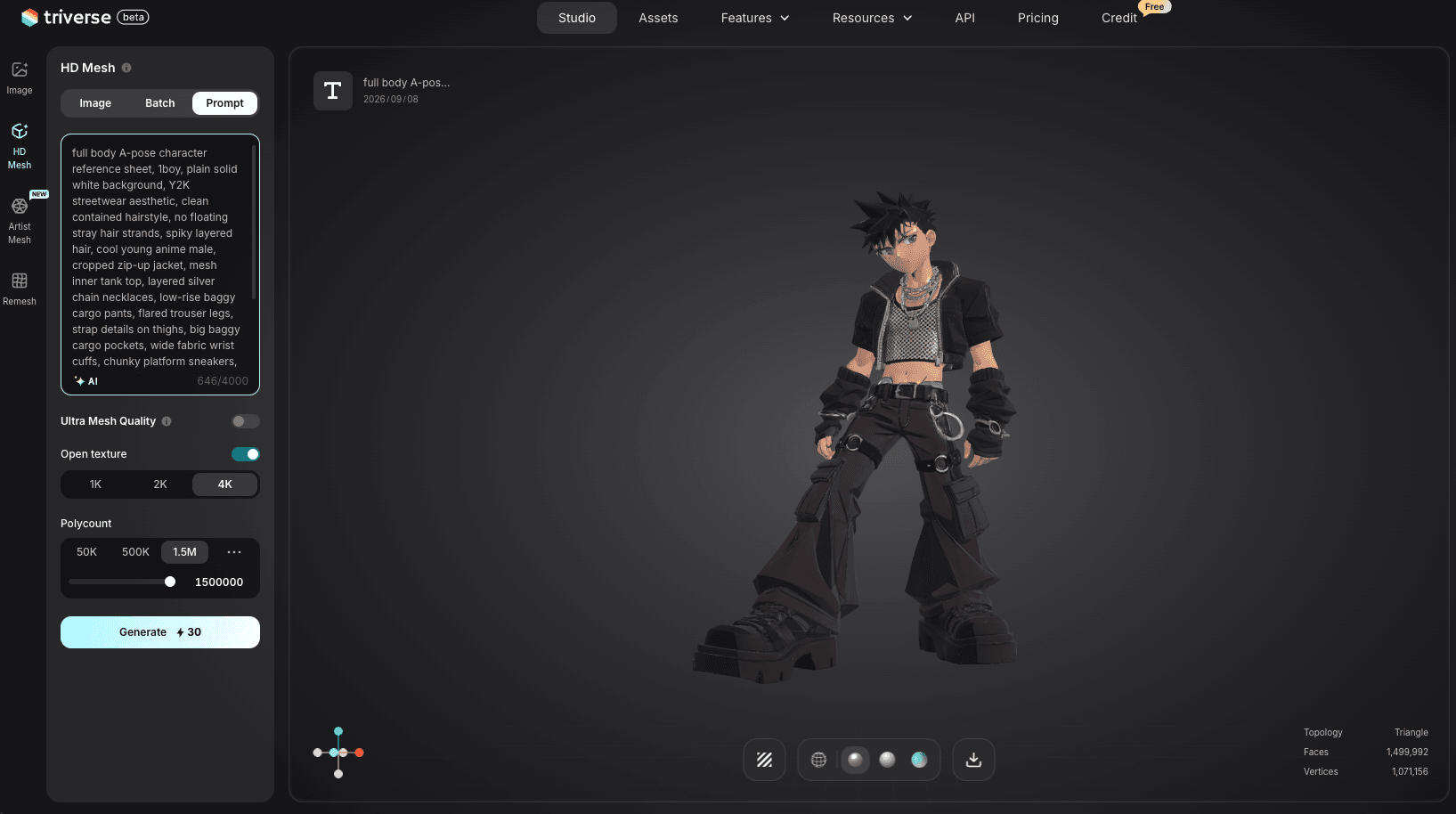
Step 2: Generate the OC from text. If you have a clear written description instead of art, use the text-to-3D workspace. Describe the OC's build, hair, outfit, and signature traits. Triverse outputs a 3D model you can iterate on with revised prompts.
Step 3: Export and use in your engine. Export the 3D OC as GLB or FBX. Bring it into Blender for retopology and rigging, then import into Unity or Unreal for your game, or connect it to VTuber software for streaming.
Triverse AI does not replace a character artist for final game assets. It gives you a 3D OC from your existing 2D design in minutes, so you spend your time on rigging and polish instead of building geometry from scratch. For a direct comparison of AI character generation tools, see our best 3D character maker guide.
Bottom Line
An OC creator gets you a 2D original character fast, but the real value shows up when that character becomes a 3D model for a VTuber avatar or a game. Use Picrew or charactercreator.org for quick, free 2D portraits, Komiko or ocmaker.ai when you want AI-generated consistency, and VRoid Studio when you need a rigged 3D OC for streaming. Design with a strong silhouette, a tight color palette, and a three-fact backstory so the character reads at a glance. To move from 2D to 3D, build a multi-angle reference sheet, then either model by hand or use Triverse AI to generate the 3D OC from your existing art. Finish with retopology, rigging, and engine setup, and your OC is ready to perform.
FAQs about OC Creator

Dennis Kirk is an AI 3D specialist and game developer with more than 5 years of industry experience, mastering production workflows across Unity, Unreal Engine, and Godot. He focuses on demystifying next-generation 3D workflows for creators of all skill levels. His writing spans hands-on technical walkthroughs, asset optimization strategies, and in-depth software reviews, helping developers build faster and smarter.