Create Fantasy Treasure Chest 3D Models with AI
Can't find a treasure chest that fits your game? Create your own with AI using pirate, arcane, and mimic prompts, plus a step-by-step 3D workflow.
Finding a treasure chest 3D model that fits your game can mean searching through assets that almost match your idea. If you'd rather not build one from scratch, an AI 3D model generator offers another way to develop a custom design.
You can start with a description or a design image, generate the model, and review its shape before downloading it for further work. The three examples below explore this process through a wooden pirate chest, a pastel arcane chest, and an experimental mimic.
Create Reference Images for Your Treasure Chest 3D Models
A reference image helps you establish the chest's appearance before generating its 3D form. If you're starting with an idea, you can use an AI image generator to explore its proportions, colors, and main features, then choose an image that clearly communicates the design.
Using Triverse AI as an example, open the Image workspace and use Text to Image with one of the prompts below. Generate a reference for the chest you want to make, then review its appearance before continuing to Image to 3D.
Each prompt describes a single chest against a plain background, shown from an angle that reveals the front, top, and right side. If you already have a clear drawing, you can use it directly and continue to the 3D generation section.
A Pirate Chest with Warm Wood and Brass Bands
For the pirate chest, start with a broad wooden body and a closed domed lid. Warm honey-brown planks keep the wood visible, while thick brass bands and a large skull emblem on the latch establish the theme.
Keep the first design focused on those main parts. Slightly uneven plank edges can suggest age without covering the chest in tiny scratches or adding thin ropes and hanging decorations. The lid's curve and the width of the bands should still read when you reduce the reference to a small thumbnail.
Use this prompt to develop the reference.
A single stylized pirate treasure chest for a fantasy game, closed domed lid, warm honey brown wooden planks, broad aged brass bands wrapping around the body, reinforced corners, one large simple raised skull emblem on the front latch, slightly uneven plank edges, chunky solid proportions, clear lid seam, three-quarter view showing the front, top and right side, fully visible, isolated on a plain light gray background, soft neutral studio lighting, clear material colors.
Choose an image where the bands follow the chest's corners and the skull sits clearly on the latch. If the result adds a pile of coins, a surrounding scene, or unrelated objects, simplify the reference before generating the model.
To make another pirate chest, change its proportions or construction. A long, low strongbox and a compact chest with an exaggerated domed lid will produce more distinct designs than two otherwise identical boxes with different wood colors.
A Pastel Arcane Chest with a Raised Star Clasp
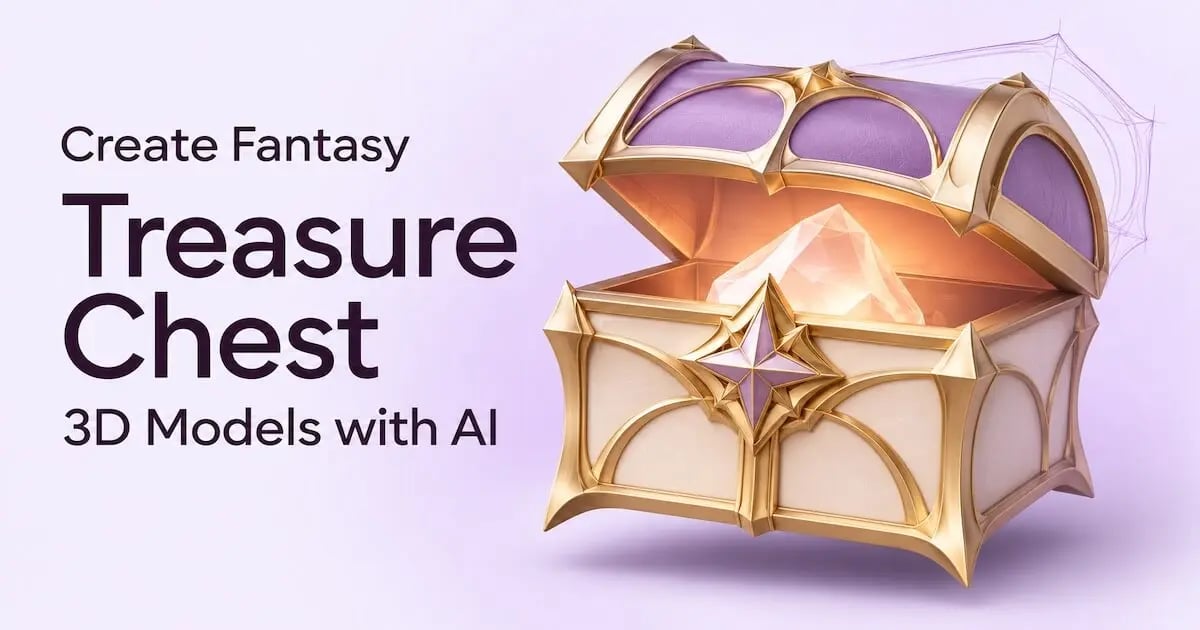
For the arcane design, use an ivory body, a pale lavender lid, and broad gold trim. A large raised star on the front clasp gives the chest a recognizable magical identity without relying on dense writing or elaborate surface patterns.
Keep the materials opaque and the lighting neutral while developing the reference. This makes it easier to judge the pastel colors and the star's shape before adding any magical lighting later.
A single stylized arcane treasure chest for a fantasy game, compact rounded body, pale lavender domed lid, ivory side panels, broad satin gold trim, one large solid raised five-pointed star centered on the front clasp, a few simple curved gold details on the lid, closed lid with a clear seam, chunky solid forms, opaque materials, three-quarter view showing the front, top and right side, fully visible, isolated on a plain light gray background, soft neutral studio lighting, clearly visible pastel colors, no glow.
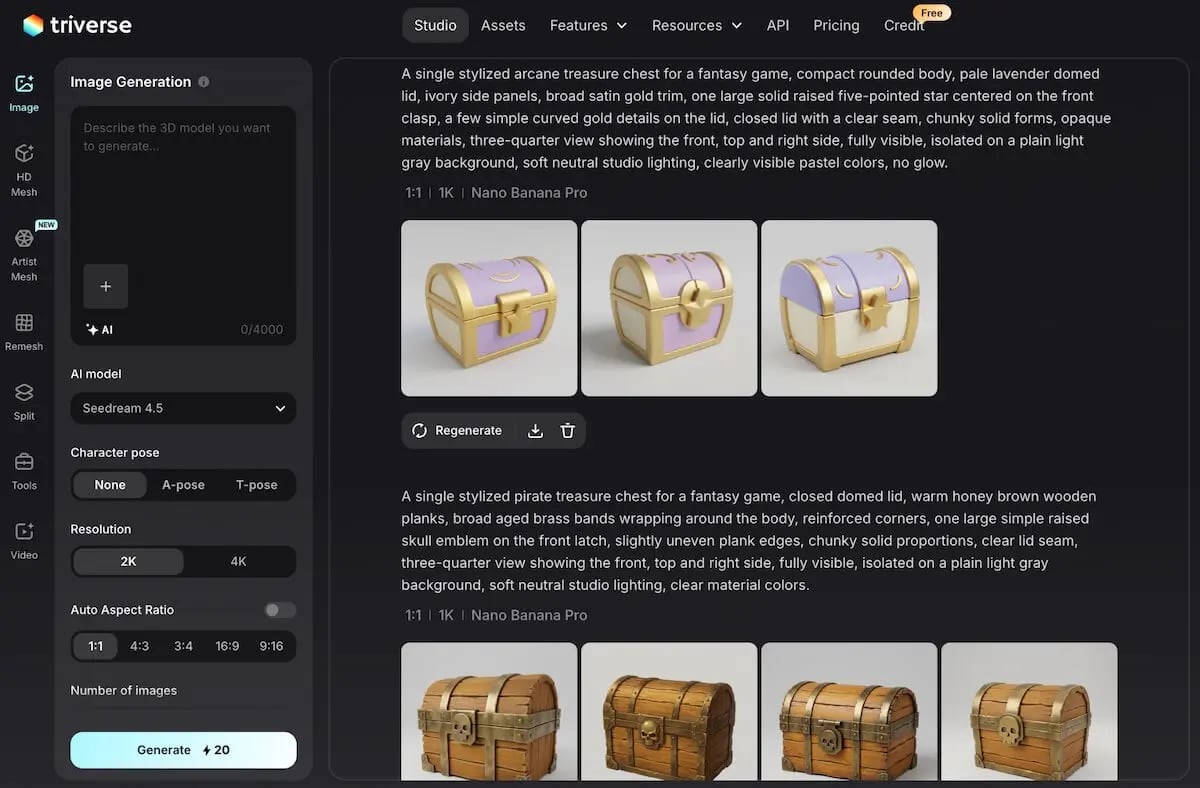
Look for a star with visible thickness and a clear connection to the clasp. A flat star painted onto the front would communicate a different design. The curved gold details should also remain broad enough to distinguish from highlights on the lid.
The same emblem can connect the chest to other props in your game. For example, you could repeat the star on a wand's head or a sword's guard. More advice on developing related assets is available in our guide to fantasy weapon models from concept art.
A Mimic Chest with a Clear Mouth and Chunky Teeth
A mimic uses the chest itself as a creature's body, with the opened lid forming the upper jaw. For this first experiment, keep the design compact and leave out limbs so the mouth remains the main feature.
Use a few thick teeth with visible spaces between them, plus a short tongue resting inside the lower jaw. This gives the reference a simpler arrangement to communicate than a mouth crowded with narrow teeth and a long curling tongue.
A single stylized mimic treasure chest for a fantasy game, warm orange brown wooden body with thick brass bands, domed lid opened wide to form an upper jaw, a few large ivory teeth rooted in the upper and lower rims and clearly spaced apart, a short thick pink tongue resting inside the lower jaw, muted coral mouth interior, the chest forms the entire creature without limbs, chunky solid shapes, three-quarter view showing the front, top and right side, fully visible, isolated on a plain light gray background, soft neutral studio lighting.
View the reference at roughly its expected on-screen size before adding smaller details. If the teeth merge into a pale strip or the tongue hides the opening, simplify their arrangement so the chest outline and mouth remain easy to distinguish.
This is the most demanding of the three designs. Keep it as an experimental case until the generated mesh shows whether the opening, teeth, and tongue remain distinct in 3D.
Generate Treasure Chest 3D Models from Your References
Once you've chosen a reference, use Image to 3D to generate its mesh. Each chest can follow the same basic process, while the model settings and final inspection should reflect its particular shape.
Before uploading, confirm that the whole chest is visible and the background doesn't compete with its outline. For more advice on framing and lighting, see our input-image guide for 3D generation.
Choose Mesh Detail for the Chest's Main Features
Open the HD Mesh workspace, select the image input, and upload your reference. For a closed chest with a regular shape and broad decorations, start with Polycount set to 50K. Compared with 500K or 1.5M, this gives you a lighter starting mesh and can reduce the amount of manual polygon reduction needed later. Enable texture generation to preview the wood, metal, and colored panels alongside the geometry.
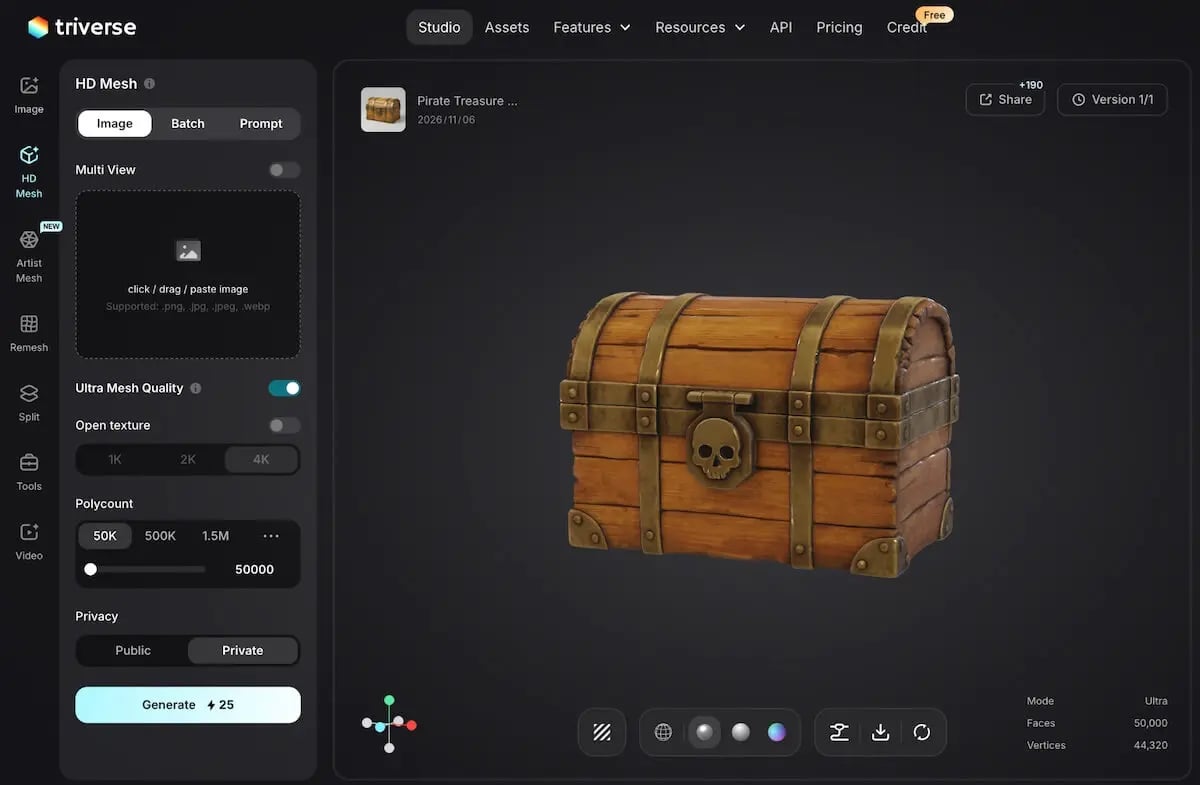
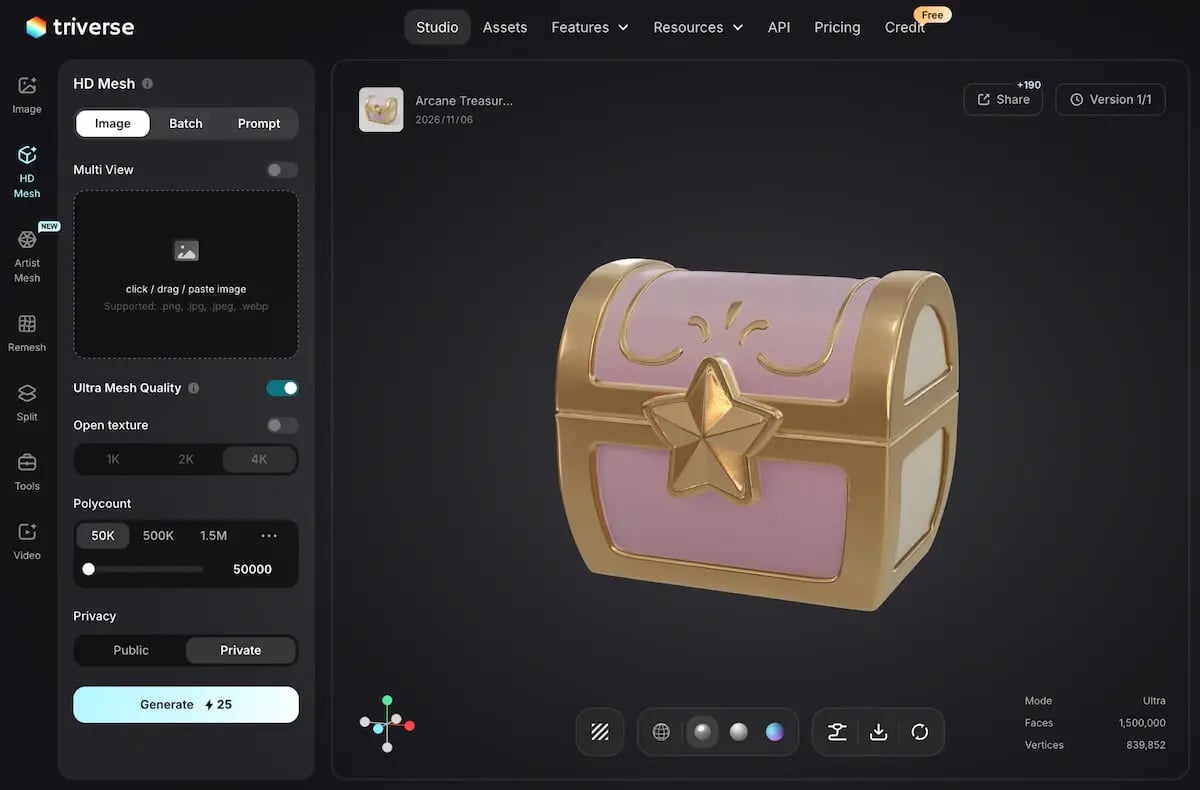
For the pirate chest, focus on retaining the domed lid, broad bands, and skull clasp. The arcane chest needs enough definition for the star's raised edges and rounded trim. If you develop either design into a close-up prop with finer modeled ornament, a higher face target may be useful.
The mimic's first challenge is its structure. If the reference hides the tongue or leaves the mouth opening unclear, revise that image before increasing mesh density. More faces alone won't explain an ambiguous design.
Click Generate after choosing the settings for that chest. The source model can be prepared further once its main form is suitable for your intended use.
Check the Lid, Ornament, and Mouth in 3D
Rotate the generated chest and look at the features that defined its reference.
For the pirate chest, inspect the lid from the side and follow the brass bands around the corners. The latch should sit clearly on the front, with the skull attached to it.
For the arcane chest, check whether the star projects from the clasp and whether the gold trim has the intended thickness. A neutral material view in a 3D viewer can help distinguish modeled volume from painted highlights.
For the mimic, look into the mouth from both the front and the side. The upper and lower teeth should remain distinguishable, and the tongue should sit inside the lower jaw without filling the entire opening.
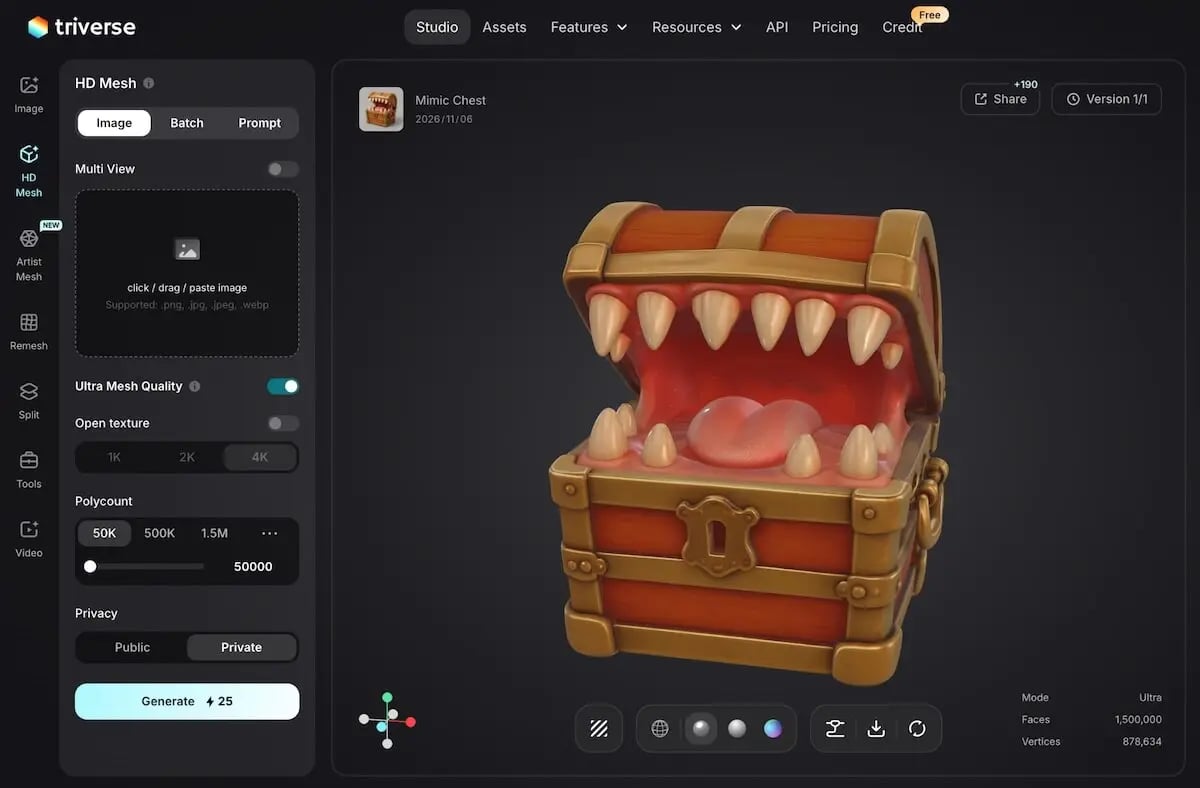
The back and other hidden surfaces are inferred from the reference. Judge whether they continue the chest's construction coherently. A small surface flaw may be manageable, while a missing mouth opening or a substantially different lid calls for revisiting the reference or trying another generation.
If the chest’s shape looks right but its polygon count is still too high for your game, use Triverse AI’s Remesh to rebuild the mesh at a lower target count. This also gives HD Mesh models a route to lower-poly assets alongside direct generation with Artist Mesh. Compare the result with the original, checking the lid’s curve, clasp, and raised decorations before exporting. A 50K source mesh may still need further reduction for a small background prop or a chest repeated throughout a level.
Once the form is suitable, download GLB for convenient model exchange, or choose FBX when your next tool requires it. Both are supported export formats.
If you're ready to prepare the chest for a game, our AI 3D prop workflow covers the later mesh, material, and engine work.