2026 Best 3D Character Maker & How to Create 3D Characters
Explore the best 3D character maker in 2026. We compare Blender, Mixamo, Meshy AI, MetaHuman Creator, DAZ 3D, and Triverse AI. Learn how to make 3D characters from text or image in one click. Triverse's AI 3D character maker is free to try — no modeling experience needed.
May 11, 2026
You have a character in your head. Maybe it's a sketch you drew, a photo of yourself, or just a clear idea of what you want. But the thought of spending weeks learning Blender, hiring a freelance artist, or dropping hundreds of dollars on software feels like overkill for one project.
That's exactly what today's 3D character makers solve. Some generate a model in under a minute using AI. Others give you full creative control over every polygon. And some are completely free.
This guide walks you through the best 3D character makers available right now and helps you find the one that matches your situation, whether you've never opened a 3D tool or you're building your first game.
What Is a 3D Character Maker?
A 3D character creator is a software that aids you in transforming an idea into a 3D character. These characters may be imported into games, animations, virtual worlds, or even 3D printed.
In classic pipelines, making a character is a multi-stage process that includes sculpting, cleaning up geometry, texturing, and rigging for animation. Like Blender, these are comprehensive programs—but they, too, take a while to get used to.
Today, tools are different. Some make the process easier by providing templates, some do some of the technical work, and some walk you through the creation process so you don’t have to start from scratch.
The intention isn’t to supplant traditional professional tools, but to make character creation available to more people.
What Can You Actually Do with a 3D Character Maker?
Before diving into tools, it helps to know what's possible.
- Create game characters: Build protagonists, NPCs, or enemies for Unity or Unreal Engine projects
- Make avatars: Design 3D versions of yourself for social media, VR, or streaming
- 3D print figurines: Turn your character into a physical model for your desk or shelf
- Concept art: Bring sketches to life in 3D for illustration or visual storytelling
- Video production: Produce custom characters for animations, explainer videos, or films
Most tools on this list can handle more than one of these. The question is which one fits how you work.
Best Overall 3D Character Maker
Blender
Blender is the only tool on this list that does everything in one application. Sculpt, rig, animate, render. All without paying anything or opening a second program.
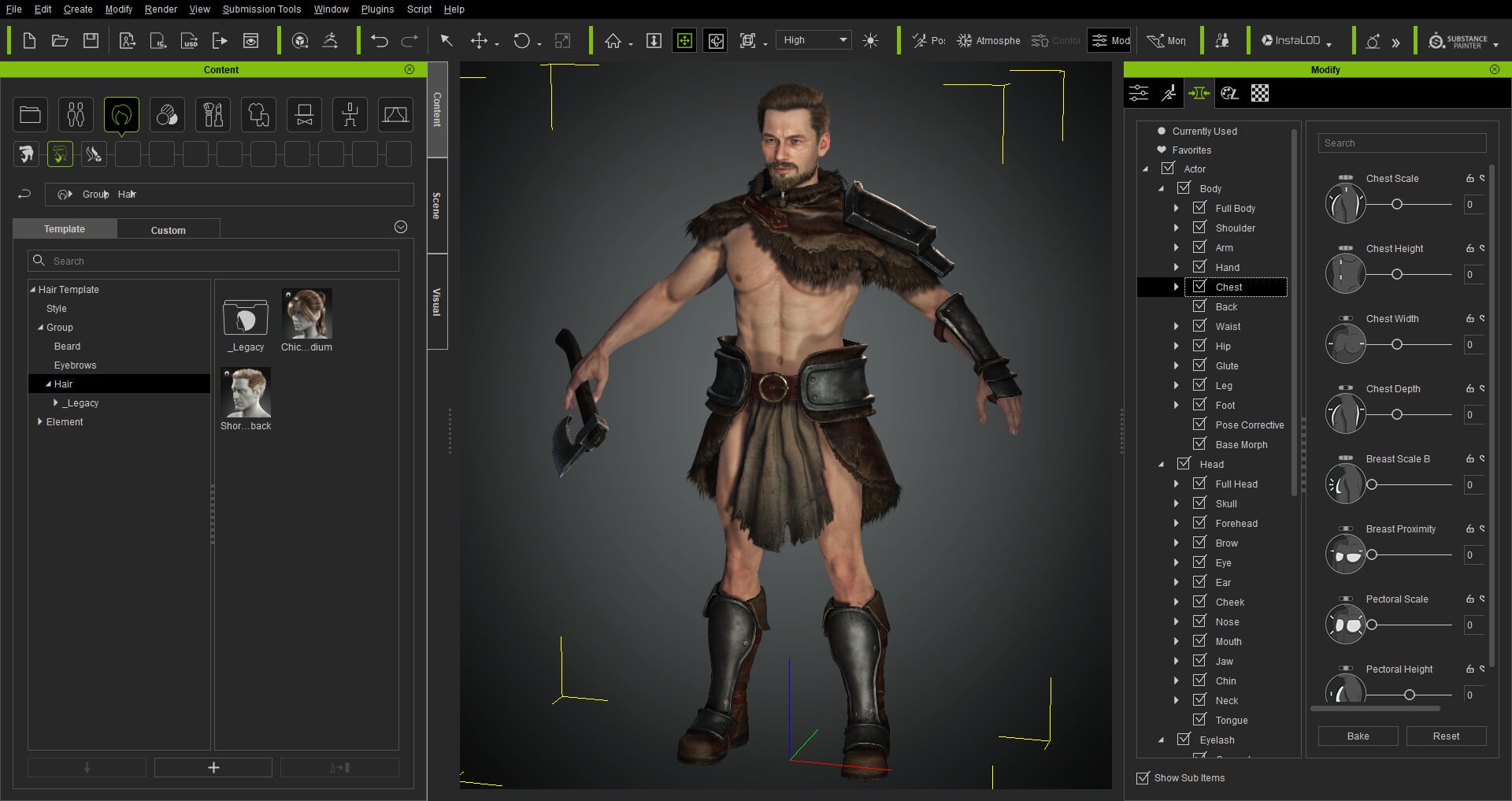
What it does: Blender covers the entire character creation pipeline. You can sculpt a character from scratch, add a skeleton (armature) for movement, paint textures directly on the model, and render the final result in its built-in engine. The add-on ecosystem means you can extend it with tools like Auto-Rig Pro for faster rigging or MB-Lab for generating base characters.
Who it's for: People who want total creative control and are willing to invest weeks or months learning. If you're the type who enjoys diving deep into a craft, Blender rewards that effort.
Key features:
- Full sculpting suite with 20+ brushes and dynamic topology.
- Cycles (production) and Eevee (real-time) renderers in the same project.
- Armature rigging with IK/FK support, constraints, and weight painting.
- Shape keys for facial expressions, NLA editor for animation.
- Python scripting and a massive add-on library.
Pros:
- Free forever, including commercial use.
- No need for other software to complete a character.
- Huge community with tutorials for literally everything.
- Works on Windows, Mac, and Linux.
Cons:
- Learning curve is steep — expect weeks before you're productive.
- Interface can feel overwhelming at first.
- Slows down with very complex scenes.
Pricing: Free (open source)
Platforms: Windows, macOS, Linux
Rating: 4.6/5 (G2)
Best AI-Powered 3D Character Maker
Triverse AI
Triverse AI is built for people who know what they want but don't want to learn 3D software to get it. Upload an image or describe your character, and you get a textured PBR 3D model in minutes.
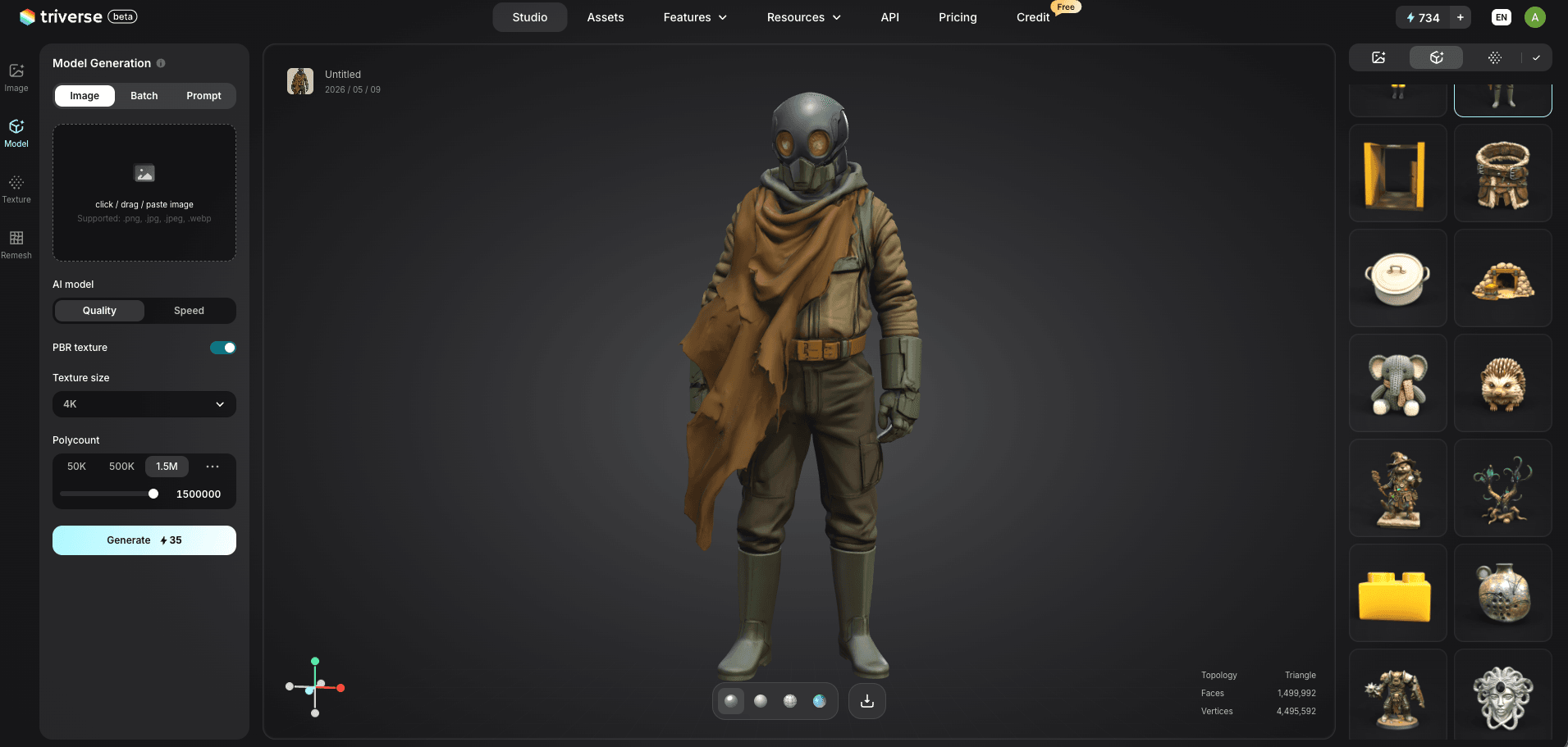
What it does: You provide a reference, either an image you upload or a text description. Triverse generates a 3D model with PBR textures, UV mapping, and multiple export formats ready for games, 3D printing, or further editing. No download required. Everything happens in your browser.
Who it's for: Anyone with a specific character concept who wants a quality result without touching a 3D interface. This includes game developers who need characters fast, 3D printing enthusiasts turning a drawing into a figurine, or creators who just want to see their idea in 3D.
What makes it different: Unlike tools that generate from a preset library, Triverse builds your character based on your specific image or description. Your model reflects your input, not someone else's stock assets.
Key features:
- Image-to-3D and text-to-3D generation
- PBR-ready textures with UV mapping included
- Export formats: GLB, OBJ, FBX, STL, 3MF, USDZ
- The free tier is generous enough for testing
- Browser-based, no installation needed
Pros:
- Works for beginners and professionals
- Accurate to your reference image
- Multiple export formats for any workflow
- No software to download or learn
Cons:
- AI generation may need minor cleanup for production use
- Less granular control than manual sculpting
- Complex prompts can produce inconsistent results
Pricing: Free tier available; Pro from $9.9/month
Platforms: Web-based (any OS)
Best 3D Character Maker for Fast Concept Creation
Meshy AI
Meshy AI is the fastest option on this list. Upload an image or type a prompt, and you'll have a 3D model in roughly 30 seconds.is What it does: Meshy uses AI to generate 3D models from text or images. It also includes auto-rigging with over 500 animation presets, so you can go from prompt to animated character without switching tools.
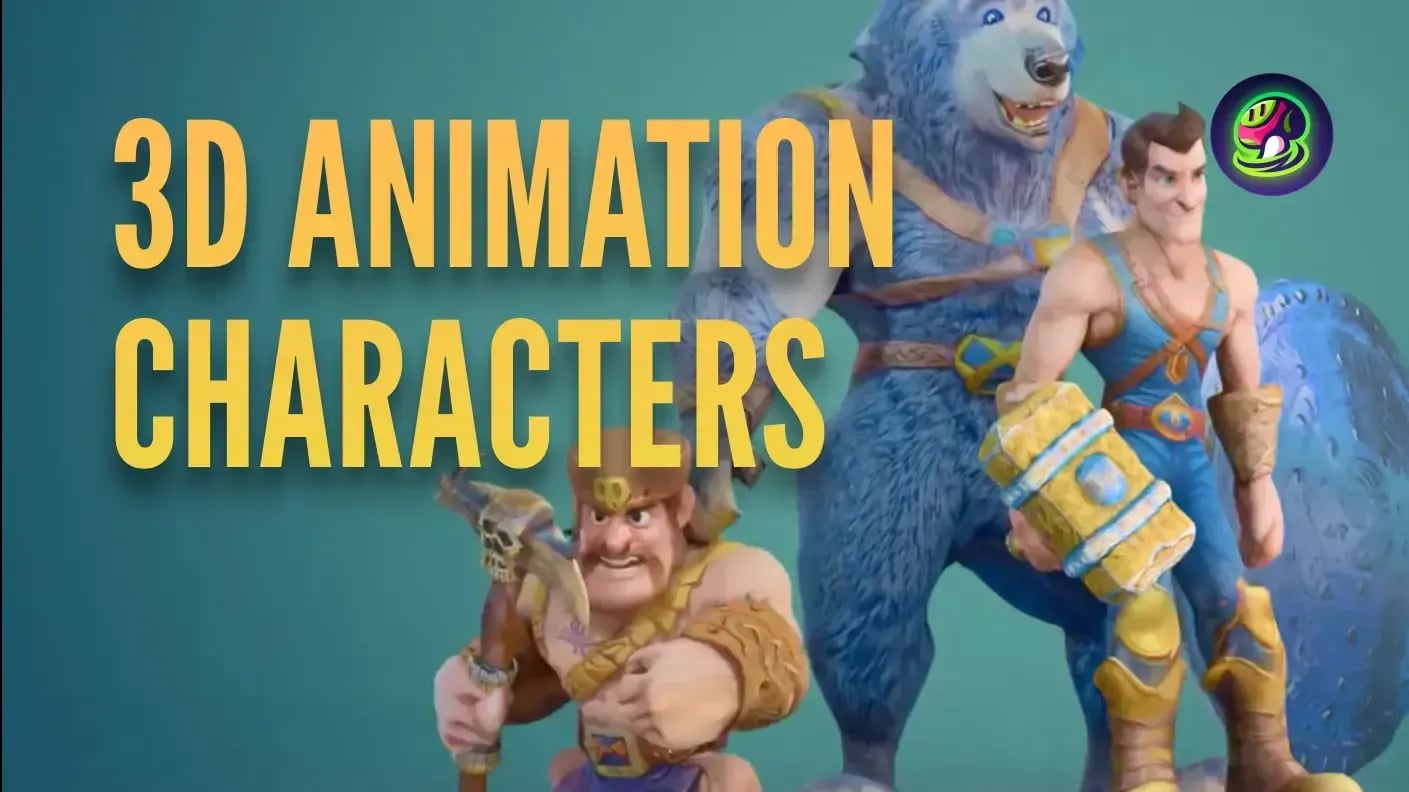
Who it's for: Indie game developers and concept artists who need to iterate fast. If you're testing ideas and want to see a character in 3D before committing to detailed modeling, Meshy excels.
Key features:
- Text-to-3D and image-to-3D generation
- Auto-rigging with 586+ animation presets
- Low Poly mode for game-ready assets
- Free tier with monthly credits
- Plugins for Blender, Unity, Unreal, Godot
Pros:
- Fastest results on this list
- Animation presets save rigging time
- Free tier available
- Active community sharing models
Cons:
- Models may need topology cleanup for AAA production
- Less control over fine details
- Complex prompts can produce messy geometry
Pricing: Free tier (100 credits/month); Pro $19.9/month
Platforms: Web-based
Rating: 4.8/5 (G2)
Best 3D Character Maker for Photorealistic Human Characters
MetaHuman Creator
MetaHuman Creator is Epic Games' cloud tool for generating photorealistic digital humans. If you need a believable human face and body, this is the best option.
What it does: You blend between preset faces, adjust body proportions, and customize skin, hair, and clothing. The output comes fully rigged and ready for animation. Recent updates also allow export to Maya and Houdini, not just Unreal Engine.
Who it's for: Developers and filmmakers who need realistic human characters. If you're making a horror game, cinematic, or any project where the uncanny valley matters, MetaHuman delivers.
Key features:
- Cloud-based face and body customization
- MetaHuman Animator for iPhone facial capture
- Fully rigged output with hair and clothing
- Mesh-to-MetaHuman conversion
- Cross-engine export (Maya, Houdini plugins)
Pros:
- Film-quality human characters in minutes
- Excellent facial animation pipeline
- Free for projects under $1M revenue
- Expanding beyond the Unreal ecosystem
Cons:
- Only human characters — no stylized or fantasy options
- Requires Unreal Engine familiarity for full workflow
- Cloud-dependent, needs good internet
- Limited customization compared to sculpting
Pricing: Free (included with Unreal Engine license)
Platforms: Web creator + Unreal Engine (Windows, macOS)
Best Free 3D Character Maker for Beginners
Mixamo
Mixamo is Adobe's free tool that does two things: auto-rigs any humanoid model you upload, and applies over 2,000 motion-capture animations.
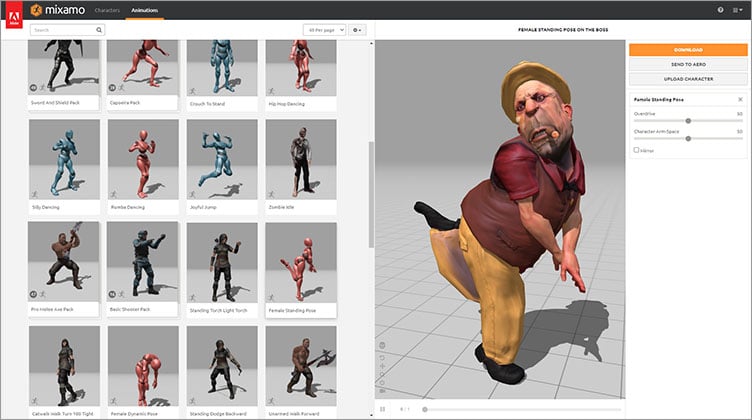
What it does: You don't create characters from scratch in Mixamo. Instead, you upload a character from any source — Blender, Meshy, Triverse, Daz 3D — and Mixamo adds a skeleton with a single click. Then you browse a library of animations and export as FBX.
Who it's for: Anyone who has a static character model and wants to animate it without learning rigging. This pairs perfectly with AI generators or library-based character tools.
Key features:
- Automatic rigging from uploaded meshes
- 2,000+ motion-capture animation clips
- Browser-based, no installation
- Free with no account required
Pros:
- Completely free, no credit limits
- Works with models from any source
- Production-quality mocap animations
- No download or setup needed
Cons:
- No modeling or sculpting tools
- Limited rig customization
- The animation library hasn't been updated recently
- Pre-made clips only, no custom authoring
Pricing: Free
Platforms: Web-based
Rating: 4.9/5 (G2)
Best Free 3D Character Maker with a Ready-Made Library
Daz 3D
Daz 3D is a character platform built around a massive marketplace of pre-made characters, clothing, and poses. You customize via sliders rather than sculpting.
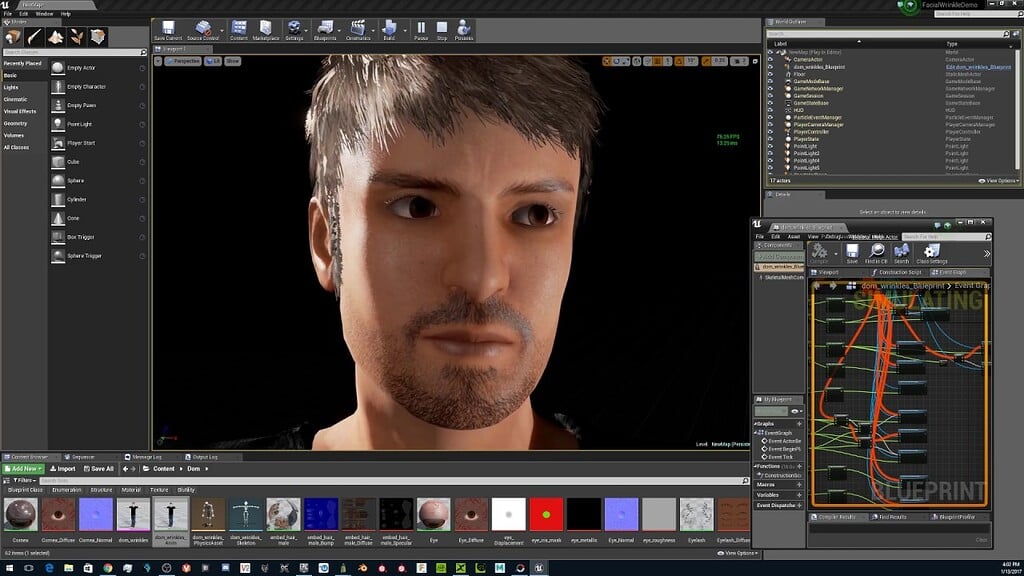
What it does: Browse thousands of base characters, then adjust proportions, skin tone, hair, and clothing. The built-in renderer produces photorealistic images without extra setup. You can also use plugins to export characters to Blender, Unreal, or Unity.
Who it's for: Illustrators, concept artists, and visual storytellers who want high-quality character renders without modeling. If you need a character for a book cover, game concept, or quick visualization, Daz works well.
Key features:
- Massive library of pre-built characters and assets
- Slider-based customization (morphs)
- Photorealistic rendering out of the box
- Headshot photo-to-3D conversion
- Export plugins for major engines
Pros:
- High-quality renders without 3D knowledge
- Deep asset marketplace for clothing and accessories
- Good for batch-producing multiple characters
- Free base software
Cons:
- Best assets require paid purchases
- Windows only
- Less creative freedom than sculpting from scratch
- Game-ready export requires extra steps
Pricing: Free base software; assets from the marketplace
Platforms: Windows
Quick Comparison Table of the Best 3D Character Maker
Blender | Triverse | Meshy | MetaHuman | Mixamo | Daz 3D | |
|---|---|---|---|---|---|---|
AI-powered | ❌ | ✅ | ✅ | ✅ | ❌ | ❌ |
Beginner-friendly | ❌ | ✅✅ | ✅✅ | ✅✅ | ✅✅ | ✅ |
Free tier | ✅ | ✅ | ✅ | ✅ | ✅ | ✅ |
Image input | ❌ | ✅ | ✅ | ❌ | ❌ | ✅ |
Text input | ❌ | ✅ | ✅ | ✅ | ❌ | ❌ |
3D printing ready | ✅ | ✅ | ✅ | ❌ | ❌ | ❌ |
Game-ready export | ✅ | ✅ | ✅ | ✅ | ✅ | Partial |
Realistic humans | ✅ | ✅ | ✅ | ✅✅ | ✅ | ✅✅ |
Stylized output | ✅ | ✅ | ✅ | ❌ | ✅ | ✅ |
Which 3D Character Maker Should You Use?
Which 3D character creator is best for you is less about technical specs and more about what your needs and skill levels are. Simplicity is the most important thing for beginners—the software should let you make something usable in a short amount of time without requiring you to learn tons of modeling theory. For indie developers, speed of iteration is more important than perfection, since characters change a lot during development. For those reasons, control, precision and pipeline compatibility are the essential factors for professionals.
But also, in the end, how you intend to use it. A character modelled for animation can have a different pipeline than one designed for 3D printing or a real-time game engine.
Most people end up using more than one. A common workflow: generate a character in Triverse or Meshy, then bring it into Mixamo to add movement. For a step-by-step breakdown of how AI fits into the broader 3D modeling pipeline, see our guide to the best AI 3D model generators for game development.
Conclusion
You don't need to be a 3D artist to create a character anymore. Whether you're building a game, printing a figurine, or just curious about what your sketch looks like in three dimensions, there's a tool that fits.
Triverse for fast, image-accurate results. Meshy for quick concepts. Blender, if you want total creative control. Mixamo brings any character to life.
Your character is already in your head. Now it's just a matter of getting it out.
Common Questions about Best 3D Character Maker
1. Do I need 3D modeling experience to start creating 3D characters?
No. AI-powered 3D model generation tools like Triverse AI require zero modeling knowledge. Blender and ZBrush require learning, but give you more control. Mixamo and MetaHuman sit in the middle; you need to understand the basics, but don't sculpt anything yourself.
2. What file formats do I need for game engines?
Unity and Unreal Engine both accept FBX and GLB formats. Triverse, Meshy, and Blender all export these natively. For 3D printing, you'll want STL or 3MF, which most tools on this list support.
3. What is the easiest way to create a 3D character as a beginner?
For beginners, the easiest approach is usually to start with tools that provide ready-made assets, automation, or simplified workflows. These allow users to focus on selecting and adjusting a character rather than building everything from scratch, which helps reduce the learning curve significantly.
4. Can I 3D print a character made with a character maker?
Yes. Triverse, Meshy, and Blender all export STL or 3MF files. Check that your model is "watertight" (no holes in the mesh) before printing. Some AI-generated models need minor cleanup in free tools like Blender or Meshmixer — for detailed print prep tips, see our guide to tree supports in 3D printing, which walks through the full workflow from mesh to finished print.
5. Are AI-generated characters free to use commercially?
Most AI 3D model generation tools allow commercial use of generated models. Check each tool's terms. Triverse AI and Meshy both permit commercial use on paid plans. Always verify before selling or publishing.
6. What's the difference between text-to-3D and image-to-3D?
Text-to-3D generates a model from a written description. Image-to-3D uses a reference image (like a sketch or photo) as the source. Image input typically produces results closer to what you imagine, since you're providing a visual target. Triverse AI can support both text to 3D and image to 3D features.
7. How long does it take to make a 3D character?
- Triverse AI 3D Model Generator: 1–10 minutes
- Mixamo rigging + animation: 5–15 minutes
- MetaHuman customization: 10–30 minutes
- Blender from scratch: 10–100+ hours depending on complexity
8. How do I choose the right 3D character creator software for my needs?
The best choice depends on your goal rather than the tool itself. Beginners usually prioritize ease of use, indie developers focus on speed and iteration, while professionals often look for full control and production-level precision. In many workflows, different tools are used together depending on the stage of creation.
9. Can I edit an AI-generated character after creation?
Yes. Export formats like FBX, OBJ, and BLEND can be imported into Blender, Maya, or other 3D software for editing. You can adjust proportions, add details, or fix geometry issues. Some cleanup is normal for production use.