Free Download Dandy's World 3D Models STL Files and Print Toon Characters
Find Dandy's World 3D models for Toon and Twisted characters, download STL files, or generate custom models with AI using image-to-3D tools. Includes printing settings and fan creation workflow.
You just finished a Dandy's World run and want a desk figure of your main. Boxten? Easy to find. But Cocoa? Squirm? Those Holiday Toons have almost no STL files online. The ones that exist are either low-poly rips or buried in a Discord server you don't have access to.
Here's where to find free Dandy's World 3D models for download, how to generate characters that don't have existing fan files yet, and what print settings actually work for these toy-like character designs.
What Is Dandy's World? (And Why It Prints Well)
Dandy's World is a Roblox mascot horror game by BlushCrunch Studio. Players pick a Toon and navigate through Gardenview Center's floors, completing machines to collect Ichor while avoiding Twisteds, which are corrupted versions of the same characters that hunt the team. The game has racked up over 7.1 billion visits with a 91.2% player rating, making it one of the biggest Roblox titles right now.
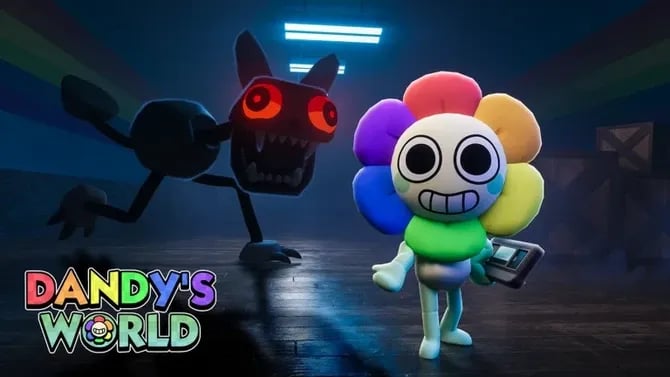
The art style is what matters for printing. Dandy's World characters have simple, chunky geometry: rounded shapes, bold color separation, and distinct silhouettes. No flowing hair or delicate accessories. That means cleaner FDM prints with less support failures and less post-processing work. Characters like Boxten, Poppy, and Shrimpo are essentially plug-and-play for desktop printers. Twisted variants add surface details like ichor textures and cracked features, which resin handles better.
The main obstacle isn't geometry. It's availability. BlushCrunch Studio doesn't release official 3D files. Fan-made models cover the popular Regular Toons, but Holiday characters (Cocoa, Squirm, Flyte, Eggson) and newer releases often have nothing online. That's where AI generation fills the gap.
Where to Download Free Dandy's World 3D Models
Sketchfab Dandy's World Models: OBJ and FBX Fan Files
Sketchfab's 3D model library has the largest selection of fan-made Dandy's World character models. Search for "Dandy's World" directly. These searches return the most results. You can view each model in 3D before downloading, which helps you judge mesh quality upfront.
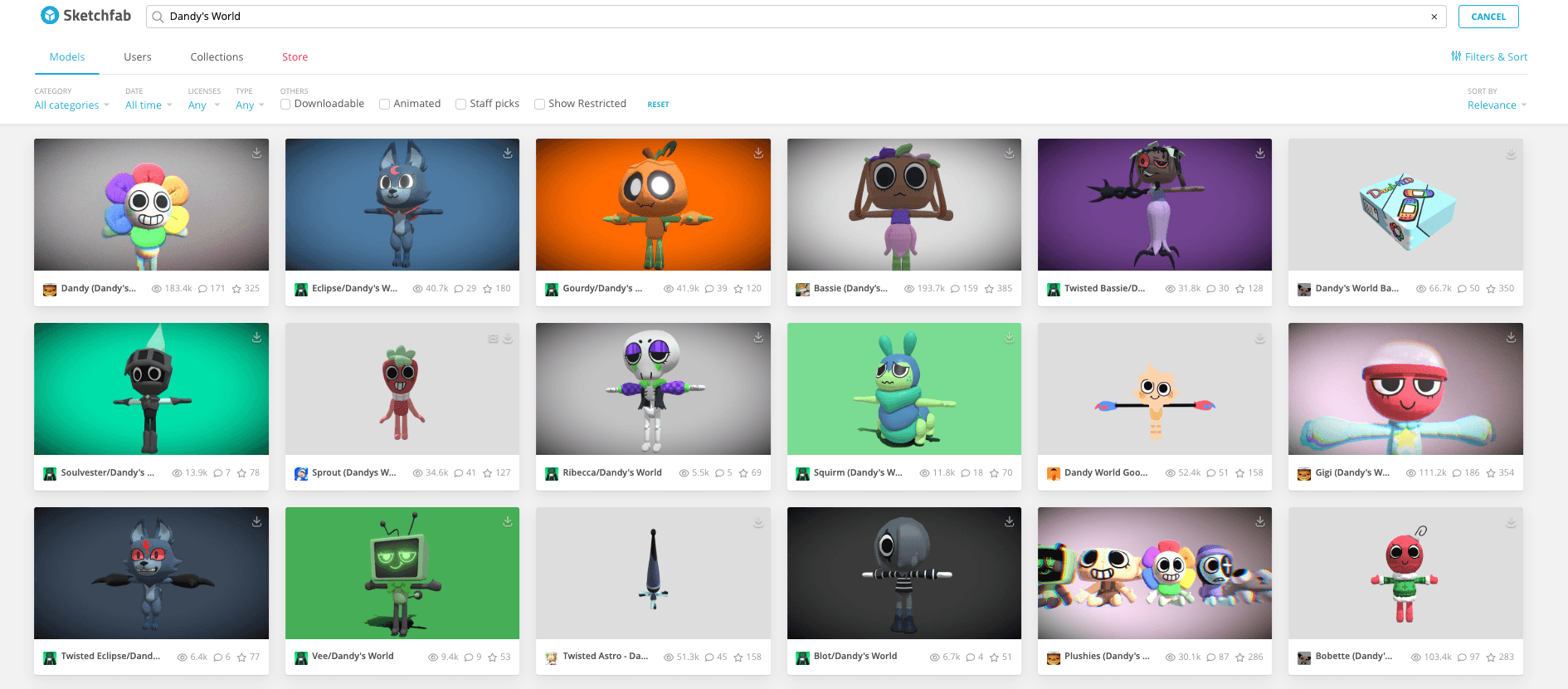
Most files are OBJ or FBX format rather than print-ready STL. You'll need to convert them in Blender 3D software or a format converter before slicing. If you're deciding between formats, our STL vs OBJ vs 3MF comparison breaks down when each one makes sense. Check the license on each model's page. Some allow personal use only, and others restrict commercial redistribution. For print projects that stay on your shelf, personal-use licenses are fine.
Printables Dandy's World STL: Free Downloads with Print Profiles
Printables' free STL library is the best first stop for actual STL files. For more communities beyond these platforms, our guide to free STL files for 3D printing lists other sources worth checking. Models here are uploaded specifically for 3D printing, which means bases are flattened, supports are often pre-considered, and the geometry tends to be watertight. The free tier has a growing collection of Dandy, Boxten, and several Twisted character variants.
The community print photos on each listing show you exactly how the model turns out on an actual printer, which is invaluable for deciding whether to spend time downloading and slicing. Sort by most downloaded or highest rated to surface the most-tested files.
MakerWorld Dandy's World: Bambu Printer Optimized Files
Bambu Lab's MakerWorld platform has a smaller but well-organized Dandy's World selection. Files often come with pre-configured Bambu print profiles, which take the guesswork out of slicer settings if you own a Bambu machine. You can always export the STL and use those settings as a baseline for your own slicer.
Roblox Creator Hub: In-Game Asset Packs
The Roblox Creator Hub has community-uploaded model packs intended for use inside Roblox games, not 3D printing. These are rigged, low-poly assets formatted for the Roblox engine. Extracting and converting them for printing requires a Roblox-to-Blender export plugin, then mesh cleanup to remove internal rigging data and close holes.
This route is more technical but opens up characters that don't have dedicated fan uploads yet.
DeviantArt and Discord: Community File Sharing
DeviantArt's 3D model community has fan model packs shared as downloadable files, typically in MMD or OBJ formats. The Dandy's World official and fan Discord servers are also active sources. Creators share files directly in dedicated channels, including unreleased characters and work-in-progress models.
Quality here is entirely community-dependent. Always check comments before downloading. If a file hasn't been tested by anyone, assume it needs cleanup in Blender before it will slice cleanly.
Cults 3D: 3D Printer Files
Cults 3D has a mix of free and paid files of Dandy's World. The free selection is smaller, but the quality on paid files is often higher if you're willing to spend a few dollars.
How to Generate Customized Dandy's World Characters
Why Image-to-3D Works Well for Dandy's World Toons
Dandy's World Toons have clean, bold designs. Their rounded shapes, exaggerated proportions, flat cartoon aesthetics, and strong silhouettes make them recognizable from a single glance. These characteristics are ideal for image-to-3D generation because the geometry is interpretable from a reference image.
The standard approach is to use a wiki render or in-game screenshot directly as the input. Clean character images from the Dandy's World Fandom Wiki give the AI enough visual information to produce an accurate 3D model without needing fan files or text prompts. Text-to-3D prompt generation, by contrast, tends to produce generic cartoon figures rather than character-accurate models. Specific character details like Boxten's lid shape, Dandy's top hat proportions, or Twisted's ichor texture don't come through reliably from text alone.
This matters most for Holiday Toons (Cocoa, Squirm, Flutter, Eggson) and newer characters that have no fan-made downloads yet. For characters that already have solid STL files on Printables, AI is optional.
How to Generate Your Own Dandy's World 3D Models in Triverse AI
The most reliable approach is image-to-3D generation using a reference picture.
- Open Triverse Studio and select HD Model Generation tab.
- Upload a clear picture of your target character. Use a front-facing view with a clean background. The Dandy's World Fandom Wiki has clean character renders for most Toons.
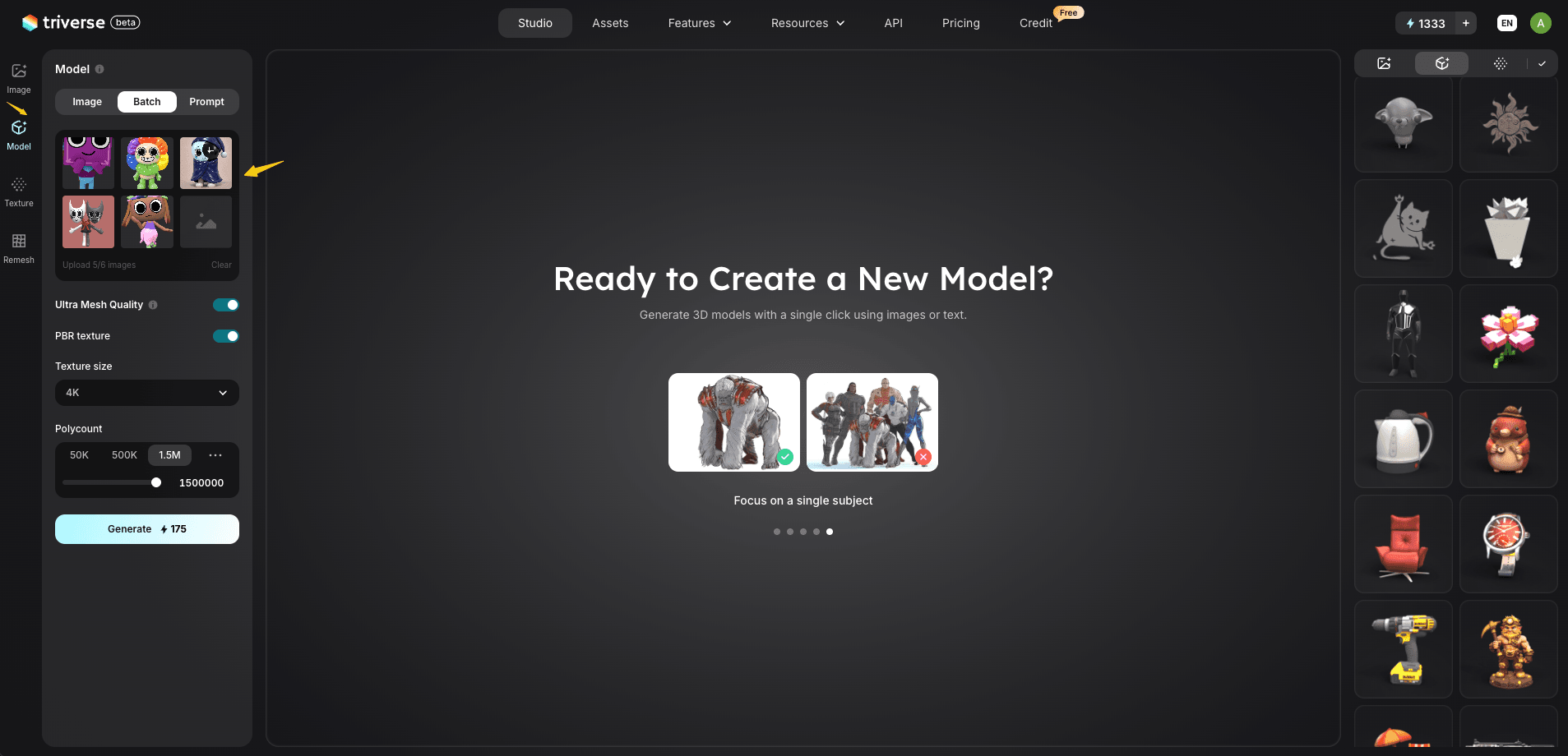
- Click Generate and wait 60 to 90 seconds for the model to appear in the 3D viewer.
- Rotate and inspect the model from all angles. Check that the silhouette matches the character and proportions are consistent.
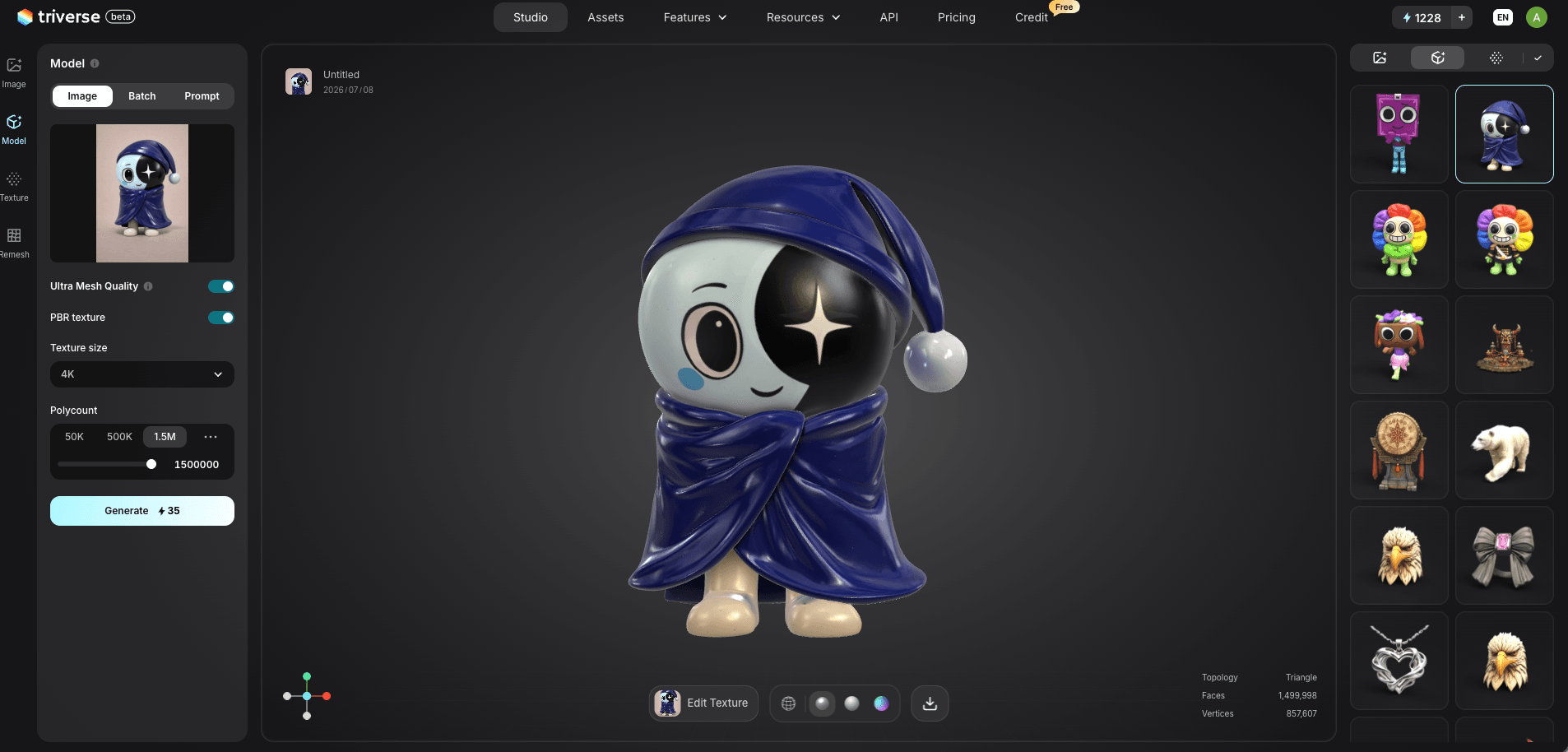
- You can also click Remesh in the left panel. Set polycount to 50K or lower for FDM printing or game engines. For resin printing, keep it at 1M to 1.5M for sharper surface detail.
- Click the Download icon and select STL for printing, or GLB for use in Roblox or other 3D software.
When to Use an AI Image Tool for Fan Art Versions
If you want to create a fan art version of a character, add accessories, or put a Toon in a specific pose, start with an AI image tool instead of a plain screenshot. This is a creative use case, not a shortcut to accuracy.
For example: Boxten wearing a tiny top hat, Dandy in a marching band uniform, or Bassie posed dramatically. Use the AI image tool like ChatGPT or Midjourney to generate that creative reference first, then feed the result into Triverse AI's Model Generation.
Here we use the Triverse's built-in AI image generator as an example. We upload Bassie's original picture and enter the prompt "make it running", and we get the running Bassie picture!
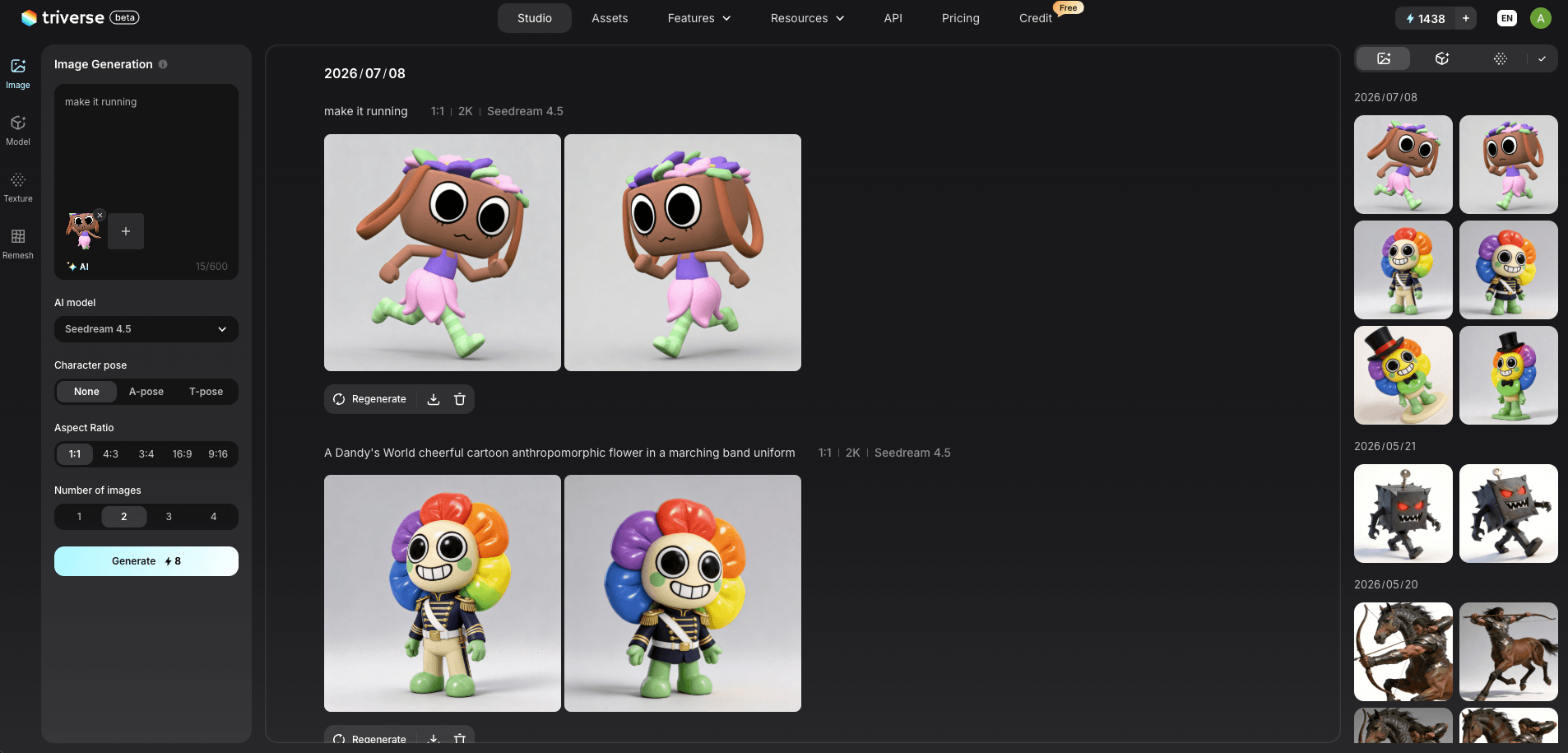
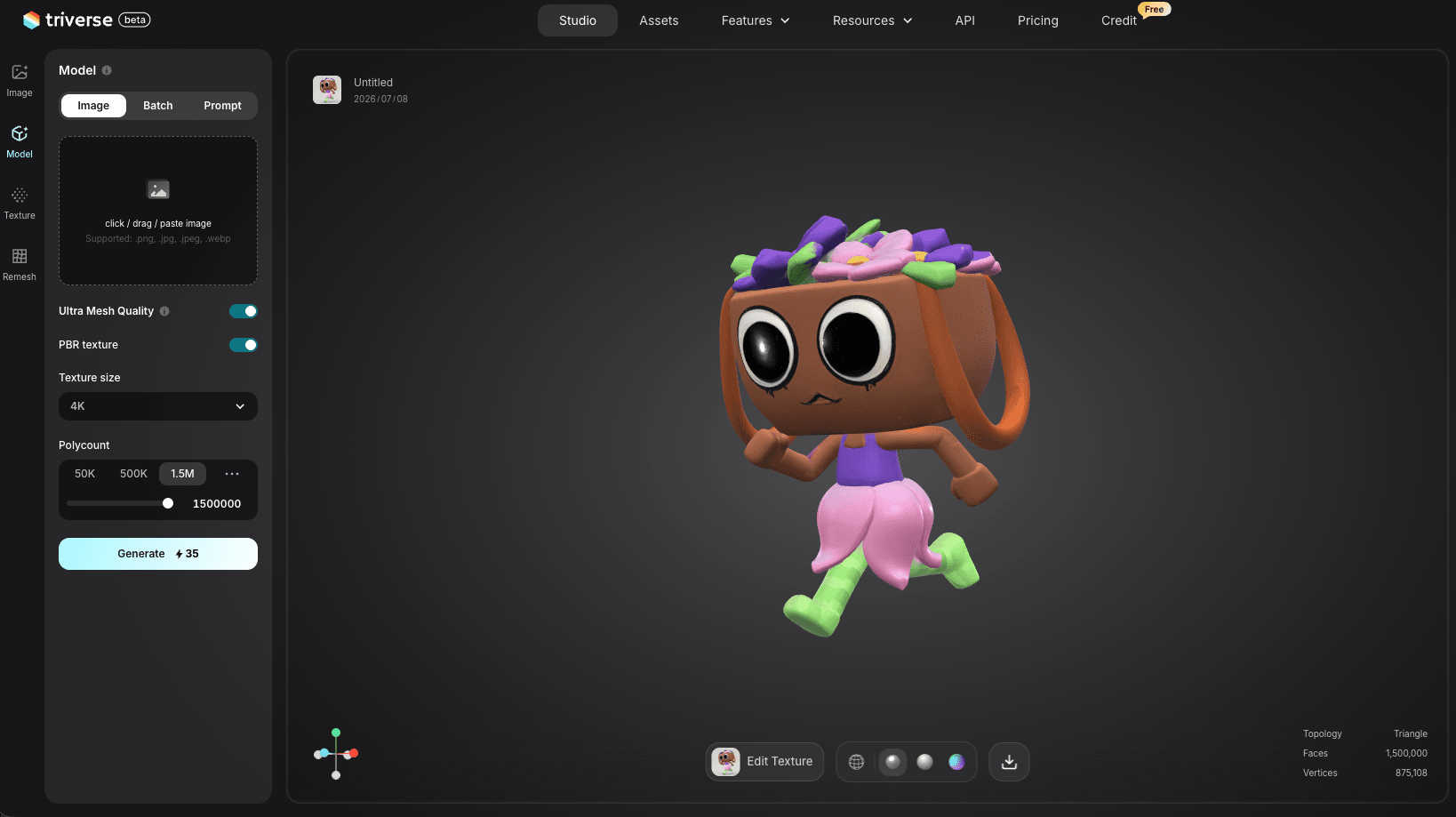
Then we can use the picture to image-to-3D workflow in one click!
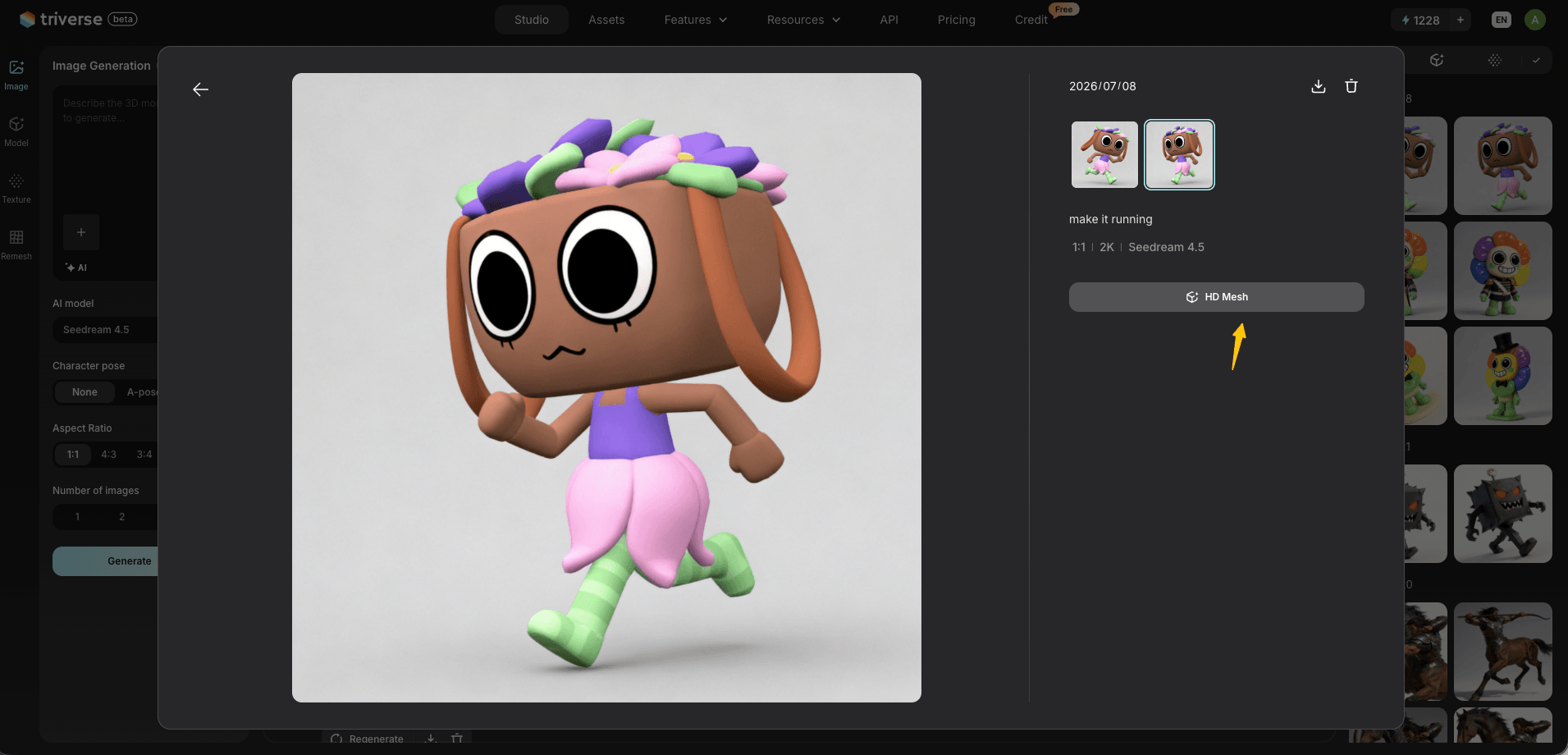
The Triverse AI engine handles the creative reinterpretation, and turns your fan art image into a 3D model.
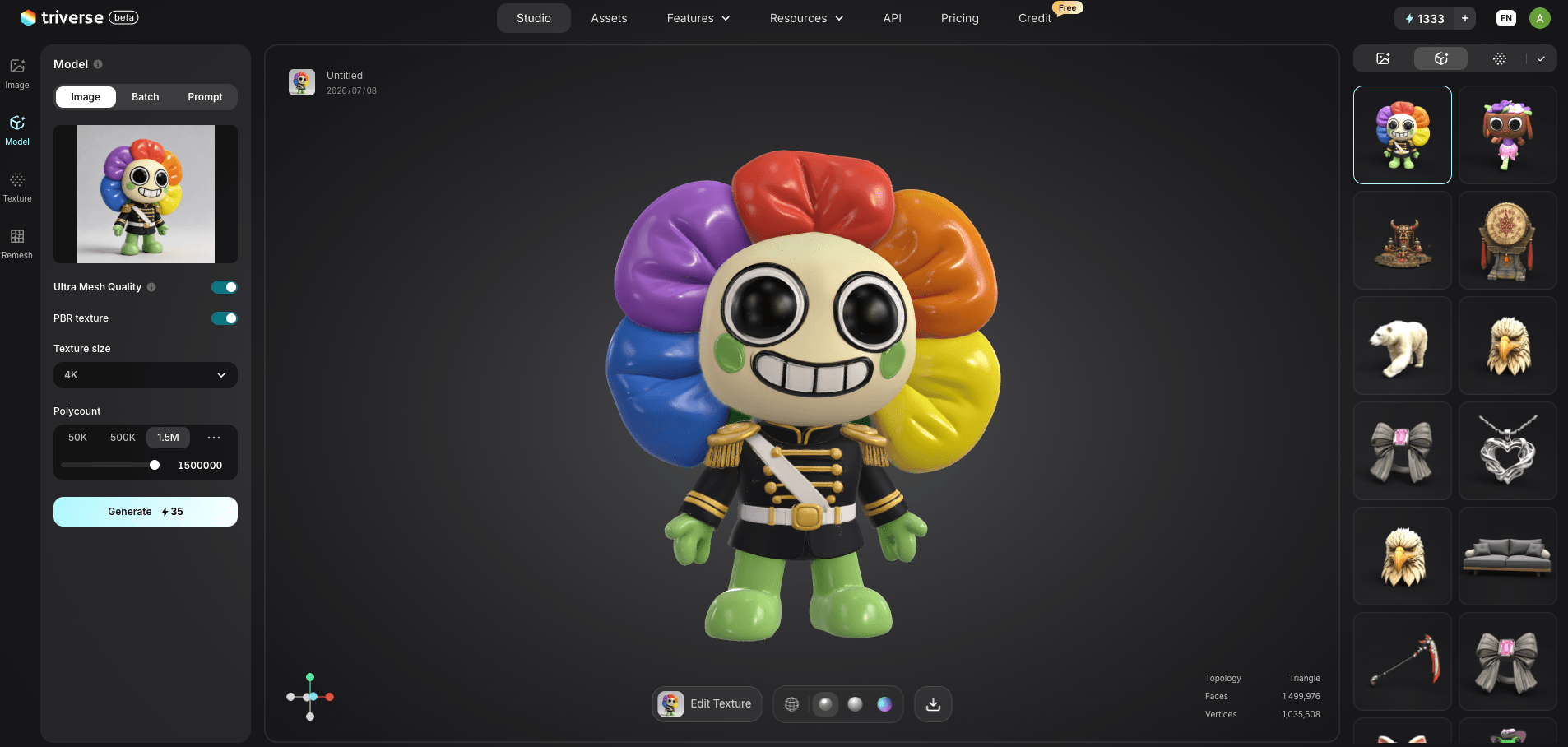
Text-to-3D prompts do not reliably produce accurate character models. Specific character details like Boxten's lid shape, Dandy's top hat proportions, or Twisted ichor textures don't come through from text alone. Use an image reference for accuracy, and only switch to text prompts for experimental fan art if you don't mind significant edits afterward.
Export Settings for Printing vs Roblox
For 3D printing, export as STL. Set polycount to 500K for FDM or 1M to 1.5M for resin. Most Toon figures print well at 60 to 100mm height.
For Roblox use, export as GLB or OBJ. Our GLB vs OBJ guide covers which format Roblox handles better. Keep polycount under 10,000 triangles to stay within Roblox's character mesh limits. Import the file into Roblox Studio via the Asset Manager.
3D Print Settings for Dandy's World Toons and Twisteds
FDM vs Resin — Which Prints Better
FDM printing is the better starting point for most Toon figures. Characters like Dandy, Boxten, and Poppy have large, simple shapes that print reliably in PLA without complex support structures. The main limitation is surface smoothness. FDM layer lines are visible at standard 0.2mm settings, which means more sanding and priming before painting.
Resin printing produces significantly smoother surfaces and captures finer detail, making it the better choice for Twisted character variants with ichor textures, thin decorative elements, or small features. The tradeoff is higher material cost, mandatory wash-and-cure post-processing, and smaller build volumes. For display figures where surface finish matters, resin is worth the extra steps.
For a full breakdown of how each material handles different print requirements, see our guide to types of 3D printer filament.
Recommended Layer Height and Supports
FDM settings:
- Layer height: 0.12 to 0.16mm for smoother surfaces, 0.2mm for faster prints
- Infill: 15% for display figures, 25% for handled or played-with prints
- Supports: Enable for overhangs beyond 45 degrees. Tree supports work well for Toon figures with outstretched limbs
- Brim: 5 to 8mm for characters with thin parts (Antenna on Astro, ribbons on Flutter) to prevent lifting
- Material: PLA for most figures, PETG if the print will be handled frequently
Resin settings:
- Layer height: 0.05mm for maximum detail
- Exposure: Follow your resin manufacturer's recommended settings
- Orientation: Angle the figure at 30 to 45 degrees to reduce suction forces on flat surfaces
Troubleshooting Common Print Fails
Character keeps failing at thin parts. Try a brim (5-8 mm wide raft) to anchor the first layers. If that doesn't work, print the problematic part separately in clear PETG and glue it on after.
Supports leave ugly scars on curved surfaces. Switch to tree supports with 0mm Z gap and 80% interface density. For tight spaces like between arms and body, use flush cutters to snip each support nub at the base, then sand the contact point with 400-grit sandpaper.
The model isn't watertight. Run the STL through Autodesk Meshmixer or Blender's 3D Print Toolbox to check for holes and non-manifold edges before slicing. If you find damage, our guide to repairing broken 3D meshes walks through the fix. AI-generated models especially need this step, because outputs are often not watertight out of the box.
Layer lines visible on the face. Print at 0.12mm layer height and sand through 220, 400, and 800 grit before priming. A filler primer spray coat fills micro-layer lines and gives paint something to grip.
Painting and Finishing Tips
The Dandy's World art style works in your favor for painting. Bold color blocks with clean lines don't require smooth gradients or airbrush skills. A coat of white primer followed by acrylic paint markers gets the job done.
Each Toon's color palette is documented on the Dandy's World Fandom Wiki. Seal with matte varnish to protect the paint and give a cartoon-style flat finish. For Twisted characters, a gloss coat over the ichor sections creates a wet, viscous look. Resin prints need less sanding but still benefit from a primer coat before painting.
Other Fan Merchandise Ideas
A Dandy's World 3D model is not limited to printing a figure. The same file can become the starting point for fan merchandise.
- Keychains: Export at a smaller scale (30 to 40mm) and print flat with a keyring hole added at the top. PLA or PETG both work. Sand, prime, and paint, or leave as a single-color print for a simpler look.
- Buttons and pins: Export the model as an image render from the 3D viewer, then use a button-making service to print the artwork onto pin-back buttons. Toon characters in their official color schemes work well as round button designs.
- Desk companions: Print at 80 to 120mm with a weighted base for a stable desk figure. Hollow the model in your slicer and add a small weight insert before sealing for a more substantial feel.
- Custom plush references: Use the 3D model as a reference for commissioning a custom plush. Export the model and share it with a plush maker alongside the character's color reference from the wiki. This gives makers a precise guide for proportions and details.
Looking for more print ideas beyond Dandy's World? Check out our blog about a list of 50 cool things to 3D print.
Frequently Asked Questions about Dandy's World 3D Models
Bottom Line
Fan-made files on Sketchfab and Printables cover the popular Regular Toons, but Holiday characters and Twisted variants often have no downloads at all. For those, Triverse AI - a 3D model generator fills the gap. Upload a reference image, generate, adjust polycount, and export to STL. Start with Printables or MakerWorld for what's already available, then use AI for what doesn't exist yet.
For printing, FDM handles standard Toons well at 0.12 to 0.16mm layer height with tree supports. Switch to resin for Twisted variants with fine surface details. Either way, Dandy's World characters print cleaner than most game franchises because the art style was built for chunky, toy-like shapes.