How to Get a 3 Bedroom Luxury Beach House 3D Model (Download, Blender, or AI)
Get a 3 bedroom luxury beach house 3D model for real estate or arch viz by downloading, modeling in Blender, or generating from a photo. Compare AI, Gaussian splatting, formats, and staging.
A client wants a 3 bedroom luxury beach house 3D model for a listing by Friday. Maybe it is a real estate walkthrough, a property marketing render, or a concept for a villa that does not exist yet. The model is not in your library, and the clock is running. You have three real routes: download a finished model, model the house in Blender, or generate it from a photo with AI. The right pick depends on whether the house is real, whether it must be dimensionally accurate, and how fast the deliverable is due.
What a 3 Bedroom Luxury Beach House 3D Model Includes for Real Estate
A beach house is not a generic box with windows. For a property listing, the model has to read as a home someone would pay for, which means three things the buyer notices first.
The 3 Bedroom Layout Buyers Expect
Three bedrooms set the footprint. A 3-bedroom layout usually spans 120 to 250 square meters, with a primary suite plus two guest rooms and shared living space. If the walkthrough goes inside, the floor plan has to be modeled as real rooms, not a shell. The bed count tells the viewer what they are looking at: a primary suite, two guest rooms, and a circulation path between them. Skip the interior, and the "3 bedroom" label means nothing in the model.
Luxury Finishes: Glass, Deck, and Open Plan
Luxury reads in the finishes. Floor to ceiling glazing, an open plan kitchen and living zone, and a wide deck or terrace are what separate a premium build from a starter home. Model the deck as a real extruded slab with railings, because it is the space people stand on in a walkthrough. A pool, if the brief calls for one, adds geometry and a reflective surface to light. These are where the "luxury" part earns its name.
Beach Context: Sand, Palms, and Ocean
A beach house model lives in a context. The lot meets sand, palms or coastal shrubs frame the view, and the ocean sits past the deck. Even if you only need the building, a bare model on a gray void looks like a prototype, not a home. A simple ground plane, a low dune, and a few vegetation instances are enough to make the house read as beachfront.
3 Ways to Get a Beach House 3D Model
Every route reaches a model. The difference is control, time, and how close the result is to your specific brief.
Download a Ready-Made Beach House 3D Model
Marketplaces hold thousands of beach house 3D models. CGTrader lists over 200,000 house models, and Sketchfab tags thousands more as free or paid downloads. This is the fastest start when a generic luxury beach house is good enough. Filter by format and poly count before you buy, because a 2 million triangle model will choke a web walkthrough. You trade uniqueness for speed.
Model It in Blender From a Floor Plan
Modeling the house yourself gives total control. Start from a floor plan image or a CAD file, block the massing, then add the luxury details room by room. Blender is free and handles the pipeline from modeling to PBR materials to rendering, and exports every format you need. The cost is time: a detailed 3-bedroom luxury beach house 3D model can take a week of focused work. For a one-off client piece, this control is worth it.
Generate It From a Photo With AI
AI generation is the pitch everyone sees first. Upload a photo of the house or a concept and get a 3D mesh back. For single objects and furniture, this works well. For a fully enclosed building, it is still unreliable, which the next section covers honestly. Treat AI as a way to produce the staging and decor inside the house, not the structural shell, at least for now.
How to Turn a Photo Into a Beach House 3D Model
Photo to 3D is the dominant intent behind this search, so it deserves more than a one line mention. Here is what actually works and what does not.
Pick a Good Reference Photo
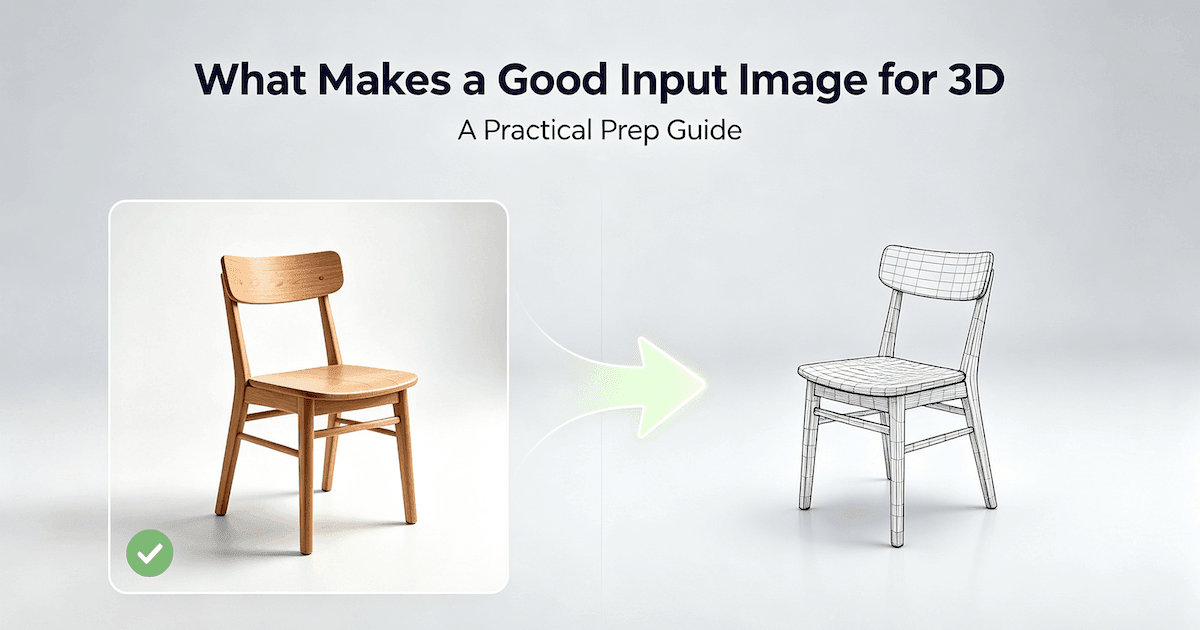
The output is only as clean as the input. A single straight on shot of the facade gives a better mesh than a cluttered angle with cars and people in frame. Our guide to what makes a good input image for 3D breaks down lighting, angle, and subject separation for architectural shots. Spend five minutes on the photo and save an hour of cleanup later.
Photo vs Text: Which Input Fits Your Brief
A photo reconstructs something that exists. Text describes something that does not. The comparison of image to 3D versus text to 3D helps you pick: use a photo when you have the real house; use a text prompt when you are inventing the villa for a concept render. Most real estate work starts from a photo of the actual property.
Why AI Building Generation Still Needs Cleanup
This is the part the marketing skips. Tools like Tripo promise a finished building from one photo in minutes, but enclosed interiors, consistent scale, and clean geometry for a client walkthrough are still weak. Even the vendors concede that CAD-accurate modeling needs a tool like SketchUp. Plan for cleanup: close holes, fix scale, and rebuild interiors by hand. AI gets you 60 percent of the way on a concept, not a client-ready asset.
Capture a Real Beach House With 3D Gaussian Splatting
When the house already exists, there is a route most AI articles ignore: scan it.
When Splatting Beats Modeling
If you are marketing a real property, photograph it from dozens of angles and reconstruct it as a 3D Gaussian splat. This captures the actual finishes, light, and layout without modeling anything by hand. For real estate where accuracy matters more than editability, splatting beats both download and Blender. Our 3D Gaussian splatting explainer covers the pipeline and where it fits in 2026.
Splatting vs Traditional Mesh
A splat is a point cloud you fly through, not a mesh you can remodel. You cannot easily swap the kitchen or re texture a wall. Choose splatting when the goal is an accurate immersive tour of the existing house, and choose a mesh when you need to edit the design. They solve different problems, and the honest article tells you which is yours.
How to Furnish and Stage the Interior
An empty beach house reads as a shell. Staging is what makes it feel like a home someone lives in, and it is where AI actually helps.
Why Staging Sells a Beach House
Stock furniture packs look generic, and a luxury brief needs pieces with character: a weathered teak dining set, linen slipcovered sofas, a sculptural floor lamp. Pulling random models from a marketplace usually clashes in scale and style. Custom props matched to the house sell the brief far better than a default pack, which is why staging drives real estate photos and renders alike.
Generate the Staging Props
Instead of hunting packs, generate the pieces you need. Our guide to generating 3D props from image or text prompts covers turning a photo of a chair or a written description into a usable model. Generate a few hero items, place them across the three bedrooms and the open living zone, and the house stops looking like a floor plan with walls.
Model the Luxury Fabrics
The soft materials sell the luxury: linen curtains, upholstered headboards, a woven outdoor rug. Our fabric modeling guide walks through cloth that drapes and catches light correctly, which is the difference between a staged set and a believable home. Get the fabrics right and the render stops looking computer generated.
3 Bedroom Luxury Beach House 3D Model Checklist
Run this before you commit to a route:
- Decide the source: real house (photo or splat), concept house (model or generate), or generic (download)
- Pick a route: download for speed, Blender for control, AI for staging, splat for accuracy
- Confirm the format you need: FBX for engines, OBJ for universal, GLB for web or AR
- Check the poly count against where it runs: high for render, low for web walkthrough
- Verify the license covers commercial client work before you ship
- Plan the 3 bedroom layout as real rooms if the interior is seen
- Add deck, pool, and a simple beach context so it reads as a home
- Stage the interior with custom props so it looks lived in
Formats and Poly Count for Beach House 3D Models
Format and density decide whether the model loads or lags. Get these wrong and nothing else matters.
FBX, OBJ, and GLB: Which to Export
FBX is the game and film standard, keeping meshes, materials, and animation in one file. OBJ is simpler and reads almost everywhere but carries no animation. GLB is the web and AR choice, a single binary that viewers load fast, which matters for browser-based property tours. Pick by destination, not habit. The Khronos glTF 2.0 specification defines the GLB and glTF formats most modern pipelines accept.
Realistic vs Optimized for Web Walkthroughs
A realistic beach house 3D model for a render can run 300,000 to 2 million triangles, with 2K to 4K PBR textures. A web walkthrough drops to 50,000 to 200,000 triangles so it streams on a phone. You do not choose one as better. You choose by where the model runs. A sales render wants the high poly build; a browser tour wants the optimized one.
The Tool Landscape for Beach House 3D Models
A quick map of where models come from helps you choose without scrolling forever.
Marketplaces (CGTrader, TurboSquid, Sketchfab)
CGTrader, TurboSquid, and Sketchfab are the big three for buying or grabbing free beach house 3D models. Filter hard by format and poly count, and read the license. These are sources, not generators, so you get what someone else modeled. For a fast, generic result, they are unbeatable.
Modeling Tools (Blender, SketchUp)
Blender handles the full free pipeline from plan to render. SketchUp is popular in architecture for quick massing and CAD-accurate floor plans, and exports to most engines through extensions. Pick Blender if you want one tool end to end, SketchUp if you already think in floor plans and will finish elsewhere. The Blender manual on modeling covers the modeling tools in depth.
AI 3D Model Generators
Some AI 3D model generators claim that they can create architectural models from photos. The demos are seductive, but for a fully enclosed building the output still needs heavy cleanup and rarely matches a real brief. Use AI generators for props and single objects where they shine, and stay skeptical of any claim that a photo becomes a finished house in minutes.
What to Avoid When Picking a Beach House 3D Model
Skip models with no listed format, no poly count, and no license. A file you cannot import or cannot legally ship is not a bargain. Also avoid mixing units: a model built in inches dropped into a meter scene explodes in size. Check the unit and the scale before you commit.
Generate Beach House Furniture and Decor With Triverse AI
Triverse AI will not model the whole building for you, and claiming otherwise would be dishonest. What it does well is produce the furniture and decor that turn a bare house into a staged one. That is where most of the visual work in a luxury interior actually lives.
Artist Mesh for Staging Props
Artist Mesh turns a reference image of a chair, lamp, or decor piece into a clean, low-poly model with engine-ready topology. For a beach house you want in a web walkthrough or a VR tour, these props drop straight in without retopology. Generate the teak dining set, the slipcovered sofa, the floor lamp, and place them across the three bedrooms and the living zone.
Split a Furnished Room Photo Into Staging Props
Most real estate photos show a fully staged room, not one isolated chair. Split takes that single image and breaks it into separate cards for the sofa, coffee table, floor lamp, and curtains, then generates each piece as its own model. Use Auto Split to let it detect the objects, or Custom Split to mark the regions yourself. Each card has its own Generate 3D and Regenerate buttons, so you can fix one piece without reuploading the whole room. Reassemble the results in Blender to rebuild the staged interior, or drop the individual pieces into a different layout. Our guide to converting multiple images to 3D models covers when Split makes more sense than Batch Mode.
HD Mesh for Hero Pieces
HD Mesh takes a text description and returns a high detail mesh, which suits hero pieces meant to be inspected up close: a sculptural light fixture, a carved headboard, a statement vase. The extra geometry survives a close camera in an arch viz render. The Epic Unreal Engine documentation covers importing your finished assets, including Datasmith for heavier architectural scenes. Poly Haven hosts free HDRIs and textures that suit this exact coastal look.
Bottom Line
Get a 3 bedroom luxury beach house 3D model by downloading for speed, modeling in Blender for control, generating the staging from AI, or splatting a real property for accuracy. Match the format and poly count to where the model runs: high and detailed for a render, low and optimized for a web walkthrough. Build or download the shell, stage it with custom props, and be honest that AI photo to 3D still needs cleanup on the building itself.