3D Digital Sculptures: How Modern Sculptures Get Made and Where AI Fits
What are 3D digital sculptures, and how are they made? Compare hand-sculpting, 3D scanning, and AI generation, plus how to finish pieces for print or games.
Someone says "3D digital sculptures" and means sculpting software. Or they figure it's one single job. It isn't. The phrase is about the finished object, and there are four honest ways to get one: sculpt it, scan it, generate it, or grab a base and rework it. Each route lands you something similar. Each one asks something different of you.
So that's what this covers. All four routes. What each is good for. How the finish changes depending on where the piece is headed. And where AI generation actually fits right now, which is a narrower slot than the marketing wants you to believe. It won't replace sculptors. I'll show you exactly where it stops.
What Are 3D Digital Sculptures?
Swap clay for software, and you've got the core idea. You shove a surface around with brushes until it looks right, and what you're left with is a mesh file. From there it acts like any other 3D object. It renders. It animates. It prints. It drops into a game engine without complaining.
Here's the question I get a lot: what makes it a sculpture and not just a model? Intent, mostly, and detail. A beveled cube is a model, and nobody fights you on that. But stick skin folds and worn stone on a creature, and people call it a sculpture without blinking. Character and organic work sit in that zone, and the polycount rockets, because the detail lives in the mesh instead of hiding in a texture.
One more thing worth saying. A sculpture never stays one kind of thing. Shape it once, and the same mesh might become a desk figurine, a game character, a museum scan, or a hero shot for a product page. The form gets locked early. Where it goes is a later decision.
Sculptures, Models, and Assets: What Counts as What
People mix these three up constantly. Here's how I keep them straight. A sculpture is the expressive, detail-heavy one, usually organic or character-shaped. A model is the broad word for any 3D object, a chair or a dragon. An asset is a model that's ready to drop into something specific, a level or a store page.
Where 3D Digital Sculptures Show Up
- Collectibles and resin figurines
- Game characters and creatures
- Film and animation props
- Jewelry, trophies, and product design
- Museum and heritage digitization
- One-off art pieces
3D Digital Sculptures vs Digital Sculpting
People use these two phrases like they're the same. They aren't, and the mix-up costs time.
Digital sculpting is the verb. The act of pushing digital clay around. A 3D digital sculpture is the noun, the object on the other side of that work.
Why care? Because the two searches land you in completely different places. Type "digital sculpting" and you get buried in tutorials and software roundups for people learning the craft. Type "3D digital sculptures" and you get galleries, finished work, marketplaces. Learning the skill? Follow the first one. Planning, buying, or showing off an object? The second is your lane.
Worth adding: sculpting is only one road to a sculpture. You can scan one or generate one. The object doesn't care how it got made.
4 Ways to Make a 3D Digital Sculpture
There's no single pipeline, and I'm suspicious of anyone who claims there is. Almost everything people actually do falls into one of four camps.
- Hand-sculpt it. You build the form in software, brush by brush, and add detail by hand. Most control, longest learning curve.
- Scan a physical sculpture. Photogrammetry or a dedicated scanner turns a real object into a mesh. Good for capturing something that already exists.
- Generate it with AI. An image-to-3D or text-to-3D tool produces a base mesh from a photo or a written idea. Fastest route to a starting point.
- Download and modify. Buy or grab a base model and rework it into your own piece. Cheap, but you inherit someone else's topology and their license terms.
Method | Best for | Skill floor | Typical time to first result | Output control |
|---|---|---|---|---|
Hand-sculpt | Original art, hero characters, print-ready detail | High | Days to weeks | Full |
Scan | Reproducing an existing sculpture, archiving | Medium | Hours to a day | Medium (cleanup needed) |
AI generate | Fast blockouts, reference bases, background pieces | Low | Minutes | Low to medium |
Download and modify | Props, quick turnaround, learning | Low | Hours | Medium |
None of these is the right answer. Hand-sculpting buys originality. Scanning buys fidelity to something real. AI buys speed. Downloading buys cheap. Most people mix two or more.
How Digital Sculpture Evolved: Clay, Code, and AI
Digital sculpture technology didn't all show up at once.
It started as a swap. In the late 1990s, tools like early ZBrush and CAD let artists shape forms on a screen instead of in clay. Same goal as always, though. Waste less material. Revise faster. Digital was a sharper chisel and nothing more.
Then it grew a language of its own. Through the 2000s and 2010s, artists quit imitating clay and started using what only software can do. Unlimited undo. Layers you can switch off. Instant symmetry. One file that feeds a render, a print, and a game. ZBrush became the standard in that stretch. Blender became a real free option.
Now we're in the weird part. Machine learning moved to the front of the pipeline. You generate a base from a photo or one sentence, then sculpt on top. Work that used to take a day shows up in about a minute. The craft didn't go anywhere. What moved is where the sculptor spends their attention.
Hand-Sculpting a 3D Digital Sculpture
This is the picture most people have in their head, and for original, detail-heavy work it's still where the quality lives.
Tools you'll hear over and over: ZBrush, Blender's sculpting tools, 3D-Coat, Nomad Sculpt, Adobe Substance 3D Modeler.
Block Out the Big Shapes First
Here's where almost everyone, me included, wastes their first week: chasing detail before the shape works. Feels productive. Isn't.
Spend the first pass on proportion and silhouette and nothing else. Block the big masses in, then step back. If it doesn't read as the right thing from across the room, in flat light, your silhouette is off. And no amount of detail rescues a bad silhouette.
Add Detail Only After the Form Reads
Once the big shapes hold, subdivide and start carving. Folds. Pores. Chisel marks. The small asymmetries that make a form feel made instead of computed.
Work large to medium to small, and keep references open the whole time. Detail is expensive, so spend it where the camera or the buyer will actually look.
It piles up fast. A serious sculpt can pass twenty million polygons, which is exactly why sculpting apps and scanners both obsess over density instead of just adding more.
Retopologize Before You Animate or Ship
A finished high-poly sculpt is not ready for an engine or an animated shot. The density that gives it crisp detail is the same thing that tanks your frame rate.
Fix: rebuild a lighter, cleaner version over the top, then project the fine detail down into textures. I've written both halves of that up: quads versus triangles for retopology and baking high-poly detail into a normal map.
Do it before rigging. Seriously. Redoing it after is miserable.
Scanning an Existing Sculpture Into a Digital Model
Scanning runs the workflow backwards. You don't build a form from nothing; you capture one that's already in front of you.
Three methods cover most cases. Photogrammetry stitches a pile of overlapping photos into a mesh. Structured-light scanning pulls surface detail down to a fraction of a millimeter. Laser scanning is the heavy option for when you truly need precision.
Preservation is the obvious use. Museums and heritage teams scan fragile pieces before time, or careless hands, take them. That's the whole reason The Digital Sculpture Project exists.
Artists reach for it casually too. Sculpt a maquette in clay, scan it, keep refining the digital copy instead of starting over. Same trick, bigger scale: whole collections become digital archives, and scans let teams plan restoration of damaged pieces, since a scan can document a surface that handling would slowly wear down.
The catch is mesh quality, and it bites. Scans come back dense and messy. Uneven topology. Holes wherever the scanner couldn't see. Plan on cleanup and retopology before any of it is usable. When your source is rough, cleaning up an AI model in Blender covers the same fixes: fill the holes, fix the normals, rebuild the topology.
Generating 3D Digital Sculptures With AI
AI is the newest route, and it moves the starting line. No more empty viewport. You begin with a base mesh that already looks roughly like what you want.
Two ways in. Image-to-3D turns a photo, sketch, or concept drawing into a mesh. Text-to-3D does it from a description.
This helps sculpt more than you'd think. Starting from absolute zero is hard, and the blockout is exactly where people give up. Get a base, and suddenly you've got proportion and silhouette to react to, which beats dragging a first pass out of a sphere by hand. That's the whole reason general-purpose generators like Meshy and Tripo exist. Platforms like Neural4D play in the same space.
Triverse AI lands a little differently. HD Mesh mode is the high-poly side: text or image in, dense mesh out, which is what sculpture wants, since fine detail is the point. Artist Mesh mode flips it, taking an image and handing back a clean triangle mesh a game or printer can use immediately. The sculpture gallery shows the range, with generated busts and statues sitting beside pieces you can generate from image or text prompts in about a minute.
Now the honest part. The limits aren't small. What you get is a base, not a finished sculpture. It flattens sharp undercuts. It misses the story-specific forms that make a thing feel authored. It hands you automatic UVs you still have to fix. So treat the mesh as a blockout you now own, then sculpt, retopologize, and texture it yourself. AI solves the blank page. It doesn't solve the craft.
One more angle worth keeping. Some artists use AI as a blockout generator, replacing that first rough pass. Others use it as an iteration engine, throwing variants at the wall until one clicks. And some let it handle the base while they carve the hero forms. Either way, the sculptor is still steering.
Finishing Your 3D Digital Sculpture
A sculpture isn't done when it looks good on your screen. It's done when it survives wherever it's headed. Where it's headed changes everything.
Render It as an Image
If it only ever lives on a screen, you're just finishing materials and lighting. Set up a PBR material. Add a light or two. Render a turntable so people can read the form from every angle. Easiest finish of the three, and you don't touch topology at all.
Prepare It for 3D Printing
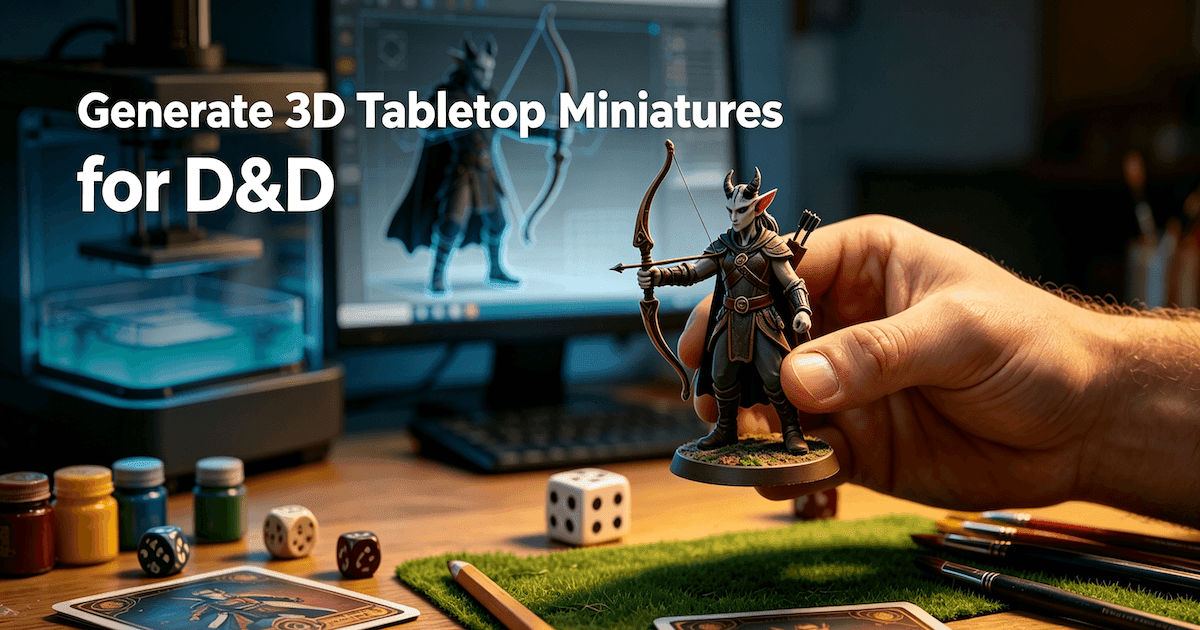
Printing is where good-looking models go to die. At least the first time. Watertight and manifold aren't optional. Walls need real thickness. Anything overlapping has to be joined or resolved. Resin printers, which is what most figurines and minis run on, want supports plus a hollowed shell.
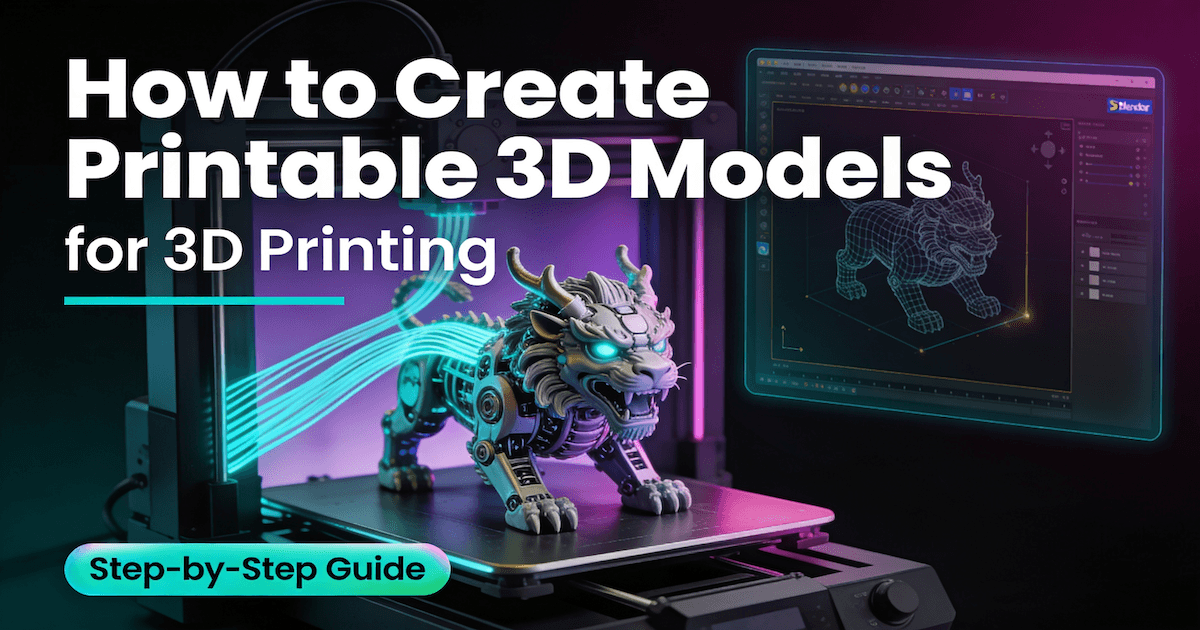
Resin also holds detail better, down to layers as fine as 25 microns, which is why it owns the figurine world. The full trip from model to slicer to finished part is in this guide to creating 3D models for 3D printing. Print a test piece. Take notes. Then commit to the real one.
Ship It Into a Game Engine
Games and real-time are their own finish. Retopology. UVs. Texture baking. Export. You cut the poly count, lay out clean UVs, bake the high-poly detail into normal and ambient occlusion maps, and ship it. GLB is the clean default for real-time and the web, since it rides on the glTF 2.0 specification. FBX is still the safe bet when a rig is involved. Pick your export format before you model, not after, so it fits the pipeline instead of fighting it.
3D Digital Sculpture Software and Tools Compared
No single tool wins. It depends on what you're shipping, and I've watched people burn months on the wrong program because some list said it was the best.
Tool | Approach | Cost | Learning curve | Best for |
|---|---|---|---|---|
ZBrush | Brush-based sculpting | Paid | Steep | High-detail characters and print work |
Blender | Sculpt + full pipeline | Free | Medium | All-round work, game assets |
3D-Coat | Sculpt + paint + retopo | Paid | Medium | Texturing and scan cleanup |
Nomad Sculpt | Touch sculpting on tablet | Low | Easy | Concepting on the go |
Substance 3D Modeler | Clay-style, VR friendly | Paid | Medium | Designers moving from 2D |
AI generators | Image or text to base mesh | Low | Easy | Fast blockouts and bases |
My own short list. ZBrush for detailed characters or anything headed to a printer. Blender if you want free and one program to cover the whole job. 3D-Coat when textures and dirty scans are eating your time. Nomad Sculpt on an iPad for sketching on the couch. And an AI generator if all you need is a head start rather than a full sculpting app.
Still not sure where to start? This roundup of 3D modeling software for beginners sorts options by skill level. One pattern I keep seeing: sculpting tools reward the hours you put in, AI tools reward speed. Pick based on how much control you actually need.
Common Mistakes When Making 3D Digital Sculptures
The same handful of mistakes show up over and over. Every one of them costs real time.
- Detailing too early. Small features can't fix a wrong silhouette; they just bury it. Lock the big shapes first.
- Ignoring scale and thickness. A piece that renders beautifully can still fail to print. Thin wall. Delicate part.
- Skipping retopology. Raw high-poly won't animate or run in an engine at speed. Rebuild before rigging.
- Treating AI output as final. Generated meshes are starting points. Plan for cleanup, retopology, retexturing.
- Working without references. Sculpting from memory flattens everything. Keep real images open, even for fantasy subjects.
- Forgetting the license. Downloaded and scanned models come with terms. Read them before you sell anything built on them.
Bottom Line
Most people who search this are chasing one thing: a finished piece they can show someone or sell. How you get there matters a lot less than getting there.
If sculpting is already in your hands, stay there. It's the shortest road to something original, and you won't be fighting an unfamiliar tool while you learn. Everyone else has a gentler on-ramp. Scan something real, generate a base, or pull a model off a marketplace and rework it. Then learn only the finishing step your project actually needs, whether that's a resin print or a game-ready export.
The four methods people argue about aren't rivals. They feed each other. A realistic pipeline in 2026 can start with a scanned clay maquette, jump to a generated base, get its hero forms carved by hand, then run through retopology for the engine and end up as a printed copy on a shelf. Every path covers a weakness in the others, and none of them is going anywhere.
So start where your goal points. Add the rest later, when a project actually asks for them.
Frequently Asked Questions about 3D Digital Sculpture
What is a 3D digital sculpture?
A 3D form you build in software instead of clay. You shape it with brush tools, and you end up with a mesh file you can render, animate, or print. The phrase is about the object, not the technique.
What is the difference between digital sculpting and a 3D digital sculpture?
One's the action, the other's the result. Digital sculpting is shaping a model in software. A 3D digital sculpture is the model once you're done. Scanning and AI can hand you the same object, so sculpting is just one road in.
What software is used to make 3D digital sculptures?
ZBrush, Blender, 3D-Coat, Nomad Sculpt, and Adobe Substance 3D Modeler cover most hand-sculpting. Capturing something real needs photogrammetry or a scanner. Want a quick base instead? An image-to-3D or text-to-3D tool.
Can AI create 3D digital sculptures?
Sort of. It'll generate a base mesh from an image or a prompt, which is a real head start. It won't hand you a finished piece though. You still fix the geometry, redo the UVs, and add the detail.
Can I 3D print a digital sculpture?
Yes, if the mesh is prepped. Watertight. Manifold. Real wall thickness. Supports for anything overhanging. Resin is the usual pick for minis and figurines because it keeps fine detail. Print a small one first.
How long does it take to make a 3D digital sculpture?
It depends on how you make it. A generated base shows up in minutes. A scan is a few hours. A hand-sculpted hero piece runs days to weeks, plus retopology and texturing on top.
Do I need to retopologize a digital sculpture?
Only if it's headed for animation, a game engine, or clean UVs. A still render or a high-poly print can keep the dense mesh. Once performance or rigging matters, retopology isn't optional.

Dennis Kirk is an AI 3D specialist and game developer with more than 5 years of industry experience, mastering production workflows across Unity, Unreal Engine, and Godot. He focuses on demystifying next-generation 3D workflows for creators of all skill levels. His writing spans hands-on technical walkthroughs, asset optimization strategies, and in-depth software reviews, helping developers build faster and smarter.