[2026] Best 3D Anime Character Makers for Games, VTubers, and 3D Printing
Compare 7 3D anime character makers for avatars, 2D-to-3D creation, manual modeling, sculpting, and animation, and find the workflow that fits your project.
Before choosing a 3D anime character maker, think about what you'll use the model for. A VTuber avatar needs compatible rigging and facial expressions, while a game character may need additional work on its geometry and animation. A 3D-printed figure has different requirements again.
Some tools let you customize ready-made avatars, others generate models from images or text, and others give you direct control over the mesh. The seven options below cover these different approaches.
Tool | Best for | Platform | Pricing |
VRoid Studio | Customizing humanoid anime avatars | Windows, macOS, iPad | Free |
Vket Avatar Maker | Assembling an avatar from ready-made parts | Browser | Free core service; paid items and optional services |
Triverse AI | Generating a starting model from artwork or text | Browser | Free credits; paid plans listed |
Metasequoia 4 | Polygon modeling and editing VRM avatars | Windows, macOS | Free Standard-equivalent features; paid EX |
Blender | Custom modeling, rigging, animation, and rendering | Windows, macOS, Linux | Free and open source |
ZBrush | Sculpting characters and collectible figures | Windows, macOS; iPad version available | Paid desktop subscription; limited free iPad plan |
Autodesk Maya | Character rigging and animation in a Maya production workflow | Windows, macOS, Linux | Paid subscription |
VRoid Studio
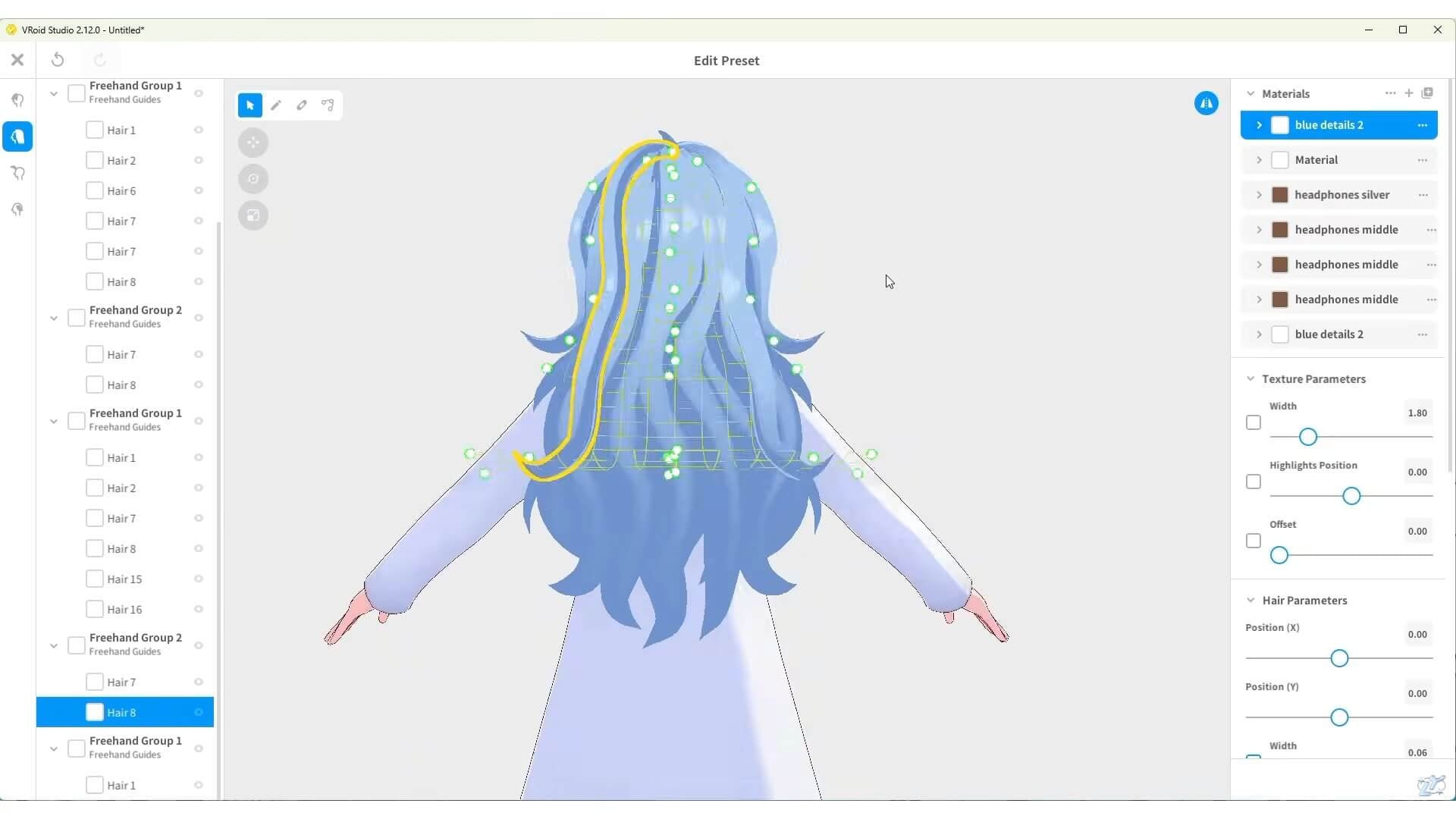
Image sourse: YouTube @☆ LYROID ☆
VRoid Studio is a free anime character maker built around a customizable humanoid model. You can create a VTuber avatar without building its mesh or rig from scratch, then export it in VRM format for compatible avatar applications.
⭐Key Features
- Hair editing: Hair editing is one of VRoid's strongest features. You can draw and reshape individual strands, giving you more control over hairstyles than a simple preset library would.
- Face, body, and clothing: The face and body editors let you adjust proportions and expressions. Clothing works differently: you start with templates and customize their textures, which is useful for designing outfits within the existing character structure.
- XWear outfits: On Windows and macOS, you can also fit compatible 3D clothing to an avatar using the XWear dress-up system. That gives you another source of outfits beyond the templates.
✅Pros
- For a humanoid VTuber avatar, VRoid handles the basic character mesh and rig, leaving you to focus on appearance.
- Commercial use is generally permitted under VRoid's guidelines, though third-party assets may have separate terms.
❗Cons
- More unusual anatomy is a reason to look at a manual modeler.
- You would still use a modeling application to build an original costume mesh. XWear helps with fitting compatible outfits; it doesn't replace that modeling work.
🔍Platform & pricing: Windows, macOS, and iPad; free. The XWear workflow described above is for the desktop versions.
Vket Avatar Maker
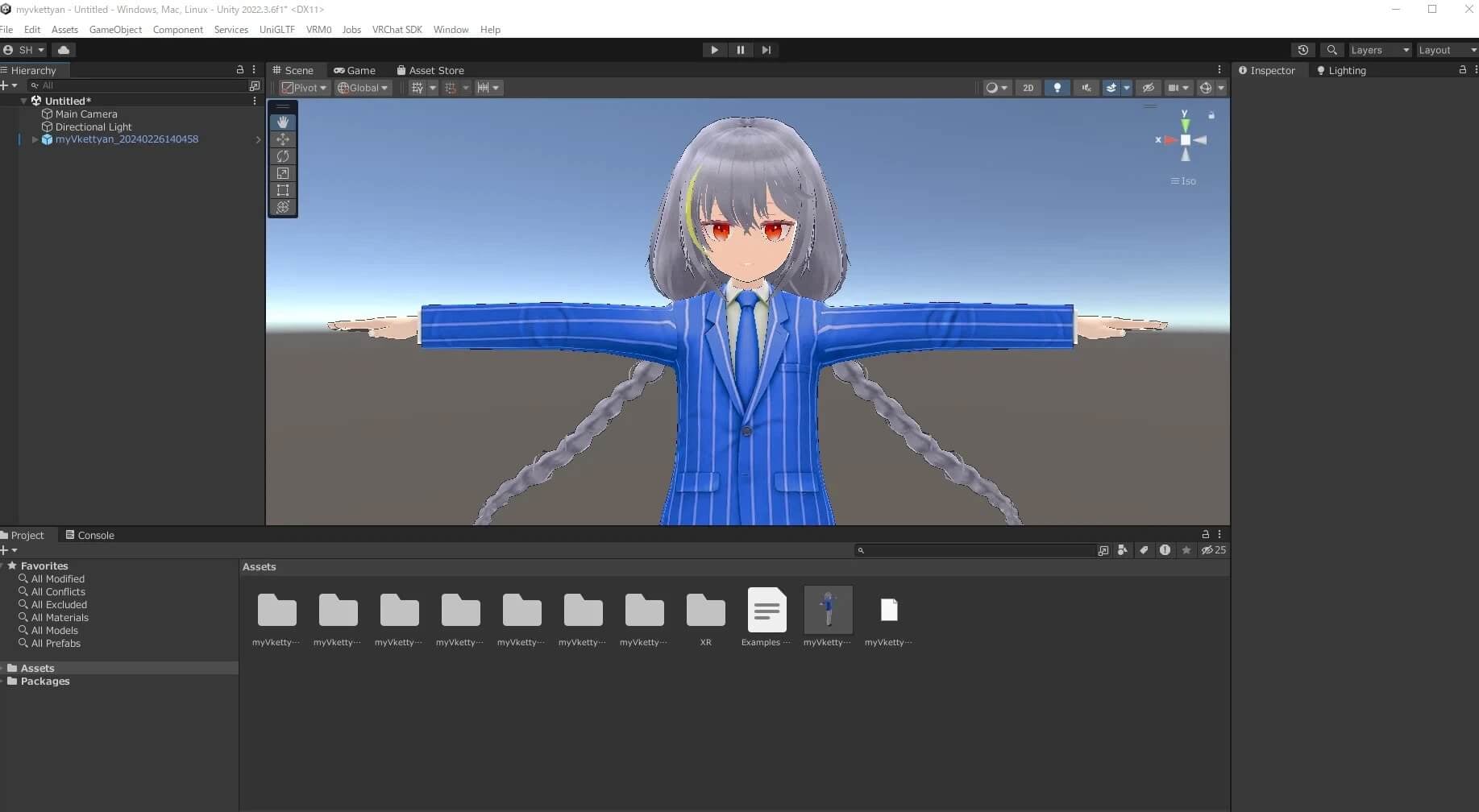
Image sourse: Vket official
Vket Avatar Maker lets you assemble anime avatars from ready-made parts in your browser.
⭐Key Features
- Avatar customization: You choose from available designs, adjust the character's appearance, and export the result for use on supported avatar platforms.
- Creator's Items: The catalog also includes Creator's Items, with additional hairstyles, outfits, and accessories made by participating creators.
- Export formats: Avatars can be exported as VRM or UnityPackage files, including for compatible VRChat workflows.
✅Pros
- You can put together an avatar and export it without installing anything.
- Vket is particularly convenient if you're happy with the available designs and don't want to spend time drawing textures or editing meshes yourself.
❗Cons
- Compared with VRoid, there's less hands-on editing of hair and clothing. There's little room to create a design that falls outside the available parts.
- Licensing is another consideration: Vket permits specified commercial avatar activities such as streaming, but restricts selling or redistributing model data and incorporating avatars into games or apps distributed to others. Corporate use requires prior confirmation. Check the official terms and any applicable item licenses before committing to a commercial project.
🔍Platform & pricing: Browser-based; the core service is free, with paid Creator's Items and optional services.
Triverse AI
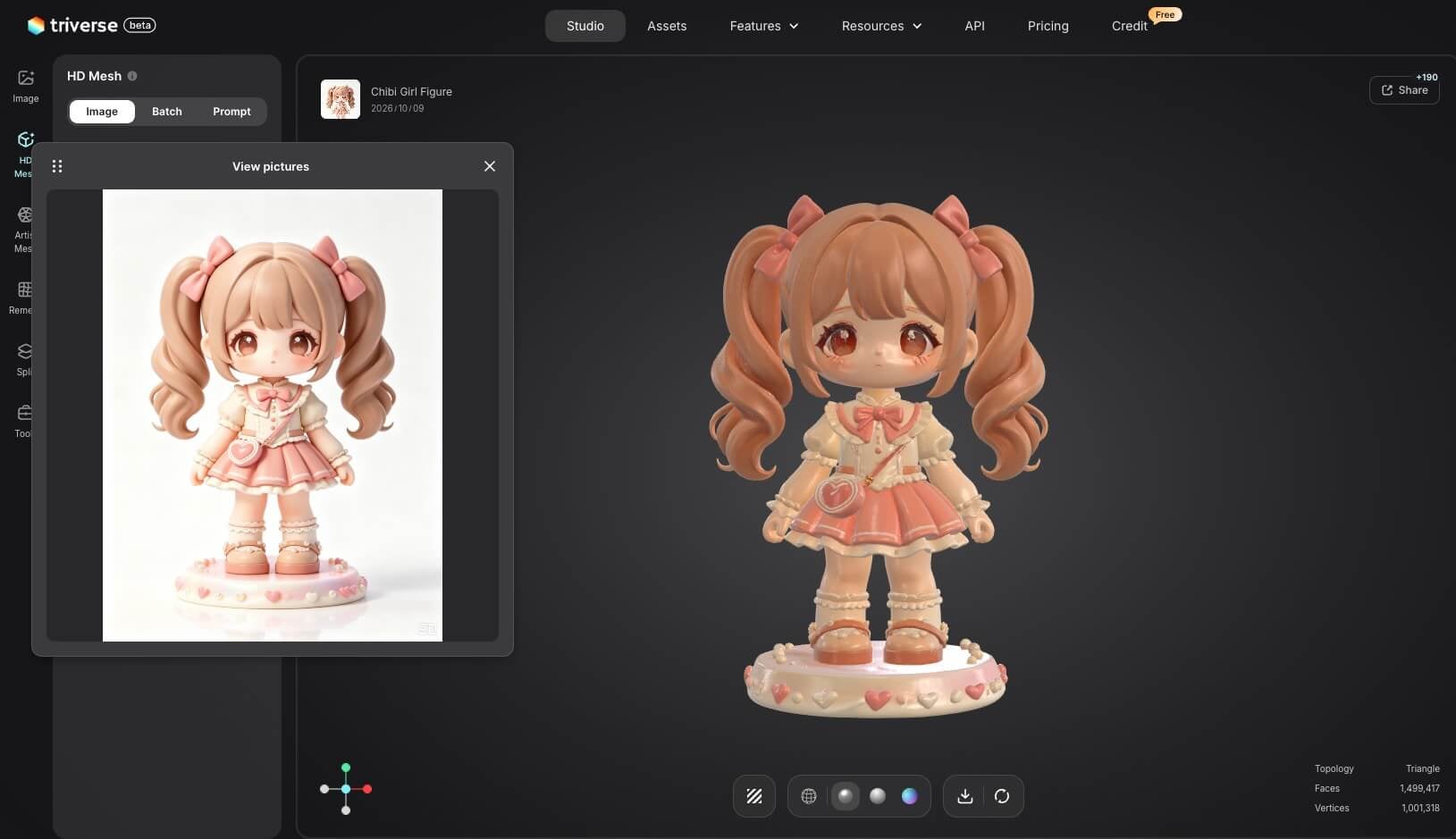
Triverse AI lets you generate 3D characters from images or text prompts.
⭐Key Features
- Image and text inputs: If you've already drawn your character, Image-to-3D uses that artwork as a reference. Text-to-3D works without an existing design, making it an option when you're still experimenting with a character's appearance. If you want to settle the look in 2D first, there's also Text-to-Image.
- Mesh options: HD Mesh focuses on surface detail, while Artist Mesh targets cleaner, lower-poly geometry that's easier to edit.
- Separate parts: Split lets you separate clothing, accessories, or other elements from an illustration and generate them individually.
- Model export: You can export models in GLB, OBJ, FBX, STL, and other formats.
✅Pros
- You can try out character ideas without building each model by hand. If you have an existing illustration, it gives you a starting mesh based on your own design rather than a collection of preset avatar parts.
- The output can also be taken into Blender for further editing.
❗Cons
- Unseen surfaces, overlapping clothing, and small accessories may not turn out as expected. Check the generated mesh before using it in another project.
- Game characters and VTuber avatars may still need topology cleanup, rigging, or facial expressions added in a separate application.
For a closer look at preparing character artwork and refining generated models, see our guide to How to Turn Anime Art into a 3D Model.
🔍Platform & pricing: Browser-based, with free credits and paid plans listed. Check the app for current plan availability, download limits, and asset-privacy conditions before uploading an unpublished character design.
Metasequoia 4
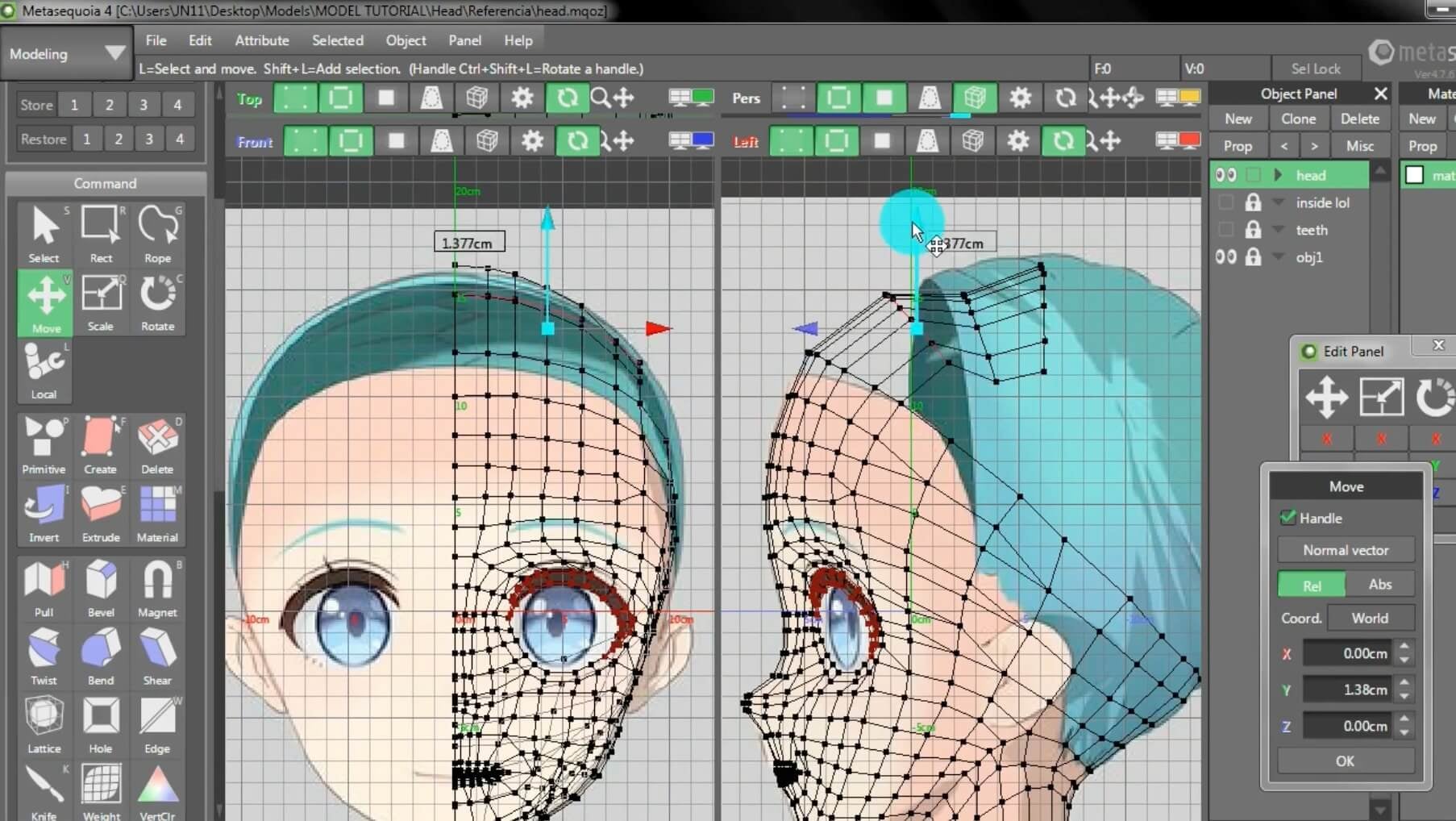
Image sourse: YouTube @Johnjan11
Metasequoia 4 lets you build 3D characters from scratch or edit the geometry of existing avatars. Developed in Japan, it supports formats commonly used for anime-style virtual characters, including VRM and PMD.
⭐Key Features
- Polygon modeling: You can edit vertices, edges, and faces, with tools for mirroring and subdivision.
- Surface editing: UV editing and texture painting are available too.
- Bones and morphs: Bone and Morph features handle skeletal deformation and facial expressions.
- VRM support: VRM import and export are also supported, along with toon-style materials such as MToon.
✅Pros
- Unlike preset-based makers such as VRoid and Vket, Metasequoia gives you direct control over the mesh. Metasequoia is worth considering if you already have a VRM avatar but need to change its geometry or add custom parts.
- Bone editing, morphs, and VRM support are all included in the free Standard-equivalent feature set.
❗Cons
- You'll need some polygon modeling knowledge to make substantial changes to a character. English documentation and tutorials are available from the developer; knowing Japanese isn't a prerequisite.
- FBX import and export require the paid EX edition.
🔍Platform & pricing: Windows and macOS; Standard-equivalent features are free, while EX requires a paid license.
Blender
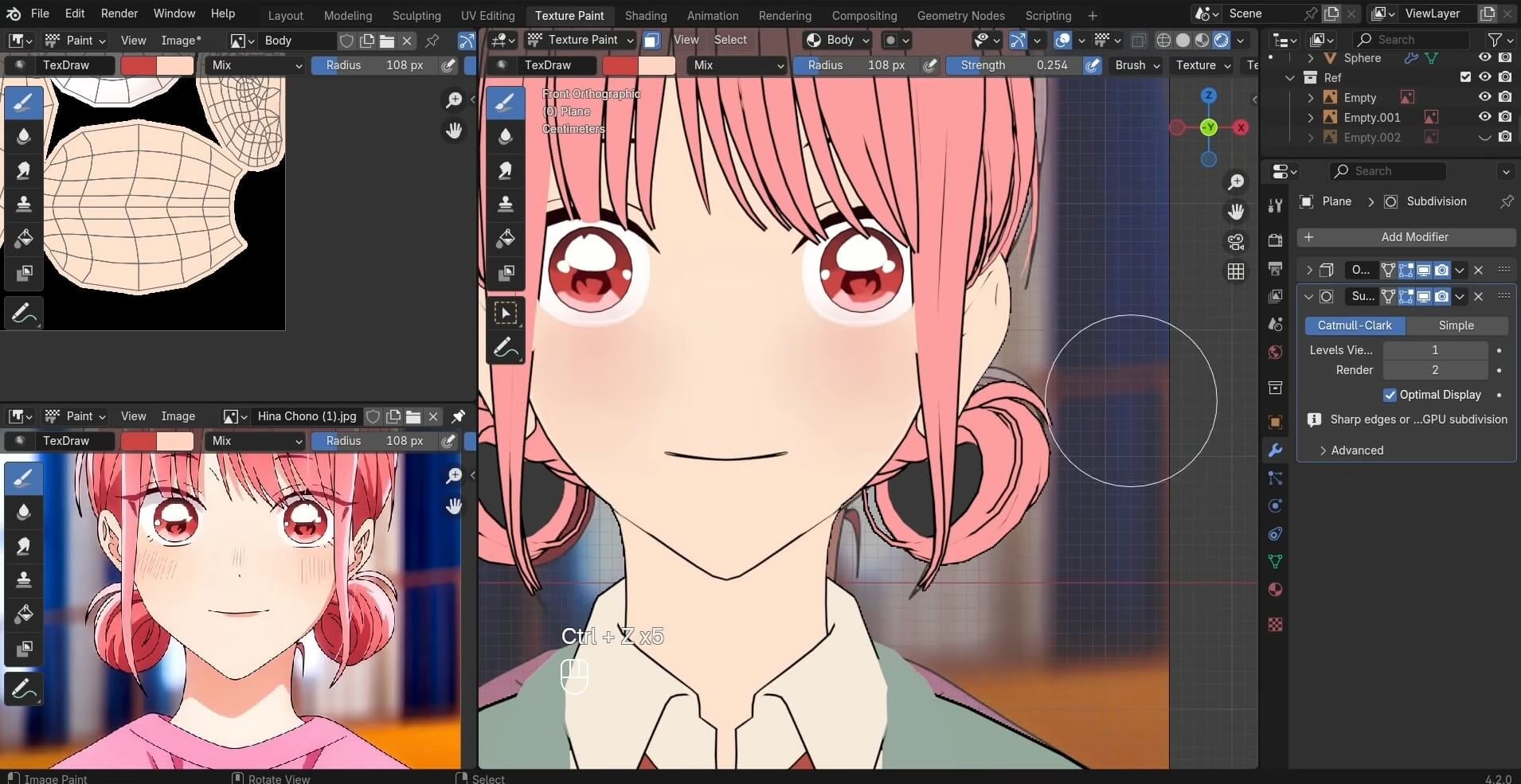
Image sourse: YouTube @Kumo Blender
Blender asks you to do more of the work. You can build the face, hair, body, and clothes to match your design, but you have to learn how to make them.
⭐Key Features
- Modeling and sculpting: Start with polygon modeling if you want to place the edges yourself, or sculpt the shape first and build a suitable mesh afterward.
- Textures and toon shading: UV mapping and texture painting give you control over details such as the eyes and clothing patterns. For toon shading, you'll also be working with materials and shader nodes.
- Rigging and expressions: An armature supplies the skeleton; skin weights determine how much each bone affects the mesh. Shape keys can change the face for blinking, speech, or other expressions.
- VRM tools: If your destination is a VRM application, the VRM Add-on for Blender adds the import, editing, and export tools for that format.
✅Pros
All that work can stay in Blender through animation and rendering, along with any props or scenery you build around the character. Blender makes more sense when you want to make those decisions yourself and keep the whole character workflow in one application.
❗Cons
- There isn't a supplied anime character editor to handle the setup for you. For a first avatar you mainly want to dress and use, VRoid involves much less setup.
- Animation introduces a second job. A finished-looking costume may still need attention once you raise the character's arms and see the sleeve passing through the body.
For more options beyond anime styles, see our guide to the best 3D character makers.
🔍Platform & pricing: Windows, macOS, and Linux; free and open source.
ZBrush
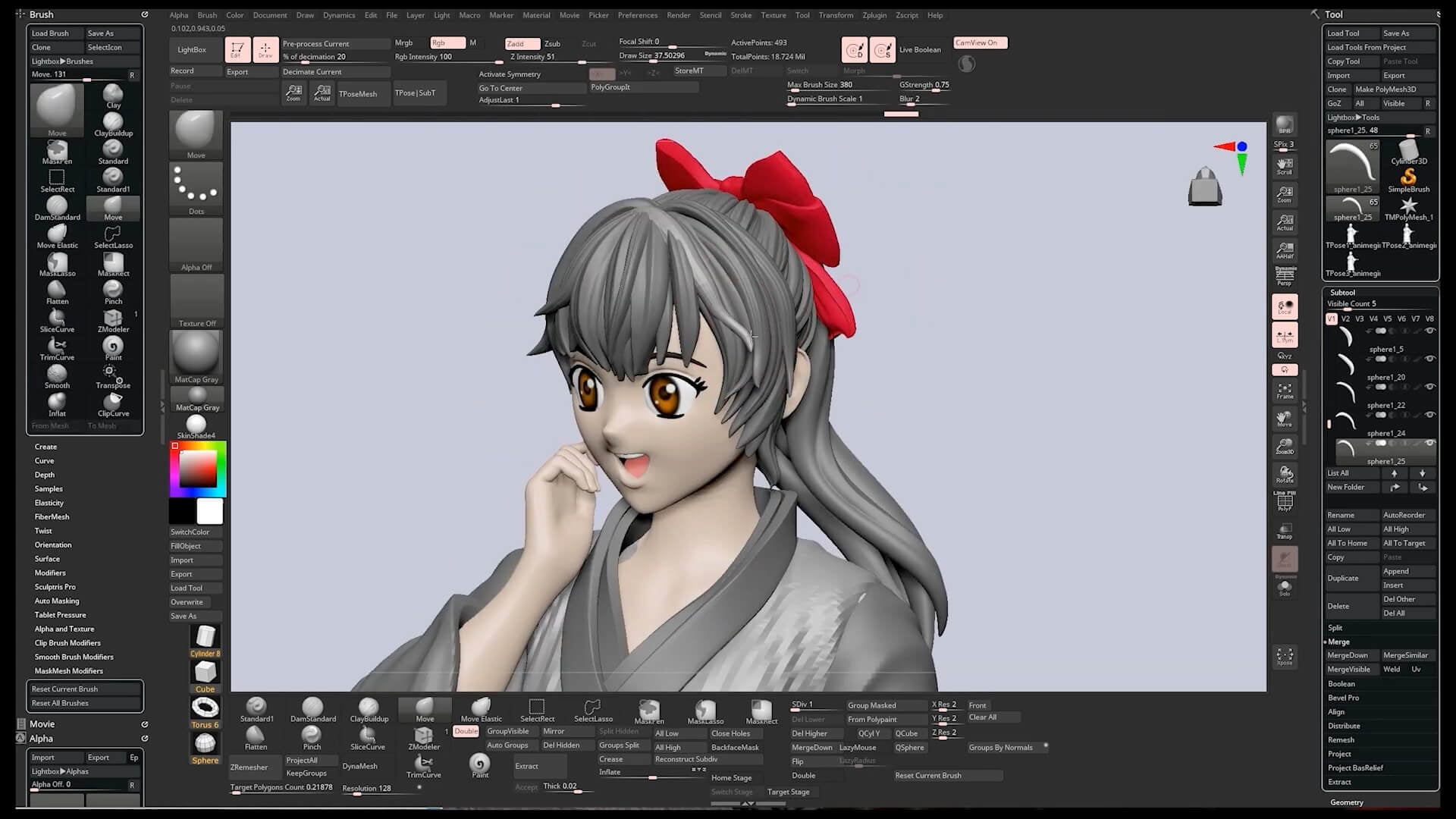
Image sourse: YouTube @What's Her Face Art
For an anime figure, the work often starts with the pose and the outline of the hair and clothes. ZBrush is built for shaping that sort of sculpt.
⭐Key Features
- Sculpting brushes: You push, pull, and cut into the surface with brushes, then work at higher mesh densities when it's time for smaller details.
- SubTools: Keep the body in one SubTool and the costume and accessories in others.
- Remeshing: Two names you'll come across early are DynaMesh and ZRemesher. Reach for DynaMesh when reshaping the sculpt has stretched the polygons too far: it rebuilds the geometry so you can carry on. ZRemesher is for producing a new polygon layout, with some say over the number of polygons and where the edges run.
✅Pros
You can work on a boot or a clump of hair without disturbing the rest of the sculpt. Later, if the figure needs to be printed in pieces, those parts are already easier to find and work on.
❗Cons
- Printing needs its own checks: For printing, check the sculpt at the size you intend to make it. Hair that looks fine in a close-up may be too thin to survive at that scale. Look for gaps, check wall thickness, and decide how the separate pieces will join. SubTools help you organize the pieces; they don't verify those print requirements.
- Animation needs more preparation: Check the remeshed result before rigging; an automatic rebuild can still leave work around joints and the face. If the character needs to move, expect more work after sculpting: usually a lower-resolution mesh with suitable topology, followed by rigging in an application such as Blender or Maya.
🔍Platform & pricing: The desktop version runs on Windows and macOS and requires a paid subscription. ZBrush for iPad is also available, with a limited free plan; its features and purchase options differ from the desktop edition.
Autodesk Maya
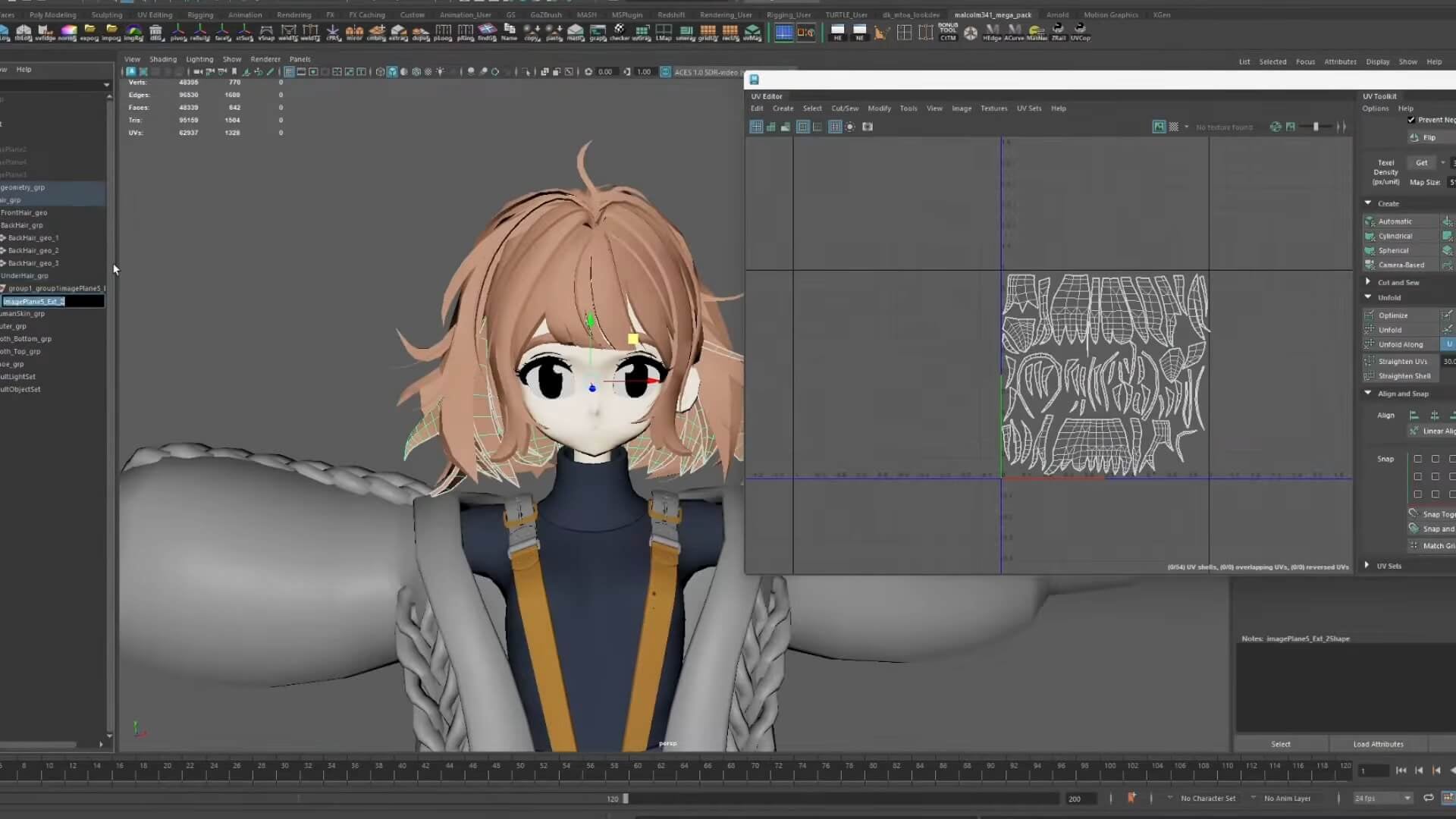
Image sourse: YouTube @Mannima
With Autodesk Maya, the strongest reason to choose it may be the people who need to open your character file. A team already working with Maya can have its own rigs, animation tools, and scripts. Your model has to fit that setup, even if you made the original mesh somewhere else.
⭐Key Features
- Modeling and retopology: Maya covers polygon modeling and retopology, then the work of making the character perform.
- Character rigging: Bind the mesh to joints, add controls for the animator, and adjust skin weights wherever a bend looks wrong.
- Facial deformation: Blend shapes handle facial expressions and corrective changes to the shape.
- Scripting: Scripting can take care of repeated setup tasks.
✅Pros
Maya makes sense when you need its particular tools, you're learning for a Maya-based role, or the team receiving your work expects Maya files. Familiarity with the team's Maya setup matters here.
❗Cons
- Ongoing rig maintenance: The difficult part is often what happens after the first rig works. The modeler changes the costume; the animator needs another facial control. In a shared production, those changes have to reach the right version of the asset without breaking work that's already been done.
- Subscription cost: For a personal character, paying for Maya is a separate question. Blender can model, rig, and animate it too.
🔍Platform & pricing: Windows, macOS, and Linux; paid subscription.
Before You Commit to a Tool
Export an early version of the character before spending hours on its final outfit. Open it in the app or engine where you intend to use it. Check that the materials appear, the scale makes sense, and the parts that need to move actually move. For a printed figure, inspect the small details at the intended print size instead.
This is where you'll find out whether the maker is enough for the job, or whether you also need a modeling or rigging application. Better to discover a missing expression or unsupported export while the character is still rough.
Already have your character artwork?