Split: A Modular AI 3D Workflow
September 8, 2026In professional game development, a character is never just one single mesh. It is a kit. To rig, animate, and customize effectively, you need modular parts: head, torso, arms, armor, and accessories.
Generating a "monolithic" (all-in-one) mesh with AI is a nightmare for production. Triverse Split changes the game by breaking your 2D concepts into logical, independent, and engine-ready parts.
Why Split to Modular Workflow
- Scene & Character Decomposition: Automatically extract independent assets from complex environmental concepts or character sheets.
- Airtight Visual Consistency: Every module, from the helmet to the boots, is generated from the same source image, ensuring a unified Art Direction.
- Pinpoint Control: Don't throw away a great character just because you hate the hat. Use Split to regenerate only the parts you dislike while keeping the rest of the mesh.
- Concept-to-Asset Acceleration: Drastically shorten the lead time between an initial sketch and a fully modular 3D library.
Split to Modular Parts: Step-by-Step Guide
1. Upload Your Concept
Go to Triverse Studio, and click on "Split". Upload your Character Art or an Asset Sheet to the Split workspace.
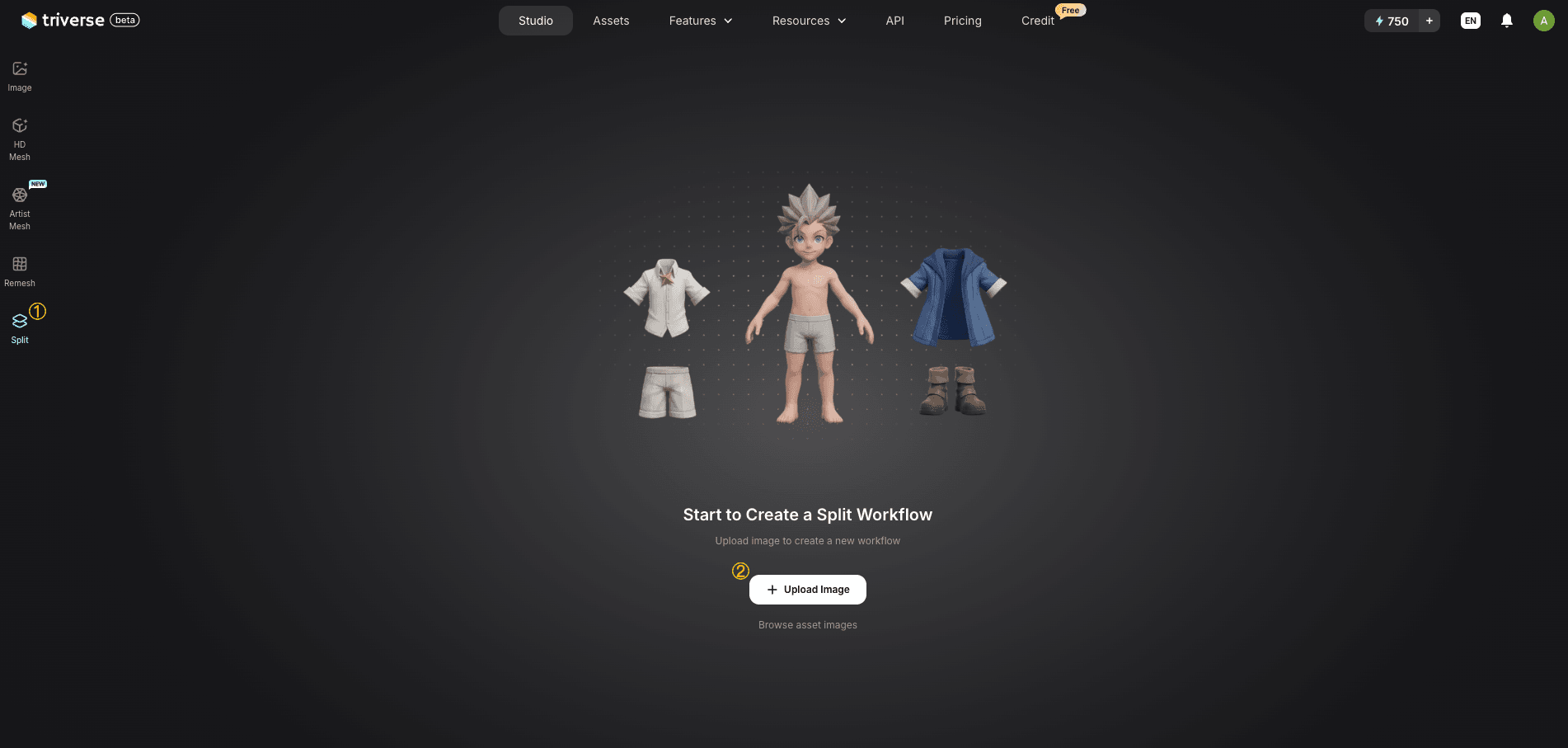
- Pro Tip: Using a "Sprite Sheet" (a page containing multiple weapon or prop sketches) is the most efficient way to build an entire inventory at once.
2. Auto Split
Click Auto Split. Triverse AI doesn't just crop images; it auto-detects the pose and structure of your concept. It recognizes character parts (head, torso, limbs) or scene elements and unpacks them into independent nodes.
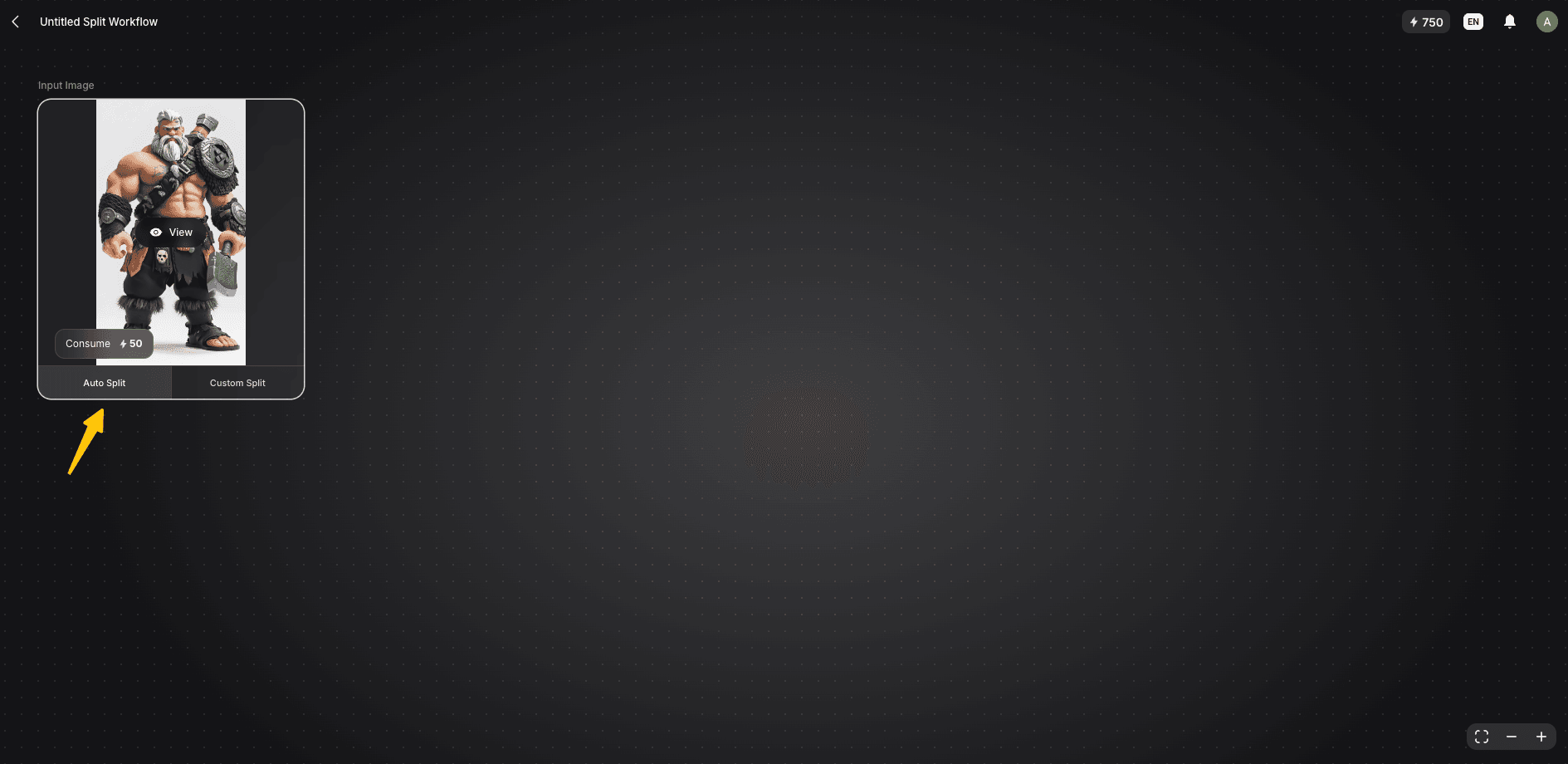
3. Refine the Selections
Review the isolated parts. If the AI combines two parts you want separate, or if a cutout needs a tweak, use Custom Split to manually redefine the area.
Besides, Image Refine lets you use natural words to describe your needs if you want to refine images. For example, modifying the material, color, or angle.
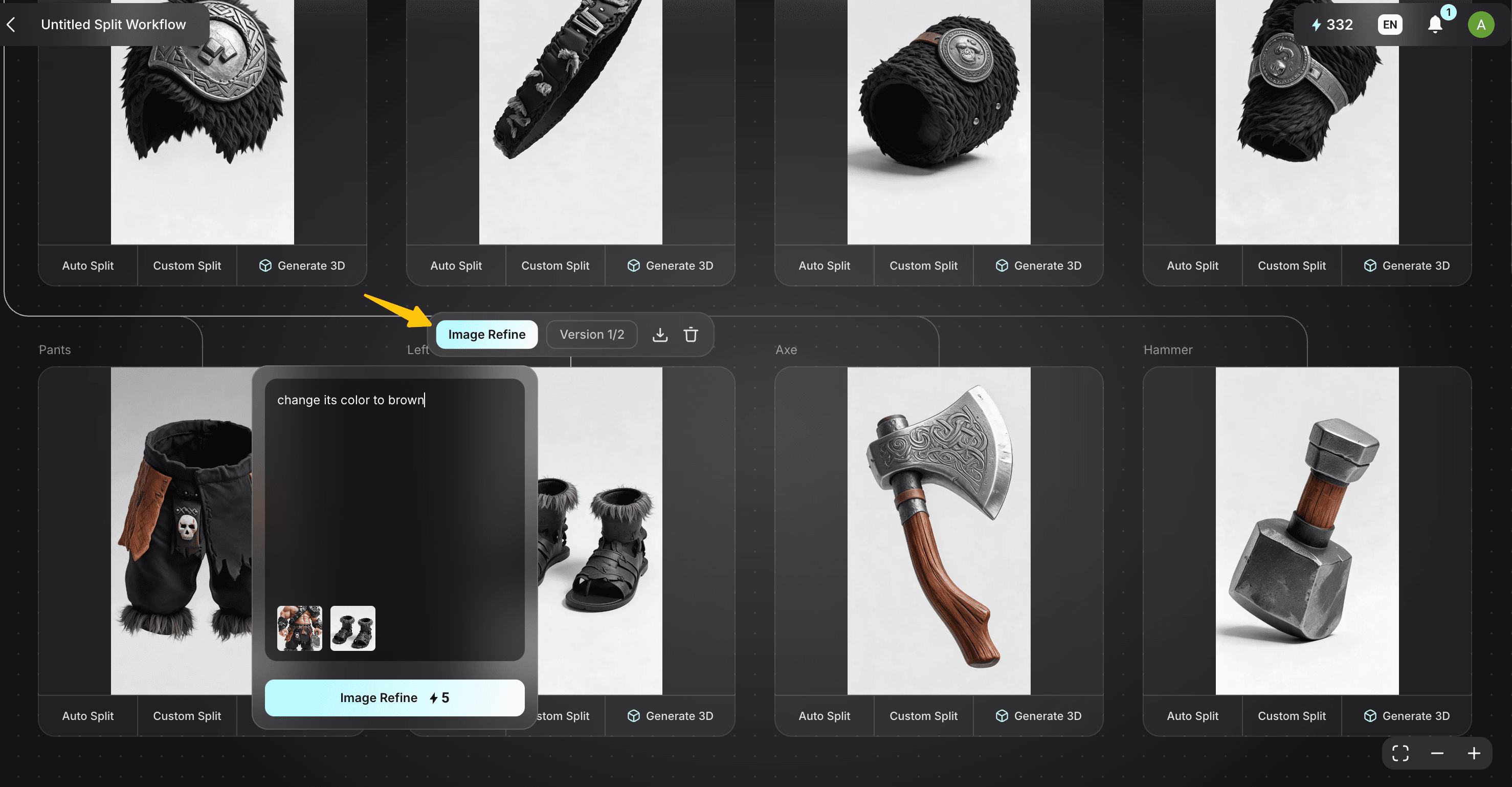
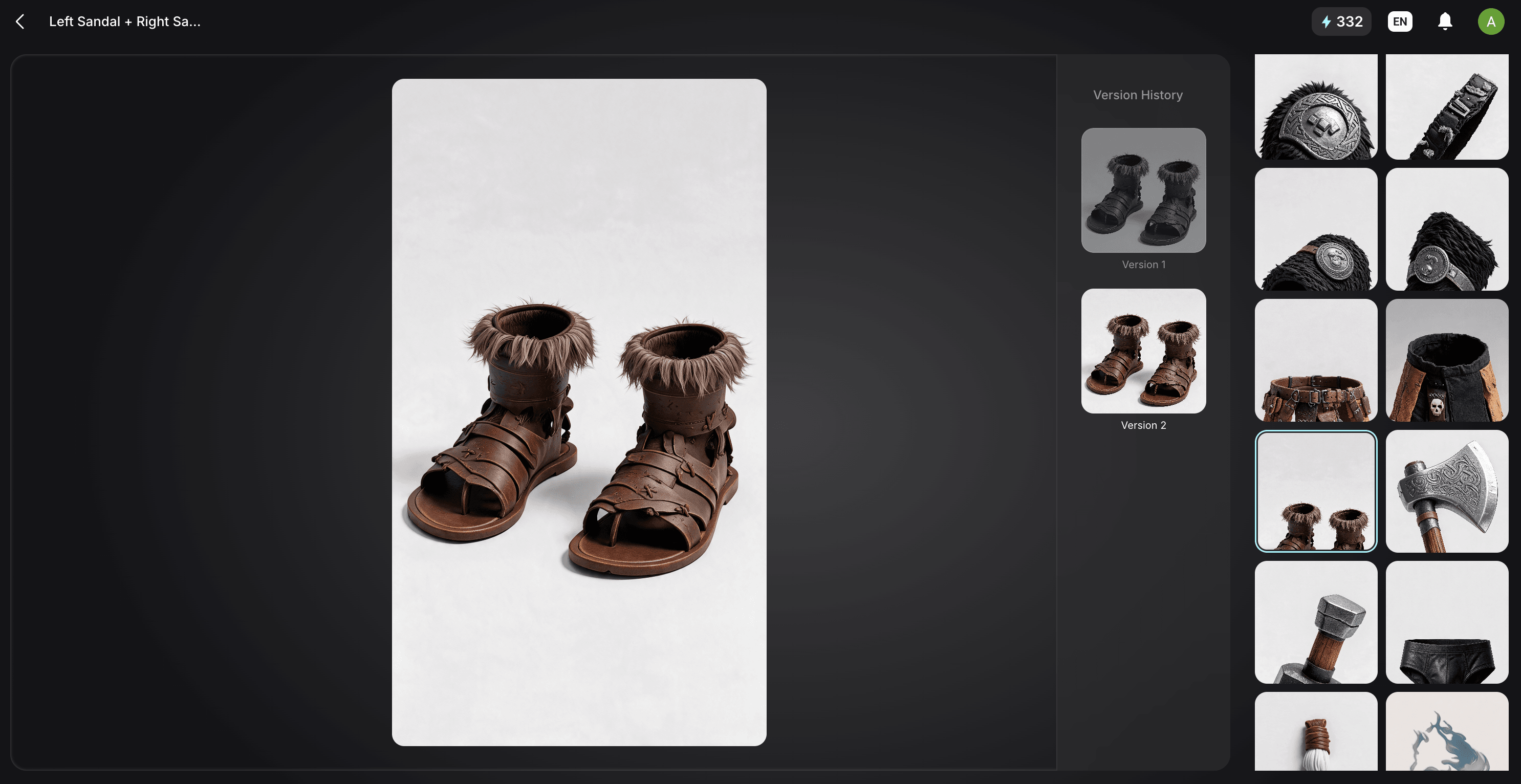
While nodes currently use automatic naming, the visual layout makes it easy to keep track of your components.
4. Generate 3D (Individual or Batch)
You have two ways to move from 2D nodes to 3D models:
- Individual Generation: Click Generate 3D on a single node to process one specific part. This is great when you only need to update one piece of gear.
- Batch Generation (Optional): To speed up production, hold Shift and select multiple nodes. A Batch Generate panel will appear on the right. Here you can apply settings—like Artistic vs. HD Mesh (Artist Mesh for clean topology or HD Mesh for detail), 4K textures, and polycount targets—to all selected items and process them at the same time. Then hit Generate to create up to 3 3D models concurrently.
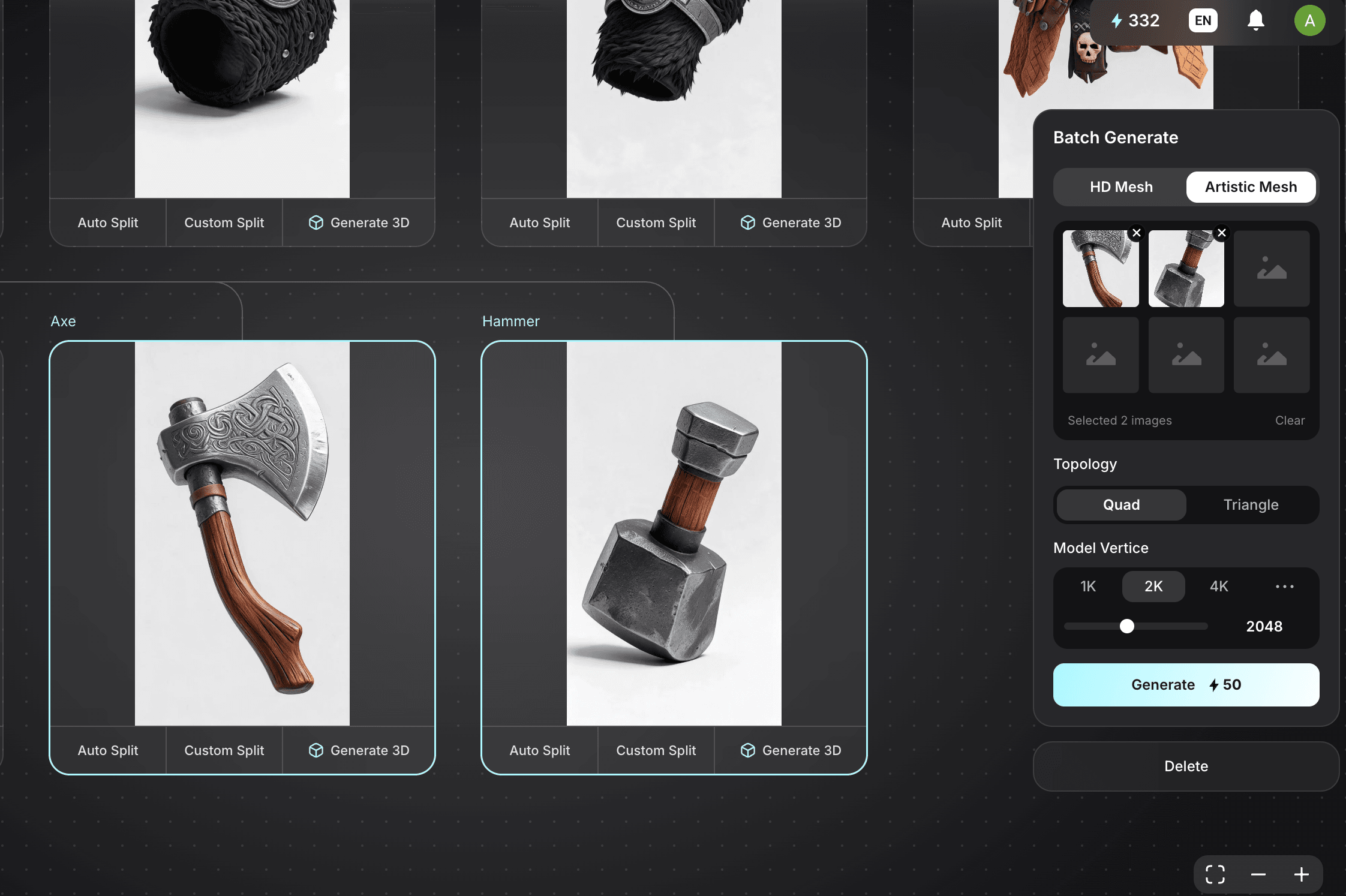
5. Export and Assemble
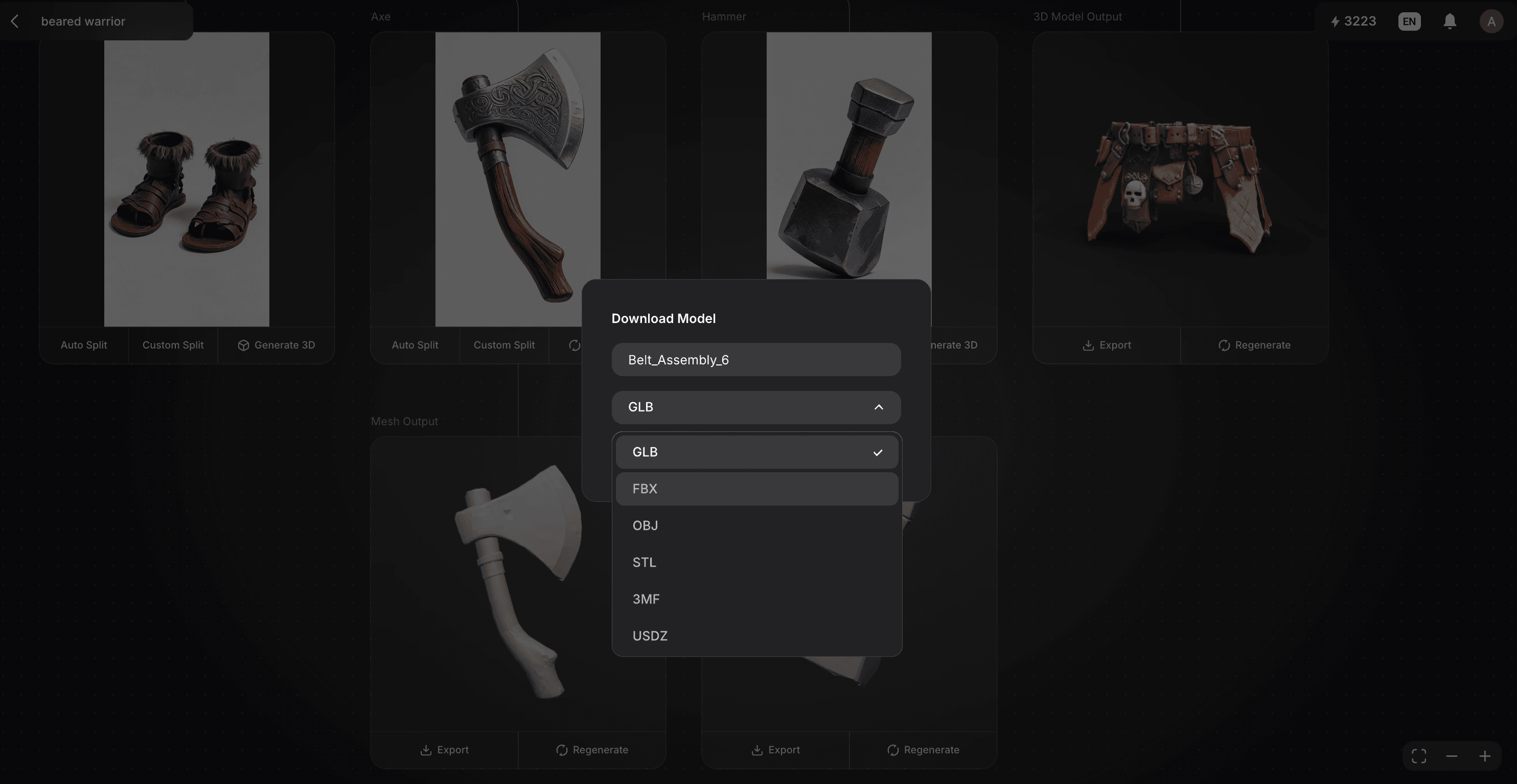
Once the generation is finished, preview your models and click Export. You can download your parts in industry-standard formats like GLB, OBJ, or FBX. These modular assets can be imported into Blender, Unity, or Unreal Engine for final assembly.
Real-World Use Cases: Why Modular?
- Character Customization Systems
Generate independent clothing and armor sets. This allows you to build a "mix-and-match" avatar system where players can swap parts dynamically in-game. - Environment Set Dressing
Break a landscape concept into a collection of independent props. Once exported, you can duplicate and scatter these rocks, trees, and buildings to populate a massive 3D environment. - Hybrid Detail Workflows
Manage your performance budget by splitting assets. Generate a high-fidelity HD Mesh for hero items and an optimized, low-poly Artistic Mesh for secondary equipment.
Split vs. Standard Workflow Comparison
Feature | Standard 3D Generation | Triverse Split Workflow |
Mesh Structure | Single, solid mesh | Modular, independent parts |
Iteration | Must restart the whole model | Iterate on specific parts only |
Efficiency | One asset at a time | Supports Batch Generation |
Production Use | Concept / Preview only | Final assembly / Kitbashing |
Ready to Build A Smarter 3D Pipeline?
Try the Split Workflow in Triverse Studio for free today.