Remesh
March 23, 2026Triverse AI's Remesh feature optimizes your model’s topology by rebuilding its mesh structure. It helps create cleaner geometry that is easier to edit, animate, or use in real-time applications.
How it Works
Step 1: Select a model
Choose a model from the right side of Triverse Studio, your Asset Library, and load it into the canvas.
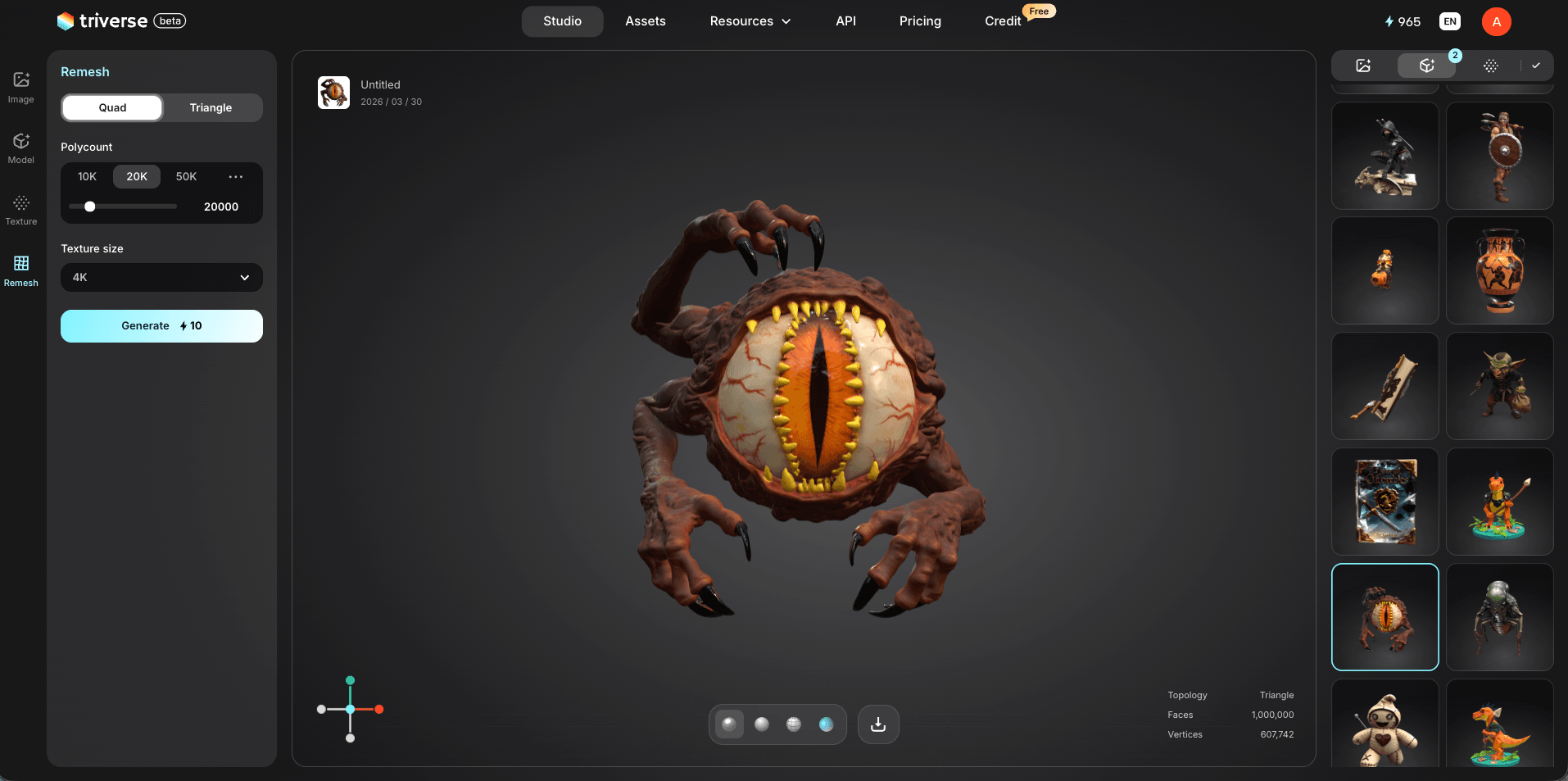
Step 2: Open the Remesh tool
Click the Remesh icon on the left panel.
Step 3: Choose a mesh type
- Quad Mesh: Ideal for editing, retopology, and animation workflows.
- Triangle Mesh: Commonly used in games and real-time rendering.
Step 4: Adjust settings
Set the polycount (up to 100K) and texture size (up to 4K), then click Generate.
Best Use Cases
- Clean up 3D scans with irregular topology.
- Optimize models for animation and rigging.
- Prepare assets for game engines (uniform quad topology).
- Reduce file size while maintaining visual quality.
- Fix broken geometry from raw capture data.
Try It Now
Head to Triverse Studio and generate your 3D models for free now!