Quick Start: Your First 3D Model in 1 Min

2026年3月23日

Once you’re logged in, you can start creating 3D models in Triverse Studio. Here’s how:

How to Generate a 3D Model with Triverse AI

Step 1: Upload Your Reference

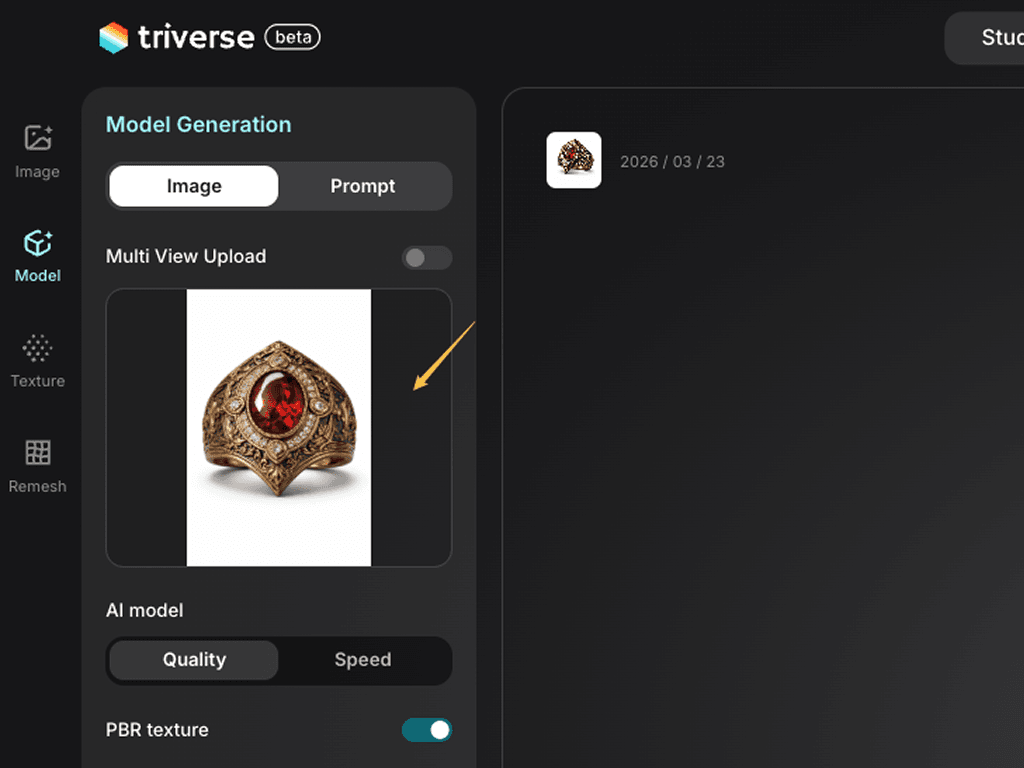
Select the Model tool on the left, click the Image tab, and upload a 2D reference image.

upload an image

Step 2: Generate

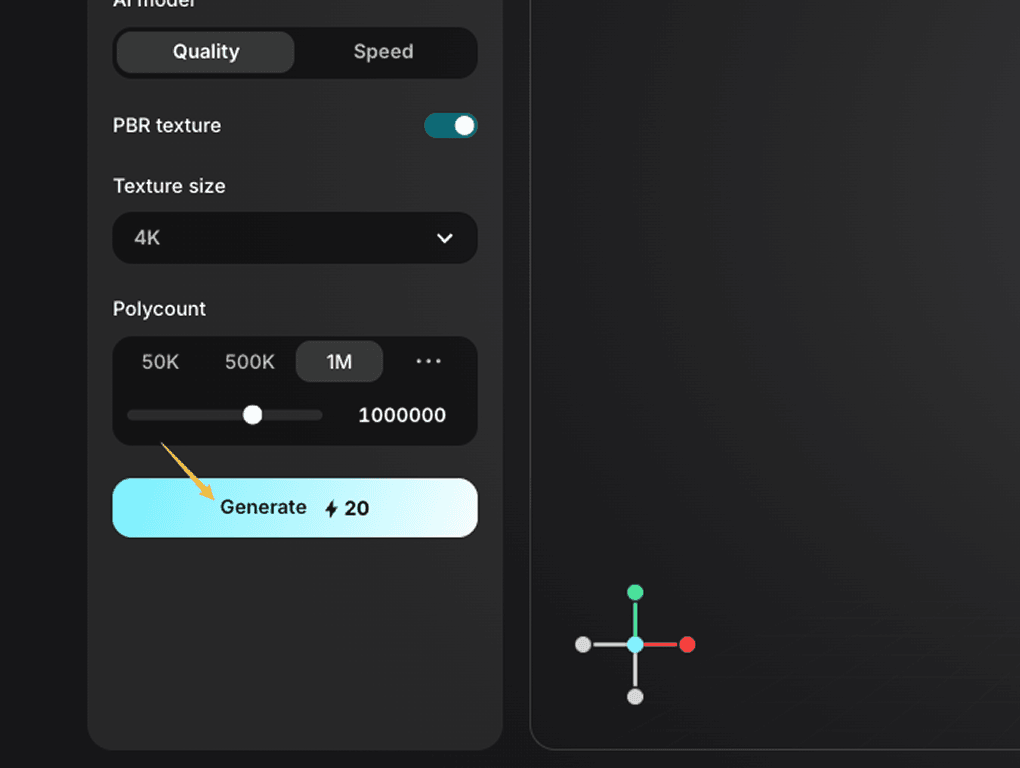
Keep the default settings and click "Generate".

click generate

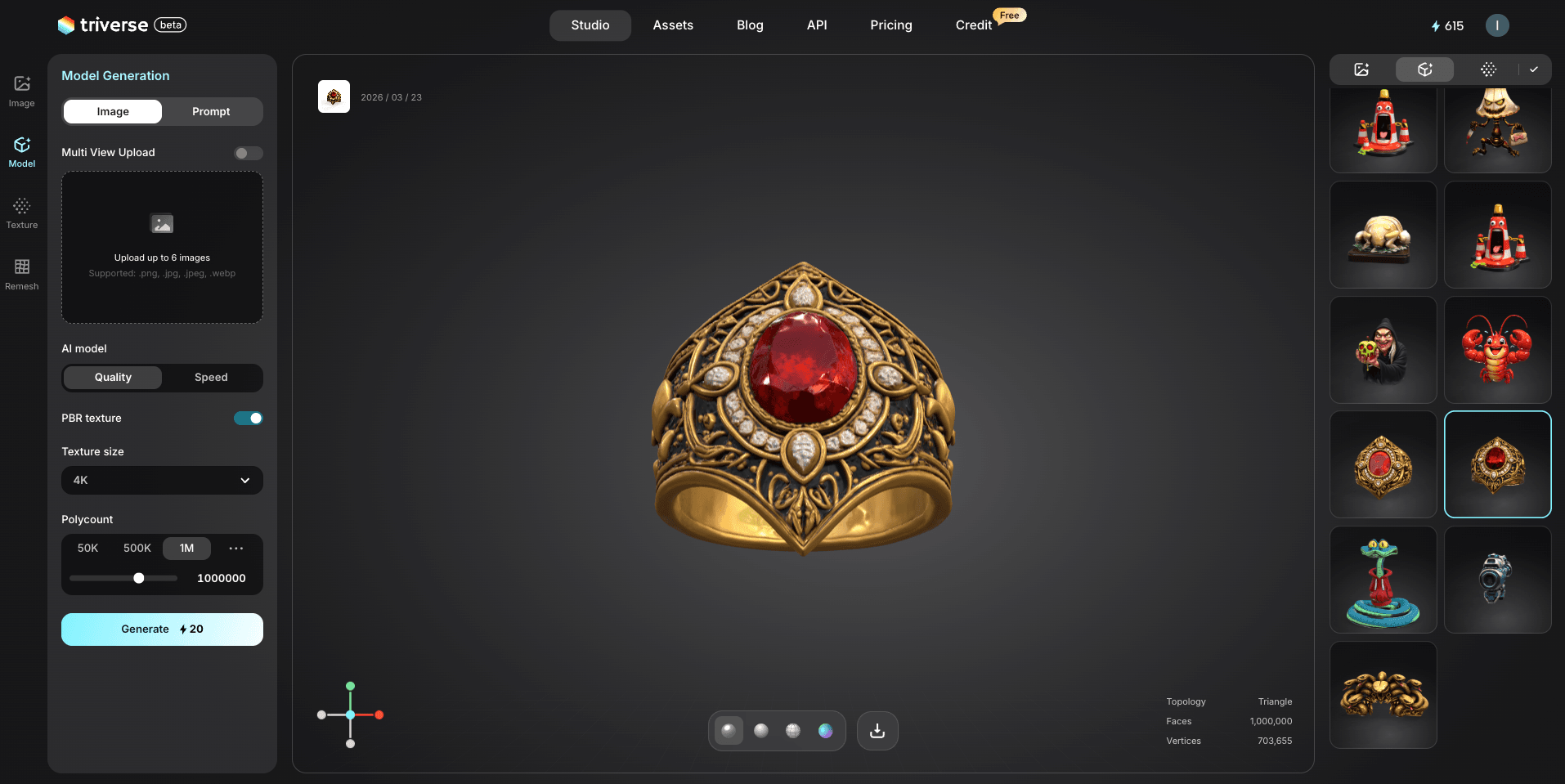
The result will appear once the 3D model is ready.

Triverse AI 1min model check

Step 3: Inspect and Export

Use your mouse to rotate and inspect the details. Click the Wireframe icon at the bottom of the screen to check the generated topology.

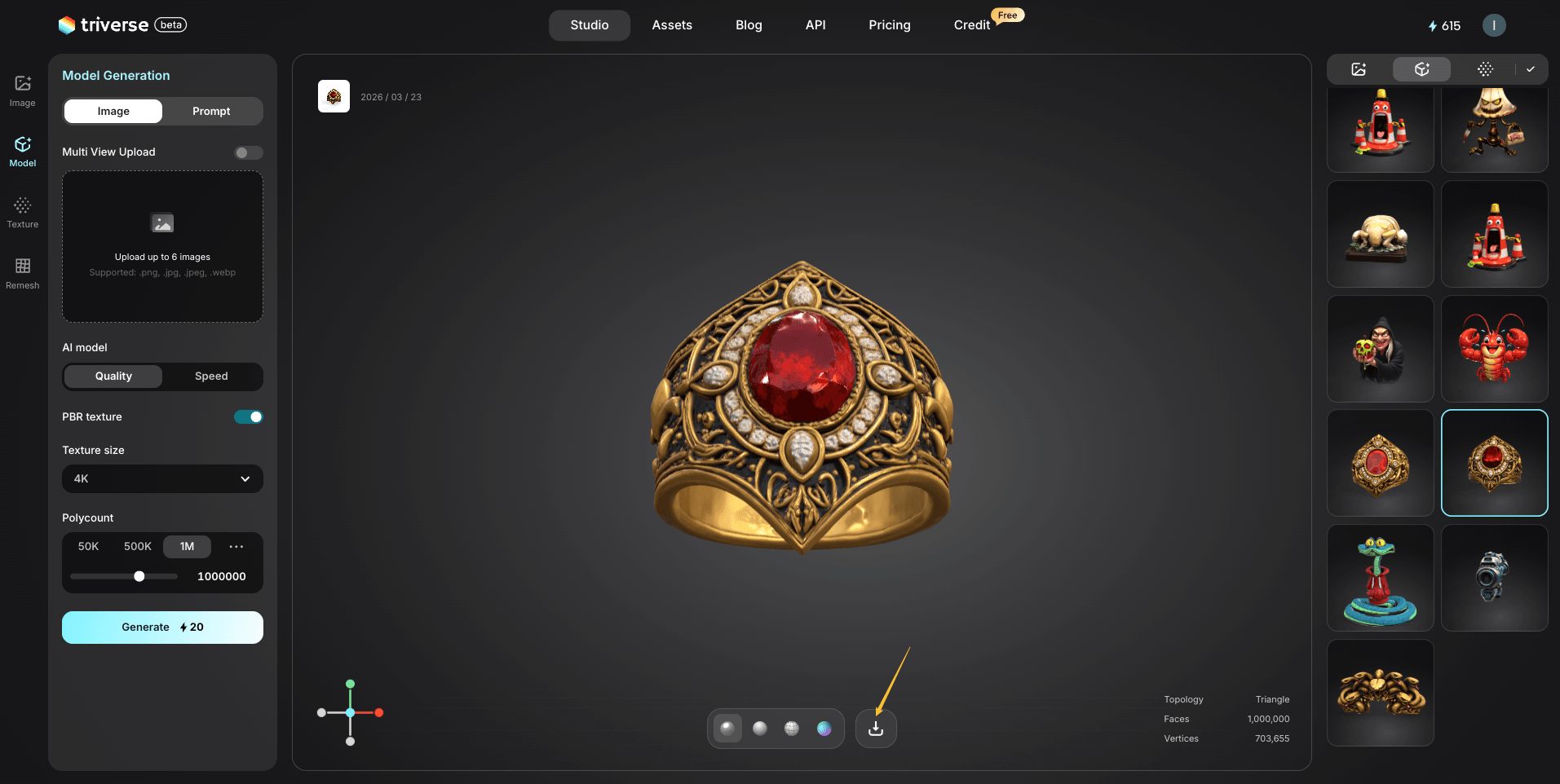
Love it? Click the Download ⬇️ icon at the bottom of the viewport to export your 3D asset.

Triverse AI 1min model download

And then you can modify the model in Blender or ima ort to 3D printer.


Try It Now

What are you waiting for? Head to Triverse Studio and generate your first 3D model for free now!