Best Blender Alternatives for 3D Modeling: What Each Tool Actually Replaces
Compare 10 Blender alternatives for modeling, animation, sculpting, VFX, CAD, and AI-assisted 3D creation—and see what each tool can actually replace.
Published at ·Updated on
Replacing Blender is difficult for one simple reason: it does a lot. Most alternatives are stronger at replacing a specific part of the workflow than matching Blender as an all-in-one 3D application.
This guide compares 10 alternatives by replacement fit—how much of the Blender workflow each tool can take over, whether it can serve as a primary 3D application, and where another tool is still needed.
Blender Alternatives: Replacement Fit Comparison
Full production suites cover multiple stages of a 3D workflow, while specialist tools focus on narrower tasks such as sculpting, VFX, architecture, or CAD. Workflow accelerators speed up a specific stage without replacing the full 3D environment.
Tool
Best if you need...
What it replaces
Replacement type
Main limitation
Autodesk Maya
Character animation and established studio pipelines
Modeling, rigging, animation, rendering
Full production suite
Specialist sculpting and complex procedural VFX may still require other tools
Cinema 4D
Motion graphics and design-led 3D production
Modeling, motion graphics, animation, rendering
Full production suite
Advanced character work and large simulations may require specialist software
Bforartists
Blender-like capabilities with a more discoverable interface
Most general Blender modeling, animation, material, and rendering tasks
Full-suite alternative
Much of Blender’s underlying workflow and complexity remains
Metasequoia 4
Focused polygon modeling and VRM/MMD character assets
Polygon modeling, UVs, texturing, bones, Morphs, and character-asset editing
Asset-creation specialist
Advanced animation, simulation, compositing, and full production require other tools
Triverse AI
Faster creation of starting 3D assets
Initial geometry, concept models, and first-pass textures
Workflow accelerator
Precise editing, rigging, animation, simulation, and complex scenes still require a DCC
ZBrush
High-detail organic sculpting
Sculpting, character forms, and detailed surface work
Asset-creation specialist
Retopology, rigging, animation, and final scene production usually happen elsewhere
Nomad Sculpt
Direct sculpting on a tablet or mobile device
Organic sculpting, character busts, and concept forms
Asset-creation specialist
Production retopology, rigging, animation, and larger scenes generally need desktop software
Houdini
Procedural systems, simulation, and VFX
Procedural modeling, destruction, fluids, particles, and effects
Workflow specialist
Conventional asset modeling and character workflows may be faster in other tools
SketchUp
Architecture, interiors, and rapid spatial modeling
Architectural concepts, layouts, and spatial design
Industry specialist
Character work, VFX, and advanced entertainment production fall outside its main focus
FreeCAD
Parametric CAD and dimensionally precise parts
Constrained design, mechanical parts, and functional models
Industry specialist
Artistic modeling, animation, and entertainment rendering are outside its core workflow
How to Choose the Right Blender Alternative
The comparison above shows what each tool replaces and where its main limitations begin. To narrow the list further, focus on three practical questions.
Do You Need to Replace Blender as a Whole or Just One Stage?
If you want to stop using Blender as your main 3D application, look for a tool that can cover several production stages in one environment.
If only one part of the workflow is slowing you down, replacing that stage is often more practical than rebuilding the entire pipeline.
What Type of Control Does the Project Require?
Different workflows need different forms of control. DCC tools emphasize direct editing, CAD relies on dimensions and constraints, procedural tools use rule-based systems, and AI-assisted tools prioritize faster initial results.
The more exact the final geometry, topology, dimensions, animation, or simulation needs to be, the more important detailed control becomes.
What Constraints Could Rule Out a Tool?
Finally, check practical requirements such as operating-system support, commercial-use terms, cloud or local processing, team pipeline compatibility, required exchange formats, and subscription costs.
With these criteria in mind, let’s look at how each Blender alternative fits a specific workflow.
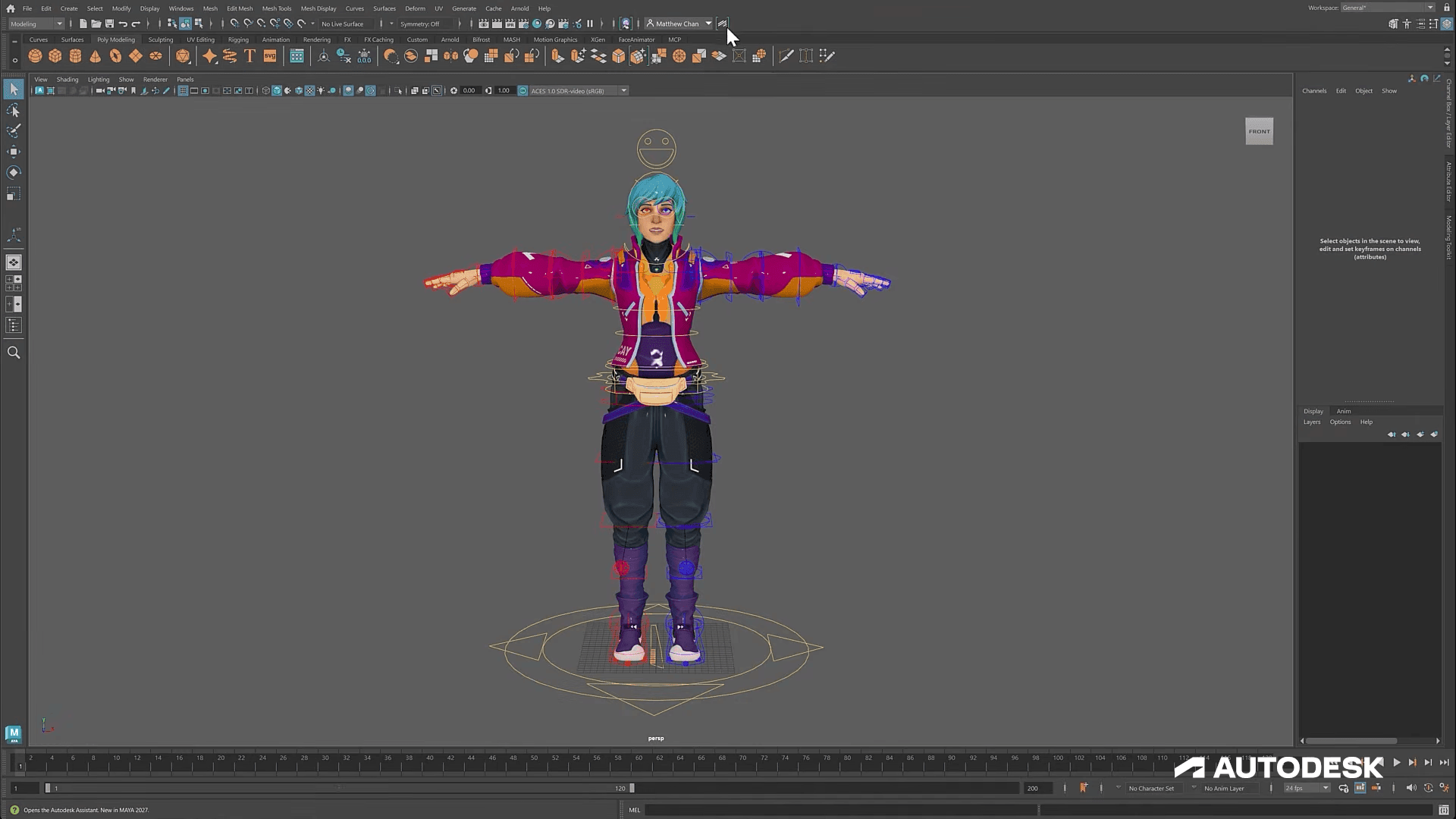
Autodesk Maya — Best for Character Animation and Studio Pipelines
Image source: Autodesk official
💡Why Choose It Over Blender?
Maya is a strong Blender alternative when the main requirement is character production inside an established film, television, or game-development pipeline. Its value comes from how rigging, animation, scene assembly, and pipeline integration fit established professional production environments.
For teams already working around Maya, choosing it can also reduce the friction created by transferring rigs, animation data, and scene conventions between artists using different applications.
🔍What It Replaces
Maya can replace a large part of Blender’s general production role, including polygon modeling, character rigging, animation, scene construction, and rendering. This makes it one of the closer options for users who genuinely want another primary desktop DCC rather than a single-purpose Blender companion.
❗Where It Stops
Maya is subscription-based, which changes the cost equation significantly compared with Blender. It also does not remove the need for specialist applications in every pipeline. High-detail sculpting may still move into tools such as ZBrush, while complex procedural effects can be handled in Houdini.
⭐Choose It If
Choose Maya if character animation, rigging, studio compatibility, or an existing professional production pipeline matters more than keeping the entire workflow inside a free all-purpose application.
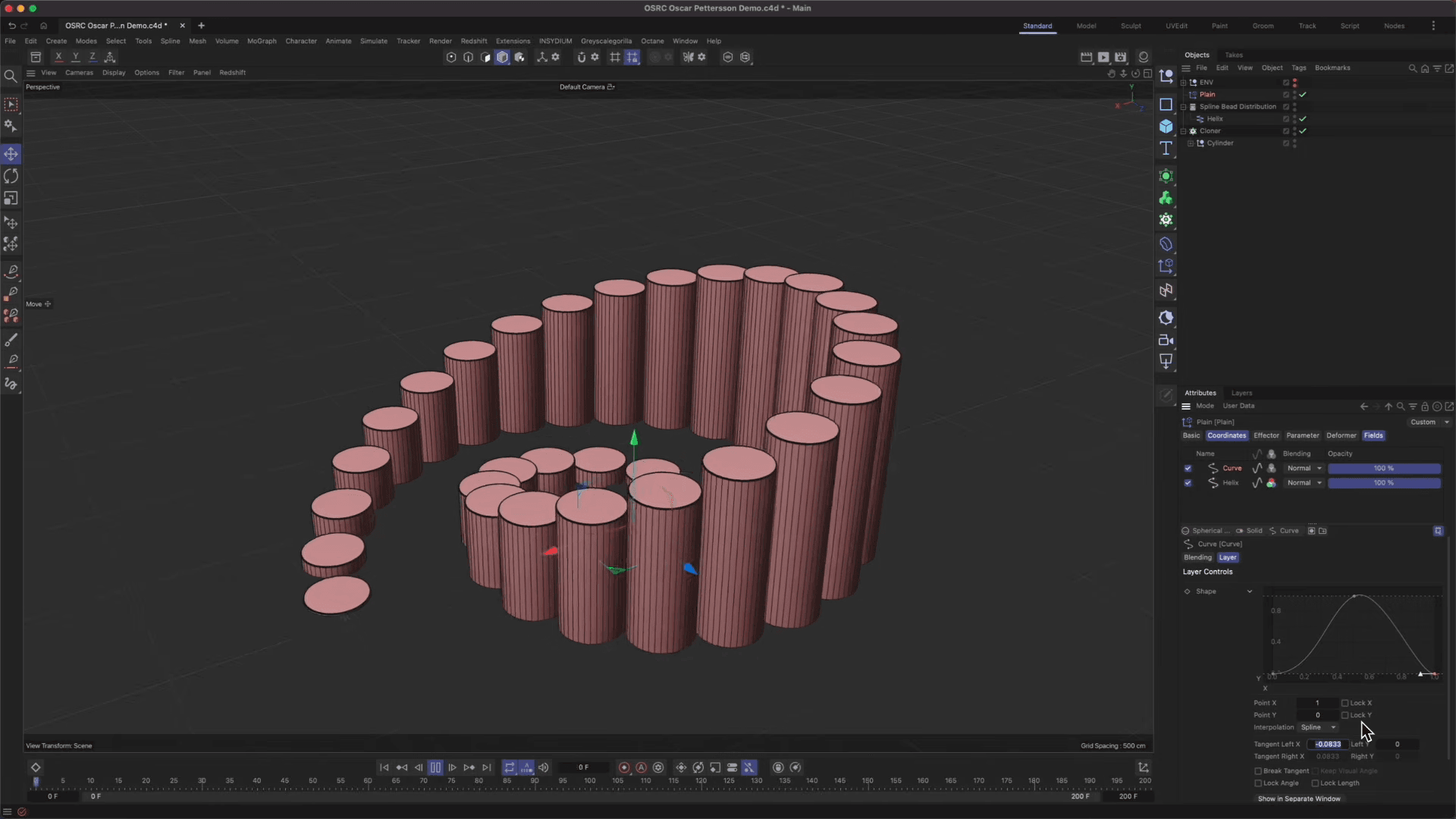
Cinema 4D — Best for Motion Graphics
Image source: Maxon official
💡Why Choose It Over Blender?
Cinema 4D is particularly relevant when Blender’s broad toolset feels less direct for motion design. Its workflow is strongly associated with motion graphics, advertising, broadcast graphics, product visualization, and design-led 3D work.
For artists who frequently build repeated graphic forms, animated layouts, product scenes, and short visual sequences, a production environment centered on these tasks can be more important than having access to every category of 3D tool.
🔍What It Replaces
Cinema 4D can take over general modeling, motion graphics, animation, lighting, rendering, and visualization work. For many designers, it can function as the main application rather than merely a specialist tool used alongside Blender.
❗Where It Stops
Character-heavy productions and advanced simulation workflows may still benefit from dedicated tools. If your pipeline relies heavily on complex character rigs, large-scale effects, or specialized simulation, Cinema 4D may work better as part of a broader toolset than as the only 3D application.
⭐Choose It If
Cinema 4D is a strong option for motion designers, advertising teams, broadcast artists, and product-visualization creators who want their main 3D environment to emphasize design and animation workflows.
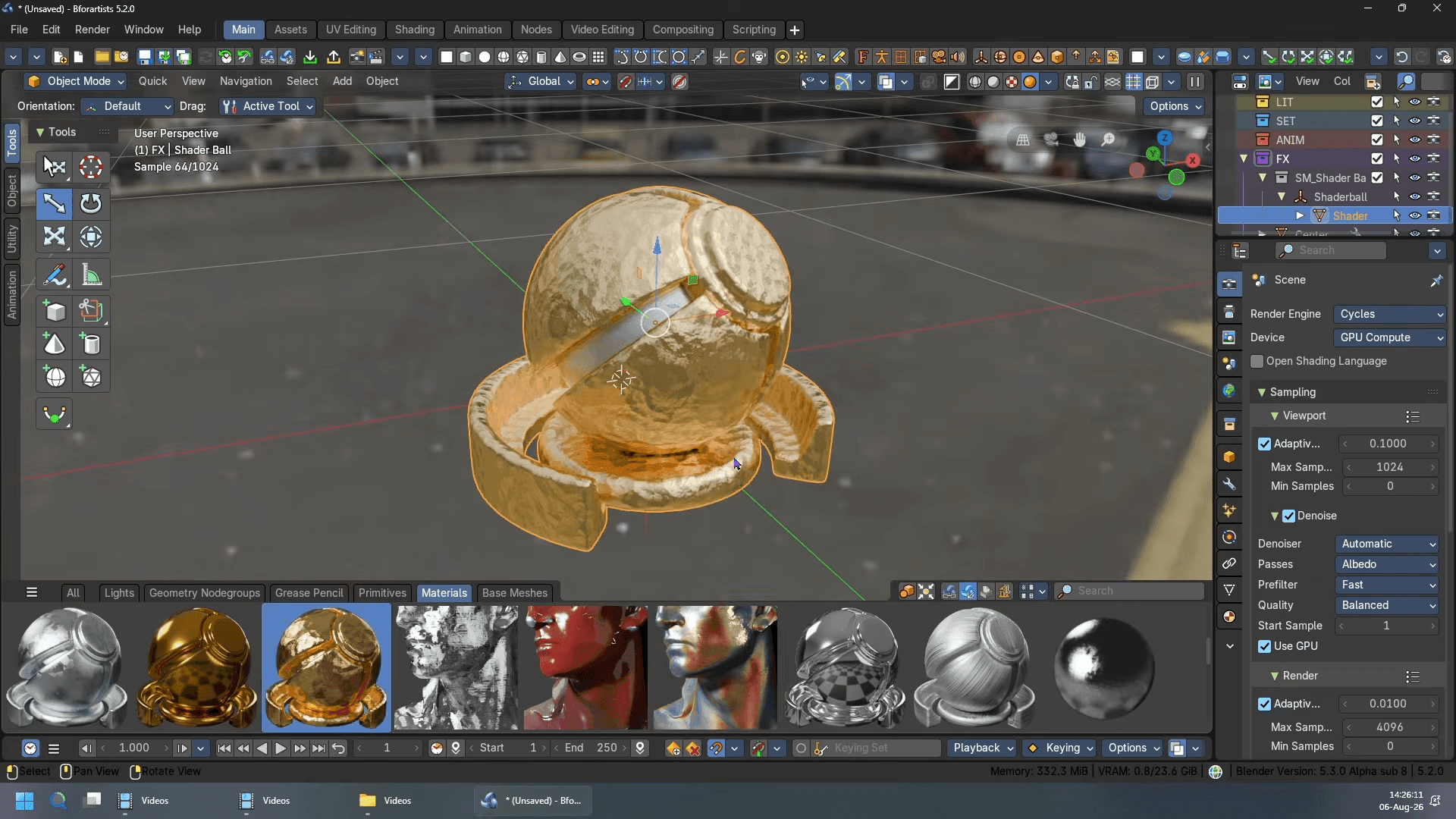
Bforartists — Best for Blender Capabilities With a More Discoverable Interface
Image source: Bforartists official
💡Why Choose It Over Blender?
Bforartists is built on Blender’s technical foundation but reorganizes the interface around more visible controls, icons, and tool access. It is most relevant for users who value Blender’s broad capabilities but find its interface and command structure difficult to navigate.
🔍What It Replaces
Because Bforartists shares Blender’s underlying technology, it can cover many of the same general tasks, including modeling, animation, materials, and rendering. This gives it a much broader replacement scope than most specialist alternatives in this guide.
❗Where It Stops
The redesigned interface does not remove Blender’s underlying concepts or workflow complexity. Users looking for a fundamentally different approach to 3D production may still prefer another DCC.
⭐Choose It If
Choose Bforartists if Blender’s interface is the main source of friction but you still want access to a similar range of modeling, animation, and rendering capabilities.
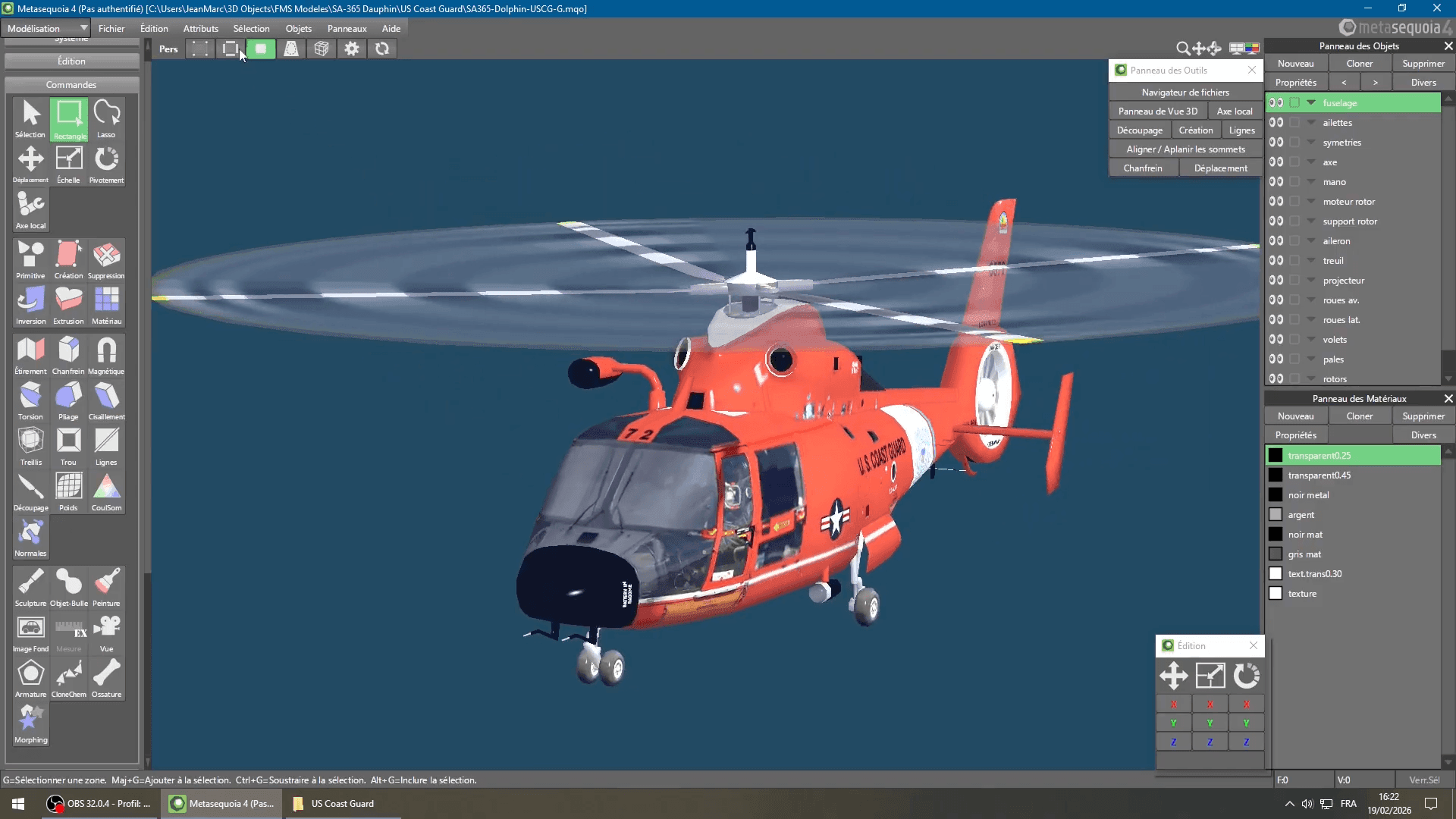
Metasequoia 4 — Best for Focused Polygon and VRM/MMD Character Work
Image source: YouTube @Jimmy-Marco 3D
💡Why Choose It Over Blender?
Metasequoia 4 offers a more focused desktop modeling environment for users who primarily work with polygon models and character assets. Its toolset centers on mesh editing, UV work, texture painting, bones, Morphs, and formats commonly used for VRM and MMD-related workflows.
🔍What It Replaces
Metasequoia can replace Blender for focused polygon modeling, UV preparation, basic texture work, bone setup, Morph creation, and the preparation of VRM or PMD character assets. It also supports common exchange formats such as OBJ, STL, glTF, VRM, and PMD. If the goal is a live avatar, the VTuber model workflow covers the rigging and expression setup that comes after modeling.
❗Where It Stops
Advanced animation, simulation, compositing, and large scene production still require another application. Some exchange formats, including FBX, PLY, and 3MF, are also limited to the EX edition.
⭐Choose It If
Choose Metasequoia 4 if your work centers on polygon modeling, stylized characters, VRM avatars, or MMD assets and you do not need a full VFX or scene-production environment.
Triverse AI — Best for Faster Initial Asset Creation
💡Why Choose It Over Blender?
Creating a 3D asset manually in Blender usually starts from an empty scene and requires the initial geometry to be built before refinement can begin. This can become a bottleneck when a project needs many concepts, props, variations, or models based on existing reference images.
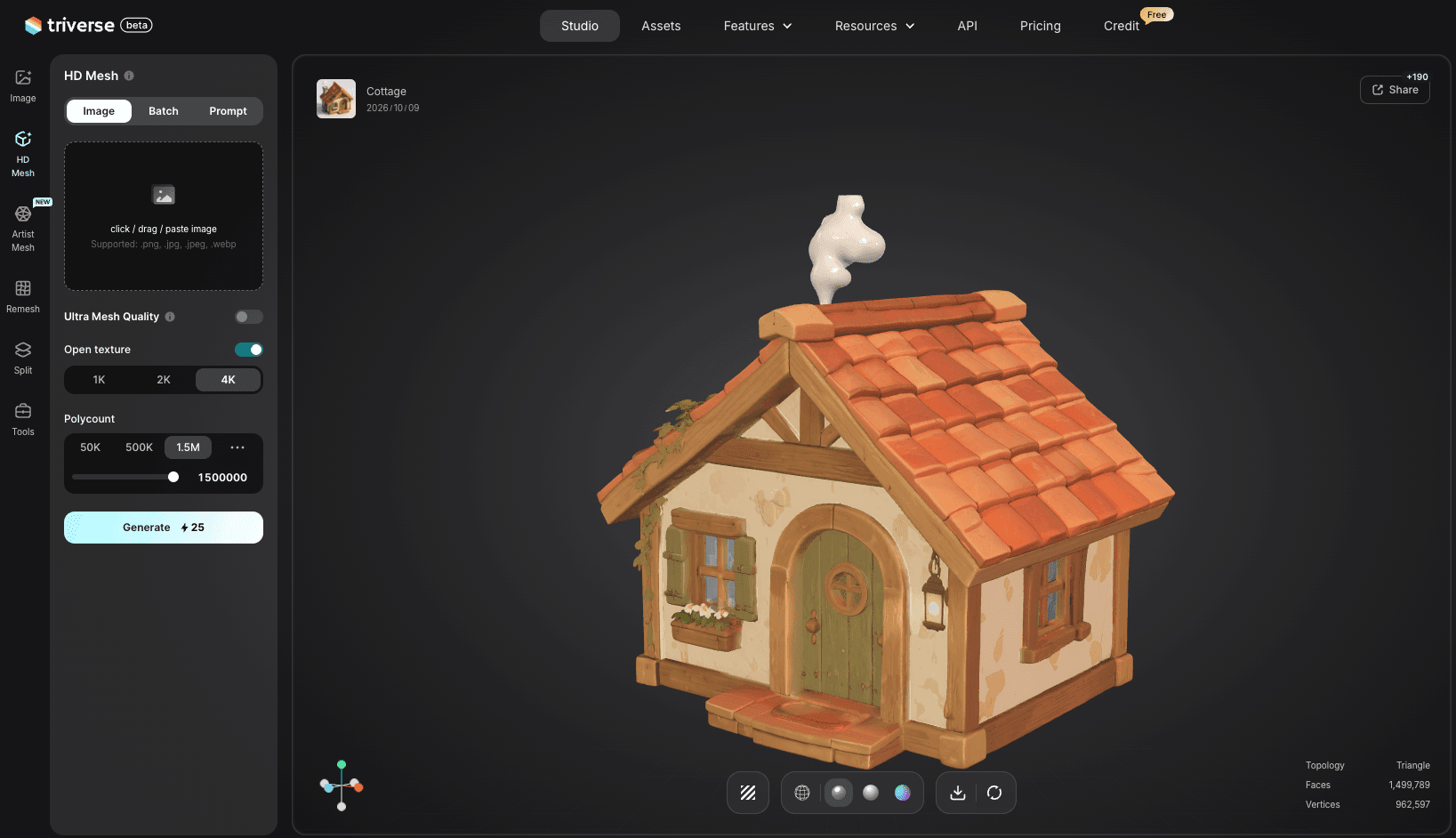
Triverse AI shortens this early stage by generating a starting 3D model from text or an image and by producing first-pass textures for untextured models. It works best as a workflow accelerator for initial asset creation.
🔍What It Replaces
Triverse AI can reduce the manual work involved in creating initial geometry. Use text-to-3D to explore concepts and variations, or image-to-3D when an existing reference should guide the starting model. It can also produce first-pass PBR textures for untextured assets. For simple static assets, the generated result may already be close to usable before further editing.
❗Where It Stops
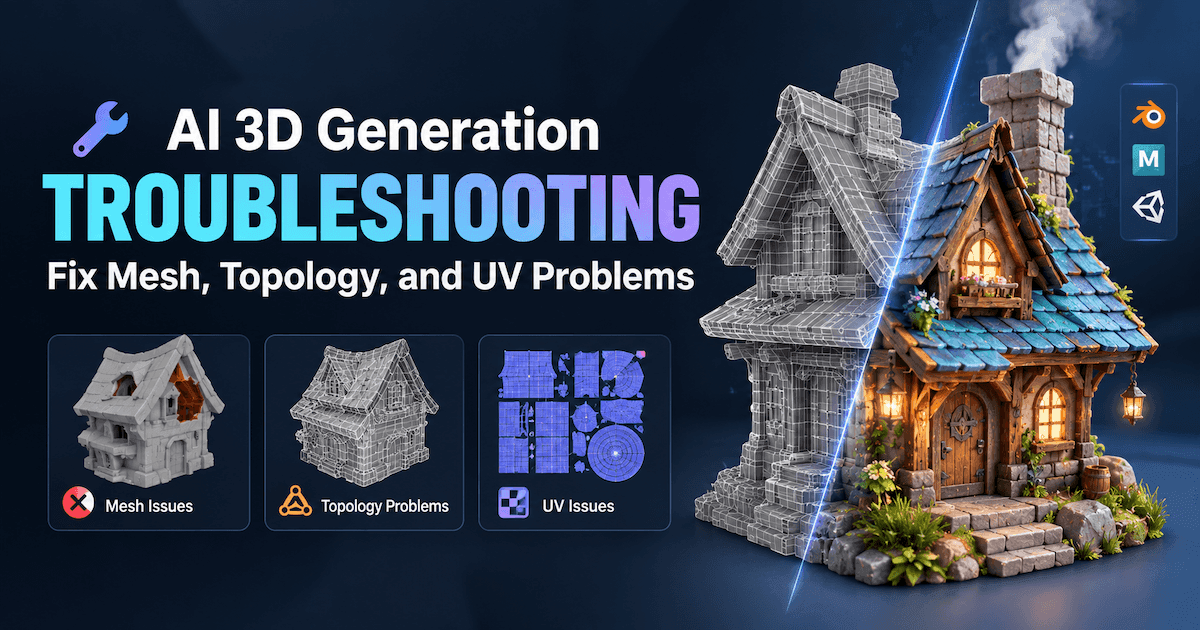
Precise mesh editing, topology refinement, rigging, animation, simulation, and complex scene construction still require a full 3D application. Models with stricter production requirements may also need additional cleanup; see how to clean up an AI-generated model in Blender.
⭐Choose It If
Choose Triverse AI if the main bottleneck is getting from an idea or reference image to an editable starting model, especially when you need multiple props, concepts, or asset variations without building each one from scratch. For a broader comparison of generative platforms, see our AI 3D model generator comparison.
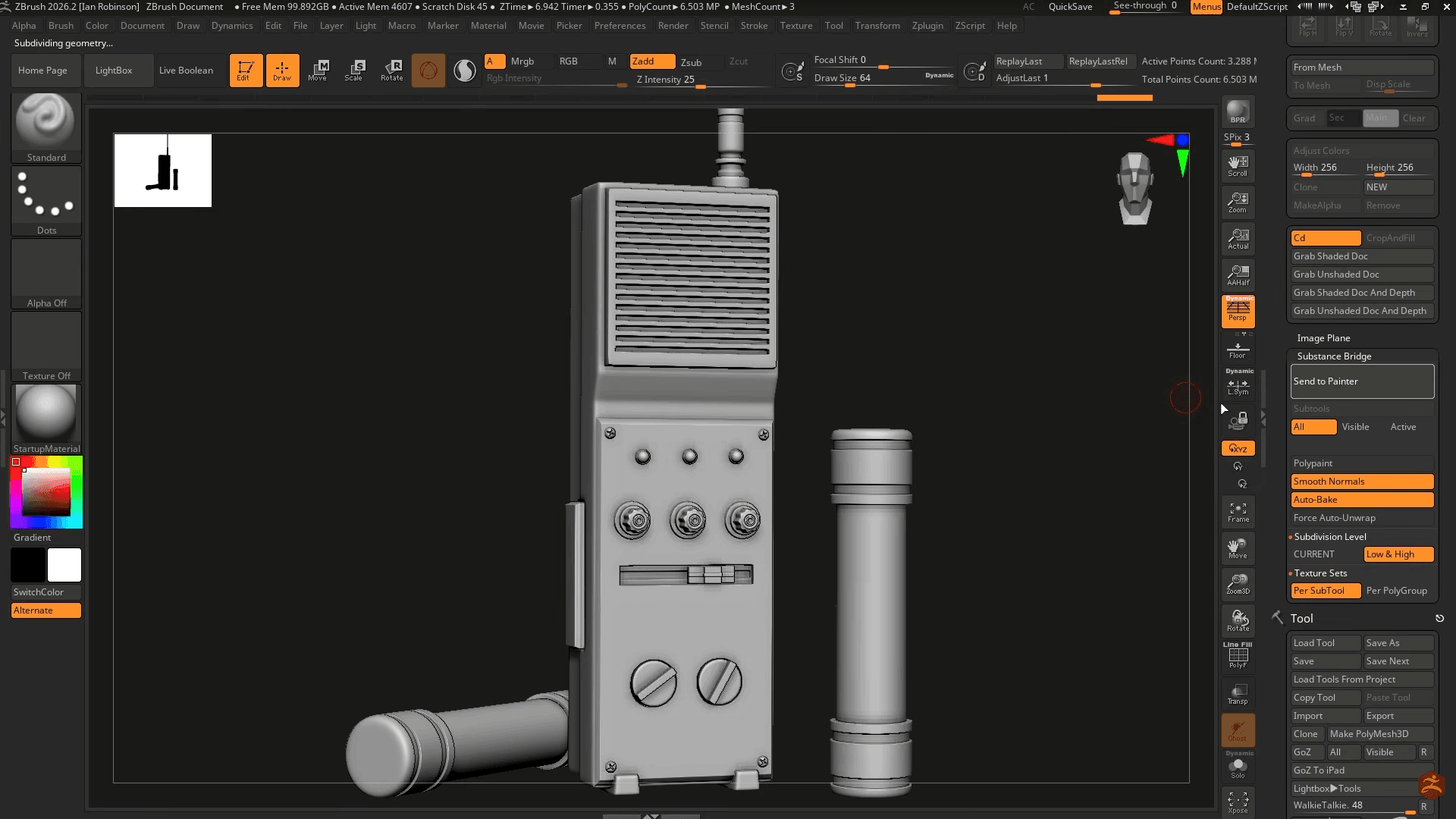
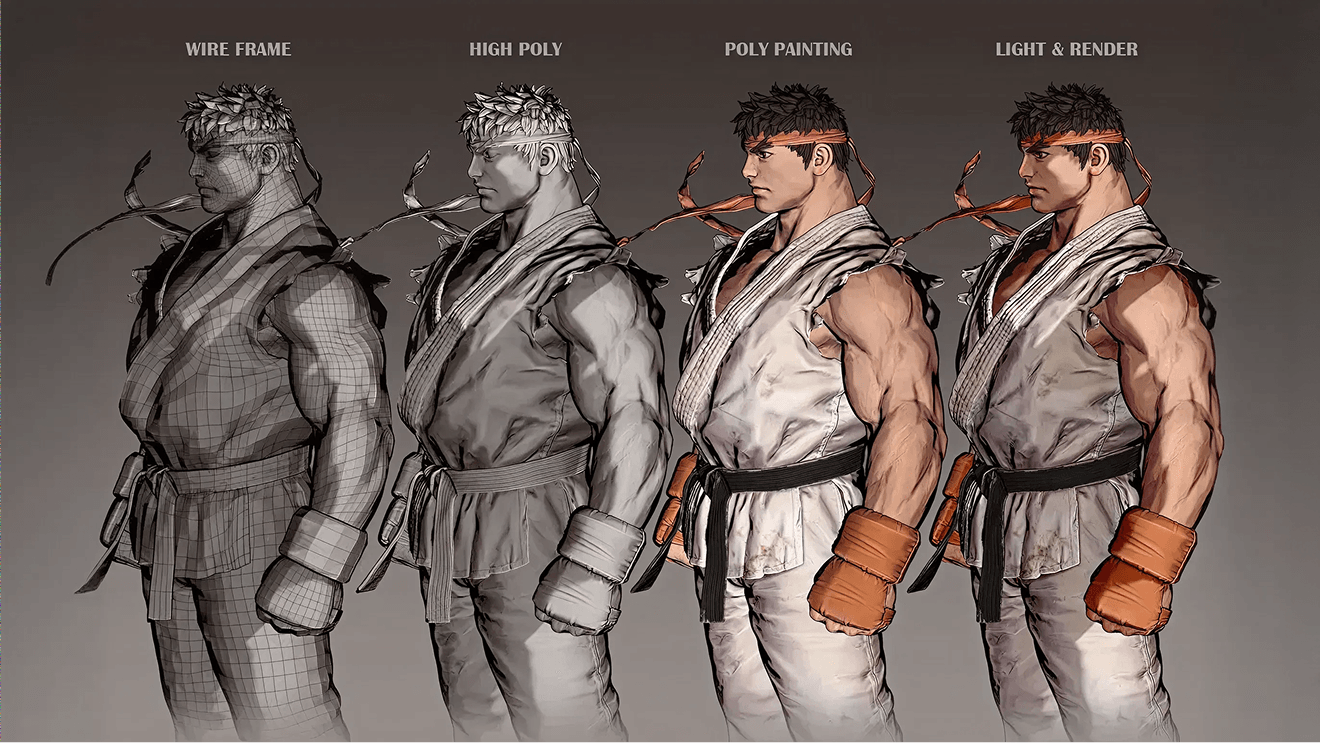
ZBrush is designed around high-density organic sculpting and detailed surface work, making it particularly well suited to characters, creatures, figurines, and other assets whose forms are developed primarily through sculpting.
🔍What It Replaces
ZBrush can replace Blender Sculpt Mode for high-detail organic modeling, early character and creature forms, and detailed surface development. For sculpting-focused workflows, it can become the primary tool for creating the asset’s shape and fine detail.
❗Where It Stops
Retopology, UV preparation, rigging, animation, scene assembly, and final rendering may still move into another application once the sculpt is complete. For game assets, quads vs triangles in retopology becomes a separate production decision.
⭐Choose It If
Choose ZBrush if detailed organic sculpting and specialist sculpting control matter more than completing the entire 3D workflow inside one application.
Nomad Sculpt — Best for Tablet-Based Sculpting
Image source: YouTube @Dave Reed
💡Why Choose It Over Blender?
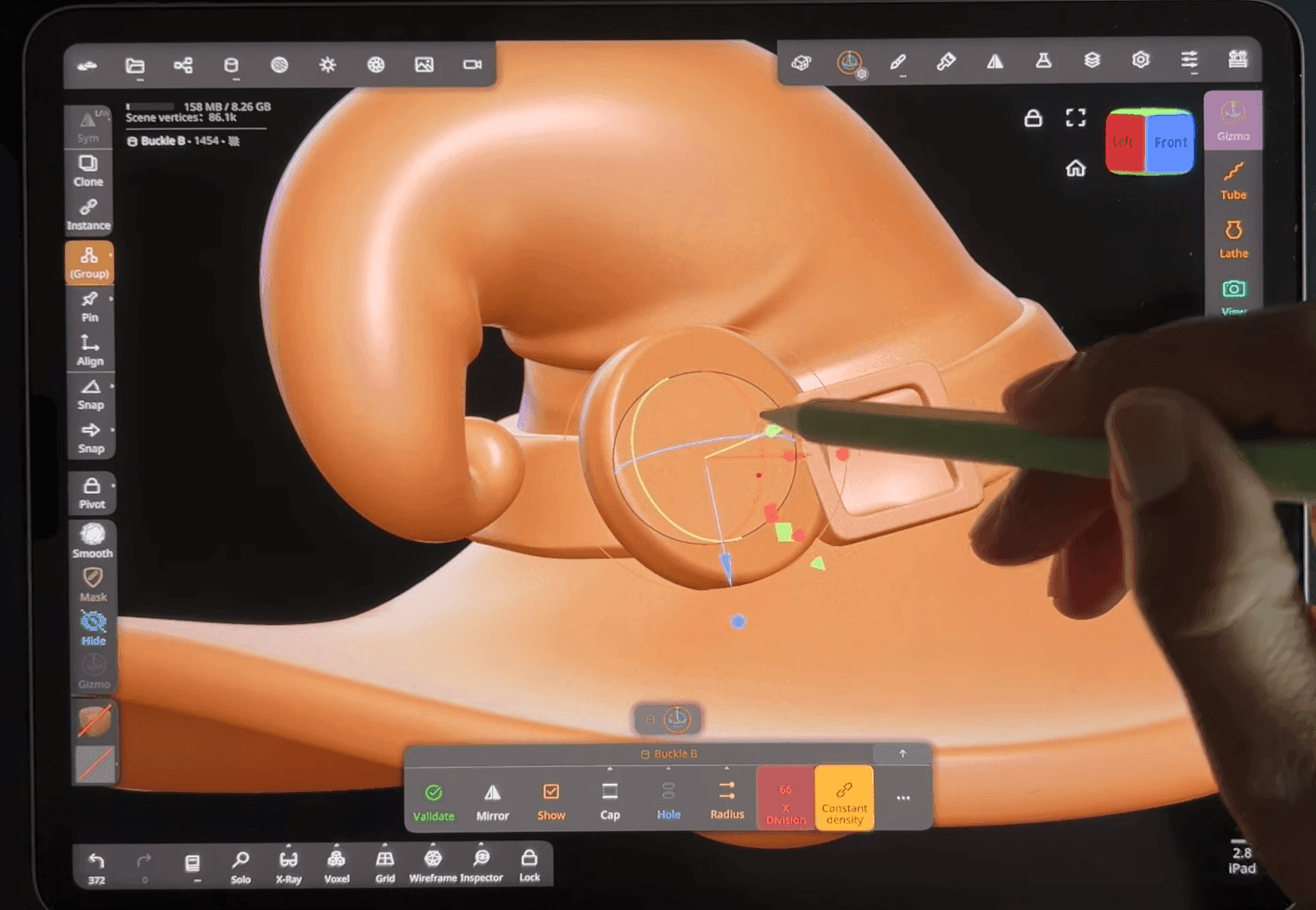
Nomad Sculpt is designed around direct touch and stylus interaction on tablets and mobile devices, making it well suited to artists who prefer shaping 3D forms through a more hands-on sculpting workflow. It is particularly useful for character busts, figurines, creature concepts, and early form exploration where portability and direct manipulation matter more than a full desktop toolset.
🔍What It Replaces
Nomad Sculpt can replace Blender for early organic sculpting, character busts, figurines, concept forms, and other static assets created primarily through sculpting. For artists who spend most of the early asset-creation stage shaping forms rather than building precise polygon topology, it can serve as the main sculpting environment.
❗Where It Stops
Retopology, rigging, character animation, and larger scene production generally still require a desktop 3D application.
⭐Choose It If
Choose Nomad Sculpt if you want to sculpt primarily on a tablet and value portability and direct stylus control more than a full desktop production workflow.
Houdini — Best for Procedural Modeling and VFX
Image source: Houdini official
💡Why Choose It Over Blender?
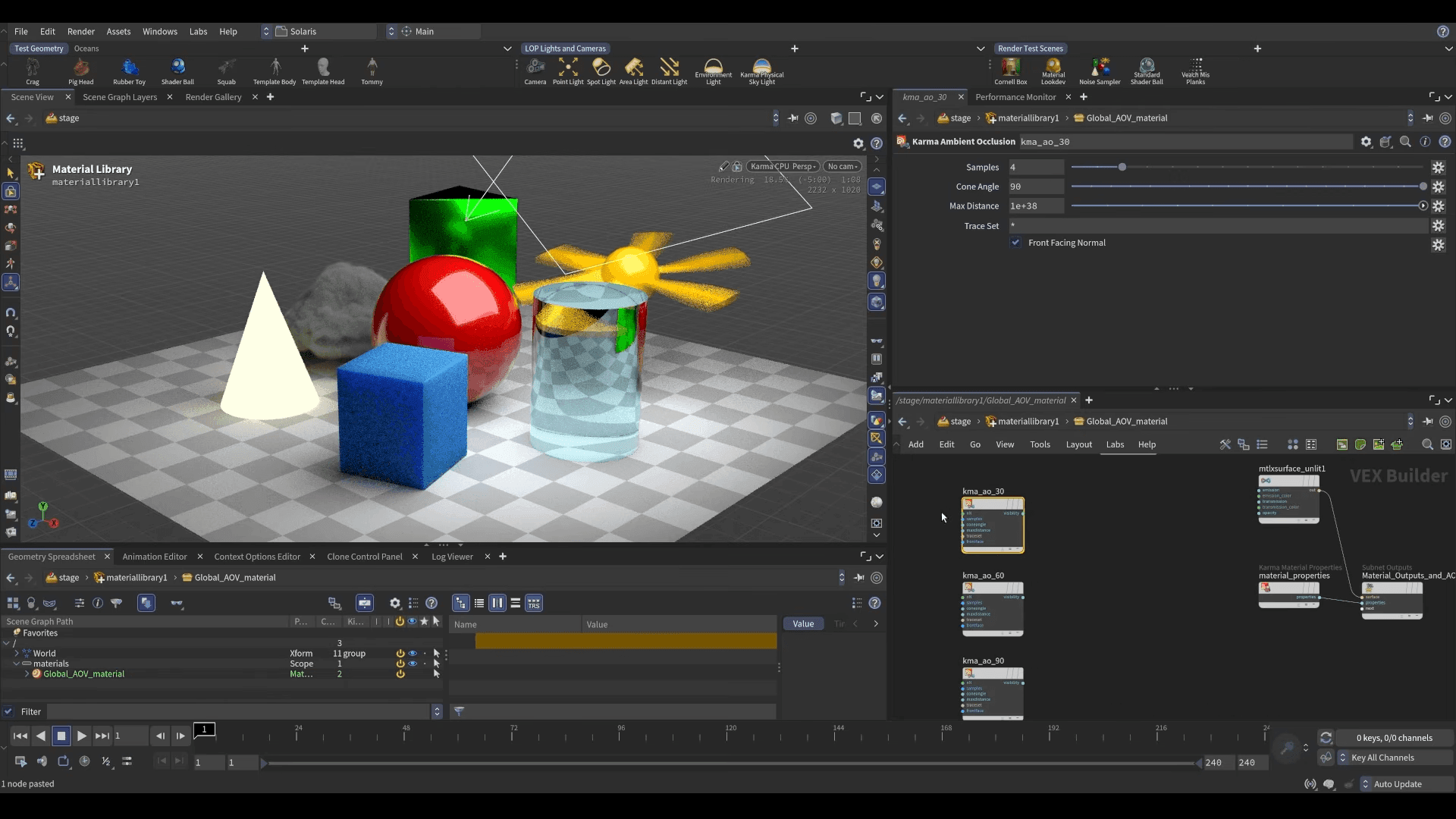
Houdini becomes relevant when a project depends on reusable procedural systems rather than primarily manual modeling. Its workflow is suited to generating and modifying geometry through systems that can be adjusted repeatedly, as well as to effects such as destruction, particles, fluids, and other simulations.
For these tasks, the ability to change upstream parameters and propagate those changes through a procedural network can be more important than conventional direct modeling speed.
🔍What It Replaces
Houdini can replace parts of Blender’s procedural modeling and Geometry Nodes work, along with simulation-heavy workflows involving effects, environments, particles, destruction, and fluid systems.
❗Where It Stops
Procedural depth does not automatically make Houdini the most efficient application for ordinary asset modeling. Projects centered on straightforward props, hand-authored characters, or simpler scenes may still be faster in a conventional DCC or specialist modeling tool.
⭐Choose It If
Choose Houdini if reusable procedural systems, large-scale generation, simulation, or production VFX are central to the project. For game teams weighing this approach against manual or AI workflows, our procedural asset generation guide covers that decision in more detail.
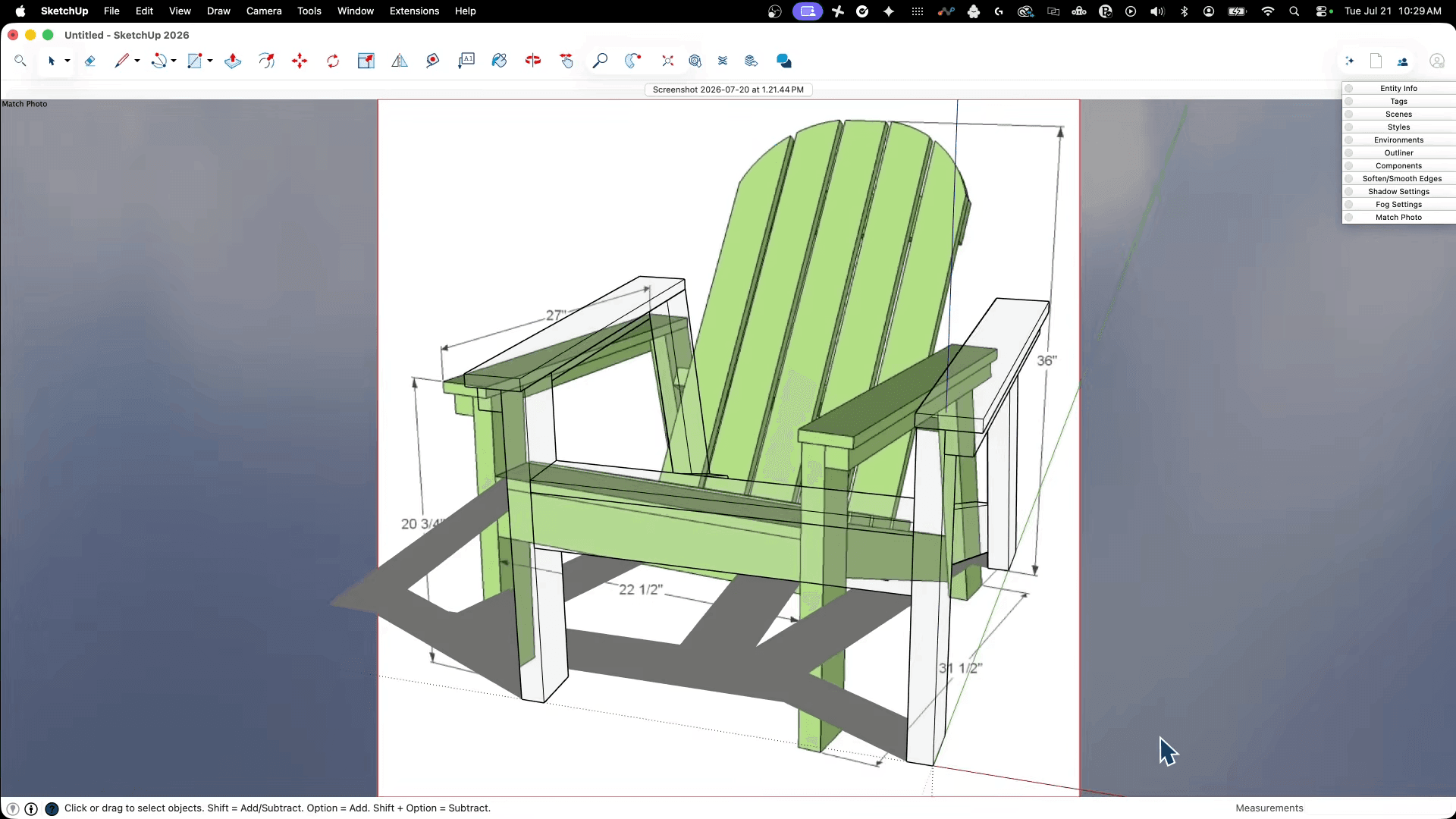
SketchUp — Best for Architecture and Rapid Spatial Modeling
Image source: SketchUp official
💡Why Choose It Over Blender?
SketchUp is designed around creating and communicating spatial ideas. Its modeling approach works well for architectural massing, room layouts, furniture placement, and rapid exploration of built environments.
If the actual goal is to test proportions, volumes, and spatial relationships, Blender’s broader character, animation, VFX, and compositing capabilities may add complexity that many architectural concept workflows do not need.
🔍What It Replaces
SketchUp can replace Blender for architectural concepts, interior layouts, basic furniture and spatial models, and early-stage architectural visualization.
Components and repeated design elements also fit naturally into this type of workflow.
❗Where It Stops
SketchUp does not replace Blender’s character, VFX, or general entertainment-production pipeline. Projects that progress toward sophisticated final architectural visualization, complex rendering, or large production scenes may also involve additional DCC or rendering software.
⭐Choose It If
Use SketchUp when the main purpose of the 3D model is to develop or communicate architecture, interiors, layouts, and spatial design rather than animation or visual effects.
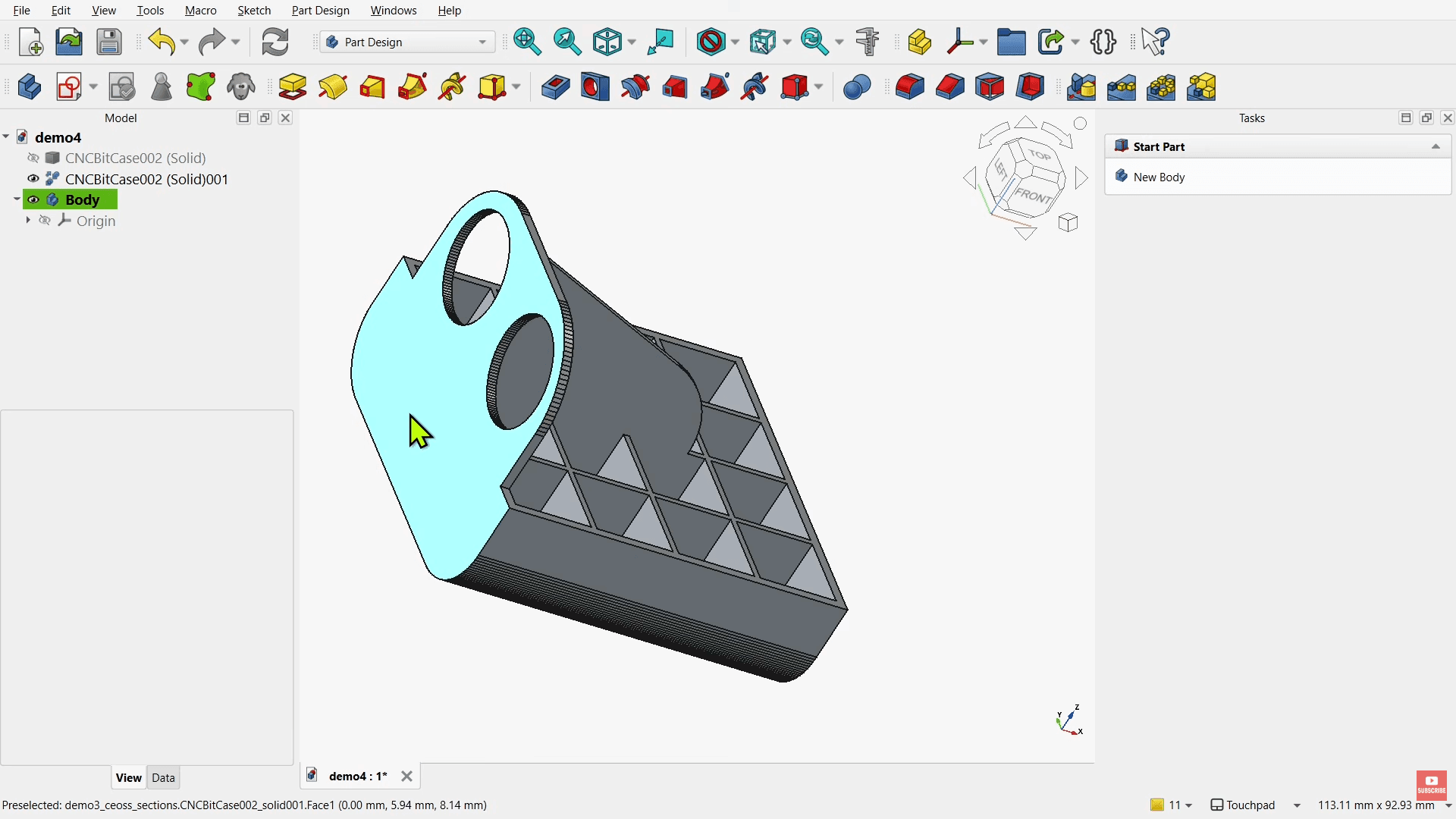
FreeCAD — Best for Parametric CAD and Functional Parts
Image source: YouTube @MangoJellySolutions
💡Why Choose It Over Blender?
FreeCAD addresses a fundamentally different modeling problem from artistic mesh creation. When a part needs exact dimensions, geometric constraints, repeated revisions, or an editable parametric design history, these requirements become more important than Blender’s broader artistic toolset.
A hole that must remain a specific distance from an edge or a component that must be resized without rebuilding the whole model benefits from a constraint-driven CAD workflow.
🔍What It Replaces
FreeCAD can replace Blender for dimensionally precise parts, mechanical components, functional 3D-printing models, and designs that need repeated parameter changes.
❗Where It Stops
Its engineering-focused workflow does not cover Blender’s artistic modeling, character animation, VFX, or entertainment-rendering roles.
⭐Choose It If
Choose FreeCAD when the model must fit, assemble, manufacture, or remain editable through dimensions and constraints rather than simply look correct. If printing is the main goal, compare CAD software for 3D printing before choosing a long-term tool.
When Blender Is Still the Better Choice
Blender remains unusually difficult to replace when the priority is keeping many production stages inside one application. It continues to make sense for creators who want modeling, sculpting, materials, animation, rendering, VFX, and compositing without paying for a subscription.
Its large tutorial and add-on ecosystem is another reason to stay, especially when an existing workflow already depends on specific community tools. Keeping modeling, materials, animation, lighting, and rendering inside one project environment can also reduce file transfers and pipeline complexity.
For workflows that already benefit from this breadth, switching tools may add more friction than it removes. A change makes the most sense when another application solves a specific production problem more directly, whether through deeper specialist control, a different industry workflow, or a faster way to complete one stage of production.
Frequently Asked Questions About Blender Alternatives
Ring
Article author
Ring is a 3D artist & creator at Triverse AI. She specializes in building immersive 3D scenes and designing expressive, anime-inspired 3D avatars. When she is not craftting digital worlds, you can find she experimenting with 3D printing to bring her virtual creations into the physical world. Passionate about AI-driven workflows and interactive media, she is always exploring new ways to push the boundaries of 3D creation.