12 Halloween 3D Print Ideas Ready to Generate by Your Own
Every Halloween 3D print ideas worth making, from the classics to your own designs. 12 prints for the porch, table, costume, and tabletop, plus DnD scale notes.
Some Halloween 3D prints turn up on every porch in the neighborhood: the ghost tea light, the skull on the step, the pumpkin bucket. They're classics for a reason, and the list below starts with them.
You just don't have to print somebody else's version. Change the face, the size or the pose and a classic turns into yours. The pumpkin on your step can be the one your kid actually carved, and your campaign's villain doesn't have to be whichever undead mayor a model library happened to stock.
Below are 12 Halloween 3D print ideas built around that, grouped by where they end up: your porch, your table, your costume, your game table. Each one works as a straight print and as something you can customize.
Pick Your Printer First: FDM or Resin for Halloween 3D Prints
Material choice decides which of these ideas are even on the table, so settle it before you generate anything. Resin wins on surface detail and loses on size and mess. FDM wins on size and cost and loses on fine detail. Our FDM vs resin 3D printing comparison walks through the full argument.
Resin for Halloween 3D printed miniatures and fine detail
Anything smaller than your fist wants resin. Faces, tiny horns, the gap between a skeleton's ribs: an FDM nozzle can't resolve those at a sane print time. You pay in floor space and cleanup, though. Resin means gloves, isopropyl, a wash station, and a cure lamp, and the whole workflow smells. Our resin 3D printing guide covers the setup.
FDM for porch props and big Halloween 3D prints
A life-size skull, a candy bowl, a tombstone: all FDM jobs. They're big, hollow, and nobody's checking the surface from six inches away. PLA handles a week of October weather fine in most climates, though it'll slump in direct afternoon sun or inside a hot car. PETG or ASA costs more per spool, and it holds up if your display lives outside through November.
One safety note, since Halloween printing usually happens in a garage with the door shut: that's where you least want a resin vat or a heated nozzle running unattended. Our 3D printer fumes safety guide covers ventilation.
12 Halloween 3D Print Ideas for Porch, Table, Costume and Game Table
Every idea below is something people print every October. Each one carries a note on where customizing it pays off, plus a printability note, because that's where most Halloween prints actually fail.
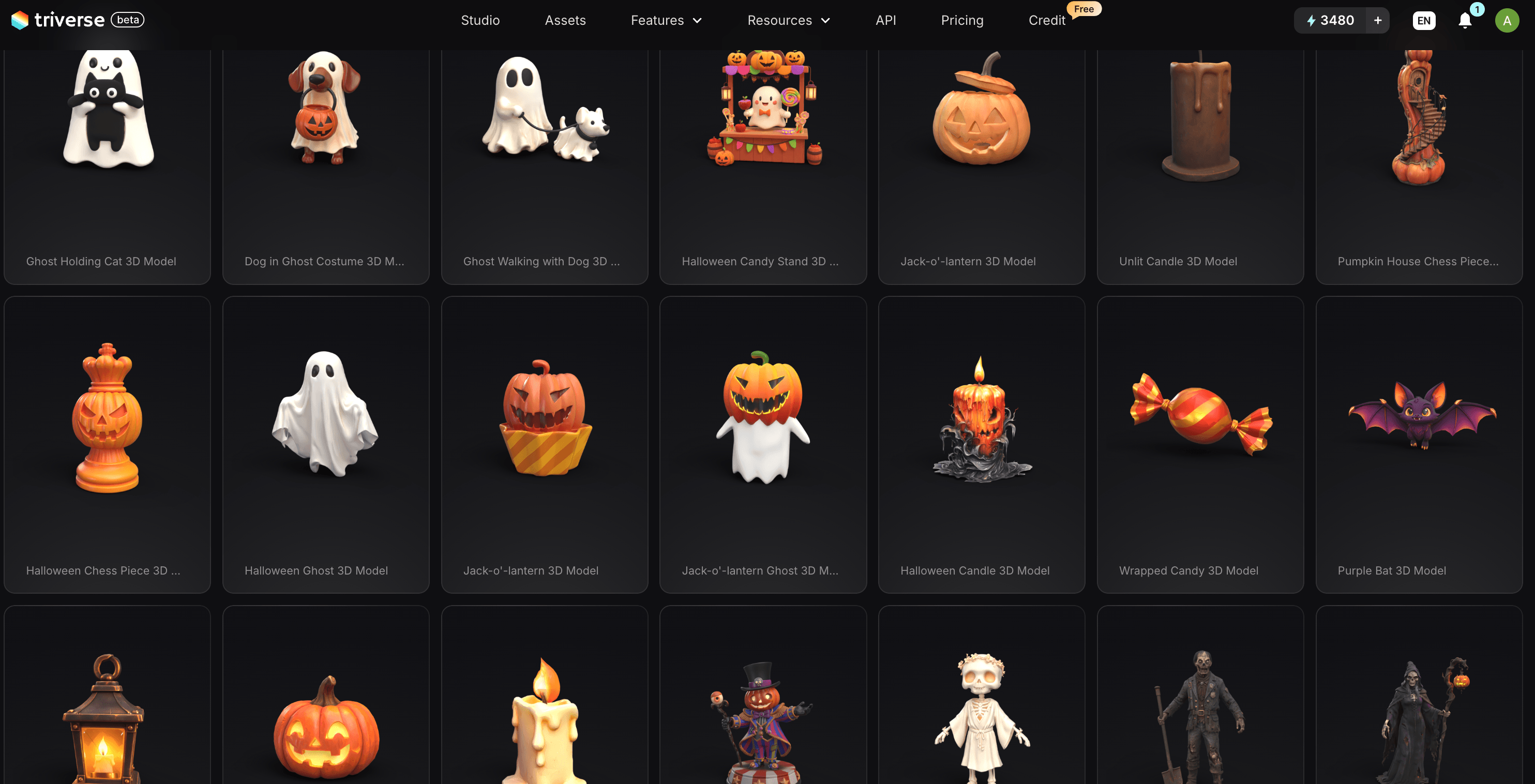
If you'd rather start from something that already exists, Triverse keeps a free Halloween 3D model gallery sorted by tag: pumpkin, ghost, skeleton, zombie, candle, lantern, and horror. Everything there is free to download, and it's a decent shortcut when the shape you want is close enough.
The Halloween 3D Prints Everyone Makes First
These eight turn up on porch steps and in every October roundup. Each row links to a free file somebody else already designed and published, plus the reason you'd still bother generating your own.
Classic Halloween 3D print | A free file worth starting from | Why you'd still generate your own |
|---|---|---|
Jack-o'-lantern | Halloween Pumpkin (tealight compatible) by Sabre Design on Printables. Won an award in Prusa's Halloween 2024 contest, 90 mm tall, hollow so the light comes through | Yours carries the face your kid actually carved, and you can print that same face again next October |
Skull | Realistic Skull Candy Bowl by Thinkable on Printables. The listing admits to a 19-hour print, which is honest about what lifelike costs | A generated skull is sized to your step, tilted how you want it, and missing whichever teeth you feel like removing |
Ghost tea light | Halloween Ghost by SabreDesign on MakerWorld. 117 mm tall, thin hollow walls, about 43 minutes with no supports, and the listing itself says not to use real candles | Height, droop, and eye shape become variables, so a cluster reads as five different ghosts instead of one ghost printed five times |
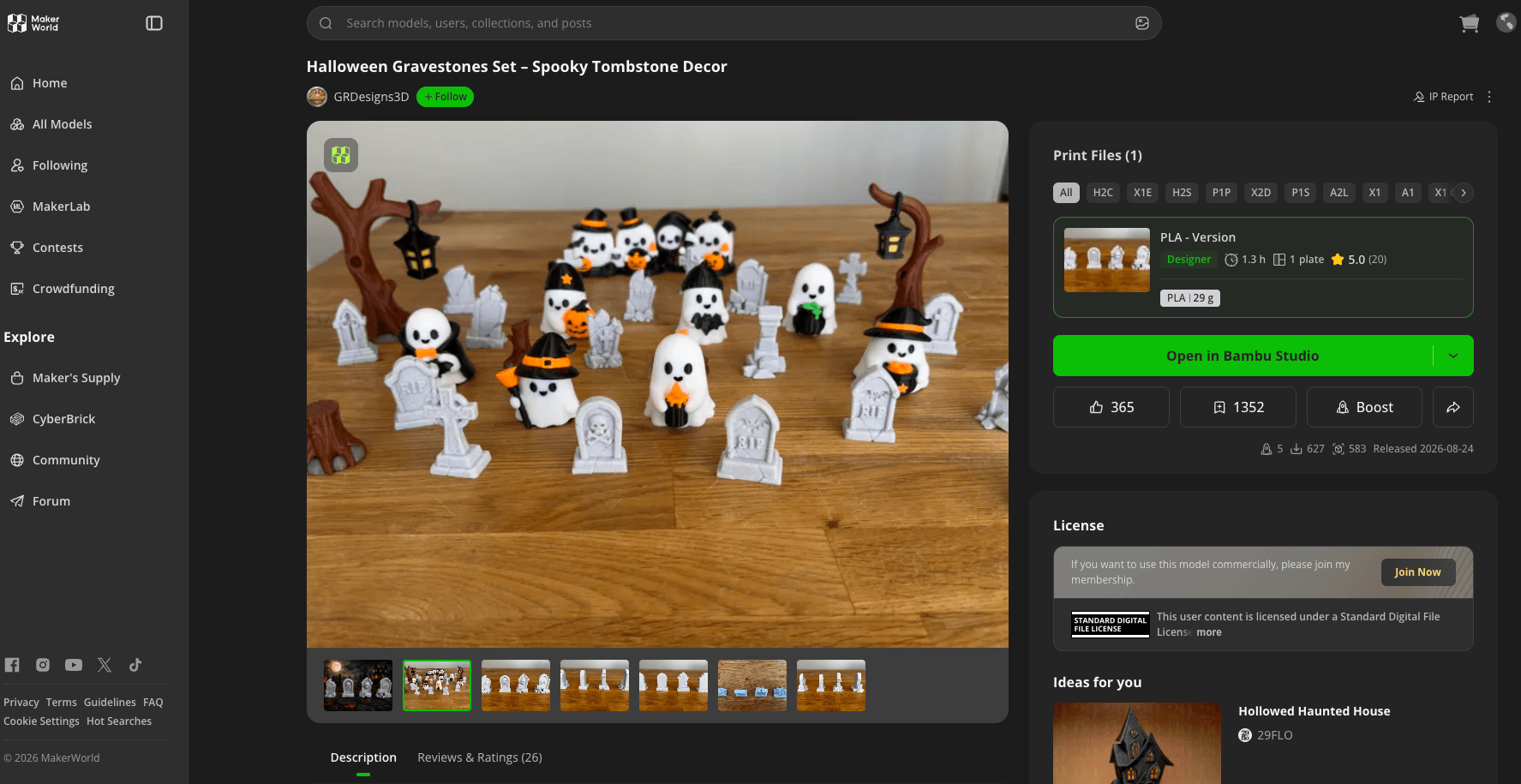
Tombstone | Halloween Gravestones Set on MakerWorld. Several cracked and weathered stones with RIP lettering already modeled, roughly 1.3 hours and 29 g of PLA | You can size it to your actual lawn. Note that the RIP text is exactly the part a generator will get wrong |
Candy bucket | Sugar Skull Halloween Candy Bowl on MakerWorld. Ships with a water-resistant profile at three walls and 10% infill | A skeletal hand holding it, or a name in relief, which no model library stocks |
Articulated skeleton | Print in Place Fully Articulated Skeleton Hand by kogi3d on MakerWorld. Print-in-place and support-free, which is clearance math rather than modeling | The body is yours to design, then you take the joints from a purpose-built file like this one |
Potion bottles | "Elixir Essence" Potion Bottle by AndyZen on Printables. Around 8.3 cm tall with a printed stopper and two compartments | One generation gives you a dozen bottles in the same silhouette family, and you skip the threads entirely |
Halloween DnD miniatures | MZ4250's library on Printables. A decade of free monster models covering most of the Monster Manual | The thing in your well, or the mayor who came back wrong, is in nobody's library. That's the whole argument for generating |
Every link goes to the designer who published it. Licenses differ across these, so read the terms before you sell prints of anything.
Halloween 3D Print Idea 1: A Jack-o'-Lantern That Outlives the Real One
Carved pumpkins last about a week before they collapse. Take photos of the one you carved while it still looks good, run them through an image-to-3D pass, and print it. Next year you'll print the same face again.
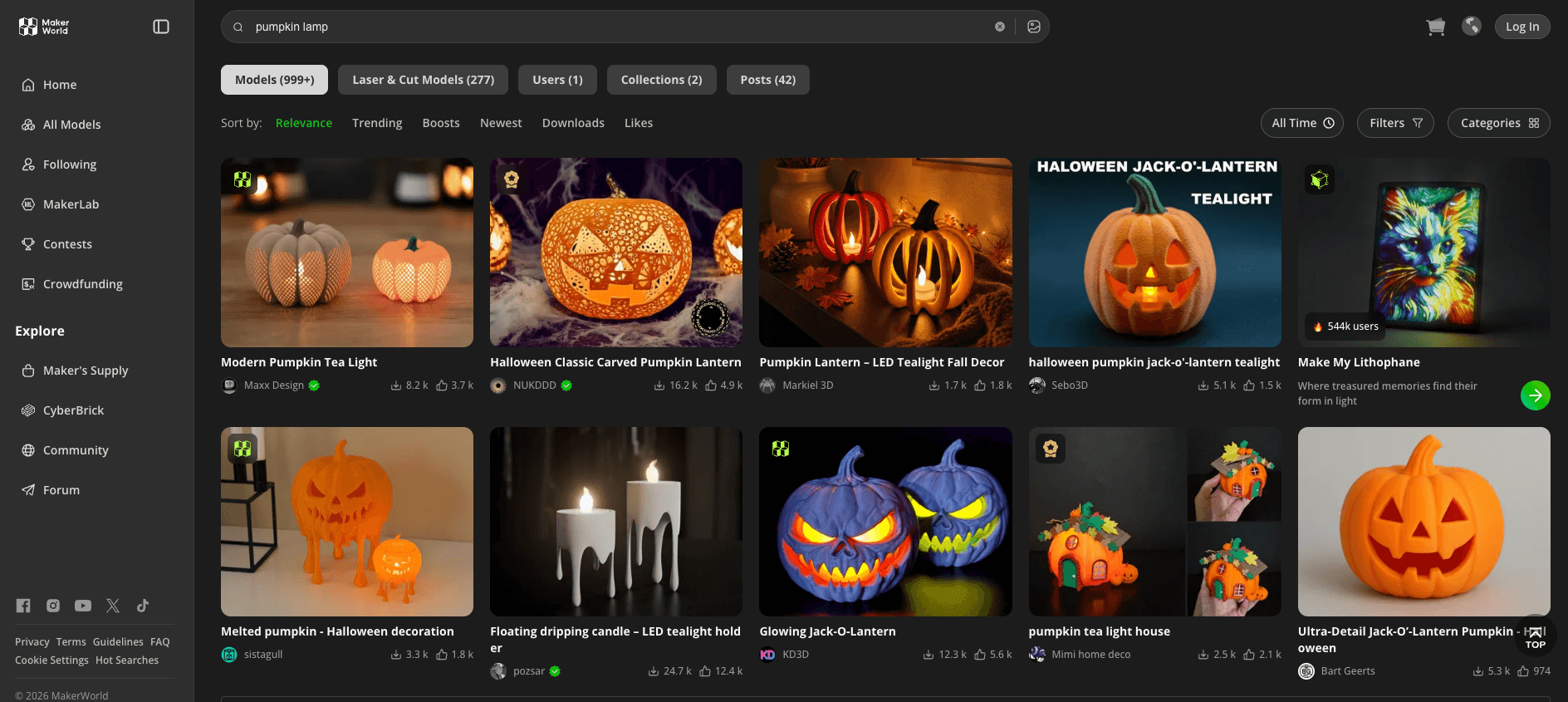
Photograph it straight on, evenly lit, with the background clear. Our guide on what makes a good input image for 3D covers the rest. Print it hollow with a drain hole underneath and drop in an LED tea light. If you'd rather skip straight to a printable one, the pumpkin models in the Makerworld give you a place to start.
Halloween 3D Print Idea 2: A Porch Skull at Life Size
A human-sized skull on the steps gets more reaction than any inflatable you can buy. Generate it, split it into two or three pieces in your slicer, print hollow, glue, then hit it with matte spray paint. FDM layer lines disappear under two coats of filler primer.
Ask for the skull with a flat contact area at the base when you generate it. A skull that rests on the rounded back of its cranium will roll off the step the first time the wind picks up.
Halloween 3D Print Idea 3: Tombstones With Names On Them
Foam tombstones from a big-box store look like foam. Generated ones can be cracked, tilted, and weathered, and you can size them to your actual yard.
One honest caveat: AI 3D generators handle lettering badly. Text tends to come out as wobbled relief that reads as noise at print scale. Generate the stone blank, then either cut the name with a CNC pass, engrave it after printing, or print a separate flat nameplate and glue it on. Don't expect the generator to spell.
Indoor and Tabletop Halloween 3D Print Ideas
Halloween 3D Print Idea 4: A Candy Bowl With a Skeleton Hand
A skeletal hand reaching up out of a bowl, holding the candy. Generate the hand and bowl as one solid piece and print it with thick walls, because a bowl printed at default settings will flex when a kid scoops from it.
Put unwrapped candy in a liner or a glass dish set inside the printed bowl. FDM layer lines make a bad surface for direct food contact, since they hold onto whatever gets into the grooves and you can't properly wash them.
Halloween 3D Print Idea 5: Tea Light Ghosts
The ghost tea light is a classic, and every download site has one. Generating your own is what lets you vary the height, the droop of the fabric, and the shape of the eyes, so a cluster of five reads as five different ghosts rather than one ghost printed five times.
Print these thin-walled so the light comes through, and don't put anything but an LED tea light inside. A real flame in a PLA shell is a bad idea no matter how thin you print it. The ghost tag in the Halloween gallery has a few already-shaped versions if you want a reference before you write your own prompt.
Halloween 3D Print Idea 6: An Articulated Spider
Generators don't produce working print-in-place joints. They'll give you a beautiful spider body with legs that intersect it and no clearance for movement. Generate the body and the legs separately, then pin them, or generate the body and add the legs as simple tapered cylinders in Blender.
Articulated prints that work are a triumph of clearance math, not of modeling. Hand that part to a purpose-built file.
Halloween 3D Print Idea 7: Potion Bottles for the Drinks Table
Bulbous bottles with corks, labeled or not, are easy wins. Generate them with a flat base and a short neck, print in vase mode or with zero infill, and add a bit of glow paint inside.
Skip threaded lids. A generated thread almost never matches a printed one well enough to turn, and you'll spend longer fixing it than the bottle is worth.
Wearable Halloween 3D Prints and Cosplay Props
Halloween 3D Print Idea 8: Horns and a Halo
Devil horns, a broken halo, faun horns for a kid's costume. Generate the pair, then scale them to fit a headband you already own by measuring the band width and setting that as your constraint in the slicer.
Print these in resin if you want them smooth against skin, and sand any edge that touches a forehead. A sharp FDM edge on a costume worn for three hours is a real problem.
Halloween 3D Print Idea 9: A Mask From Your Own Face
Photograph your own face from a few angles, generate a mask base, print it, then paint over it. This one is creepier than any store mask, because the proportions are yours.
Pay attention to what you're uploading. If you're feeding photos of other people into a generator, get their consent first, and check the platform's terms on what happens to uploaded images.
Halloween DnD Miniatures and Tabletop 3D Prints
Halloween 3D Print Idea 10: The Villain Your Campaign Needs
This is the strongest use case on the list. Store-bought miniatures give you an orc. Your one-shot on the 31st needs a specific creature: the thing in the well, the mayor who came back wrong, the thing wearing your party's missing scout's coat.
Describe it, generate it, print it at table scale. We go deeper on prompt structure and scaling in how to generate 3D tabletop DnD miniatures, and the zombie tag in the Halloween gallery is worth a look for undead silhouettes to steal from.
Halloween 3D Print Idea 11: Graveyard Terrain Tiles
Modular tiles with a fence line, a broken wall, a mausoleum corner. Generate one tile, print six of it at different rotations, and you've got a graveyard that cost you one generation instead of six.
Keep every tile on the same footprint and the same height so they sit flush on the table. That consistency matters more than the detail on any single tile.
Halloween 3D Print Idea 12: A Pumpkin Golem Boss Mini
A pumpkin-headed construct for the final fight of a Halloween one-shot. Bigger than a player mini, roughly twice the base diameter, with the head as a separate piece you can paint bright orange while the body stays rusted metal.
Generate the head and body separately. Hollow geometries attached to small contact points are the number one support failure in miniature printing, and a separate head gives you a clean, small contact patch.
12 Halloween 3D Print Prompts That Slice Clean the First Time
Most prompt roundups lead with the description and put the print advice in a line underneath. The advice is usually right. It just never reaches the generator, so you get a gorgeous model and then meet it again in the slicer.
Put the constraint inside the prompt instead. Every prompt below runs the same recipe: subject first, then single solid piece, then a base, then no floating parts, then no thin protrusions, then no text, then style and detail level. Swap the subject, keep the scaffolding.
Halloween Text to 3D Prompts for Porch and Yard Prints
1. Carved jack-o'-lantern
A carved Halloween jack-o'-lantern, single solid piece, wide flat base, chunky rounded ridges, thick curved stem, no thin protrusions, no floating parts, no text, stylized matte orange finish, medium detailThe wide flat base is what stops it from rolling off the step. Asking for chunky ridges instead of deep carved grooves keeps the face readable at FDM layer heights.
2. Life-size porch skull
A human skull sculpture, single solid piece, flattened contact area at the base, thick rounded forms, no thin edges, no floating parts, no text, weathered bone texture, matte finish, medium detail"Flattened contact area" does more work here than any support setting will. A skull resting on the curve of its own cranium tips over the first time the wind moves it.
3. Blank tombstone
A weathered cemetery tombstone, single solid slab, thick flat base, rounded top, cracks and chipped corners, no text, no lettering, no floating parts, matte stone finish, low detailThe no-text clause is the whole trick. Add the name after printing, with paint, a nameplate, or a CNC pass.
Halloween Text to 3D Prompts for Indoor and Table Prints
4. Skeleton hand candy bowl
A skeletal hand rising from a shallow bowl, hand and bowl fused into one solid piece, thick bowl walls, wide flat base, chunky finger bones, no gaps, no floating parts, no text, bone white matte finish, medium detail"Fused into one solid piece" is doing the heavy lifting. Generated separately, the hand arrives with a two-millimeter gap to the bowl and no way to join them.
5. Ghost tea light
A ghost figure with a wavy bottom edge, single hollow shell with an open flat underside, thin even walls, compact rounded body, no arms, no floating parts, no text, smooth matte white finish, low detailOpen flat underside plus thin walls is what lets an LED candle glow through. Leave the arms off; thin arms on a hollow shell are the first thing to snap.
6. Articulated spider body
A spider body with a rounded abdomen, single solid piece, flat underside, thick rounded form, eight short thick leg stubs, no thin legs, no floating parts, no text, smooth matte black finish, low detailThis prompt stops short on purpose. A generator will not give you working print-in-place joints, and asking for eight articulated legs gets you a tangle that intersects the body. Take this as the body, then either add tapered cylinders for legs in Blender or print the legs separately and pin them.
7. Potion bottle
A squat potion bottle with a cork, single solid piece, thick walls, short wide neck, wide flat base, no threads, no thin neck, rounded shoulders, matte glass-look finish, low detailSkip threads entirely. A generated thread won't match a printed one well enough to turn, and you'll spend longer fixing it than the bottle took to generate.
Halloween Text to 3D Prompts for Wearable Halloween Prints and Cosplay
8. Devil horns
A pair of curved demon horns, two separate pieces, each with a flat round mounting base, thick solid form, no thin tips, no floating parts, smooth matte black finish, medium detailThe flat mounting base is what you'll glue to a headband. Horns generated without one need a support tree and still leave a jagged contact scar.
9. Blank Halloween mask base
A blank oval Halloween mask base, single solid piece, smooth domed face form, two eye holes, thick even shell, rolled edge all around, no straps, no elf ears, no thin protrusions, no floating parts, no text, matte finish, low detailLeave the expression off. A generator asked to sculpt a face hands you something that reads as a smear at print scale, and painting the expression on afterward is faster and looks better. If you want your own face rather than a generic one, skip this prompt entirely and photograph yourself instead.
Halloween Text to 3D Prompts for Halloween DnD Miniatures
10. Undead mayor villain
An undead mayor tabletop miniature, standing on a round base, single solid piece, chunky proportions, thick limbs, long coat fused to the body, no cape, no thin protrusions, no floating parts, no text, stylized dark fantasy style, medium detailCoat fused to the body, no cape. A free-hanging cape on a 28 mm figure is a support nightmare, and it hides the pose you generated it for anyway.
11. Graveyard terrain tile
A square modular graveyard terrain tile, single solid piece, flat bottom, low broken wall and a leaning tombstone fused to the base, thick flat slab, no floating parts, no text, cracked stone texture, low detailFused to the base, because a leaning tombstone generated as a separate shell will detach in the wash.
12. Pumpkin golem boss
A pumpkin-headed construct boss miniature, standing on a wide round base, single solid piece, chunky blocky body, thick stubby arms, head fused to the shoulders, no thin protrusions, no floating parts, no text, stylized dark fantasy style, medium detailHead fused to the shoulders costs you very little detail and removes the worst support failure in miniature printing, which is a heavy piece hanging off a narrow contact point.
Turning a Halloween 3D Print Idea Into a File Your Slicer Accepts
Nobody writes about the ten minutes after the generation finishes. A generated model is a solid-looking mesh that has never met a nozzle, and it'll usually need work before it slices cleanly.
Start from text or from a photo of the real Halloween prop
Two entry points. Text is faster and looser, good for creatures and props where you have a clear picture in mind. A photo's better when a real object exists, like your carved pumpkin or a prop you already own.
Our walkthrough on how to turn text to STL covers the text path end to end, and generating 3D props from image or text prompts compares both when you're not sure which to use.
Prompting for Halloween shapes a printer can actually produce
The prompts that produce printable meshes ask for different things than the prompts that produce pretty renders. Ask for one solid mass. Ask for a flat base. Avoid thin protrusions, dangling bits, anything floating, and anything that only connects at a single point.
Run the same subject twice, and you'll see the difference. Ask for "a weathered gothic tombstone, highly detailed," and you get leaning slabs, a detached cross, floating gravel. Ask for "a weathered tombstone, single solid piece, flat base, no floating parts," and you get one object your slicer reads without complaining. Same generator, same subject, twenty minutes of your evening either saved or spent.
Fix the mesh before you slice your Halloween 3D print
Three checks, in order. Non-manifold edges first, since a mesh with holes will either slice into garbage or refuse to slice at all. Then wall thickness, because a generated shell can come out thinner than your nozzle diameter in places. Then scale, since generated models come out unitless.
Our guides on 3D printing wall thickness and how to fix STL file errors each handle one of those. If you'd rather start from clean geometry, Artist Mesh clean topology generates production-friendly topology from the start.
Export your Halloween 3D print as STL or 3MF
STL is the safe default and every slicer reads it. 3MF carries units, color and material data, so you won't be guessing at scale when your slicer supports it. Our STL vs OBJ vs 3MF breakdown explains when each one matters, and the export models guide covers the settings in Triverse.
Halloween DnD Miniatures: Scale, Material, and a Realistic Timeline
28 mm or 32 mm for Halloween DnD miniatures
Scale is measured from the base to the figure's eyes, not to the top of the head, and 28 mm is the standard for tabletop wargames and RPG miniatures, including Dungeons & Dragons, Warhammer 40K, and Pathfinder. You'll also see 32 mm hero scale, which is chunkier and easier to paint. Pick one and stay on it, because mixing the two looks wrong on the table in a way players'll notice immediately.
Generated models come out unitless, so the scale check isn't optional. Measure the figure's height in your slicer and set it to your target before you hit print.
Printing a whole Halloween one-shot roster in one evening
Batch everything onto one build plate. A roster of eight monsters plus a boss fits on a single resin plate, and depending on your printer, one plate is one run.
For FDM, a small nozzle in the 0.2 to 0.25 mm range and a slower print speed are what make miniatures legible. Our 3D printing miniature guide goes through the orientation and support strategy, and 3D printing settings and parameters cover the rest of the profile.
Painting Halloween miniatures when you don't paint
You don't need to be a painter for one night. Rattle-can primer, a heavy wash of brown or black, then a drybrush of bone white over the top gets a skeleton to 90 percent of table quality in about twenty minutes of actual work. Orange drybrush on a pumpkin head and a red-brown wash on metal does the rest.
Terrain carries more of the atmosphere than you'd expect. Six graveyard tiles on the table sell Halloween harder than a perfectly painted boss ever will. If you're new to the game side entirely, the Dungeons & Dragons overview is a decent starting point.
Generate or Download? A Comparison for Halloween 3D Prints
Situation | Downloading | Generating | Better choice |
A specific object exists in your head | Search until you give up | Describe it once | Generate |
You need it tonight | Instant, if the file is good | Minutes, plus cleanup | Download |
Licensed characters | Marketplace sellers hold licenses | You don't | Download |
Matching a real object you own | Won't exist | Photograph and generate | Generate |
Fine detail on a 28 mm mini | Libraries are full of these | Good, but needs repair | Either |
Six variants of one prop | Six separate searches | One generation, six tweaks | Generate |
Commercial use | Check each license | Check your generator's terms | Depends |
Pros and Cons of AI-Generated Halloween 3D Prints
Where generating wins for Halloween 3D print ideas
You get the specific thing instead of the nearest available thing. You get variants of a design without hunting down another file. You get models sized to the space you're actually filling, whether that's a porch step or a battle map. And you're not waiting on anyone else to have made it first.
A big library looks like infinite choice right up until you search for one specific thing. Meshy's Halloween tag runs to thousands of community uploads and still doesn't have your campaign's undead mayor. Any library is a filter on somebody else's taste.
Where downloading still wins for Halloween prints
Licensed characters belong to marketplaces that hold the license, and printing a trademarked character for sale is a problem you don't want. Files with proven print profiles are also lower risk, especially print-in-place mechanisms and anything with tight tolerances. A generated model is closer to a starting point than a finished product, and pretending otherwise is how you waste a spool of filament.
Start with the free Halloween 3D model gallery before you go anywhere else. It's already generated, already free, and split by tag, so a pumpkin, a ghost or a skull is one click away. That covers most of what people actually want at the end of October.
Where a generated model is the wrong tool, no matter where you get it:
- Mechanisms. Moving parts are clearance math, not modeling. The self-balancing Halloween toy pack has hundreds of ratings behind it and prints in about an hour per character with no glue and no hardware. No generator will hand you that.
- Big multi-part scenes. A 12-plate display piece is a design project, not a prompt. The Haunted House Halloween scene print files won a 2025 Halloween contest and ships with per-plate profiles and a lighting bill of materials.
- Hollow shells engineered around a light. Worth downloading until you're comfortable hollowing meshes yourself. This hollow Halloween pumpkin with removable top is built around dropping a light source inside, and the designer publishes the print profile that goes with it.
For everything else on this list, generating is usually the quicker route.
Halloween 3D Print Ideas: Your Questions Answered
Get Your Halloween 3D Prints Off the Screen Before October 31
Pick one idea from the list and run it end to end tonight. One pumpkin, one ghost, one villain for the table. Once you've seen a generated mesh turn into something you can hold, the rest of the list stops looking theoretical.
If you're starting from words, the text-to-3D walkthrough is the fastest route to a first model, and how to create 3D models for printing covers the rest of the pipeline. If you'd rather start from a shape that already exists, the Halloween 3D model gallery is free and sorted by tag. If a generation comes out wrong, AI 3D generation troubleshooting covers the failure modes worth knowing before you waste a print.
October ends. The pumpkin rots. The file doesn't.